00194591-01.pdf - 第4页
Installation Guide SIPLACE Setup Center Edition 03/2005 EN 4 3.2.3. 1 SIPLACE Setup Center Dat abase and Wi ndows XP SP 2 . . . . . . . . . . .... ..... 3 4 3 . 2 . 3 . 2S I P L A C E S e t u pC e n t e rC o n f i g u r …

Installation Guide SIPLACE Setup Center
Edition 03/2005 EN
3
Page
Contents 0
1 Introduction . . . . . . . . . . . . . . . . . . . . . . . . . . . . . . . . . . . . . . . . . . . . . . . . . . . . . . . . 5
1.1ExplanationofSymbols .......................................................... 5
1.2ScopeofDelivery................................................................ 6
1.3SystemRequirements............................................................ 7
1.3.1SIPLACESetupCenterGUI............................................ 7
1.3.2SIPLACESetupCenterDatabase........................................ 7
1.4NavigationGuideforInstallation................................................... 8
2 System Components and Configurations . . . . . . . . . . . . . . . . . . . . . . . . . . . . . . . 9
2.1 Overview of System Components . . . . . . ............................................ 9
2.1.1SystemConfiguration................................................. 9
2.1.1.1SIPLACESetupCenterDatabase...................................... 9
2.1.1.2SetupCenterGUI.................................................. 10
3Installation........................................................ 11
3.1 Important Preparations Prior to Installation
(SoftwareConfiguration)............................................................ 11
3.2InstallationofSIPLACESetupCenterandPossibleSetupTypes....................... 11
3.2.1.1Step1........................................................... 12
3.2.1.2Step2........................................................... 13
3.2.1.3Step3........................................................... 14
3.2.1.4Step4........................................................... 15
3.2.1.5Step5........................................................... 16
3.2.1.6Step6........................................................... 17
3.2.2IndividualSetupTypesandnextSteps................................... 18
3.2.2.1SetupType-SIPLACESetupCenterGUI............................... 18
3.2.2.2SetupType-SIPLACESetupCenterDatabase.......................... 22
3.2.2.3SetupType-SIPLACEProComplete.................................. 28
3.2.3StepstoPerformafterinstallation....................................... 34
Installation Guide SIPLACE Setup Center
Edition 03/2005 EN
4
3.2.3.1 SIPLACE Setup Center Database and Windows XP SP2 . . . . . . . . . . ......... 34
3.2.3.2SIPLACESetupCenterConfiguration.................................. 34
3.2.3.3 Dragon Scanner Configuration. . ...................................... 34
3.2.3.4 Scanner Hardware Installation . . ...................................... 35
3.2.3.5SafetyInstructions................................................. 35
3.2.3.6SettinguptheScanner.............................................. 36
3.2.3.7 Scanner Configuration . . . . . . . . ...................................... 36
3.2.3.8 Setting of the Scanner Address . ...................................... 38
3.2.3.9BindorJointhescannertoaRFstation................................. 40
3.2.3.10RFStationCommunicationConfiguration .............................. 41
3.2.4TestingtheSetup.................................................... 41
4 Troubleshooting . . . . . . . . . . . . . . . . . . . . . . . . . . . . . . . . . . . . . . . . . . . . . . . . . . . 43
4.1DuringInstallation.............................................................. 43
4.1.1RelevantFilestoAnalyzeSetupProblems................................ 43
4.1.2HowtorunSetupwithVerboseLogging?................................. 44
4.1.3 Error code 1316 and 1603. . . . . . . ...................................... 45
4.1.4ConflictingoldSIPLACESetupCenterinstallations......................... 46
4.1.5RemoteinstallationwithWindowsXPclients .............................. 46
4.1.6 Conflicting applications . . . . . . . . . ...................................... 46
5Modify............................................................ 47
5.1ModifytheInstallation........................................................... 47
6Uninstalling....................................................... 49
6.1BackupConfigurationFiles ...................................................... 49
6.2UninstallingtheSoftware........................................................ 49
6.2.1Step1 ............................................................ 49
6.2.2Step2 ............................................................ 50
6.3UninstallingtheDatabase........................................................ 50
6.3.1OnMSDEInstallations................................................ 51
Installation Guide SIPLACE Setup Center 1 Introduction
Edition 03/2005 EN 1.1 Explanation of Symbols
5
1 Introduction
Please read chapters 1 through 3before you install SIPLACE Setup Center. Chapter 3 describes
the installation sequence for SIPLACE Setup Center as well as the related setup types and impor-
tant information regarding the installation. 1
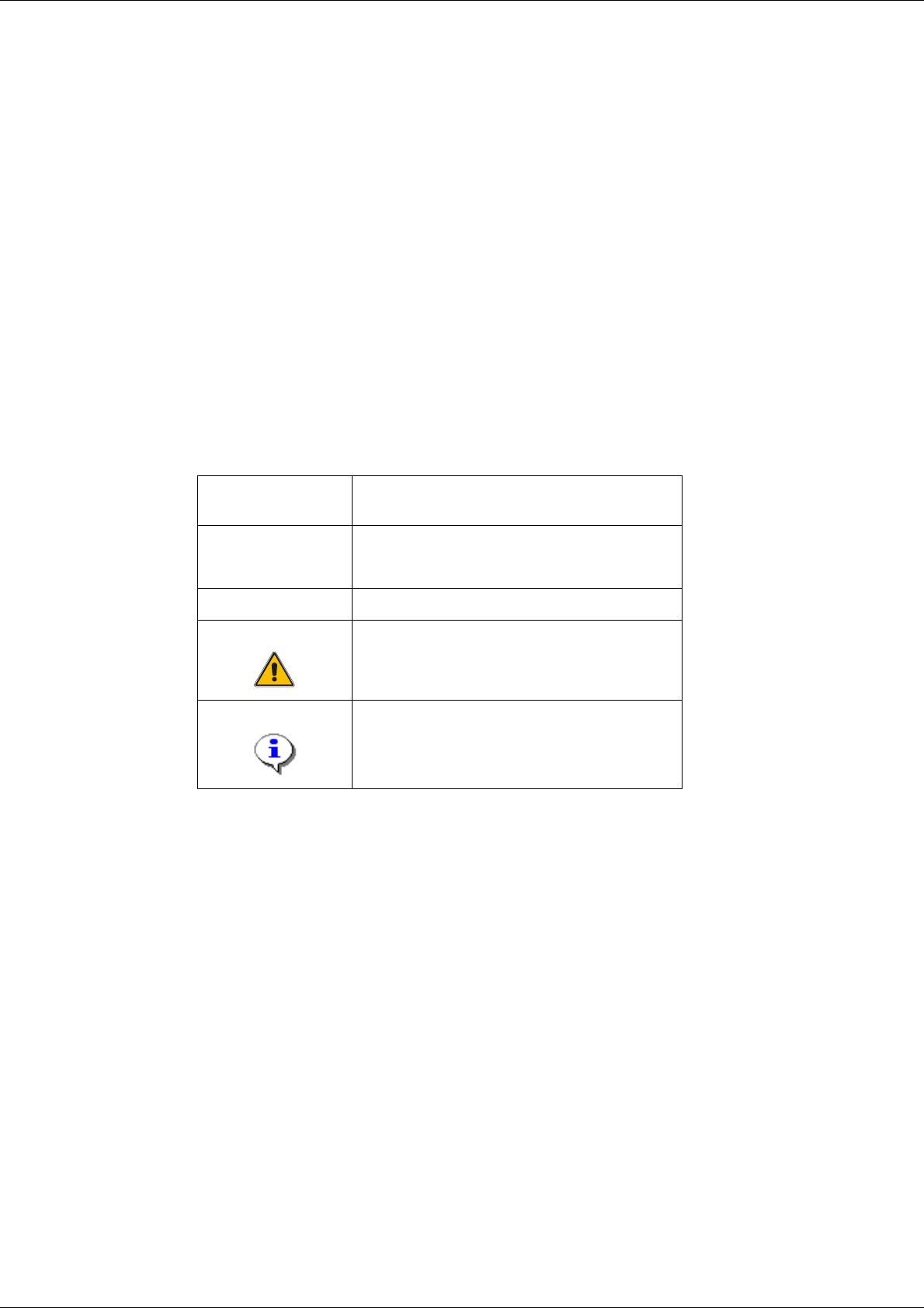
1.1 Explanation of Symbols
Various symbols and notes are used for making this document easier to read. 1
1
1
Words in bold/
italics
These are dialog boxes and menu commands.
Step …
Aninstallationstepincludesalltheactionsrelating
toaspecificdialogbox.Aninstallationstepmaybe
composed of several actions.
→
Requires an action (e.g. mouse click, open file)
Corresponds to a warning. The information is
critical to the success of the installation process.
The installation will be cancelled if you do not
comply with the warning.
Explanatory information about the installation
sequence.
Tab. 1 - 1 Explanation of symbols