THDP-TMDP_Instructions-077054003.pdf - 第14页
Probe operating information This section of the manual describes how to make connections to the instrument and to your circuit, followed by descriptions of the probe controls and indicators. Connecting to the instrument …
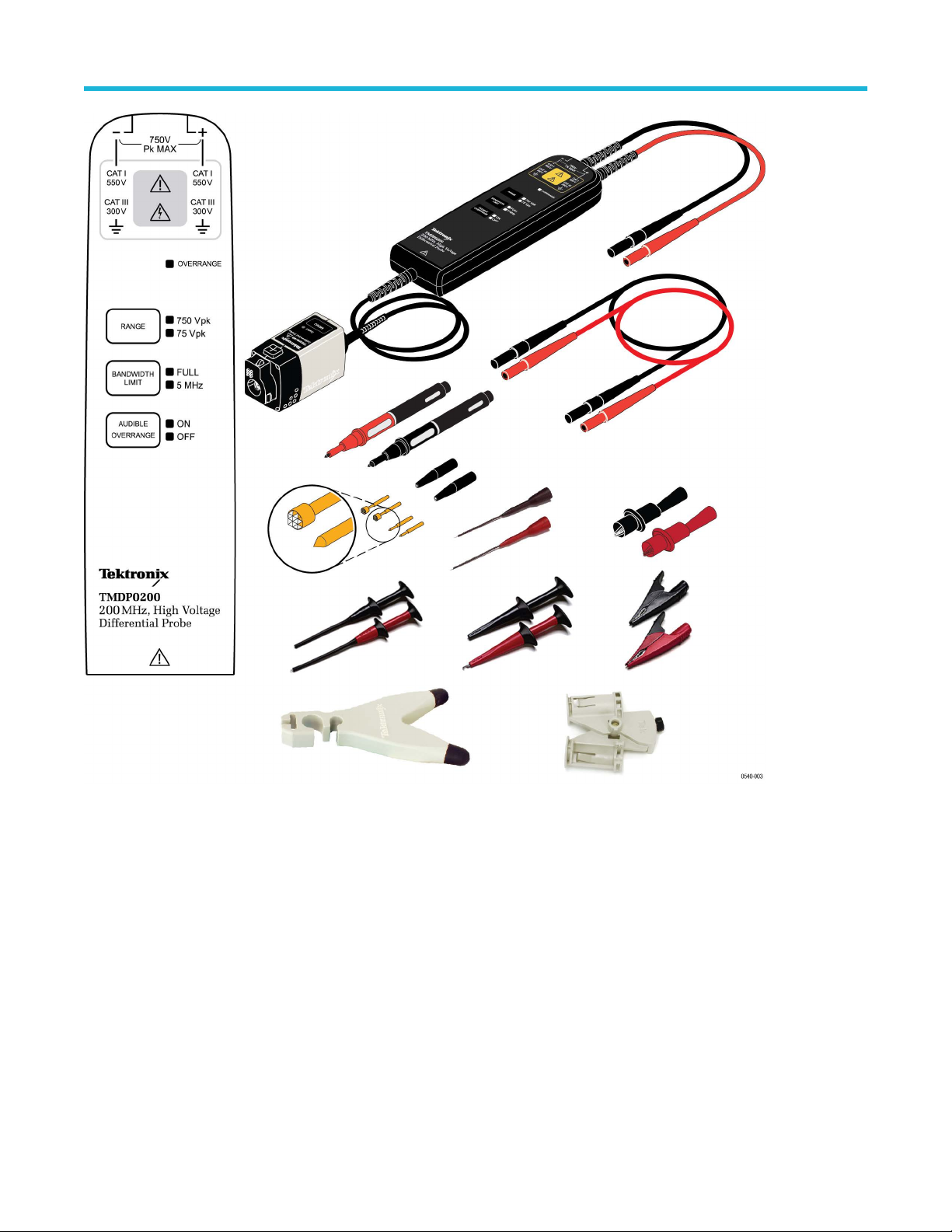
Figure 3: TMDP0200 probe with accessories
Overview
High Voltage Differential Probes THDP0100/0200 and TMDP0200 User Manual 13
Probe operating information
This section of the manual describes how to make connections to the instrument and to your circuit, followed by descriptions of the probe
controls and indicators.
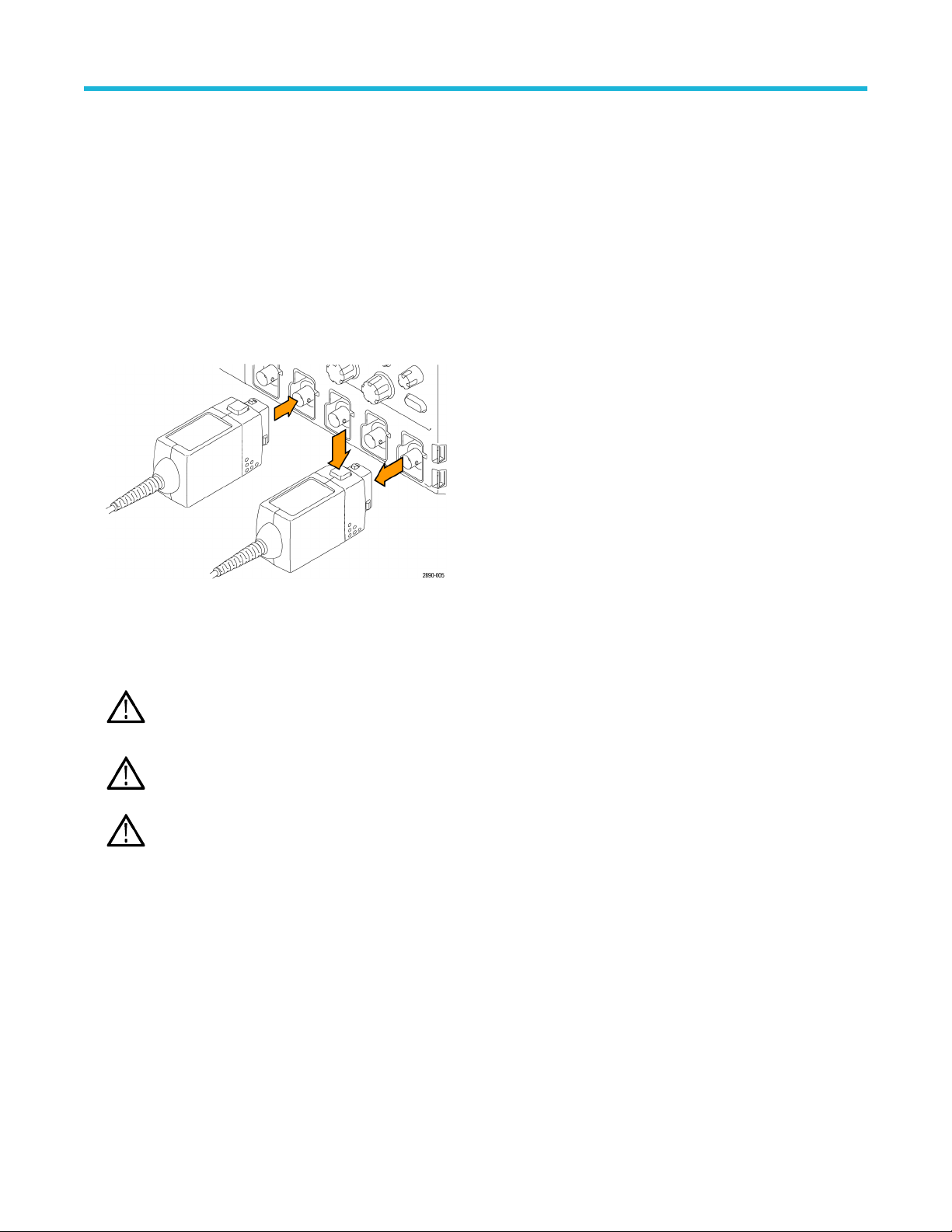
Connecting to the instrument
1. Connect the probe to the input of the oscilloscope.
• All of the LEDs on the probe body briefly light, and then indicate the settings from the previous session.
• The Status LED on the probe control box lights amber as the probe completes a self-test.
• The Status LED goes off briefly and then lights green to indicate the probe is ready to use.
2. Adjust the vertical of
fset (or position) of the oscilloscope input.
3. Select the proper range setting. For example, when using the THDP0200 probe, to achieve higher resolution and less noise when
measuring signals below 150 V
pk
, switch the RANGE to 150 V. If the OVERRANGE indicator lights or flashes, the output signal may
not be accurate. Use the 1500 V range setting instead.
WARNING: T
o avoid electrical shock, observe proper safety precautions when working with voltages above 60 VDC or
30 VAC
RMS
. These voltage levels pose a shock hazard. Use only the accessories specified with the probe that you are using.
Make sure that the accessories are fully mated before connecting or disconnecting.
WARNING: T
o avoid electrical shock or fire, make sure the test leads are in good condition. The input leads and extender
leads have a jacket wear indicator which becomes visible if the wire jacket becomes excessively worn. If the wear indicator is
visible, do not use the probe. Contact Tektronix Service for repair or replacement.
WARNING: T
o avoid electrical shock or fire, keep the probe body and output cable of the probe away from the circuits being
measured. The probe body and output cable are not intended to be in contact with the circuits being measured.
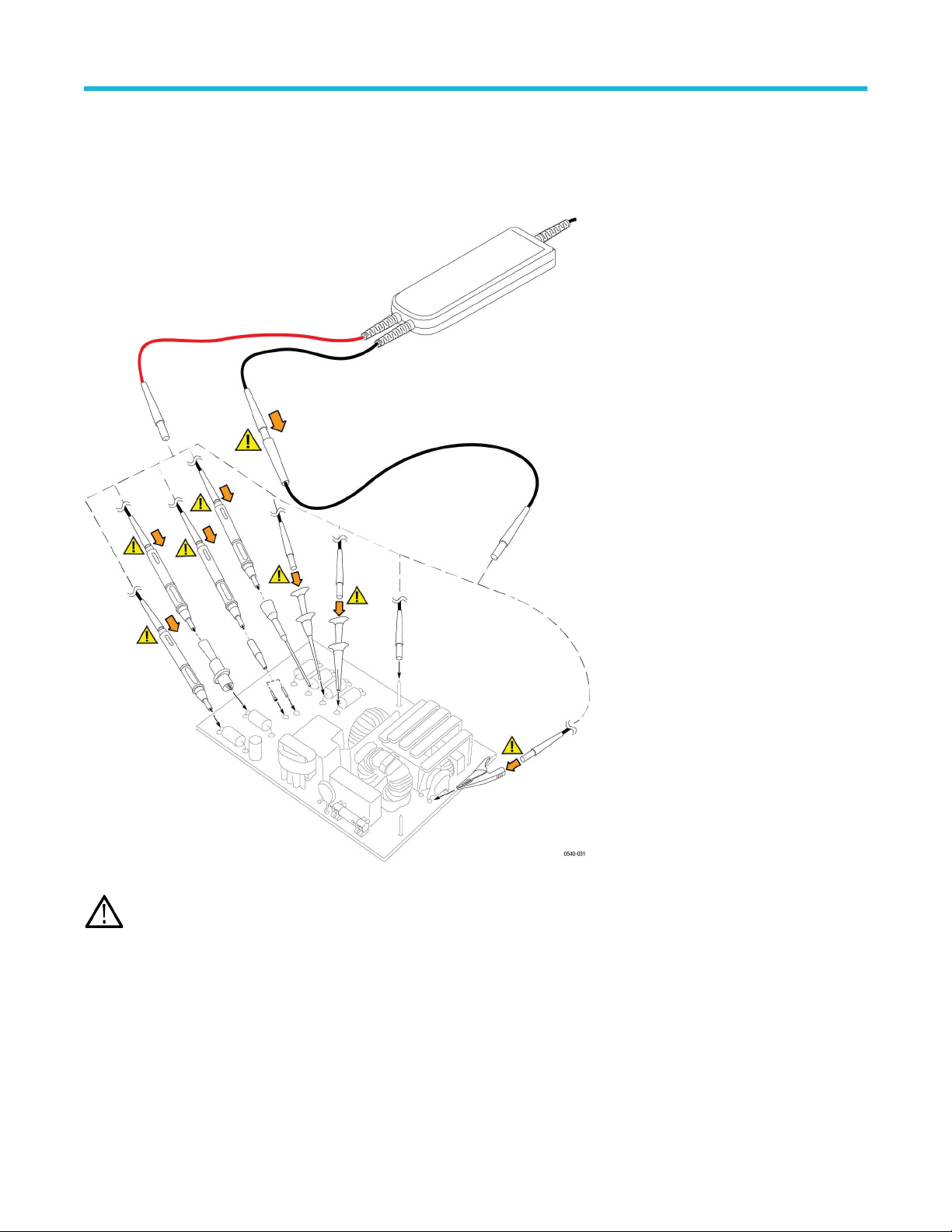
4. Use the probe accessories to connect the probe inputs to the circuit points to be measured.
Probe operating information
14
Connecting to the circuit
Make the connections to your circuit using the integral input leads or the accessories that best fit your application. The integral input leads
extend 10 in (25 cm) from the probe body
. Connect the leads directly to your circuit, or use the extender leads and the accessories that are
included with the probe.
WARNING: T
o avoid electrical shock or fire, always make the connections from the test leads to the probe accessory that you
intend to use before you make any connections to a voltage source. Always ensure that the connections between the test leads
and the probe accessories are secure before you connect them to a voltage source. Do not connect or disconnect accessories or
extended test leads to a voltage source unless they are first connected to the probe.
Probe controls and indicators
The probes have several features that make probing and measurement a simpler task. Familiarize yourself with the controls and indicators
shown on the following pages. Some features dif
fer from those illustrated, such as probe input voltage limit and voltage range, depending
on the probe model.
The probe release button, Status LED, and MENU buttons are located on the probe control box.
Probe operating information
High Voltage Differential Probes THDP0100/0200 and TMDP0200 User Manual 15