THDP-TMDP_Instructions-077054003.pdf - 第21页
DC offset zero reset T o reset the probe DC offset to the default values, do the following: 1. Connect the probe inputs together with the hook tips. 2. Press and hold the probe BANDWIDTH LIMIT and RANGE buttons until the…
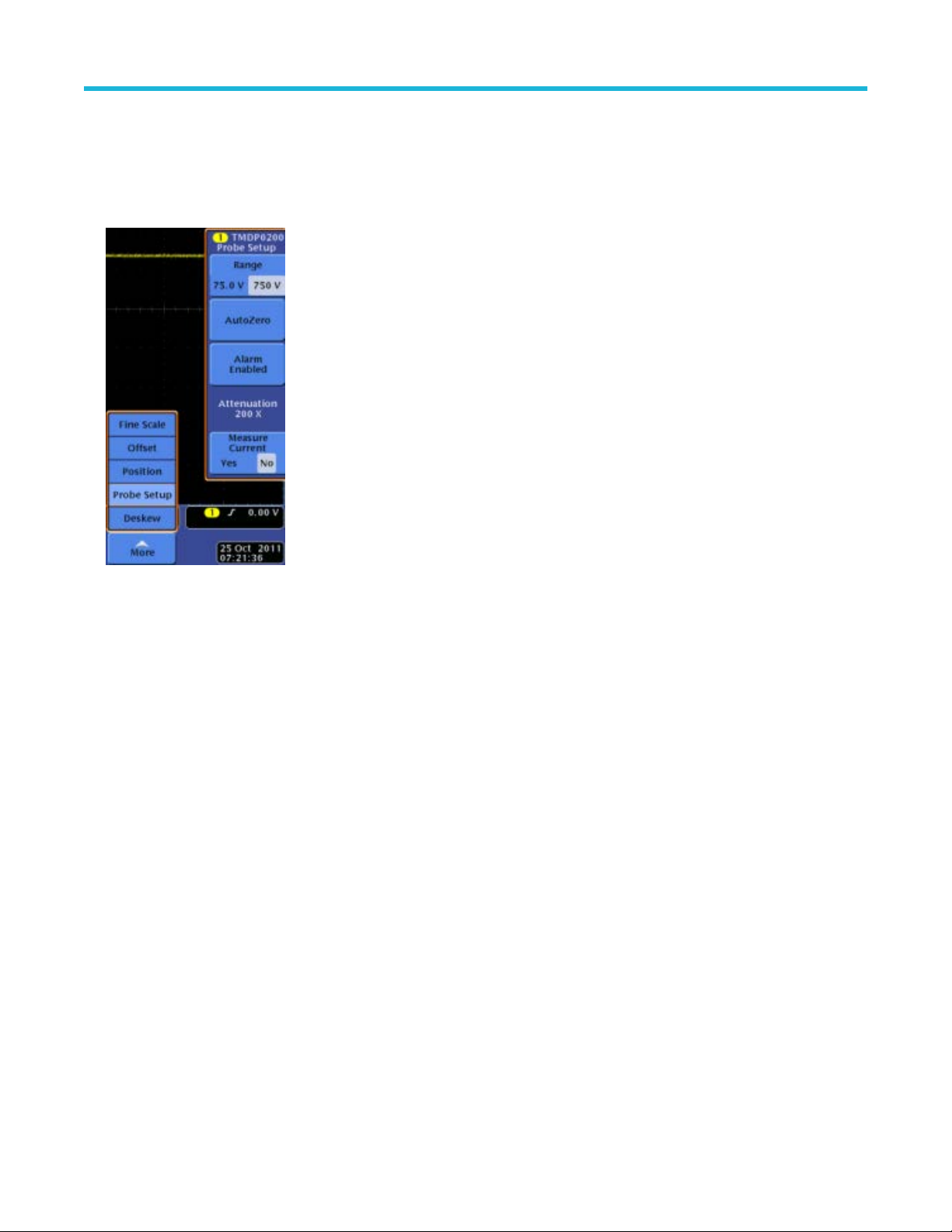
AutoZero
The host instrument includes a feature that nulls the DC of
fset at the output of the probe. To initiate the AutoZero routine, do the following:
1. Allow the probe and oscilloscope to warm up for 20 minutes.
2. Press the MENU button on the probe to display the Probe Setup screen on the oscilloscope.
Figure 5: Probe Setup screen
3. Connect the probe inputs together with the hook tips.
4. Press AutoZero on the Probe Setup screen to initiate the AutoZero routine. If the AutoZero routine does not yield suf
ficient results, use
the DC Offset Zero procedure.
DC offset zero
The offset stored through this feature is retained in the probe between probe power cycles. To set the probe DC offset to 0 V, do the
following:
1. Set the oscilloscope offset for the probe channel to 0 volts.
2. Connect the probe inputs together with the hook tips.
3. Press and hold the probe BANDWIDTH LIMIT and RANGE buttons until the OVERRANGE LED on the probe begins flashing, and then
quickly release the buttons (about 2 seconds).
4. Use the probe BANDWIDTH LIMIT or RANGE buttons to set the probe offset voltage to 0 V, as displayed on the oscilloscope. The
BANDWIDTH LIMIT button decreases the offset voltage and the RANGE button increases it.
5. Press the AUDIBLE OVERRANGE button on the probe to store the value. The OVERRANGE LED on the probe stops flashing to
confirm that the value has been stored.
6. Repeat steps 3 on page 20 through 5 on page 20 for the other range setting on the probe. If you cannot null the offset with these steps,
then use the DC Offset Zero Reset procedure that follows.
Probe operating information
20

DC offset zero reset
T
o reset the probe DC offset to the default values, do the following:
1. Connect the probe inputs together with the hook tips.
2. Press and hold the probe BANDWIDTH LIMIT and RANGE buttons until the OVERRANGE LED on the probe begins flashing.
3. When the OVERRANGE LED remains lit (after about 4 seconds), release the buttons.
4. Press the AUDIBLE OVERRANGE button on the probe to store the value. The OVERRANGE LED on the probe turns off to confirm
that the default value for the DC offset has been stored.
5. Repeat steps 2 on page 21 through 4 on page 21 for the other range setting on the probe.
6. Perform the DC Offset Zero procedure as described in the previous section.
Probe operating information
High Voltage Differential Probes THDP0100/0200 and TMDP0200 User Manual 21
Accessories and options
Descriptions and instructions on how to use the standard accessories and options with your probe. See tek.com for the latest ordering
information.
THDP0100 probe standard accessories
WARNING: T
o avoid risk of electric shock or fire, do not use the THDP0100 test probe or hook tip accessories on CAT III or
CAT IV circuits. Refer to the ratings tables in the Accessories section of the manual. See Voltage derating for THDP0100 probe
standard accessories .
To avoid risk of electric shock or fire, when using the THDP0100 test probe or hook tip accessories with the THDP0200 and
TMDP0200 probes, do not use on circuits above 1000 V.
Use only accessories that are rated for the application. Substitution of other accessories may create a shock or burn hazard. Keep
the probe body and accessories clean to reduce the risk of shock due to surface conduction.
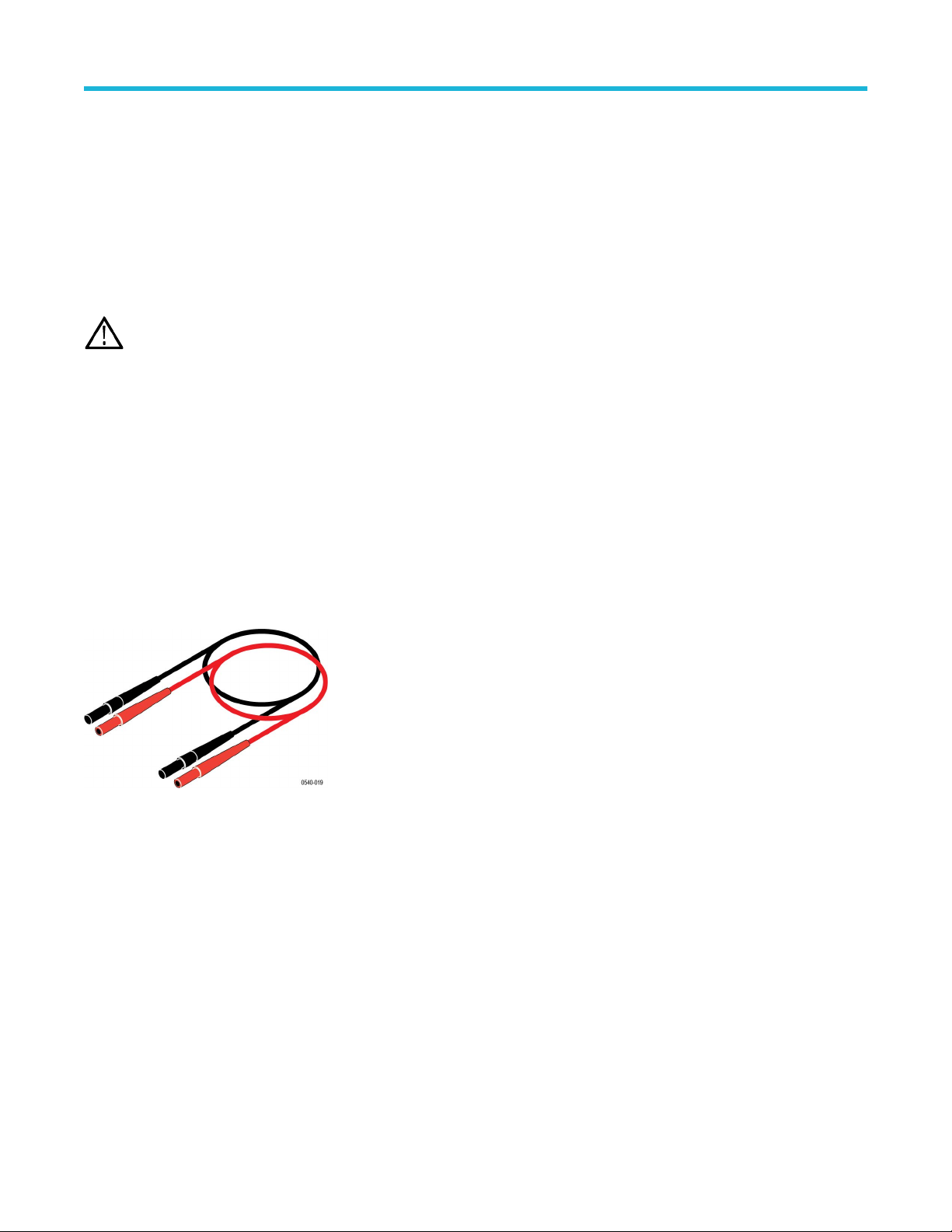
Extender Leads
These leads extend the reach of the probes by 1.0 m, which allow you to reach connections as far as 3.5 m apart. Be sure to use both
extension leads so that the input leads are the same length.
However
, with longer lead length, differential noise induced into the input leads is greater. Also, because of the added inductance of the
leads, voltage measurements at frequencies above approximately 10 MHz may not be as precise. For best performance, use the 20 MHz
or lower-bandwidth filter on your oscilloscope.
The male banana-plug ends connect to the test probes that are included with the probes.
One pair of extender leads are included with the probes.
Maximum ratings: 1000 V CAT III
600 V CA
T IV
Reorder Tektronix part number: 196-3523-xx
Accessories and options
22