THDP-TMDP_Instructions-077054003.pdf - 第31页
TPH1000 probe holder The TPH1000 probe holder allows you to make a hands-free connection when using the handheld probes included in the accessory kit. The probe holder can also be used with many other T ektronix probes. …
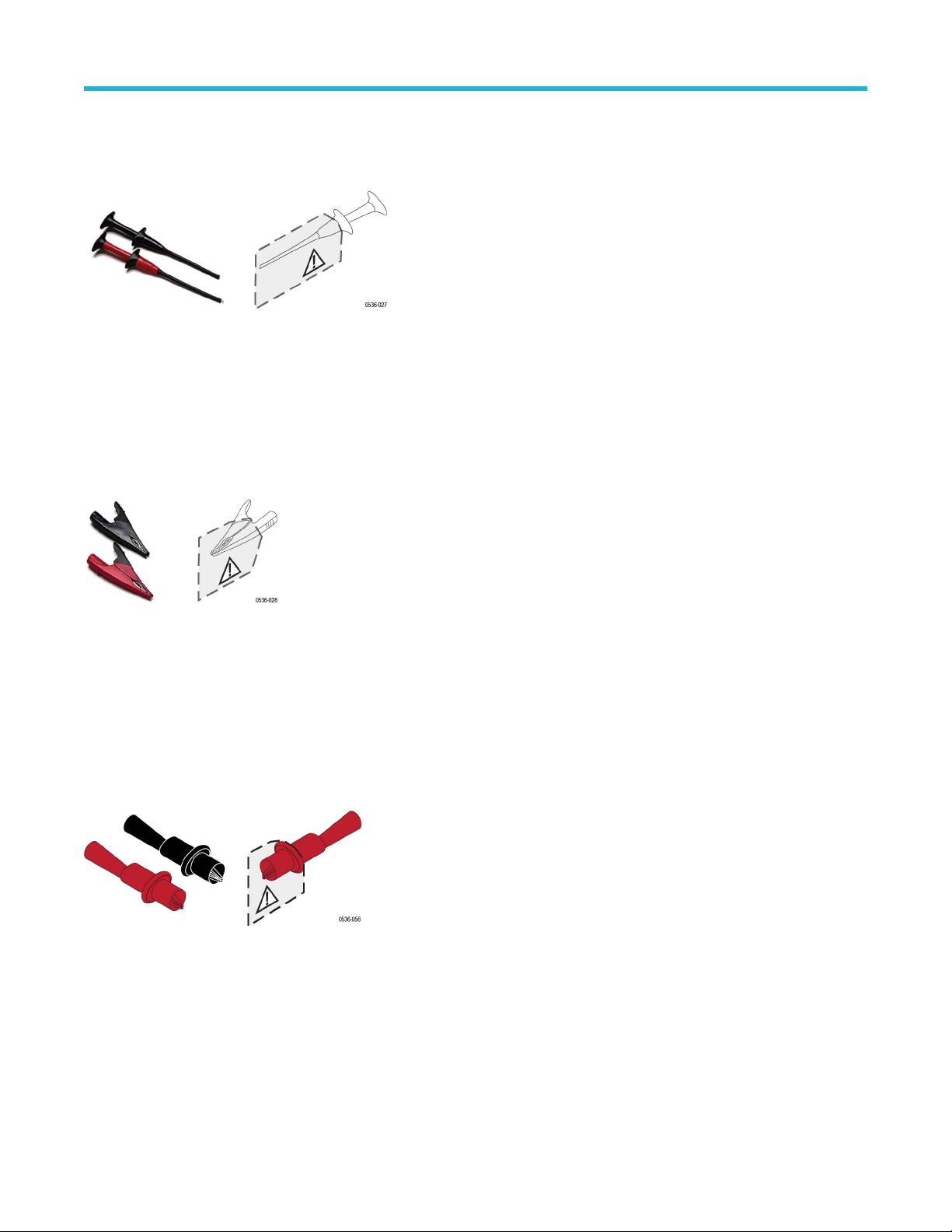
Pincer Clips (AC283-FL)
The plunger probes have long probe sleeves with retracting hooks. These probes safely connect to recessed test points that are otherwise
dif
ficult to reach.
Maximum ratings: 1000 V CAT III
1 A
One pair of pincer clips are included with the probes.
Reorder T
ektronix part number: AC283-FL (one pair)
Alligator Clips (AC285-FL)
These large insulated alligator clips connect to many circuit components.
Maximum ratings: 1000 V CAT III
10 A
One pair of clips are included with the probes.
Reorder Tektronix part number: AC285-FL (one pair)
Crocodile Clips
The crocodile clips connect easily to large bolts or bus bars. The connectors are double insulated for safety. The clips screw on to the
threaded tips of the handheld probes.
Maximum ratings: 1000 V CAT III
10 A
One pair of clips is included with the probes.
Reorder T
ektronix part number: 344-0670-xx (one pair)
Accessories and options
30
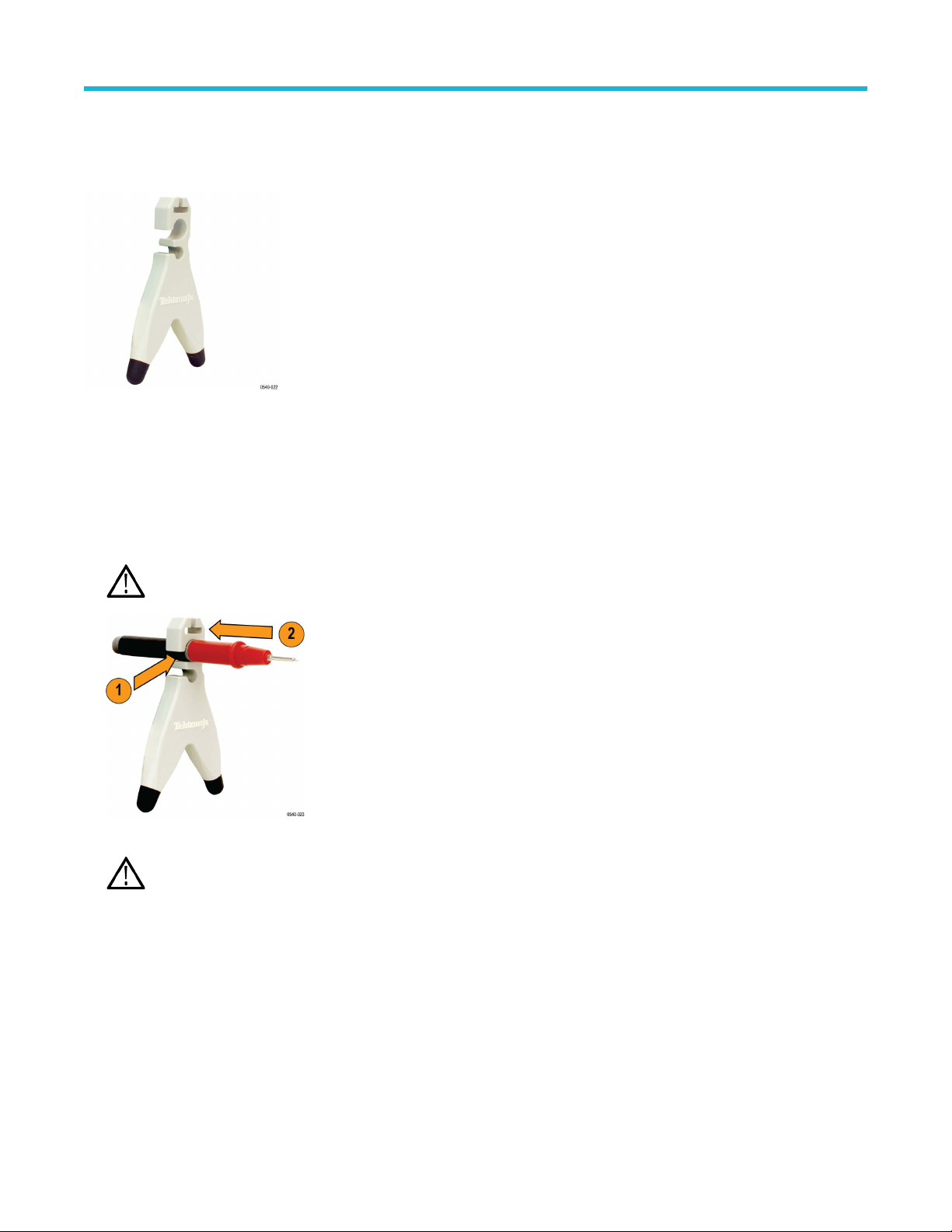
TPH1000 probe holder
The TPH1000 probe holder allows you to make a hands-free connection when using the handheld probes included in the accessory kit.
The probe holder can also be used with many other T
ektronix probes.
You have two options for taking hands-free differential measurements:
•
You can use the handheld probes with two TPH1000 probe holders (required if the test points are >1 inch apart).
• For test points <1 inch apart, use the handheld probes with the THV-Browser (shown on the following page).
To use the probe holder, do the following:
1. Insert the probe into one of the holder openings so that the Tektronix logo faces the circuit under test.
2. Slide the probe forward to secure it.
CAUTION: T
o avoid personal injury, always insert and remove probes by gripping the handheld section of the probe.
3. Position the base of the probe holder on your circuit where it can maintain stability while contacting the test point.
WARNING: Do not use the probe holder without the rubber feet; internal metal would be exposed which presents a shock
hazard.
Accessories and options
High Voltage Differential Probes THDP0100/0200 and TMDP0200 User Manual 31
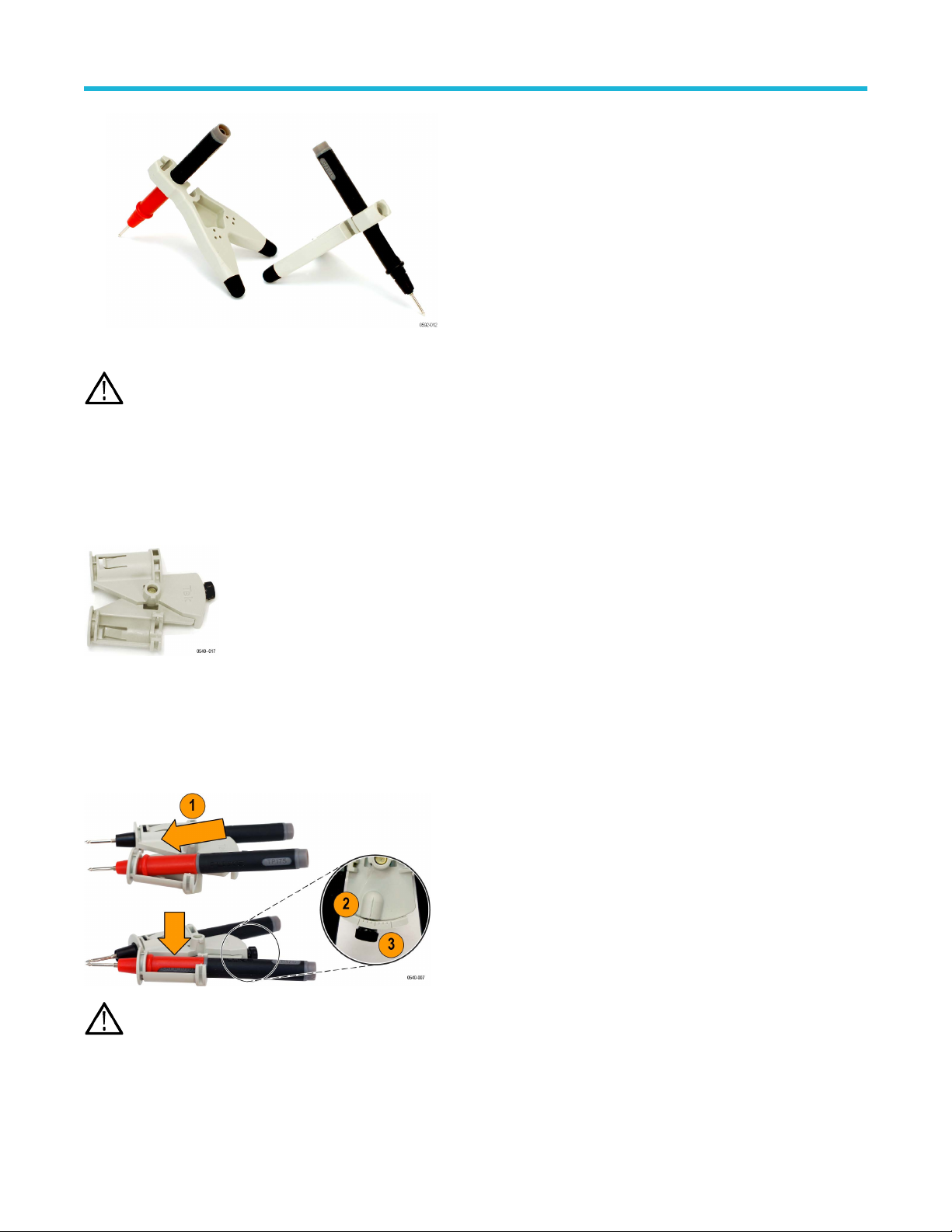
The weight of the probe holder keeps the probe in place.
CAUTION: If you are probing circuitry with dense contacts such as IC pins, T
ektronix recommends that you use insulated probe
tip accessories designed to prevent short-circuiting adjacent IC pins or circuitry.
One TPH1000 probe holder is included with the probes.
Reorder T
ektronix part number: TPH1000
THV-Browser
The THV-Browser allows you to set and lock the spacing between two handheld probe tips, and then browse your circuit with one hand.
Use the following steps for handheld browsing:
1. Place each handheld probe lead into the cavity and then slide the probe forward to secure it.
2. Loosen the thumb screw and adjust the spacing between the probe tips. Graticules near the thumb screw indicate the spacing. The
maximum spacing is ~1 in (2.54 mm).
3. T
ighten the thumb screw. You can now browse your circuit.
WARNING: To avoid injury or short circuits, do not drop the THV-Browser on high voltage circuitry. The browser contains metal
components.
If you want a stationary, hands-free connection, attach the browser to the TPH1000 probe holder:
1. Align the slots on the top of the probe holder with the pins on the bottom of the browser
.
Accessories and options
32