THDP-TMDP_Instructions-077054003.pdf - 第16页
Probe release button Press the release button to unlatch the probe from the instrument, and then pull the probe straight out. W ARNING: T o avoid electrical shock, disconnect the probe inputs from the circuit before disc…
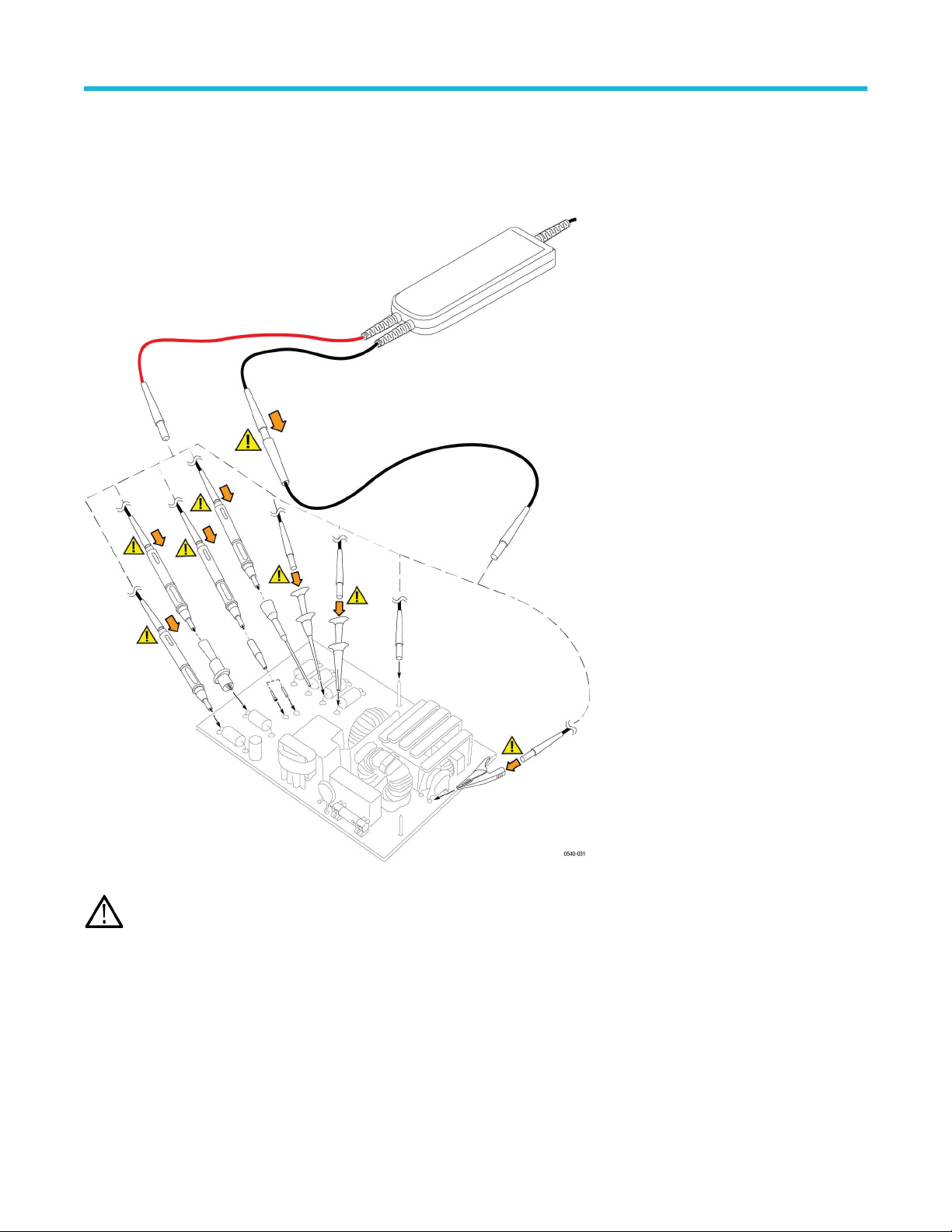
Connecting to the circuit
Make the connections to your circuit using the integral input leads or the accessories that best fit your application. The integral input leads
extend 10 in (25 cm) from the probe body
. Connect the leads directly to your circuit, or use the extender leads and the accessories that are
included with the probe.
WARNING: T
o avoid electrical shock or fire, always make the connections from the test leads to the probe accessory that you
intend to use before you make any connections to a voltage source. Always ensure that the connections between the test leads
and the probe accessories are secure before you connect them to a voltage source. Do not connect or disconnect accessories or
extended test leads to a voltage source unless they are first connected to the probe.
Probe controls and indicators
The probes have several features that make probing and measurement a simpler task. Familiarize yourself with the controls and indicators
shown on the following pages. Some features dif
fer from those illustrated, such as probe input voltage limit and voltage range, depending
on the probe model.
The probe release button, Status LED, and MENU buttons are located on the probe control box.
Probe operating information
High Voltage Differential Probes THDP0100/0200 and TMDP0200 User Manual 15
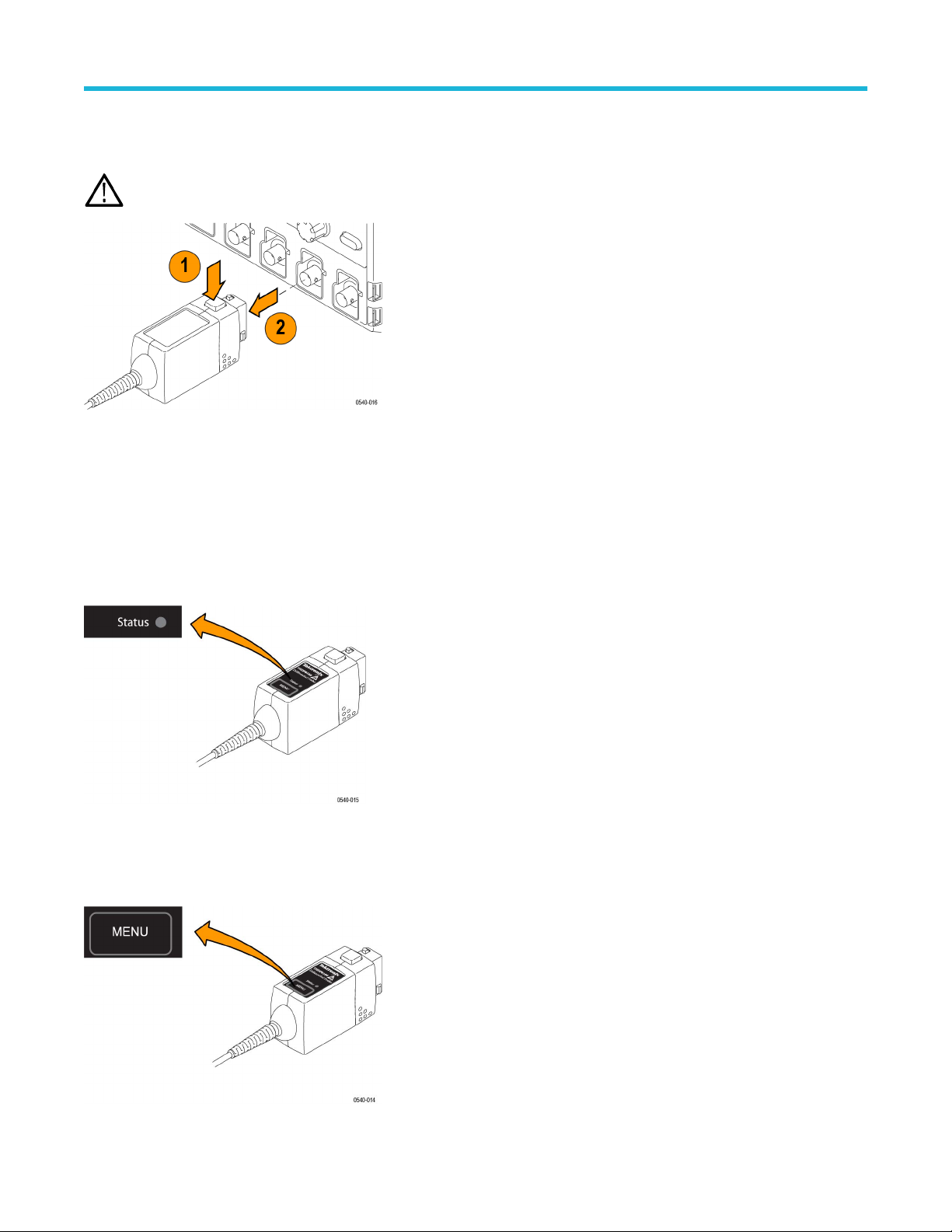
Probe release button
Press the release button to unlatch the probe from the instrument, and then pull the probe straight out.
WARNING: T
o avoid electrical shock, disconnect the probe inputs from the circuit before disconnecting the probe from the
instrument.
Status LED
When the probe is connected to the instrument, the Status LED lights amber as the probe completes a self-test. Then, the Status LED
goes of
f briefly and then lights green to indicate the probe is ready to use.
The Status LED lights amber or red if the power-on test failed, or any time an error occurs. If the Status LED light does not light green after
the self-test, first disconnect the probe from the circuit under test, and then disconnect the probe from the oscilloscope.
Reconnect the probe to the oscilloscope and check that the Status LED lights amber, and then green. If the Status LED continues to light
amber or red, there may be other remedies. See Error conditions on page 61.
Menu button
Press the MENU button to display on-screen probe controls on the oscilloscope. Many probe functions are available, such as AutoZero
and range selection.
Probe operating information
16
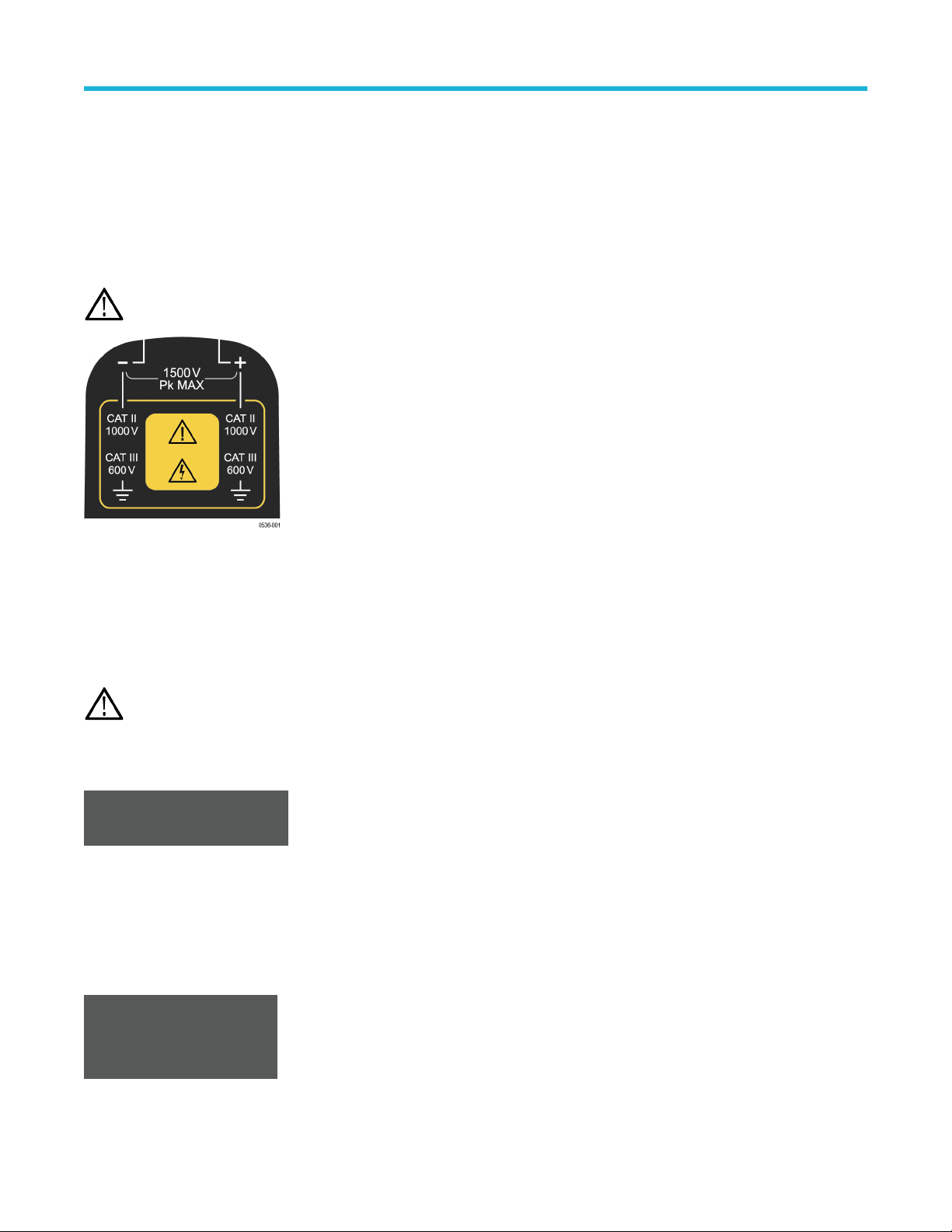
The remaining controls and features of the probe are located on the probe head.
Probe inputs
The maximum voltage that the probe inputs can accept depend on the probe model and the measurement points.
For example, the THDP0200 probe (shown) can measure a maximum of 1,000 V
RMS
CA
T II between either input and ground, and a
maximum difference of 1,500 V (DC + peak AC) between the (–) and (+) inputs. These input ratings are valid for both range settings.
The other probes covered in this manual have different limits; refer to Specifications.
CAUTION: Do not use these probes above the input limits shown on the probes. The input voltage limits vary by probe model.
Overrange indicator
The OVERRANGE indicator lights red if the voltage of the input differential signal exceeds the linear range of the range setting. When this
happens, the signal on the probe output does not accurately represent the signal on the probe input.
WARNING: The Overrange indicator does not detect overrange condition of common-mode voltages or voltage-to-earth potential
at the probe inputs. The Overrange indicator only detects dif
ferentially between the + and – inputs (not relative to ground).
Do not exceed the common-mode voltage or input voltage-to-earth ratings of the probe when taking measurements. See
Overrange detection on page 37.
If you are not sure, make a single-ended measurement of each point you are intending to measure differentially first. Make a
single-ended measurement by tying one input lead to ground (the "–" input) and then connecting the other lead (the “+" input) to
the points of interest, one at a time.
Voltage range button and indicators
Press the RANGE button to select between the voltage range (attenuation) settings of the probe. The voltage range is indicated by two
LEDs on the probe and may be displayed on the oscilloscope screen, depending on the oscilloscope model.
The OVERRANGE LED lights if the applied voltage exceeds the selected range. T
o extinguish the LED, select a higher range. If a higher
range is not available, do not attempt to take the measurement with the probe.
Probe operating information
High Voltage Differential Probes THDP0100/0200 and TMDP0200 User Manual 17