00198281-02_JG SmartFeeder 24-104 mm X_EN.pdf - 第14页
Operating the Feeder Module - Inserting the Tape 14 www.asm-smt.com 1.10 Inserting the Tape 5. Bring the pickup window down again. Make sure that one hole of the tape each is correctly fixed by a pin of the pin wheel. 6.…
Operating the Feeder Module - Inserting the Tape
13
www.asm-smt.com
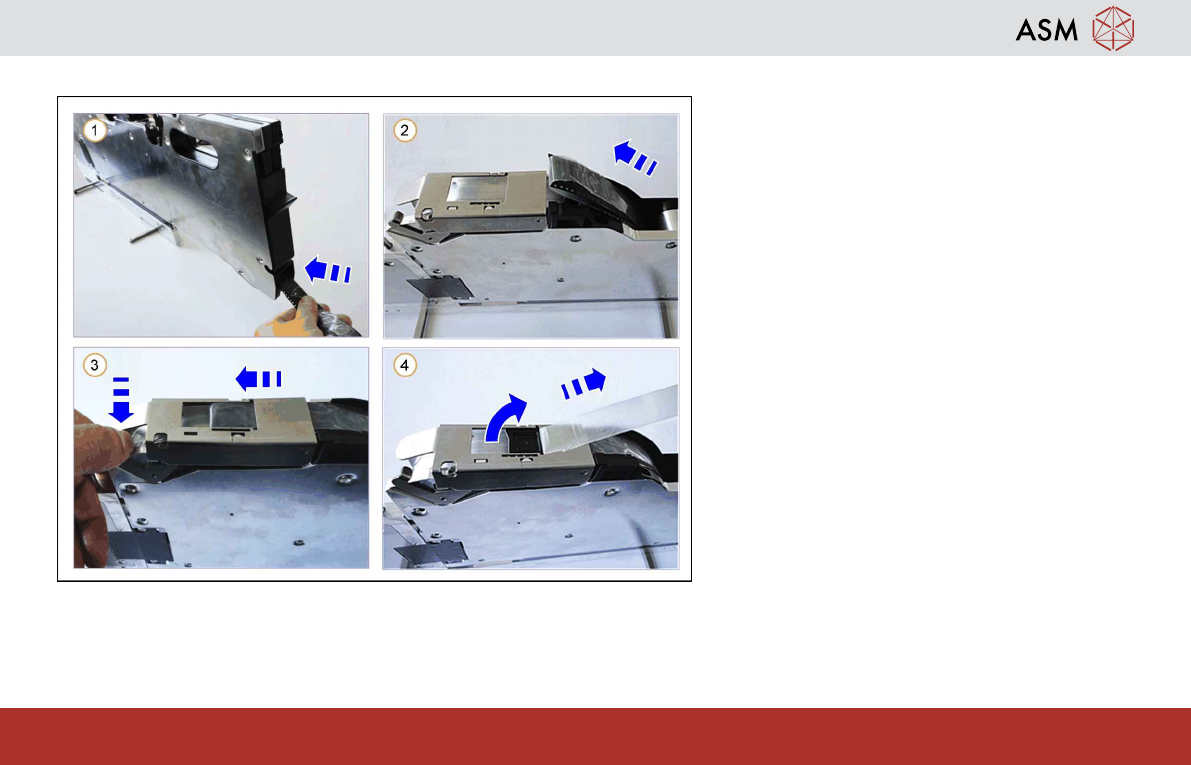
1.9 Inserting the Tape
1. Push the prepared end of the tape into the
tape duct.
2. The tape will reappear at the top opening of
the tape duct.
3. Press the "pickup window actuator" to raise
the pickup window.
Then push the tape further to the center
under the pickup window.
4. Pull the cover foil up and out of the pickup
window and pull it backwards.
Operating the Feeder Module - Inserting the Tape
14
www.asm-smt.com
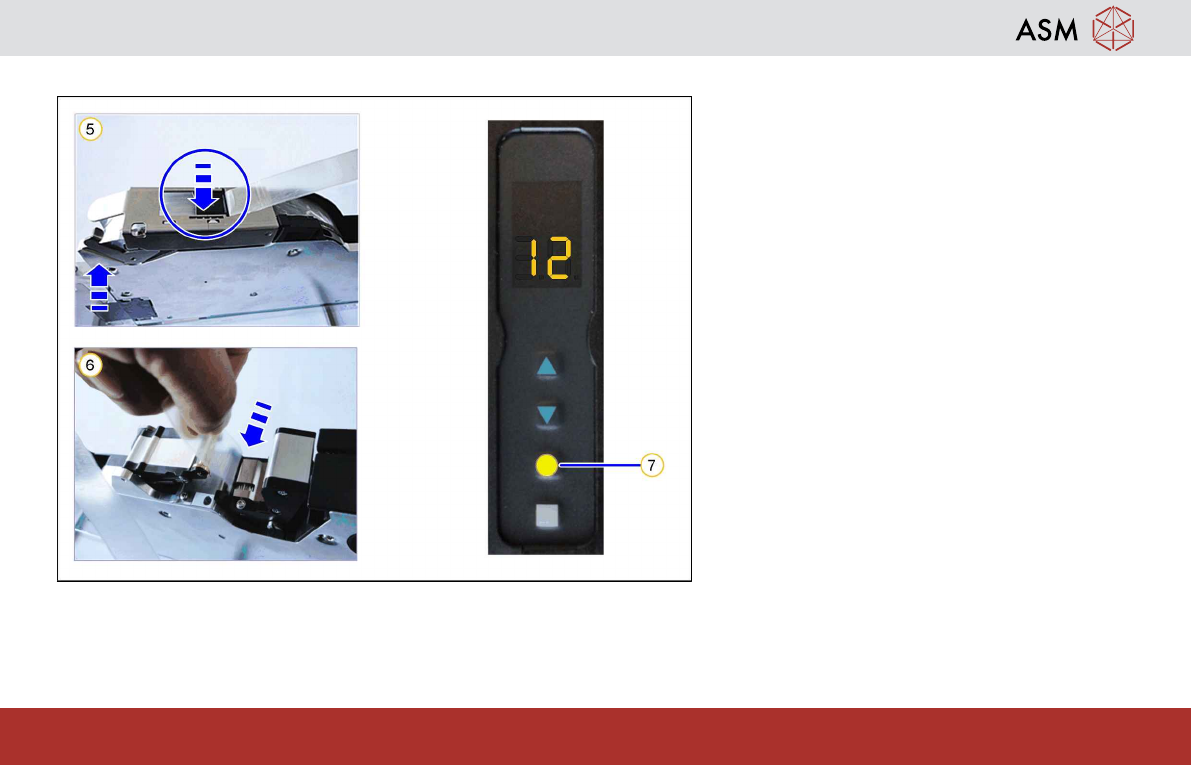
1.10 Inserting the Tape
5. Bring the pickup window down again.
Make sure that one hole of the tape each is
correctly fixed by a pin of the pin wheel.
6. Thread the cover foil into the foil removal.
7. Press the yellow FOIL button. The foil
removal starts and the cover foil gets
pulled in.
Note:
Take care that the cover foil is exactly on the
foil rocker. The foil motor will be deactivated
when the cover foil is tight on the foil rocker.
Operating the Feeder Module - Setting the Pickup Position
15
www.asm-smt.com
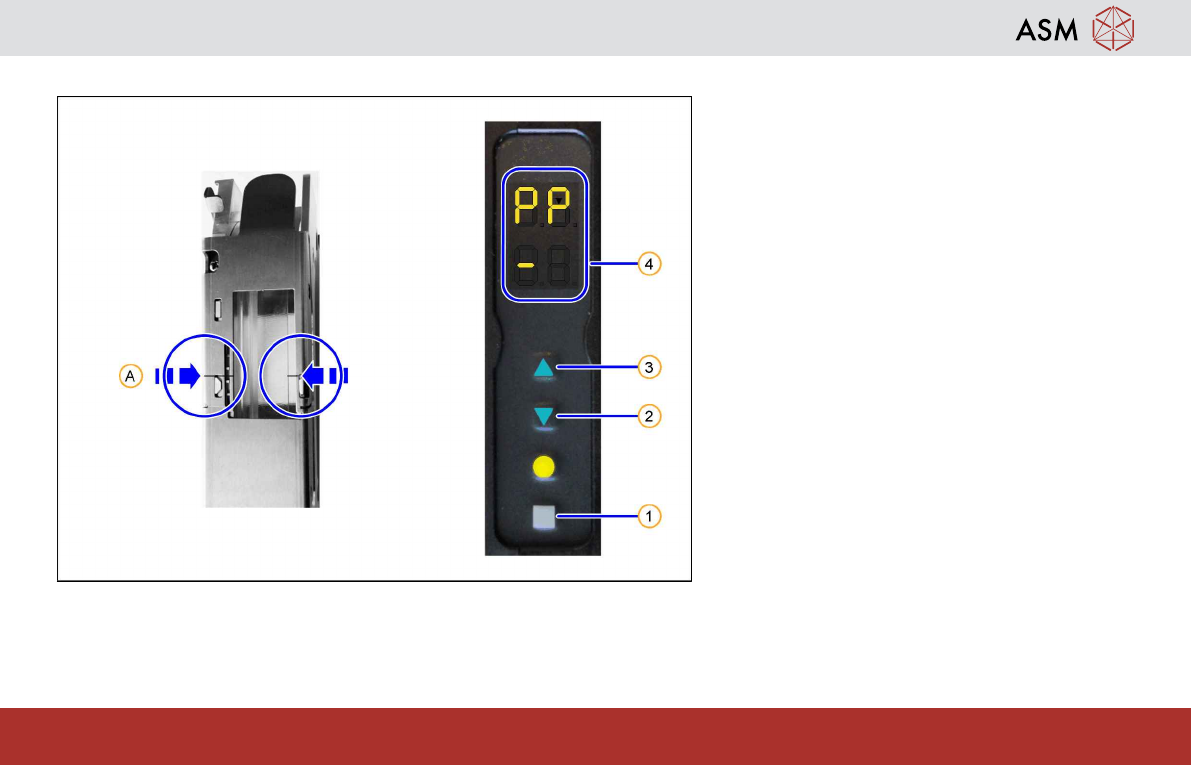
1.11 Setting the Pickup Position
The SmartFeeders 24-104mmX have 1
pickup position each, indicated by a marking
on the pickup window (A).
1. Press the gray SET button (1) repeatedly
until the characters "PP" (Pick Position)
are displayed in the upper half of the dis-
play.
2. Set the pickup position by pressing the
FORWARDS button(3) or the BACK-
WARDS button(2) briefly.
To confirm the changed position, the dis-
played "-"(4) changes with each pressure
from the left to the right or back again.
Notice:
Adjust the pickup position until the center of the
component is at the pickup position.