00198281-02_JG SmartFeeder 24-104 mm X_EN.pdf - 第18页
Operating the Feeder Module - Triggering a Scan Request 18 www.asm-smt.com 1.14 Triggering a Scan Request 1. Press and hold the gray SET button for at least 2 seconds. After this period, the message will be sent to the s…
Operating the Feeder Module - Setting the Transport Speed
17
www.asm-smt.com
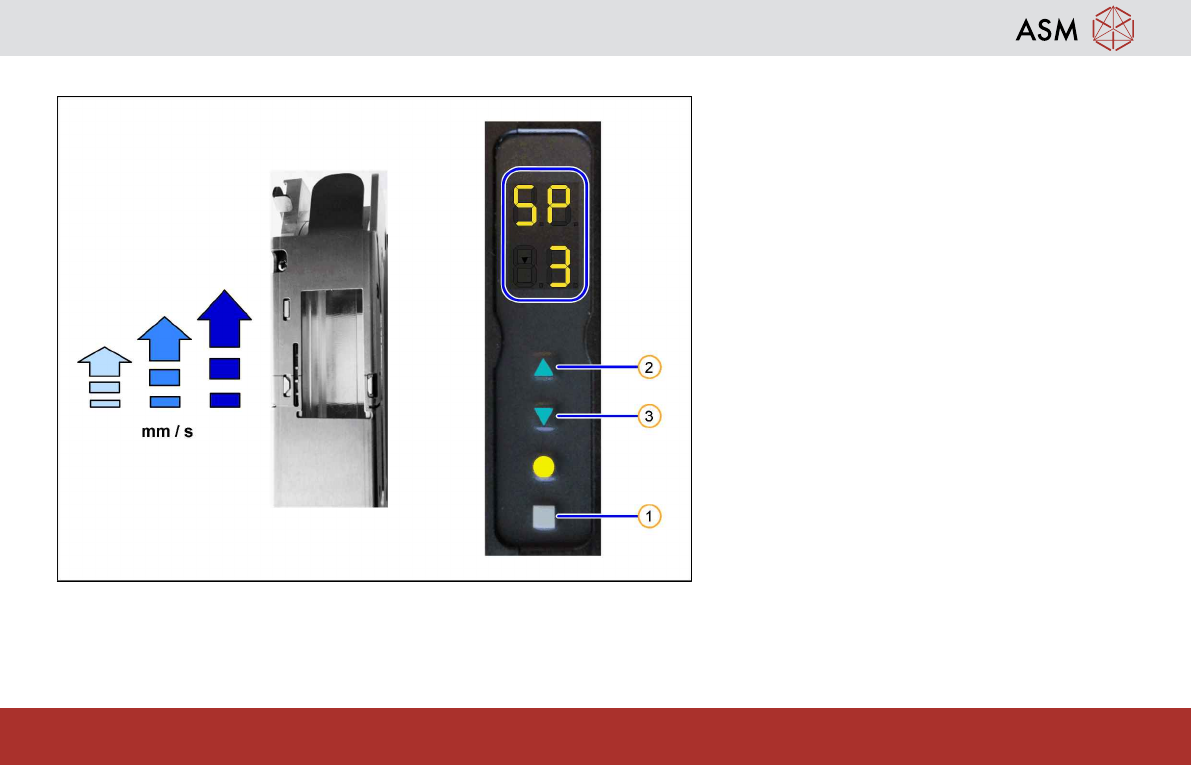
1.13 Setting the Transport Speed
The transport speeds "slow"(1), "middle"(2)
and "fast" (3, default) are available for the
SmartFeeder.
Proceed as follows to display or edit the cur-
rent setting:
1. Press the gray SET button (1) repeatedly
until the characters "SP" (SPEED) are
displayed.
2. Press the FORWARDS button(2) to in-
crease the transport speed. Press the
BACKWARDS button (3) to reduce the
transport speed.
The adjusted speed is displayed in the
lower part of the display.
3. Press the gray SET button (1) briefly to
save the setting and switch over to the
next menu.
4. Press the yellow FOIL button(4) to save
the setting and switch back to the previ-
ous menu.
Operating the Feeder Module - Triggering a Scan Request
18
www.asm-smt.com
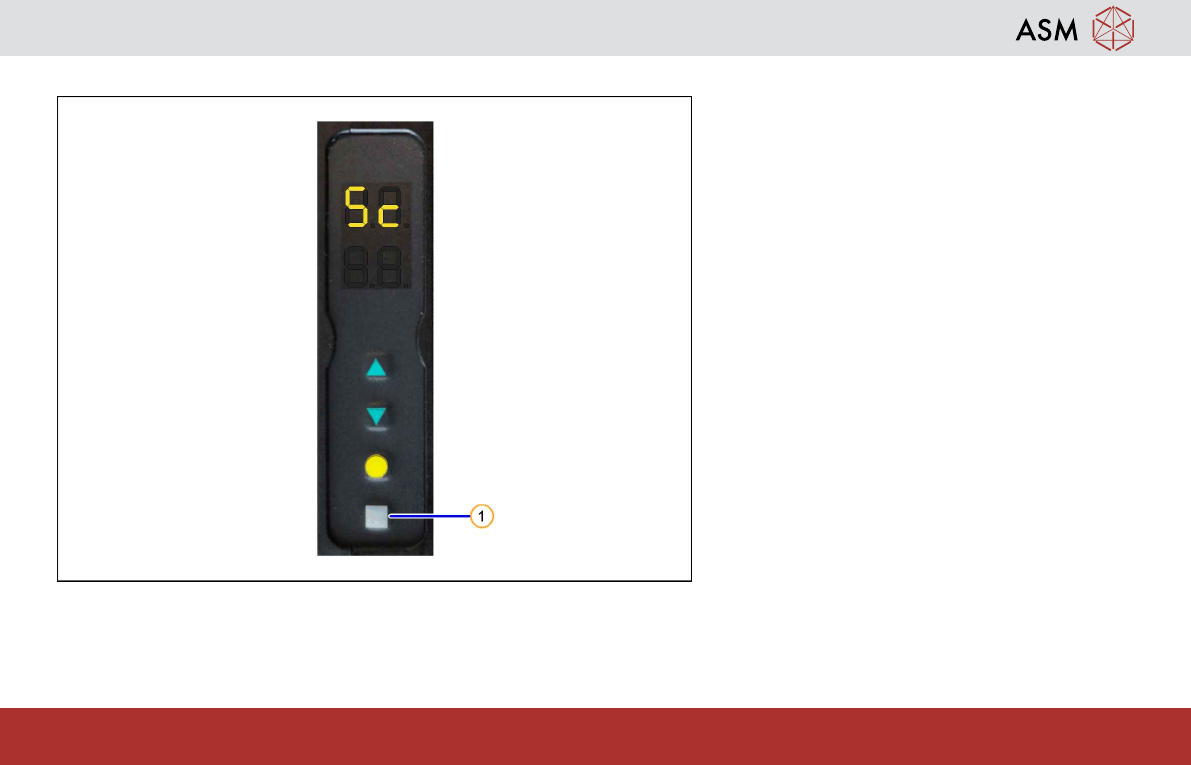
1.14 Triggering a Scan Request
1. Press and hold the gray SET button for at
least 2 seconds.
After this period, the message will be sent to
the station. When the station receives the mes-
sage and has started the scan process, the
status display for the feeder module will flash
green.
Operating the Feeder Module - Emptying the Foil Container
19
www.asm-smt.com
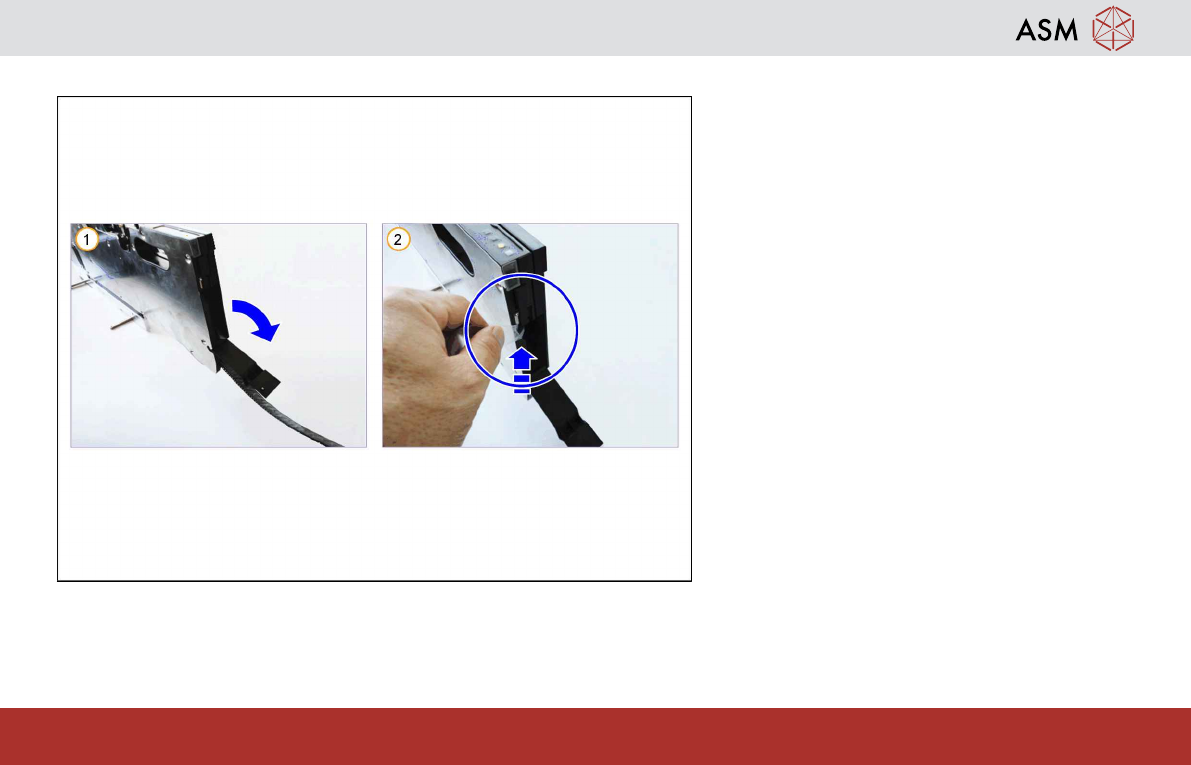
1.15 Emptying the Foil Container
Empty the foil disposal container regularly.
1. Open the foil flap.
2. Remove the foil in the foil container and
cut it by means of the built-in blade.
Then close the foil flap again.