00198281-02_JG SmartFeeder 24-104 mm X_EN.pdf - 第16页
Operating the Feeder Module - Setting the Pitch 16 www.asm-smt.com 1.12 Setting the Pitch 1. Press the gray SET button (1) repeatedly until the characters "PI" (PITCH) are dis- played. The adjusted pitch is dis…
Operating the Feeder Module - Setting the Pickup Position
15
www.asm-smt.com
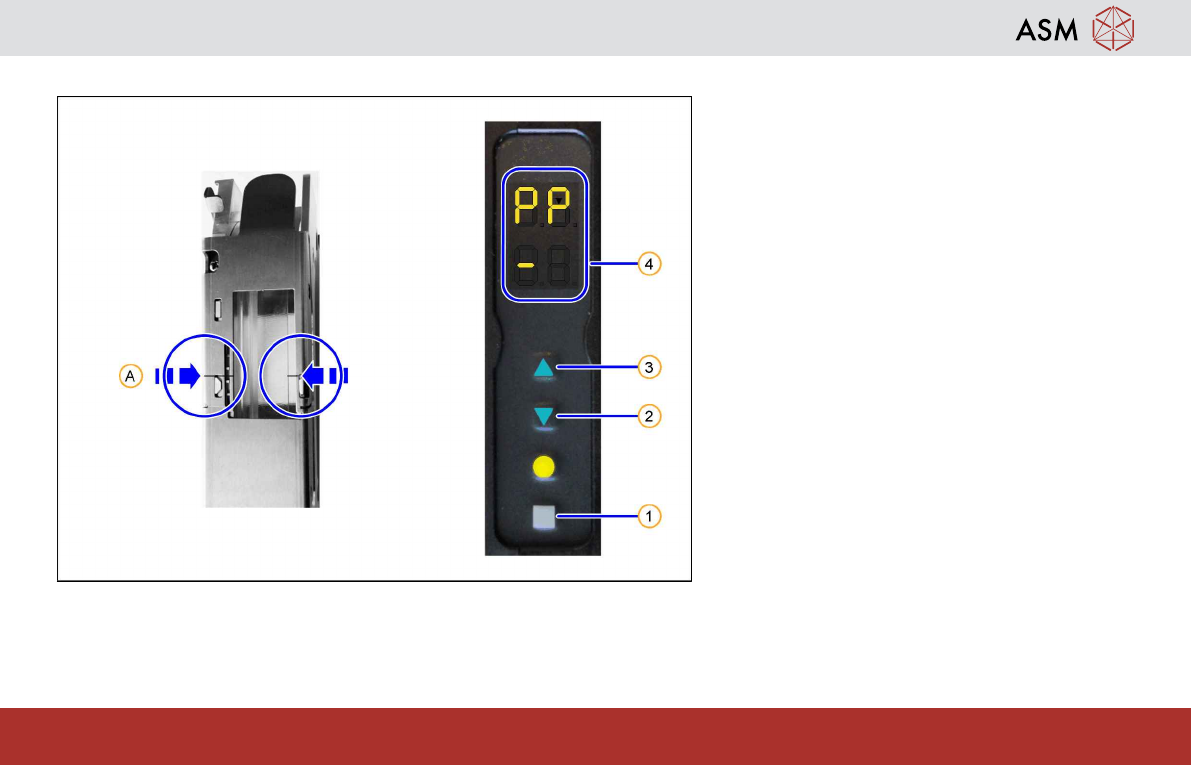
1.11 Setting the Pickup Position
The SmartFeeders 24-104mmX have 1
pickup position each, indicated by a marking
on the pickup window (A).
1. Press the gray SET button (1) repeatedly
until the characters "PP" (Pick Position)
are displayed in the upper half of the dis-
play.
2. Set the pickup position by pressing the
FORWARDS button(3) or the BACK-
WARDS button(2) briefly.
To confirm the changed position, the dis-
played "-"(4) changes with each pressure
from the left to the right or back again.
Notice:
Adjust the pickup position until the center of the
component is at the pickup position.
Operating the Feeder Module - Setting the Pitch
16
www.asm-smt.com
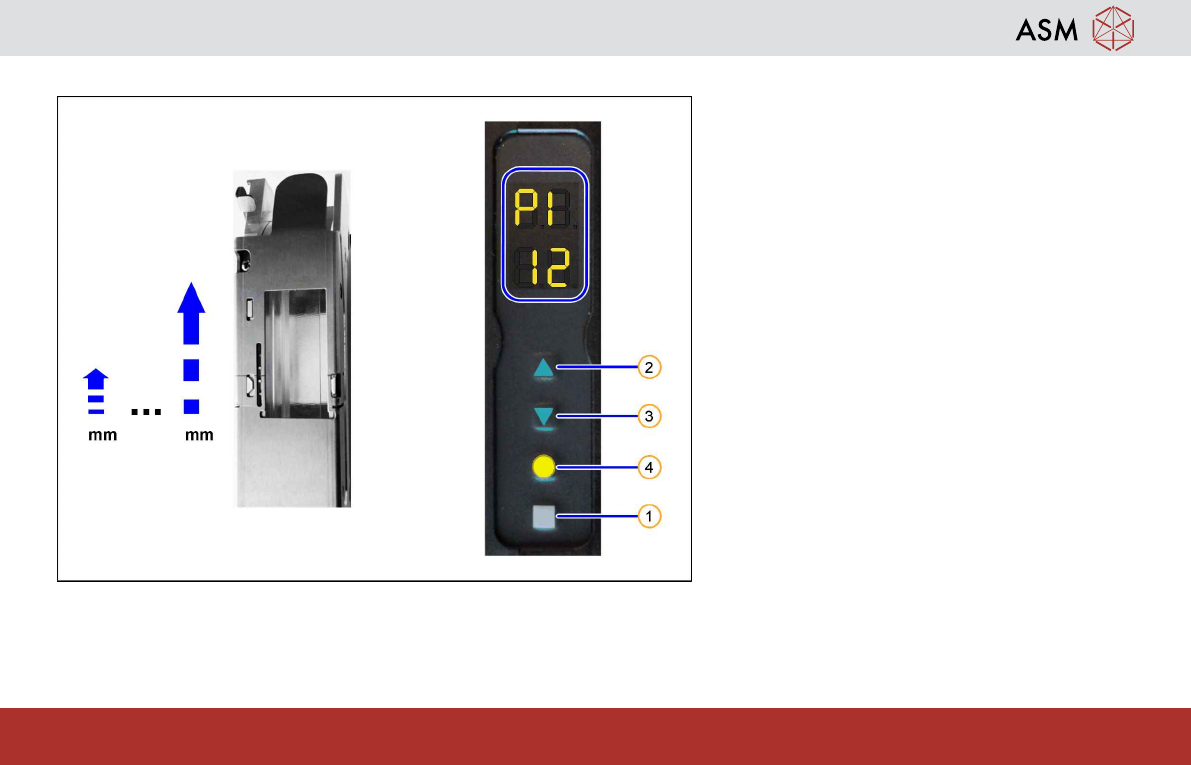
1.12 Setting the Pitch
1. Press the gray SET button (1) repeatedly
until the characters "PI" (PITCH) are dis-
played.
The adjusted pitch is displayed in the
lower part of the display.
2. Press the FORWARDS button (2) to in-
crease the pitch.
3. Press the BACKWARDS button (3) to re-
duce the pitch.
4. Press the gray SET button (1) briefly to
save the setting and switch over to the
next menu.
5. Press the yellow FOIL button(4) to save
the setting and switch back to the previ-
ous menu.
Possible pitches (in 4 mm steps):
24 mm X: 4mm … 32mm
32 mm X: 4mm … 40mm
44 mm X: 4mm … 52mm
56 mm X: 4mm … 64mm
72 mm X: 4mm … 80mm
88 mm X: 4mm … 96mm
104 mm X: 4mm … 96mm
Operating the Feeder Module - Setting the Transport Speed
17
www.asm-smt.com
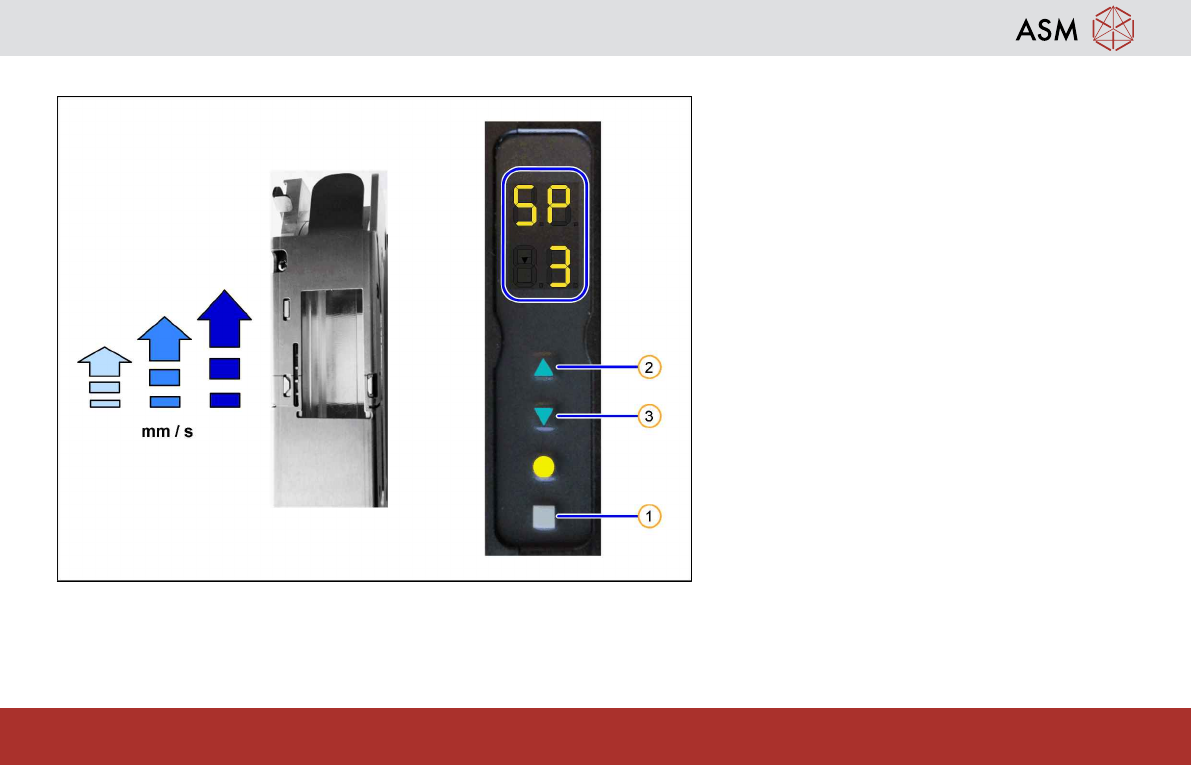
1.13 Setting the Transport Speed
The transport speeds "slow"(1), "middle"(2)
and "fast" (3, default) are available for the
SmartFeeder.
Proceed as follows to display or edit the cur-
rent setting:
1. Press the gray SET button (1) repeatedly
until the characters "SP" (SPEED) are
displayed.
2. Press the FORWARDS button(2) to in-
crease the transport speed. Press the
BACKWARDS button (3) to reduce the
transport speed.
The adjusted speed is displayed in the
lower part of the display.
3. Press the gray SET button (1) briefly to
save the setting and switch over to the
next menu.
4. Press the yellow FOIL button(4) to save
the setting and switch back to the previ-
ous menu.