4OM-1011-002.pdf - 第235页
Tg0860-PM-MM 8.1 INPUT CHECK Display 0305-001 3-184 T able 4C14 Stick Feeder Setting of SDS Nodes for Feeder Base R (A) (Option) T able 4C15 Stick Feeder Setting of SDS Nodes for Feeder Base L (A) (Option) T able 4C16 St…
Tg0860-PM-MM
0305-001 3-183
8.1 INPUT CHECK Display
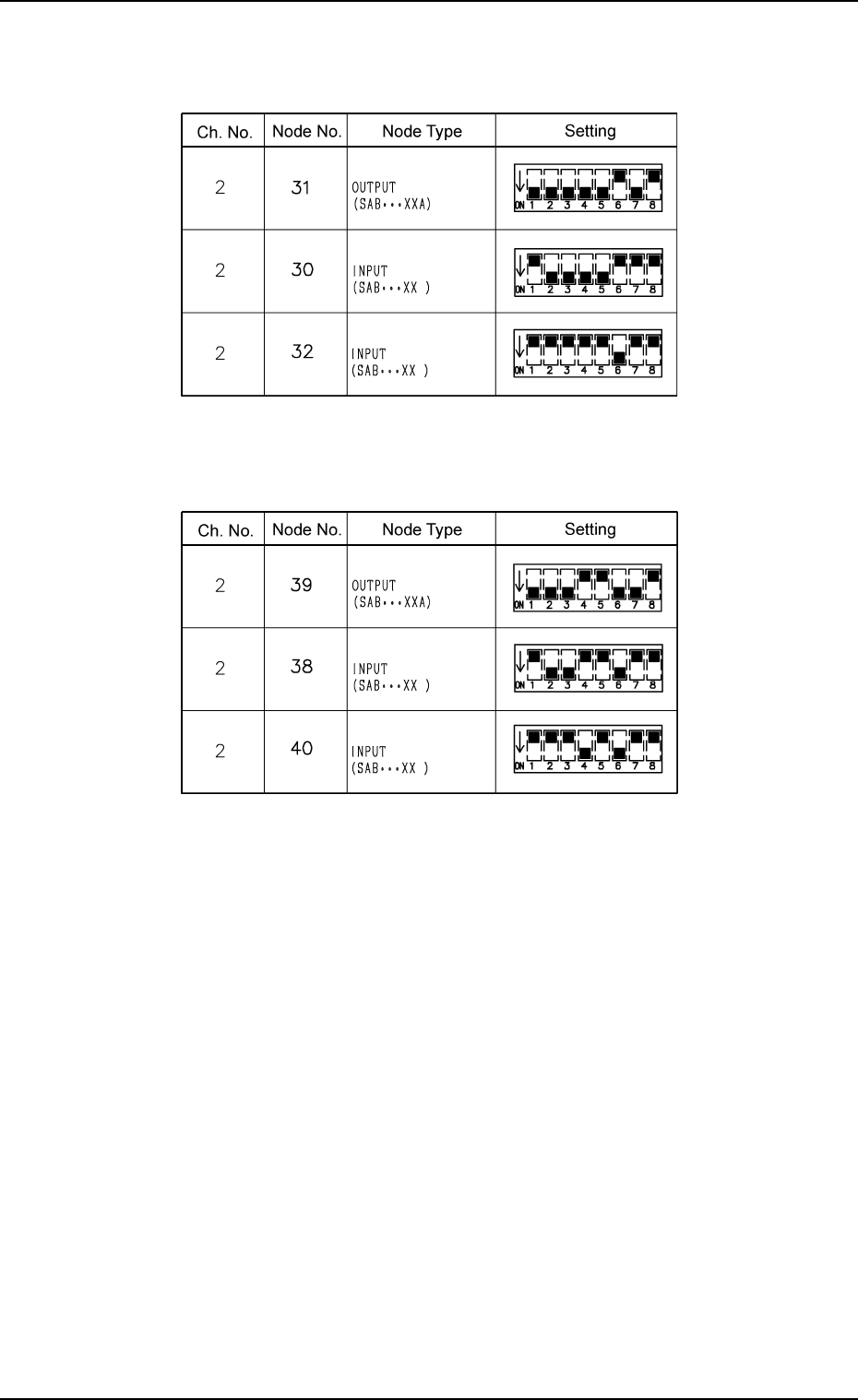
Table 4C13
Setting of Tray R SDS Nodes (Option)
Table 4C12
Setting of Tray L SDS Nodes (Option)
Tg0860-PM-MM
8.1 INPUT CHECK Display
0305-001 3-184
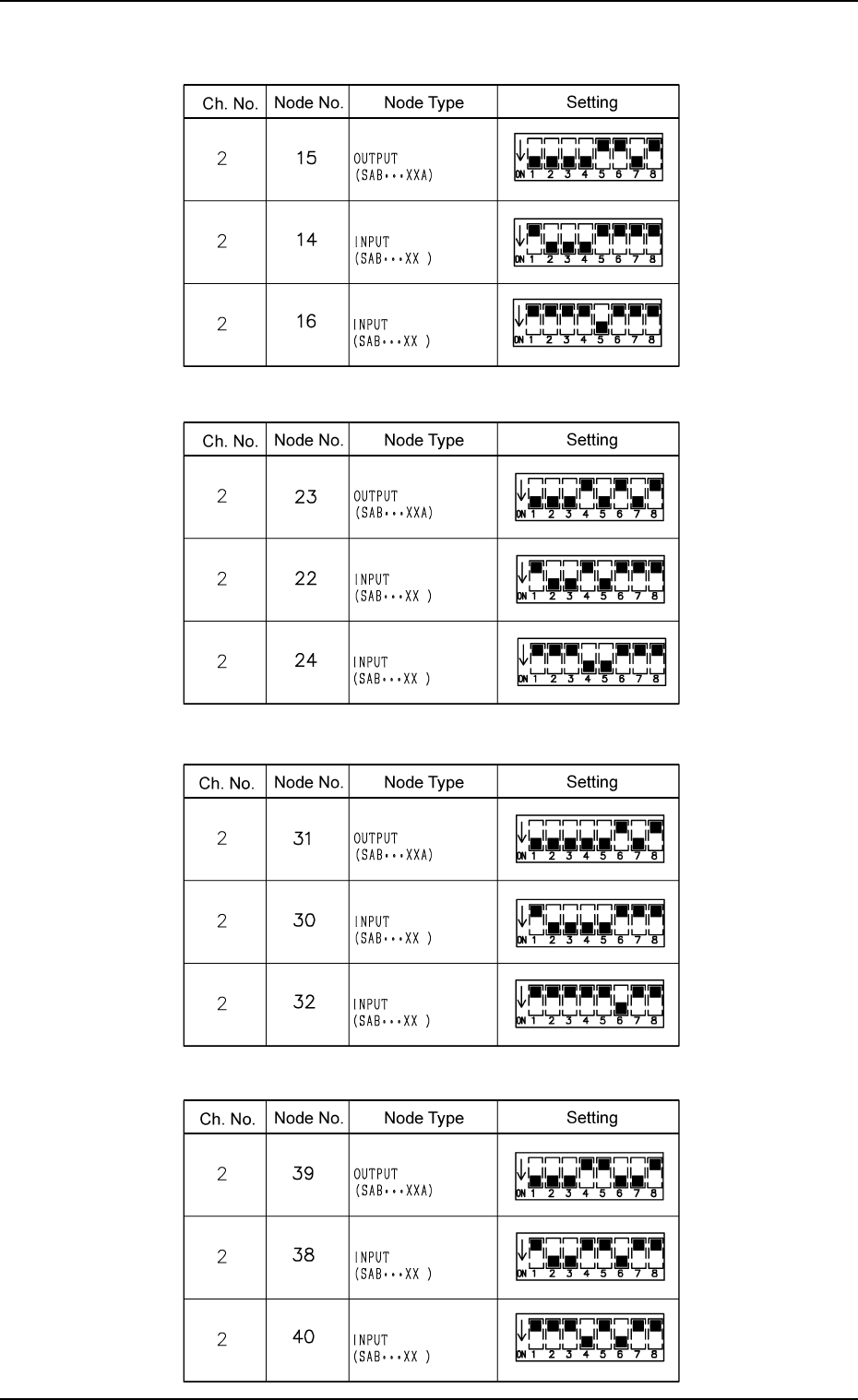
Table 4C14
Stick Feeder Setting of SDS Nodes for Feeder Base R (A) (Option)
Table 4C15
Stick Feeder Setting of SDS Nodes for Feeder Base L (A) (Option)
Table 4C16
Stick Feeder Setting of SDS Nodes for Feeder Base R (B) (Option)
Table 4C17
Stick Feeder Setting of SDS Nodes for Feeder Base L (B) (Option)
Tg0860-PM-MM
8.1 INPUT CHECK Display
0305-001 3-185
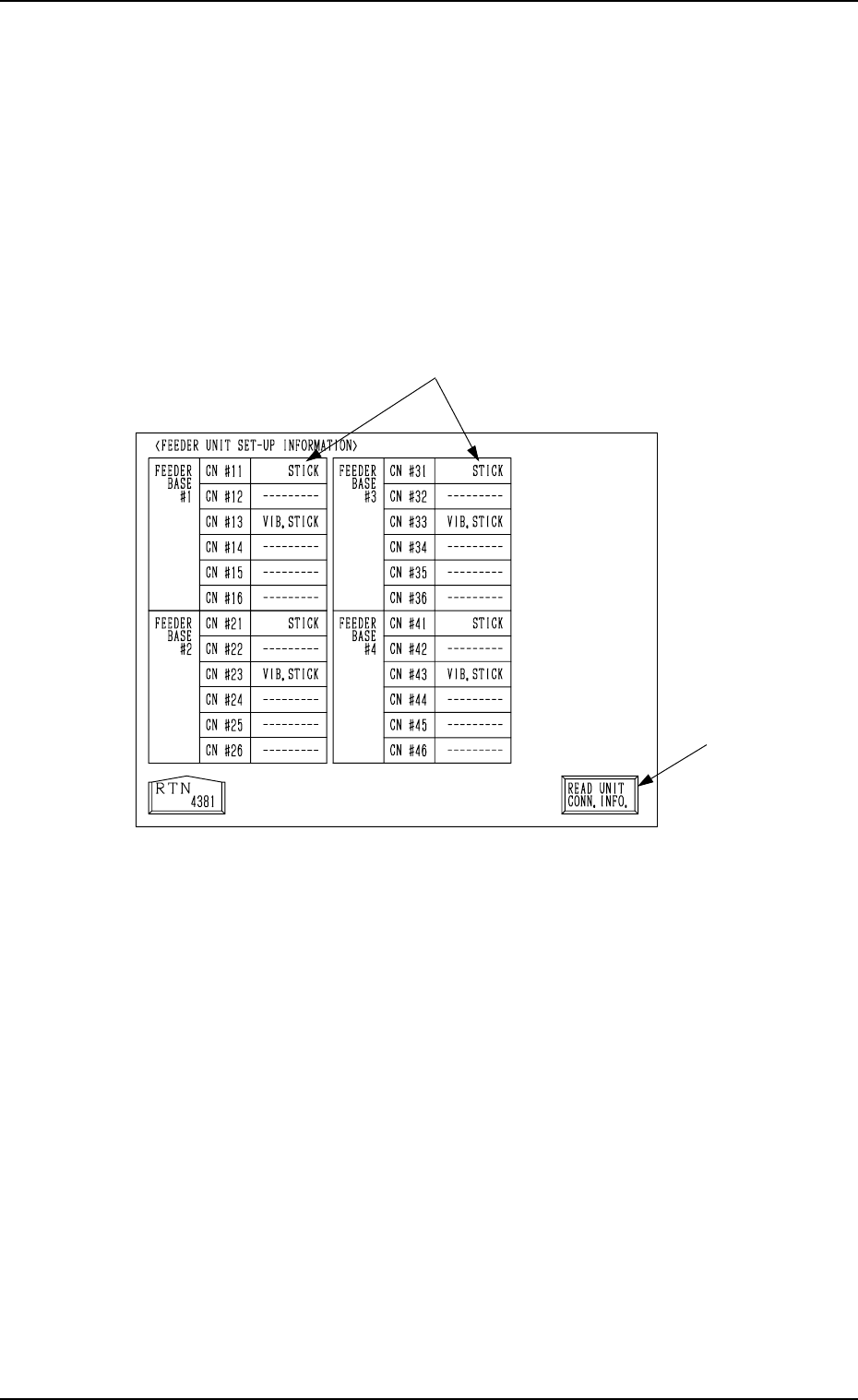
8.1.5 FEEDER UNIT SET-UP INFORMATION Display
• Displayed are the names of the feeders installed on the feeder base units #1
through #4.
When the [FEEDER UNIT SET-UP INFO.] key is pressed at the “INPUT
CHECK” display, the following display appears on the screen.
Note: When the connection of the unit is changed after this display is opened,
be sure to press the [READ UNIT CONN. INFO.] key. Otherwise, the
correct device information will not be displayed.
*1 Indicated are what types of feeders are connected with which connectors.
*2 [READ UNIT CONN. INFO.] Key
This key is used to update the feeder unit set-up information.
*2
*1
Fig. 4C335