4OM-1011-002.pdf - 第263页
Tg0860-PM-MM 10.9 HDD/FDD OPERA TION - COMPONENT LIBRAR Y (EACH) Display 0307-001 3-21 1 10.9 HDD/FDD OPERA TION - COMPONENT LIBRAR Y (EACH) Display When the [COMP . LIBRAR Y DA T A (EACH)] key is pressed at the “HDD/ FD…
Tg0860-PM-MM
10.8 HDD/FDD OPERATION - COMPONENT LIBRARY (ALL) Display
0307-002 3-210
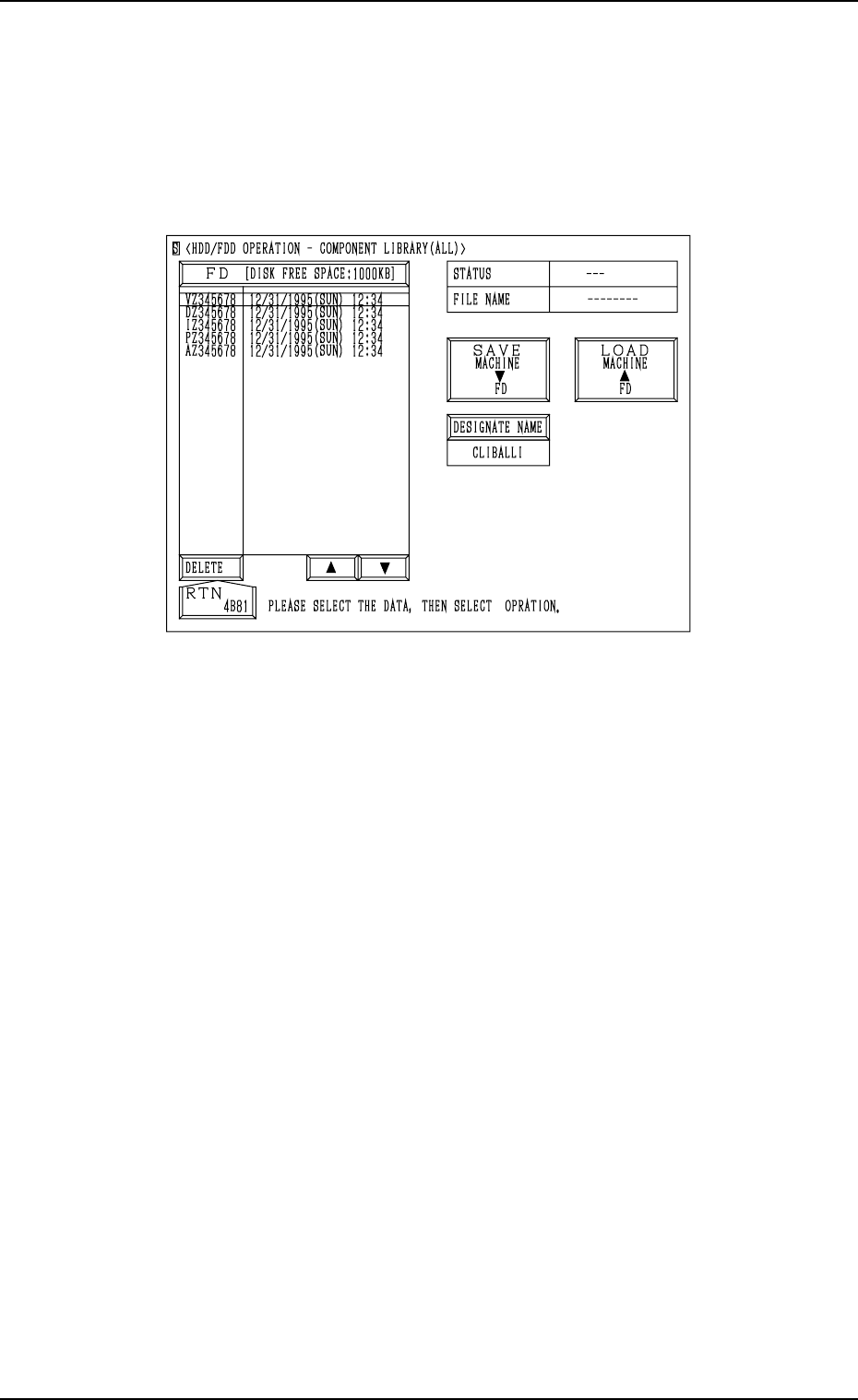
10.8 HDD/FDD OPERATION - COMPONENT LIBRARY
(ALL) Display
When the [COMP. LIBRARY DATA (ALL)] key is pressed at the “HDD/
FDD OPERATION” display, the following display appears on the screen.
Notes: (a) This display can be opened only when the machine is in the
“STOP” mode and the component library data is not exchanged
between the machine and the programming device (option).
(b) While this display is active, the component library data cannot be
exchanged between the machine and the programming device.
The [ZERO] and [READY] buttons also become invalid.
(c) During saving and reading, this display cannot be changed to oth-
ers.
Refer to “10.3 HDD/FDD OPERATION - OFFSET DATA Display of Section
3” for the detailed information on how to save, load, or delete the component
library data.
Fig. 4C358
Tg0860-PM-MM
10.9 HDD/FDD OPERATION - COMPONENT LIBRARY (EACH) Display
0307-001 3-211
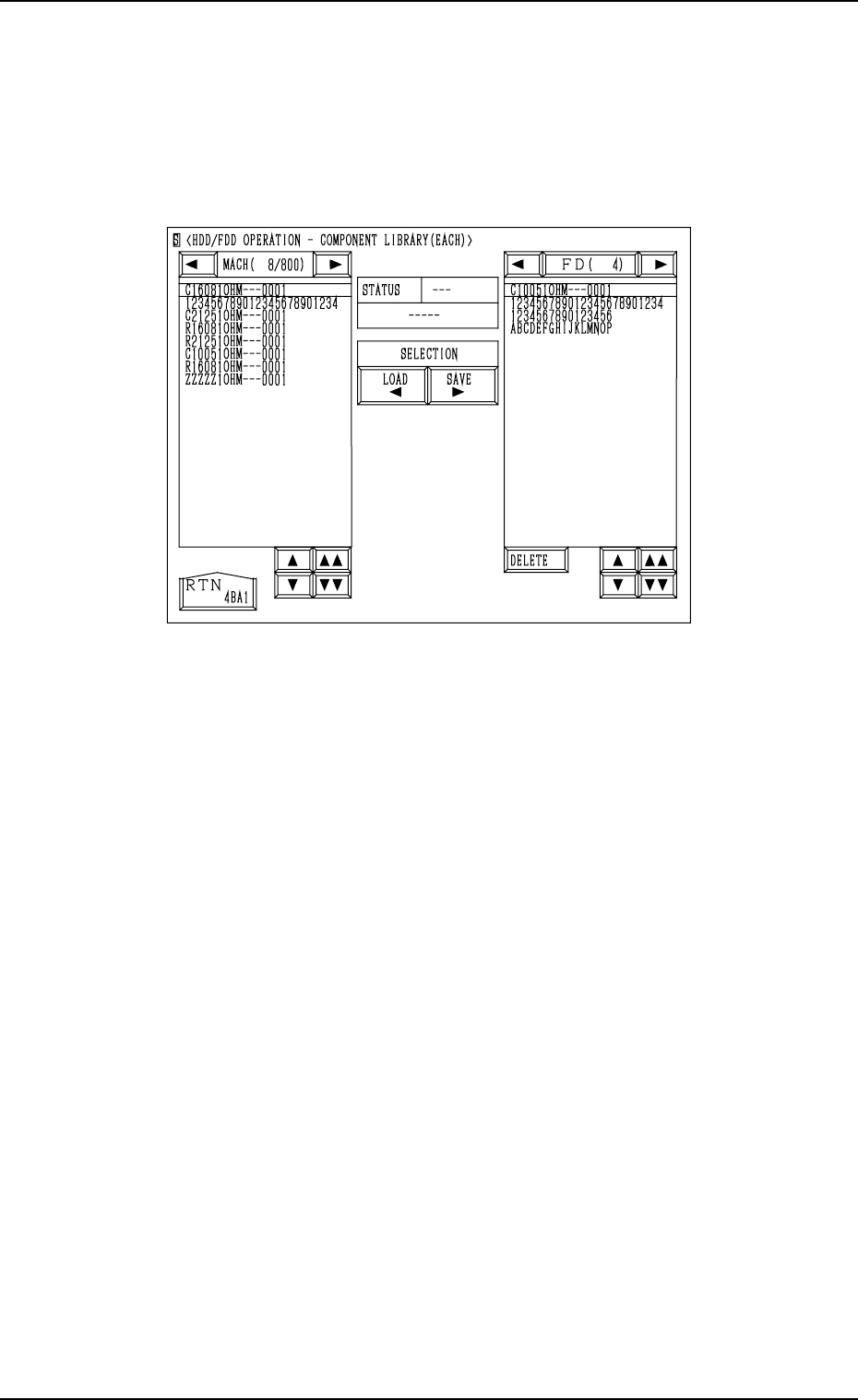
10.9 HDD/FDD OPERATION - COMPONENT LIBRARY
(EACH) Display
When the [COMP. LIBRARY DATA (EACH)] key is pressed at the “HDD/
FDD OPERATION” display, the following display appears on the screen.
Notes: (a) This display can be opened only when the machine is in the “STOP”
mode and the component library data is not exchanged between
the machine and the programming device (option).
(b) While this display is active, the component library data cannot be
exchanged between the machine and the programming device.
The [ZERO] and [READY] buttons also become invalid.
(c) During saving and reading, this display cannot be changed to oth-
ers.
Refer to “10.2 SAVE/LOAD PATTERN PROGRAM Display” for the de-
tailed information on how to save, load, or delete the component library data.
Fig. 4C359

0305-001 Tg0860-PM-MM
Section 4
Machine Set-Up Menus
4-A
This section gives the Machine Set-up, such as password
and calendar settings.