4OM-1011-002.pdf - 第92页
0305-001 Tg0860-PM-MM 5.1 MANUAL HEAD BYP ASS Display When the [MANUAL HEAD BYP ASS] key is pressed at the “MANUAL BY- P ASS” display , the following display appears on the screen. Color of Head # Keys • Case: A head is …
0305-001 Tg0860-PM-MM
5. MANUAL BYPASS Display
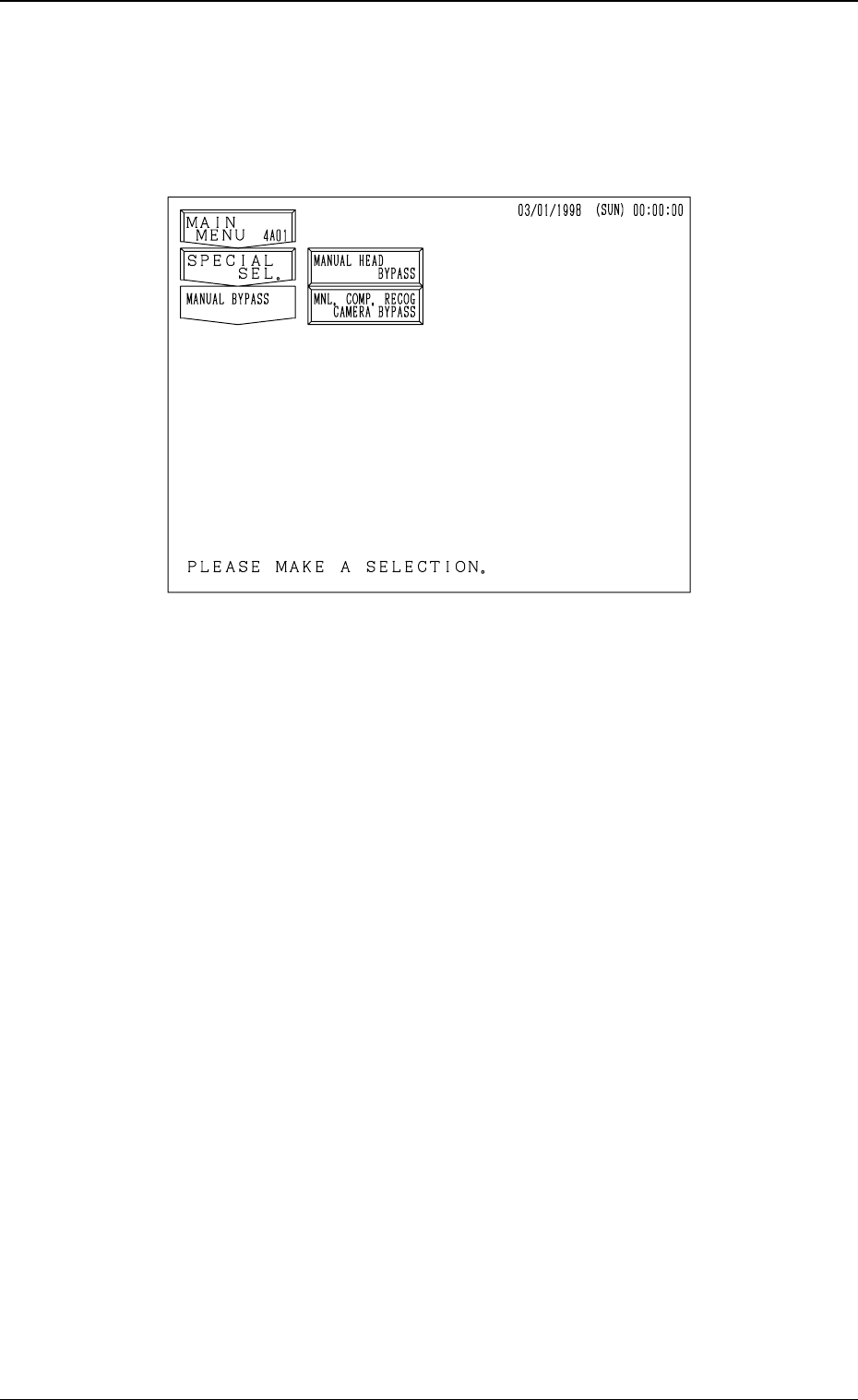
When the [MANUAL BYPASS] key is pressed at the “SPECIAL SEL.” dis-
play, the following display appears on the screen.
[MANUAL HEAD BYPASS] Key
When this key is pressed, the “MANUAL HEAD BYPASS” display ap-
pears on the screen, enabling the manual bypass setting of the head which
is not in good shape or which should not be used. The bypass setting can
also be canceled manually.
[MNL. COMP. RECOG CAMERA BYPASS] Key
When this key is pressed, the “MANUAL COMPONENT RECOGNITION
CAMERA BYPASS” display appears on the screen, enabling the manual
bypass setting of the component recognition camera which is not in good
shape or which should not be used. The bypass setting can also be canceled
manually.
3-40
5. MANUAL BYPASS Display
Fig. 4C51
0305-001 Tg0860-PM-MM
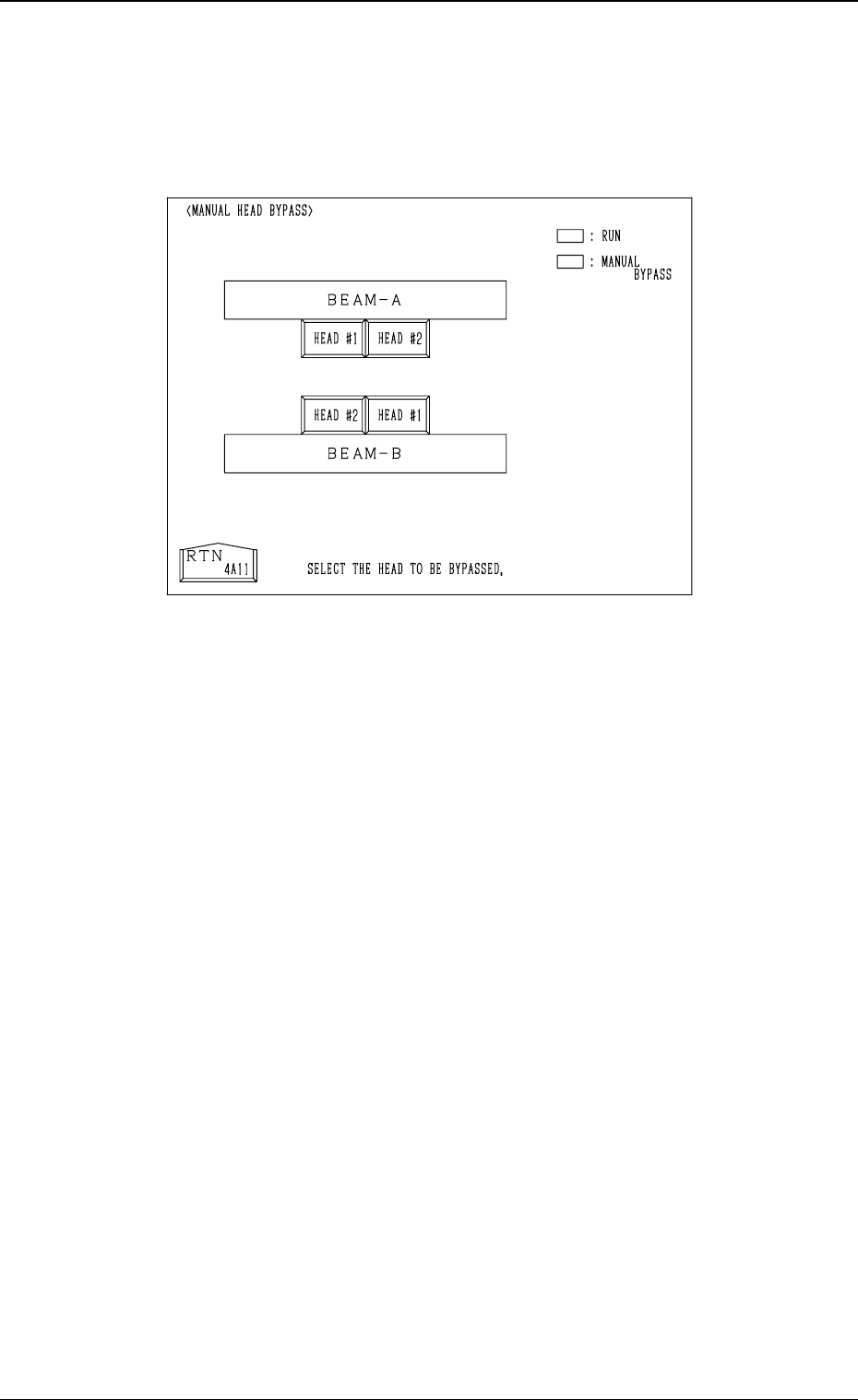
5.1 MANUAL HEAD BYPASS Display
When the [MANUAL HEAD BYPASS] key is pressed at the “MANUAL BY-
PASS” display, the following display appears on the screen.
Color of Head # Keys
• Case: A head is not bypassed.
Line and Foreground Color: Green
Background Color: Black
• Case: A head is bypassed.
Line and Foreground Color: Yellow
Background Color: Blue
Operation Procedure
• Select the head # key to be bypassed.
The selected key turns blue.
• To cancel the bypass setting, select the head # key again.
3-41
5.1 MANUAL HEAD BYPASS Display
Fig. 4C52
0305-001 Tg0860-PM-MM
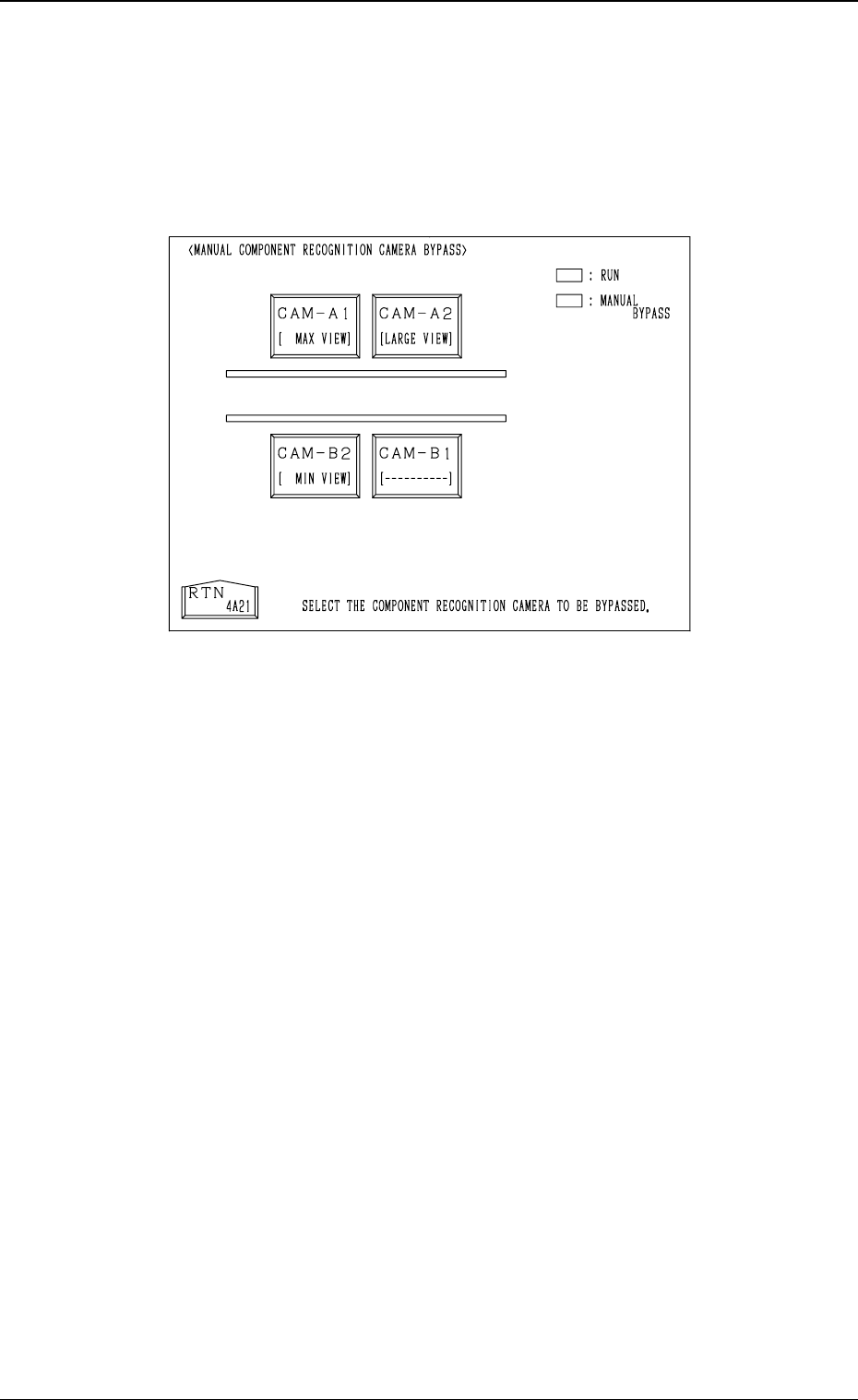
5.2 MANUAL COMPONENT RECOGNITION CAMERA
BYPASS Display
When the [MNL. COMP. RECOG CAMERA BYPASS] key is pressed at the
“MANUAL BYPASS” display, the following display appears on the screen.
Color of Camera # Keys
• Case: A camera is not bypassed.
Line and Foreground Color: Green
Background Color: Black
• Case: A camera is bypassed.
Line and Foreground Color: Yellow
Background Color: Blue
Operation Procedure
• Select the camera # key to be bypassed.
The selected key turns blue.
• To cancel the bypass setting, select the head # key again.
3-42
5.2 MANUAL COMPONENT RECOGNITION CAMERA BYPASS Display
Fig. 4C53