4OM-1011-002.pdf - 第87页
0305-001 Tg0860-PM-MM 4. RECALL MESSAGES Display Menus are provided to recall device errors, handling errors, recognition errors, and machine information which occurred in the past. When the [RECALL MASSAGES] key is pres…
0305-001 Tg0860-PM-MM
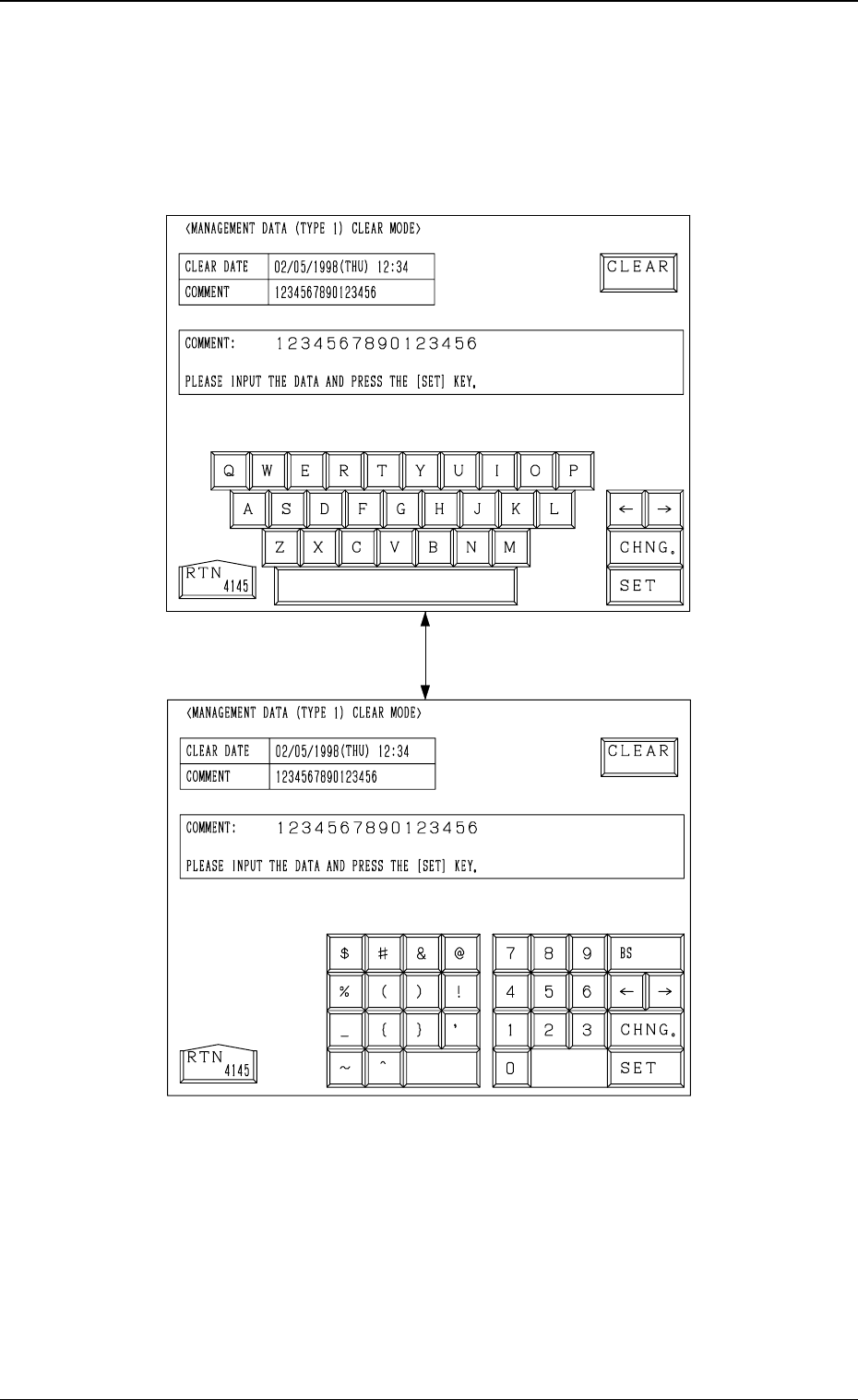
3.3.7 Management Data (Type 1) Clear Mode
To clear all of the management data, press the [CLEAR MANAGEMENT
DATA (TYPE 1)] key at the “MANAGEMENT DATA (TYPE 1)” display.
The following display appears on the screen.
Every time the [CHNG.] key is pressed, the display changes.
• When the [CLEAR] key is pressed, all of the management data is cleared.
• The date when the [CLEAR] key is pressed is displayed in the “CLEAR
DATE” text box.
• Enter a comment in the “COMMENT” text box, using the ten-key pad and
press the [SET] key. The current comment is changed to the entered one.
Fig. 4C41
Fig. 4C42
3-35
3.3 Management Data (Type 1)
[CHNG.] Key
0305-001 Tg0860-PM-MM
4. RECALL MESSAGES Display
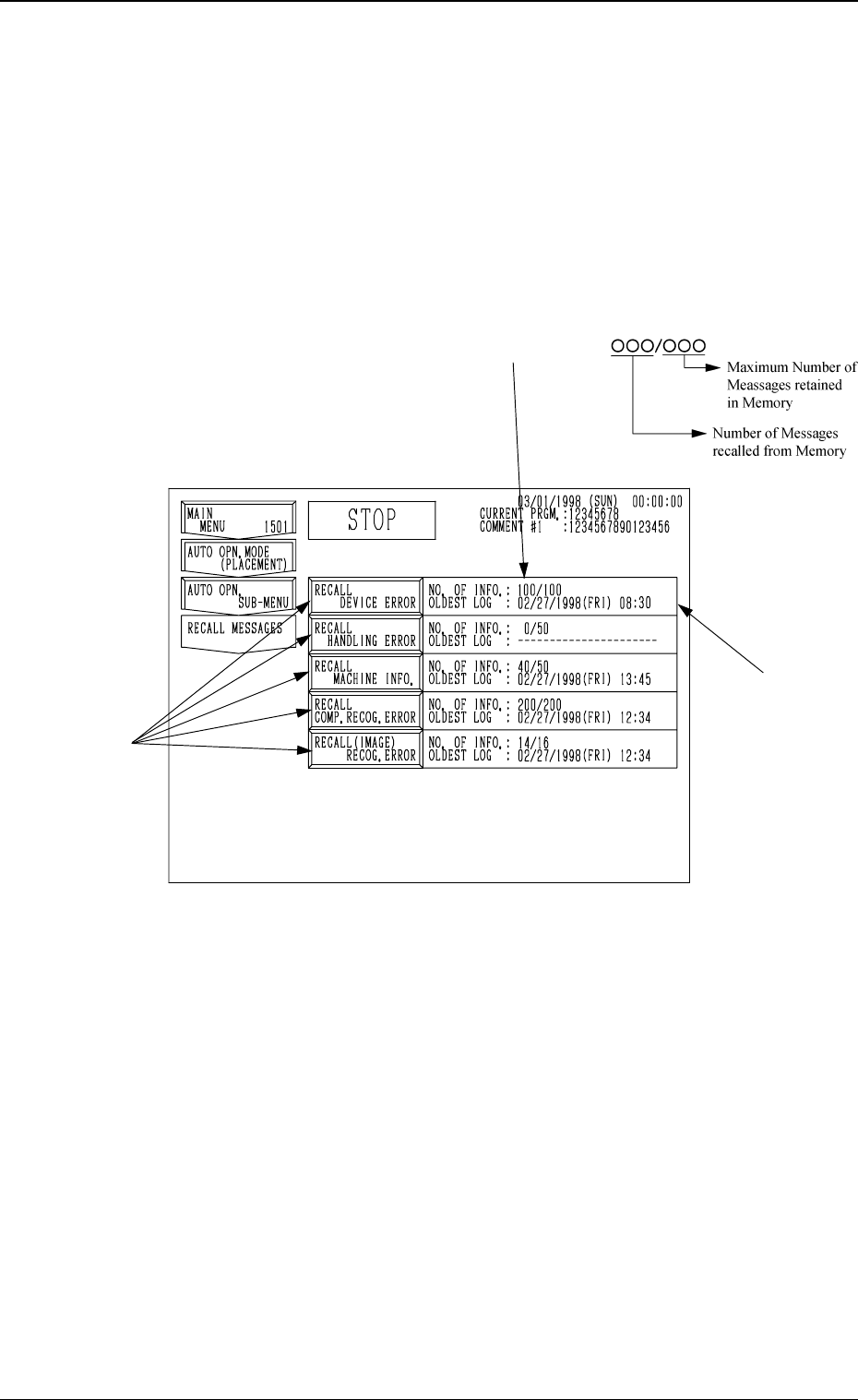
Menus are provided to recall device errors, handling errors, recognition errors,
and machine information which occurred in the past.
When the [RECALL MASSAGES] key is pressed at the “SPECIAL SEL.”
display, the following display appears on the screen.
This display can also be opened from the “AUTO OPN. SUB-MENU”
display.
*1 NO. OF INFO.
Shown is the number of information messages retained in the current memory
area. The numerator shows the number of retained messages and the de-
nominator the maximum number of retainable messages in memory.
*2 OLDEST LOG
Shown is the oldest date and time for the currently retained information
messages.
When no information message is retained in memory, “--------” appears.
• When one of the keys A is selected, the corresponding display appears on
the screen. The “RECALL DEVICE ERROR”, “RECALL HANDLING
ERROR”, “RECALL MACHINE INFO.”, “RECALL COMP. RECOG.
ERROR”, or “RECALL (IMAGE) RECOG. ERROR” display (Figs. 4C44
through 4C48) will appear accordingly.
3-36
4. RECALL MESSAGES Display
Fig. 4C43
*1
*2
A
0305-001 Tg0860-PM-MM
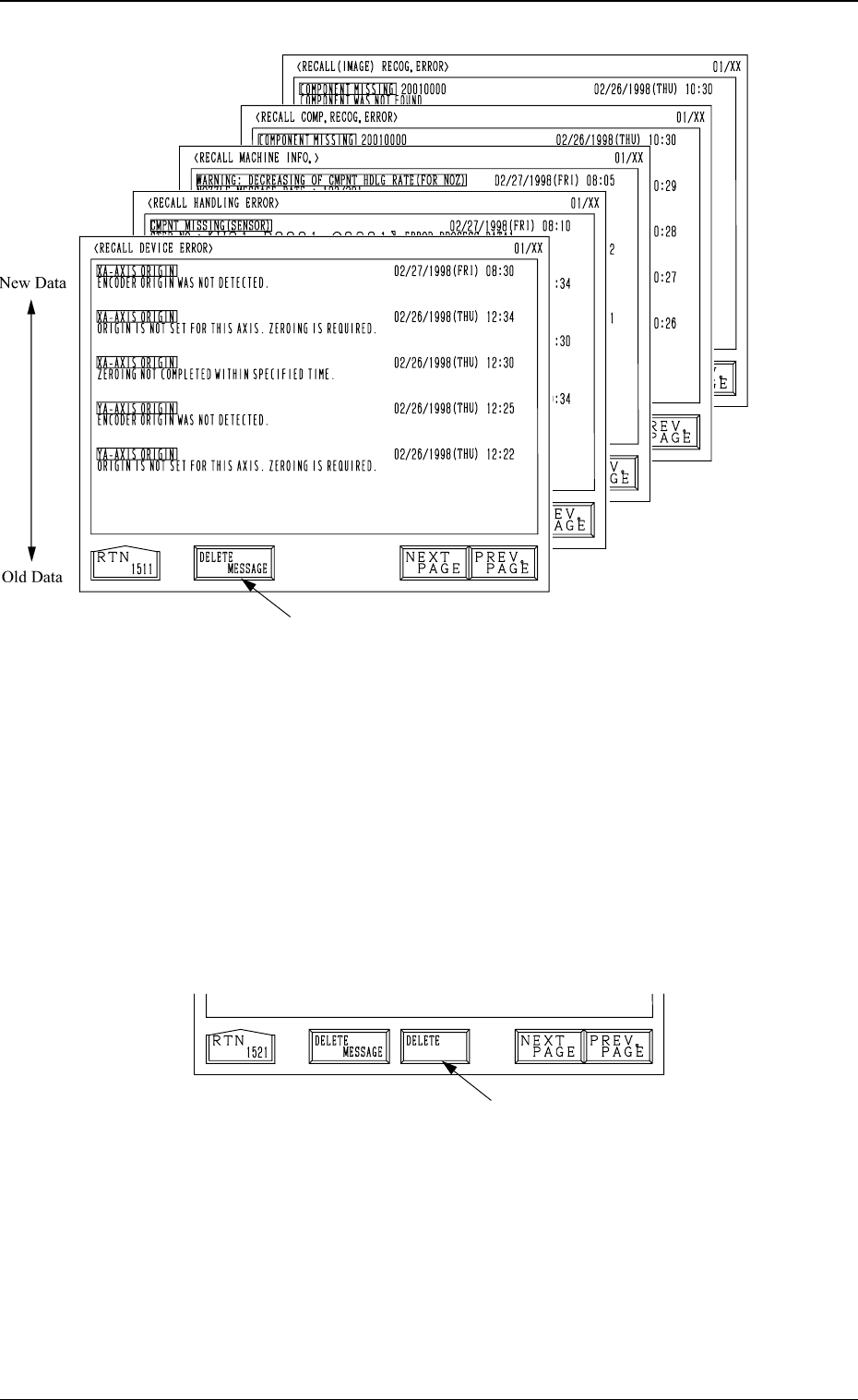
• Each message is arranged and recalled in a time series.
• Mark (green) shows an error ocurred during operation.
How to Delete the Recalled Messages
(1) Press the [DELETE MESSAGE] key A.
The key turns red, indicating that the delete mode is set.
The [DELETE] key B appears beside the [DELETE MESSAGE] key as
shown in Fig. 4C49.
(To cancel the delete mode, press the [DELETE MESSAGE] key again.)
(2) When the [DELETE] key is pressed, the registered information messages
are deleted and the “RECALL MESSAGES” display (Fig. 4C43) appears
on the screen.
Fig. 4C48
Fig. 4C46
Fig. 4C45
Fig. 4C44
Fig. 4C47
3-37
4. RECALL MESSAGES Display
A
B
Fig. 4C49