4OM-1011-002.pdf - 第278页
0305-001 Tg0860-PM-MM 6. Setting of Error Display Colors When the [ERROR DISPLA Y COLOR] key is pressed at the “MACHINE SET-UP” display , the following display appears on the screen. • The background and letter colors of…
0305-001 Tg0860-PM-MM
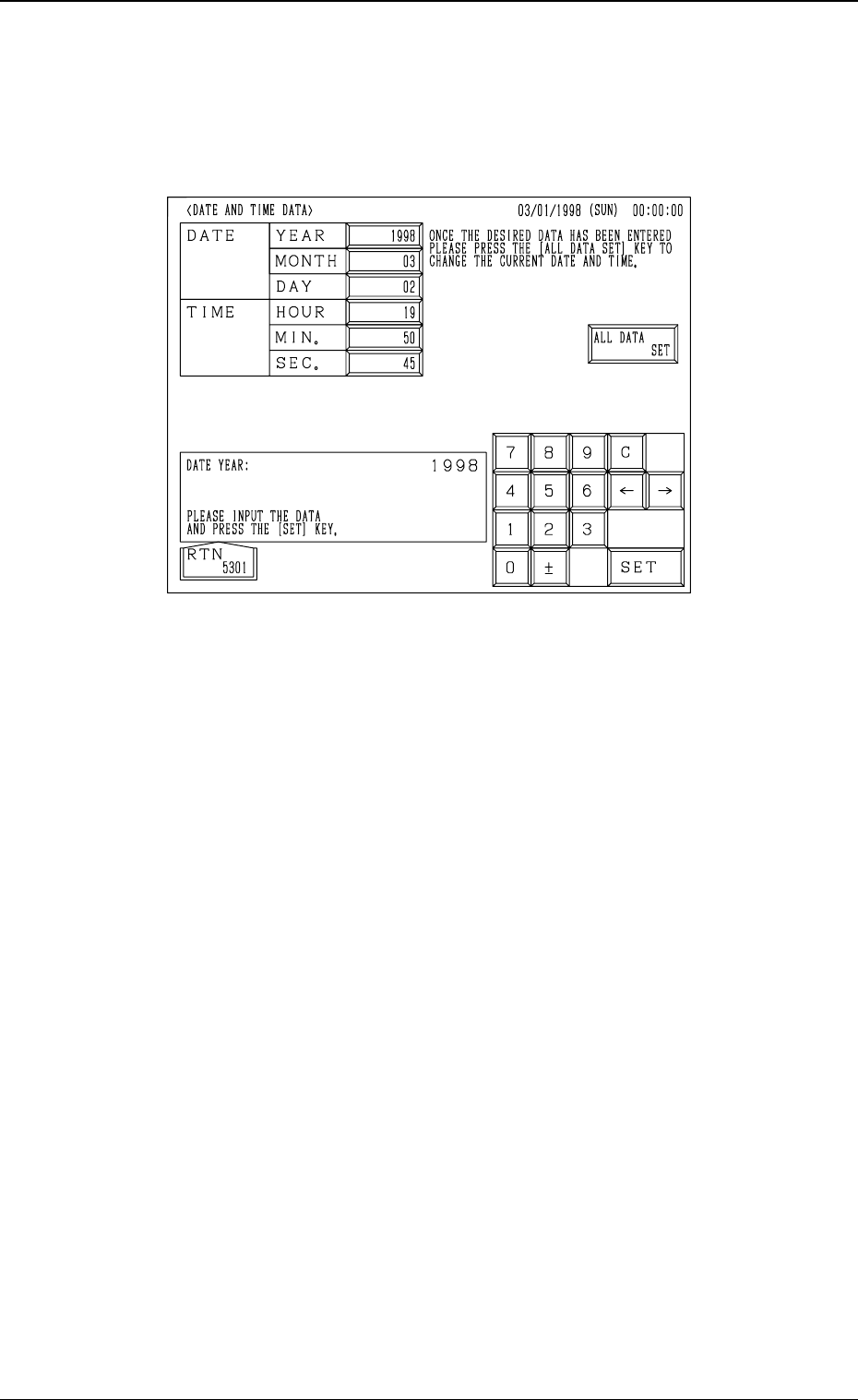
5. Setting of Date and Time Data
When the [DATE AND TIME DATA] key is pressed at the “MACHINE SET-
UP” display, the following display appears on the screen.
Operation Procedure
(1) Select the key for which a parameter should be set. The selected key turns
blue.
(2) Use the ten-key pad to enter a parameter and press the [SET] key.
(3) After all parameters are set, press the [ALL DATA SET] key. The new
parameters are set in the text boxes.
4-12
5. Setting of Date and Time Data
Fig. 4D15
0305-001 Tg0860-PM-MM
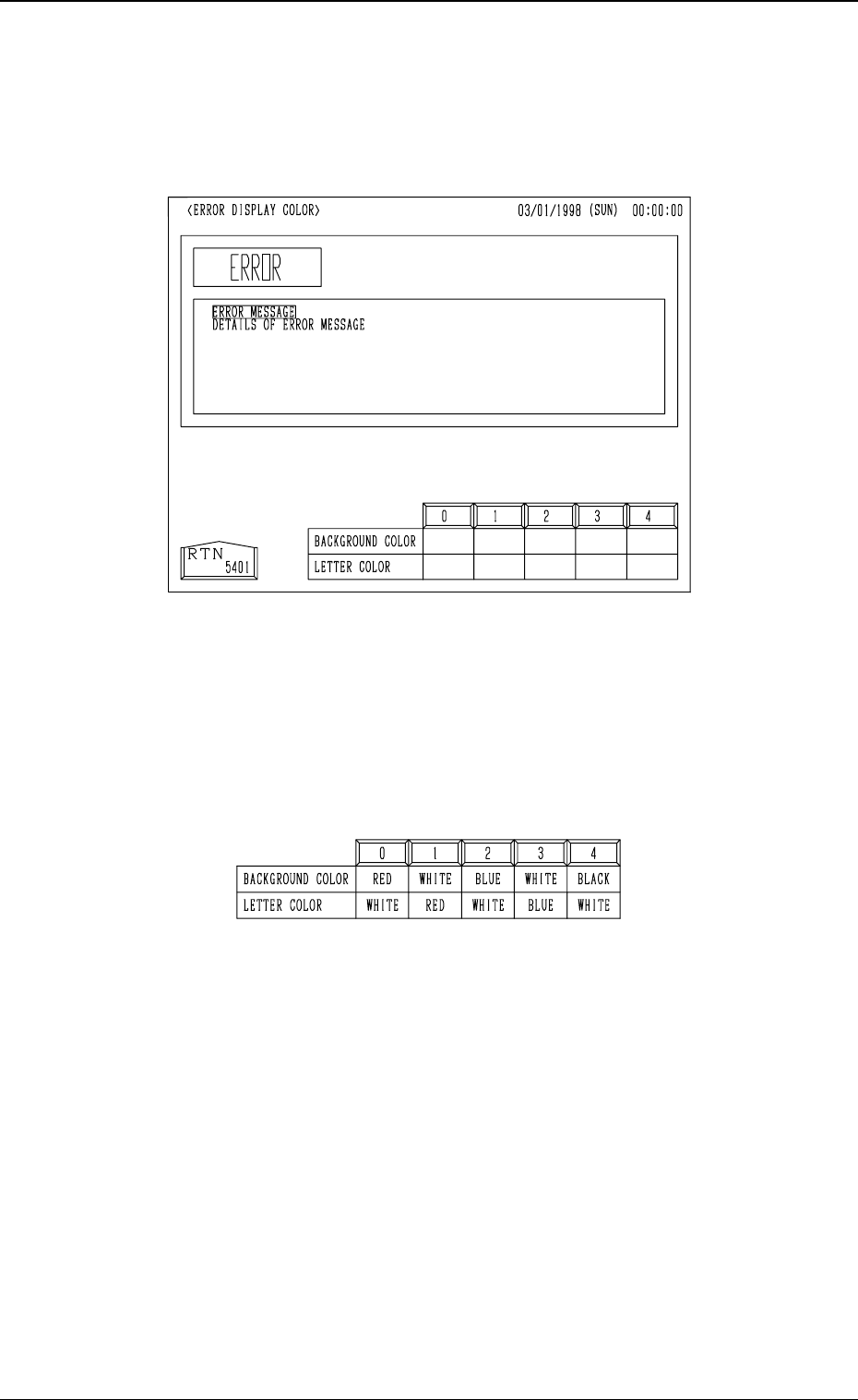
6. Setting of Error Display Colors
When the [ERROR DISPLAY COLOR] key is pressed at the “MACHINE
SET-UP” display, the following display appears on the screen.
• The background and letter colors of the error information box can be changed
according to one of the five optional combinations (0 to 4). When the de-
sired combination No. box is pressed, the colors are reflected in the error
information box.
• One of the five patterns (combinations of background and letter colors) can
be selected.
4-13
6. Setting of Error Display Colors
Fig. 4D16
Fig. 4D17
0305-001 Tg0860-PM-MM
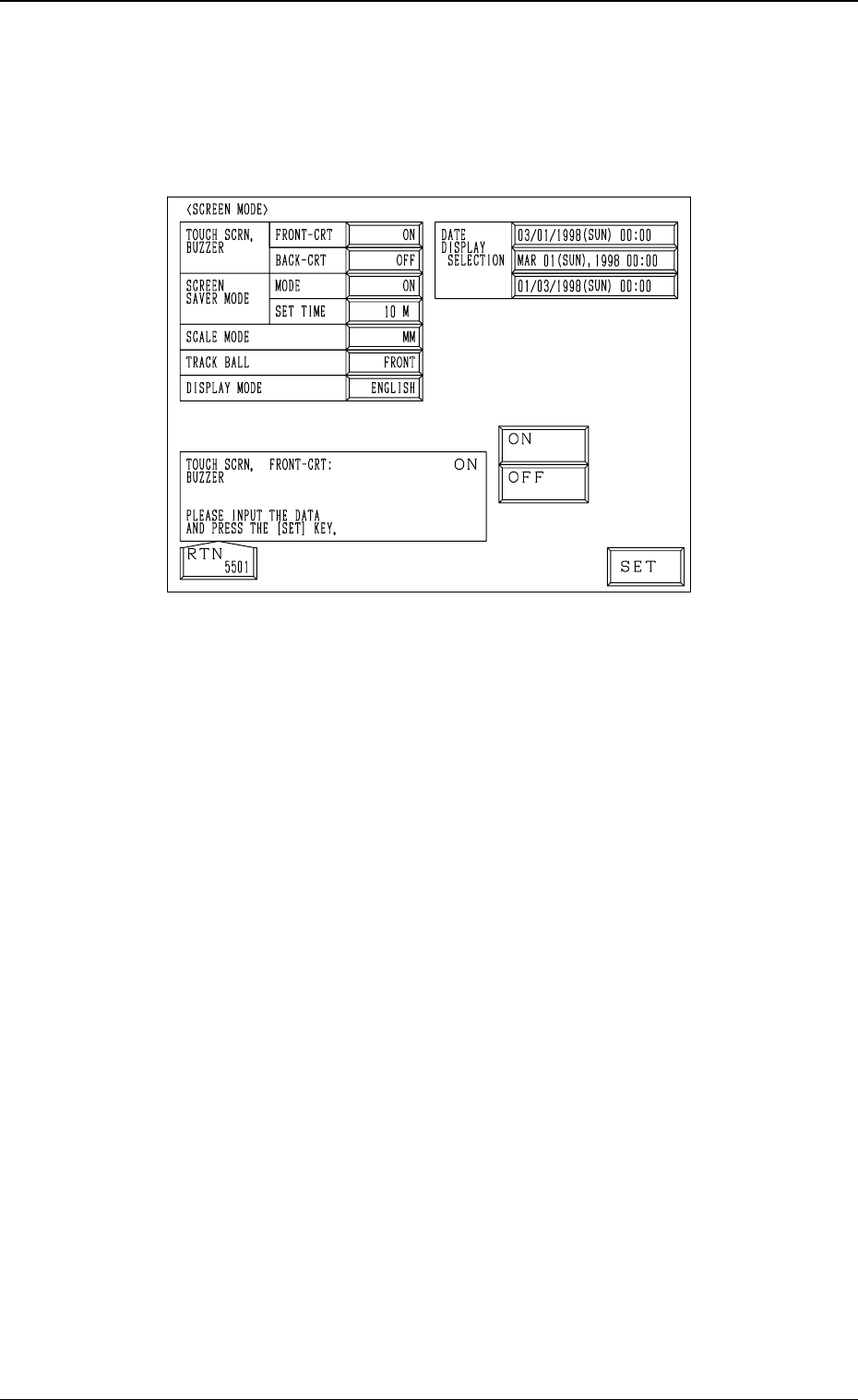
7. Screen Mode Function
When the [SCREEN MODE] key is pressed at the “MACHINE SET-UP” dis-
play, the following display appears on the screen.
TOUCH SCRN. BUZZER FRONT-CRT and BACK-CRT
Set “ON” or “OFF” in the data boxes to determine whether or not the
buzzers should be used.
SCREEN SAVER MODE
When the touch screen or the operation panel is kept intact (keys and but-
tons kept intact) for the specified period of time, the screen saver mode
(function) is activated to avoid burning the CRT or the LCD screen.
Note: While the “ERROR” display is active or a message is issued in the
“MGT. INFO.” text box, the screen saver function does not work.
MODE
Set “ON” or “OFF” in the data box to determine whether or not the screen
saver mode should be set.
SET TIME
Set the delay time for the screen saver mode to be activated in the data box.
Time (a period of time before the screen saver function starts working) can
be set in the range of 1 to 60 minutes in the increments of 1 minute.
4-14
7. Screen Mode Function
Fig. 4D18