4OM-1011-002.pdf - 第275页
0305-001 Tg0860-PM-MM 4. Setting of Light T ower and Alarm Data When the [LIGHT TOWER AND ALARM DA T A] key is pressed at the “ MA- CHINE SET-UP” display , the following display appears on the screen. • The “ON, OFF , or…
0305-001 Tg0860-PM-MM
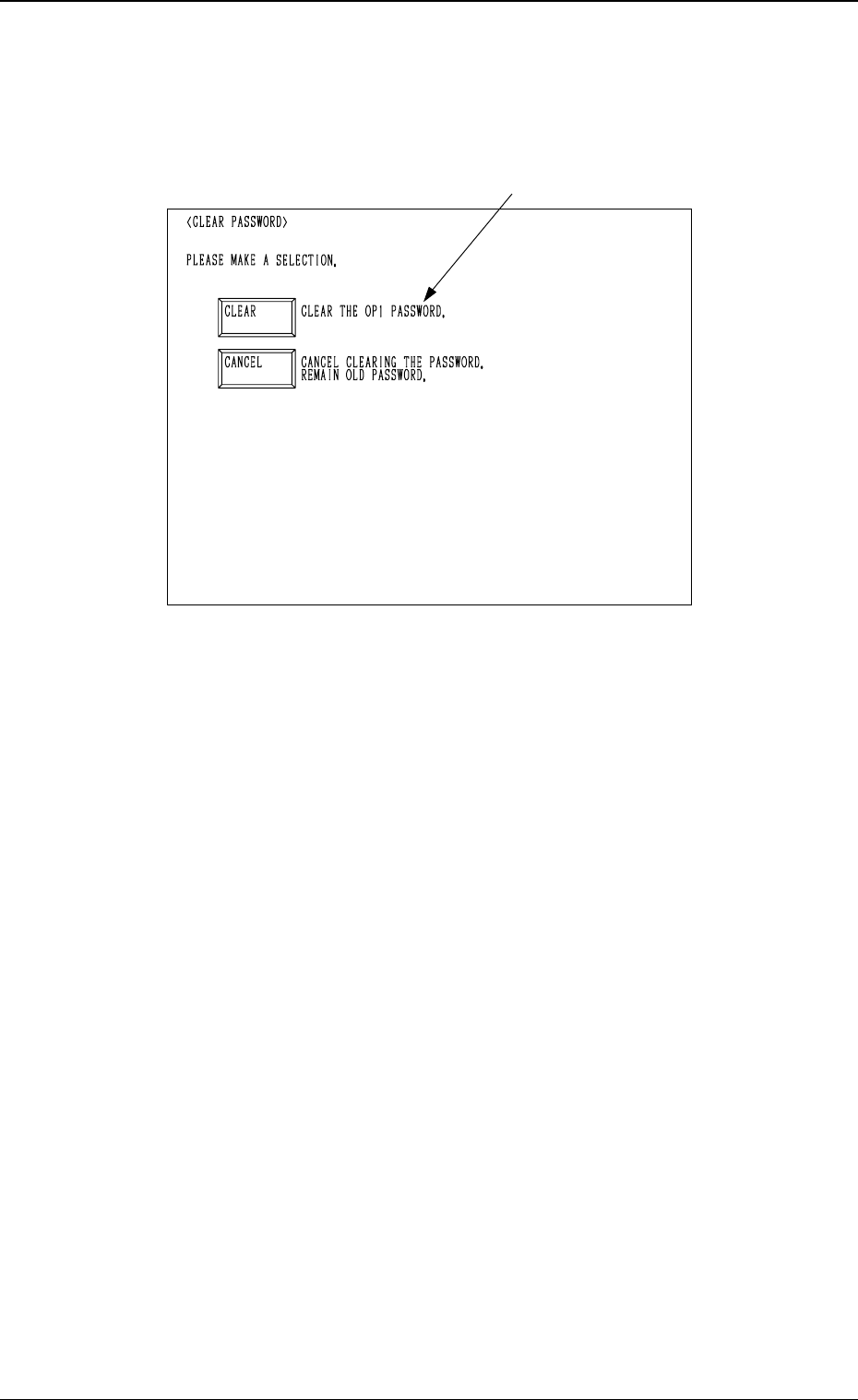
(6) When a password is already set, the following display appears on the
screen, prompting the handling of the password.
Follow the instructions on the screen and select the [CLEAR] or [CAN-
CEL] key.
[CLEAR] Key : The old password is cleared and a new password can be
set again.
[CANCEL] Key : The password entered last is used.
Ref.: Fig. 4D10 shows the “CLEAR PASSWORD” display opened from the
“OPERATOR #1 PASSWORD SET” display.
When the “CLEAR PASSWORD” display is opened from the “SU-
PERVISOR PASSWORD” display, “CLEAR SUPERVISOR PASS-
WORD” appears in the area indicated by A at the “CLEAR PASS-
WORD” display (Fig. 4D10).
When the “CLEAR PASSWORD” display is opened from the “OP-
ERATOR #2 PASSWORD SET” display, “CLEAR THE OP2 PASS-
WORD” appears in the area indicated by A at the “CLEAR PASS-
WORD” display (Fig. 4D10).
(7) After a password is set and the [SET] key is pressed, “REENTER PASS-
WORD” appears in the display, enabling you to re-enter your password.
Re-enter your password and press the [SET] key. The system checks
whether or not the re-entered password matches the password entered
last.
• If the password is not identical, “PASSWORD” appears in the display,
enabling you to enter a password from the beginning.
• If the password is identical, the “PASSWORD” display appears on the
screen, indicating that your password is correctly set.
A
4-9
3.3 Setting of Passwords
Fig. 4D10
0305-001 Tg0860-PM-MM
4. Setting of Light Tower and Alarm Data
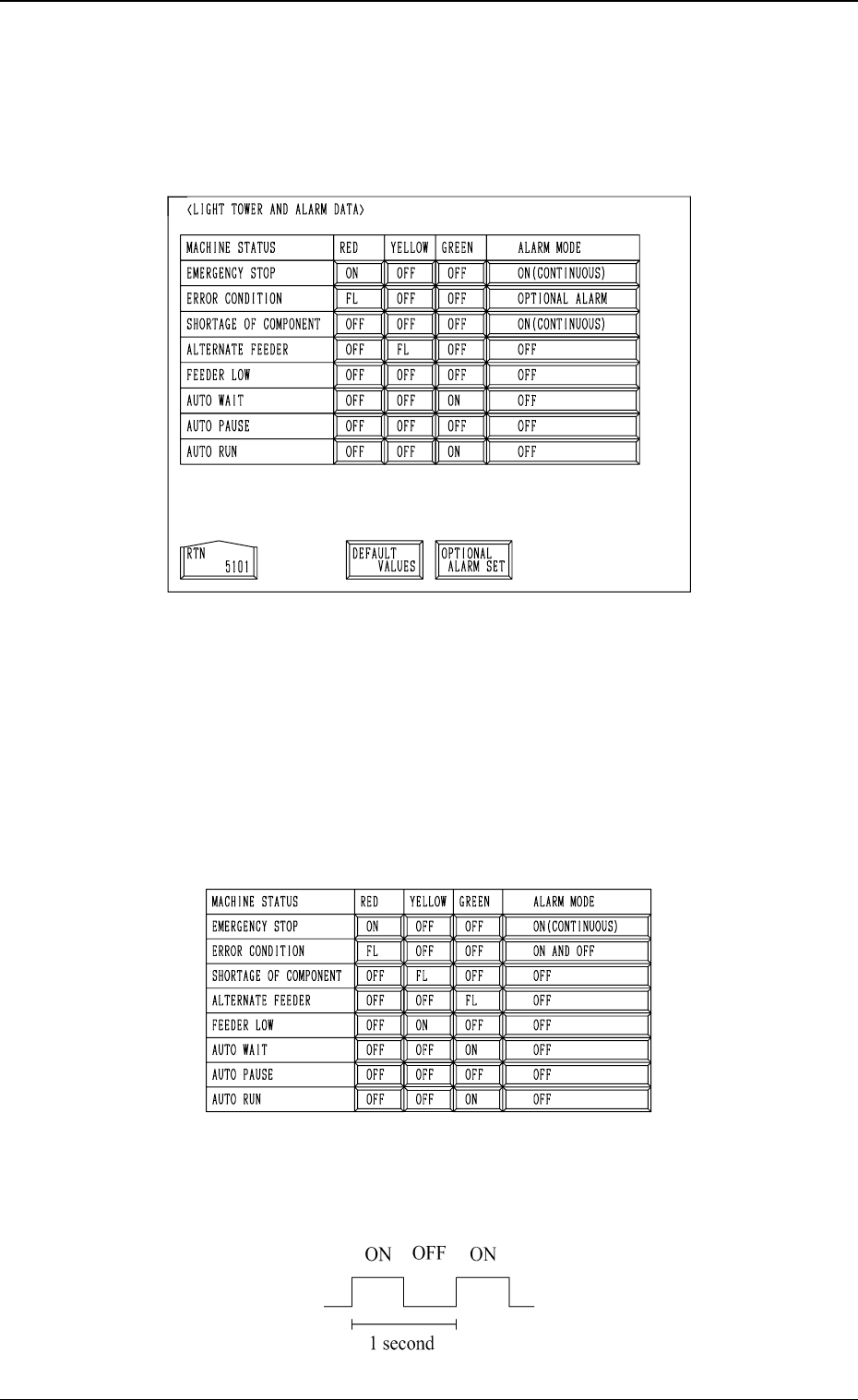
When the [LIGHT TOWER AND ALARM DATA] key is pressed at the “MA-
CHINE SET-UP” display, the following display appears on the screen.
• The “ON, OFF, or FL (flashing)” can be selected for the tower lights (red,
yellow, and green lights) according to the machine status.
The “ON (CONTINUOUS), OFF, ON AND OFF, or OPTIONAL ALARM”
can also be selected for the alarm buzzer according to the machine status.
Every time a key switch is pressed, the label changes such as “ON → OFF
→ FL”.
• When the [DEFAULT VALUES] key is pressed, default parameters are set
as follows.
Note: A tower light blinks in a fixed cycle as follows.
(Duty : 50)
4-10
4. Setting of Light Tower and Alarm Data
Fig. 4D11
Fig. 4D12
Fig. 4D13
0305-001 Tg0860-PM-MM
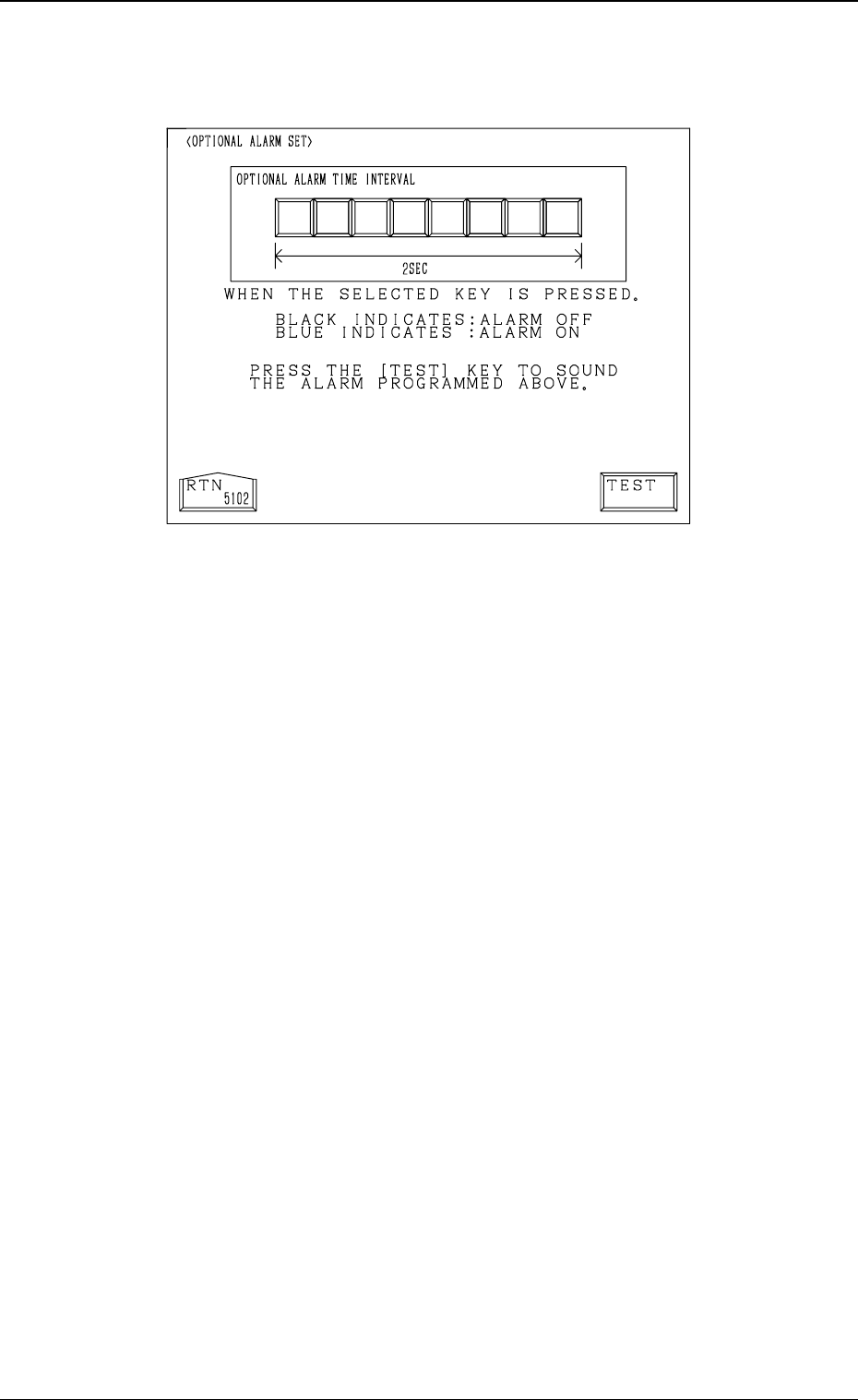
• When the [OPTIONAL ALARM SET] key is pressed, the following display
appears on the screen, enabling the setting of an optional alarm sound.
• An optional alarm sounds in a cycle of two seconds. The two seconds is
divided into 8 intervals and each interval is assigned as “ON” or “OFF” to
make a sound of your own.
• When the [TEST] key is pressed, the set optional alarm sounds in two cycles.
4-11
4. Setting of Light Tower and Alarm Data
Fig. 4D14