00195779-0102_UM_D4_SR605_EN.pdf - 第191页
User manual SIPLACE D4 4 Setting up and commissioning From software version SR.605.xx 07/2008 EN Edition 4.5 Commissioning the machine 191 4.5 Commissioning the machine 4.5.1 Commissioning the machine at the customer&apo…
4 Setting up and commissioning User manual SIPLACE D4
4.4 Adapting the component trolley to the PCB conveyor height From software version SR.605.xx 07/2008 EN Edition
190
4
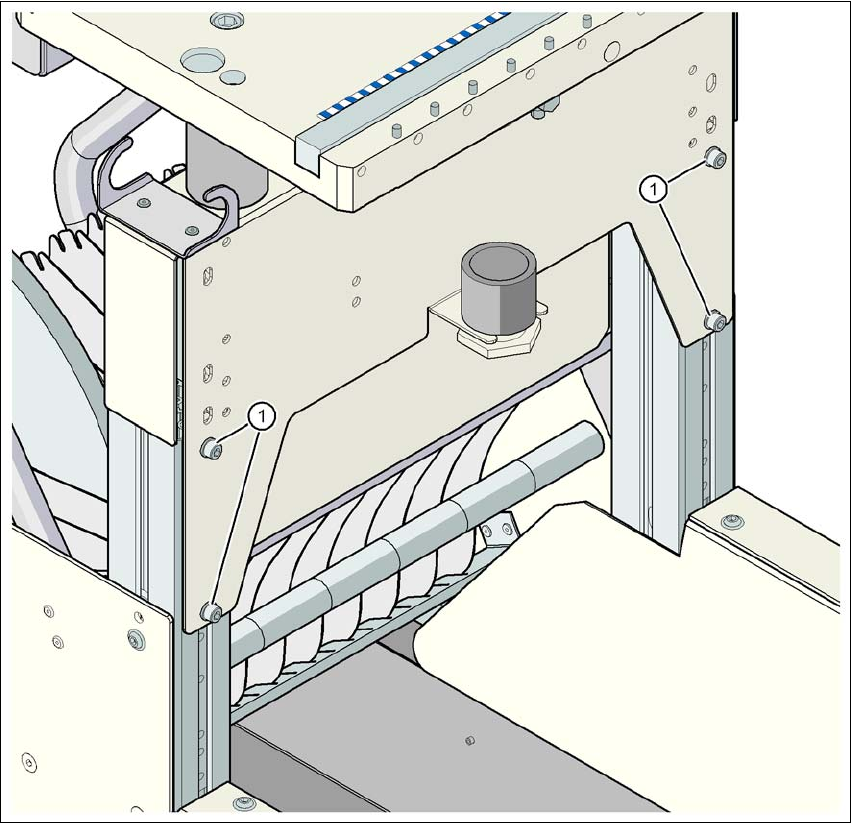
Fig. 4.4 - 9 Component trolley: PCB conveyor height 950 mm - front view, position of the hexagon socket head
screws
(1) Hexagon socket head screw M6x12 and washer (4x on the rear panel)

User manual SIPLACE D4 4 Setting up and commissioning
From software version SR.605.xx 07/2008 EN Edition 4.5 Commissioning the machine
191
4.5 Commissioning the machine
4.5.1 Commissioning the machine at the customer's premises
→ Check all modules for correct seating.
→ Wipe off the linear guide rails with a lint-free cloth before removing the shipping braces for the
X/Y axis. Do not use any solvent to do this (see Section 4.3.11
, page 179.
→ Switch on the machine and perform a reference run.
→ Copy the placement program onto the computer and test it.
→ Check the machine zero point after a period of warming up of 3 - 4 h.
→ Get the customer's operating personnel to equip the feeder modules according to the cus-
tomer's placement program.
→ Instruct them in handling the feeder modules using the JobGuide.
→ Check all customer-specific installed options (in particular software) for good functioning and
order any necessary spare parts using the order form or by fax.
4.5.2 Instructing the customer's personnel
→ Explain all customer-specific installed options, in particular software / software compatibility.
→ Explain programming of the program editors on the line computer / SIPLACE Pro.
→ Instruct the operators and line engineers in using the station software.
→ Explain about password protection.
→ Instruct the customer personnel in preventive maintenance and care on the basis of the Job-
Guide.
4.5.3 A test run or starting production
→ Test the line using the test PCB or a PCB provided by the customer.
→ Record the customer product and performance data, prepare the data and document the data
in the installation report.
→ Secure the data and give the customer security copies.
4 Setting up and commissioning User manual SIPLACE D4
4.5 Commissioning the machine From software version SR.605.xx 07/2008 EN Edition
192