OPERATING MANAUAL(FOR ENGINEERS).pdf - 第123页
Page 5-27 TEACHING 5 T eaching the Mount Position 5 . Set the mounted board to the board carrying in detection PH of front conveyor . (It is unnecessary when board is on X-Y table) ∗ D : The sensor is at the fixed side (…
Page 5-26
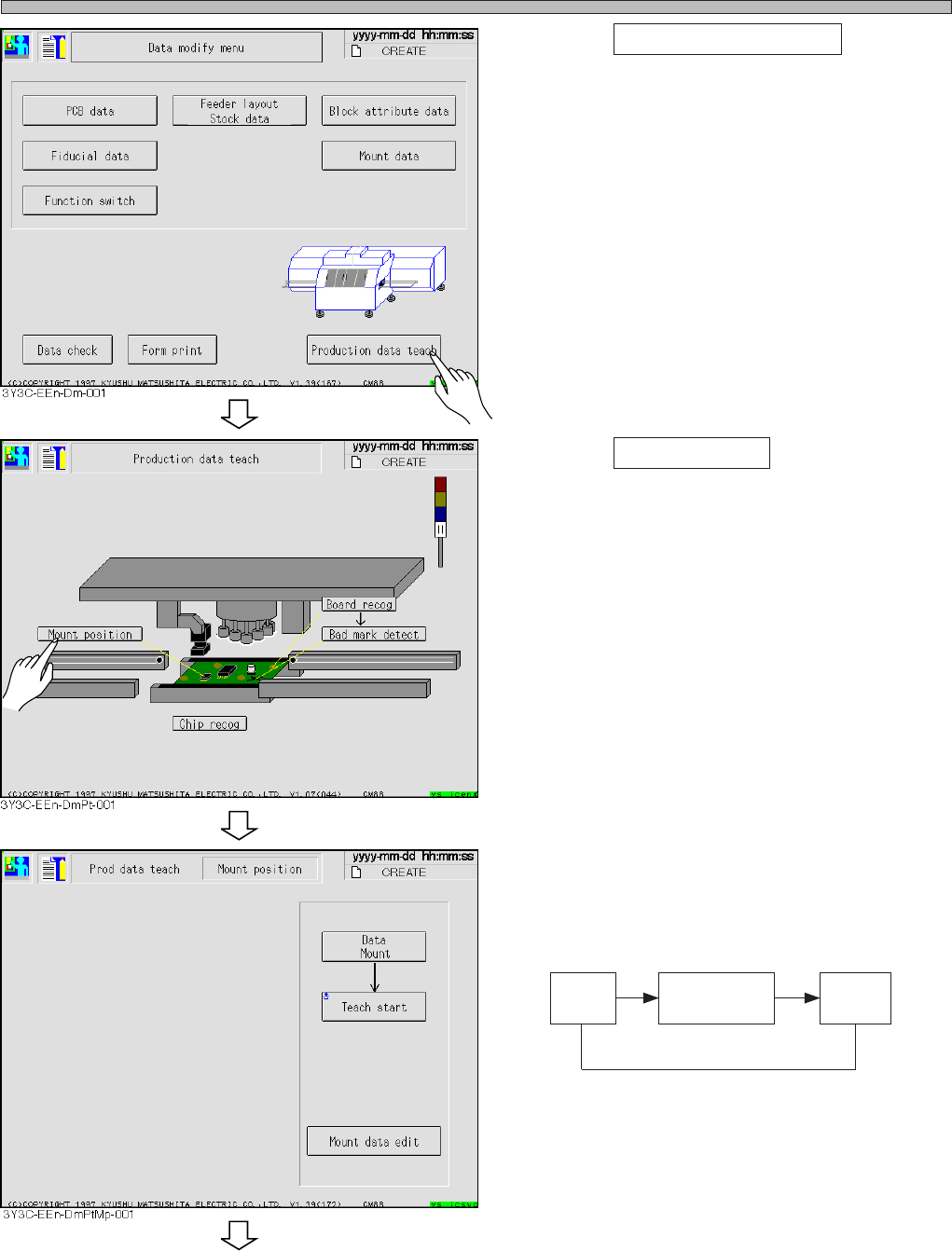
Teaching the Mount Position
2. Press Production data teach .
• Production data teaching screen appears.
3. Press Mount position .
• Mount position screen appears.
4. Change the mode for teaching.
∗ Every pressing changes the display as follows.
Data
mount
Data
Mount/Block
Data
Pattern
3Y3C-E-EMD05-A01-00
To the next page
Page 5-27
TEACHING
5
Teaching the Mount Position
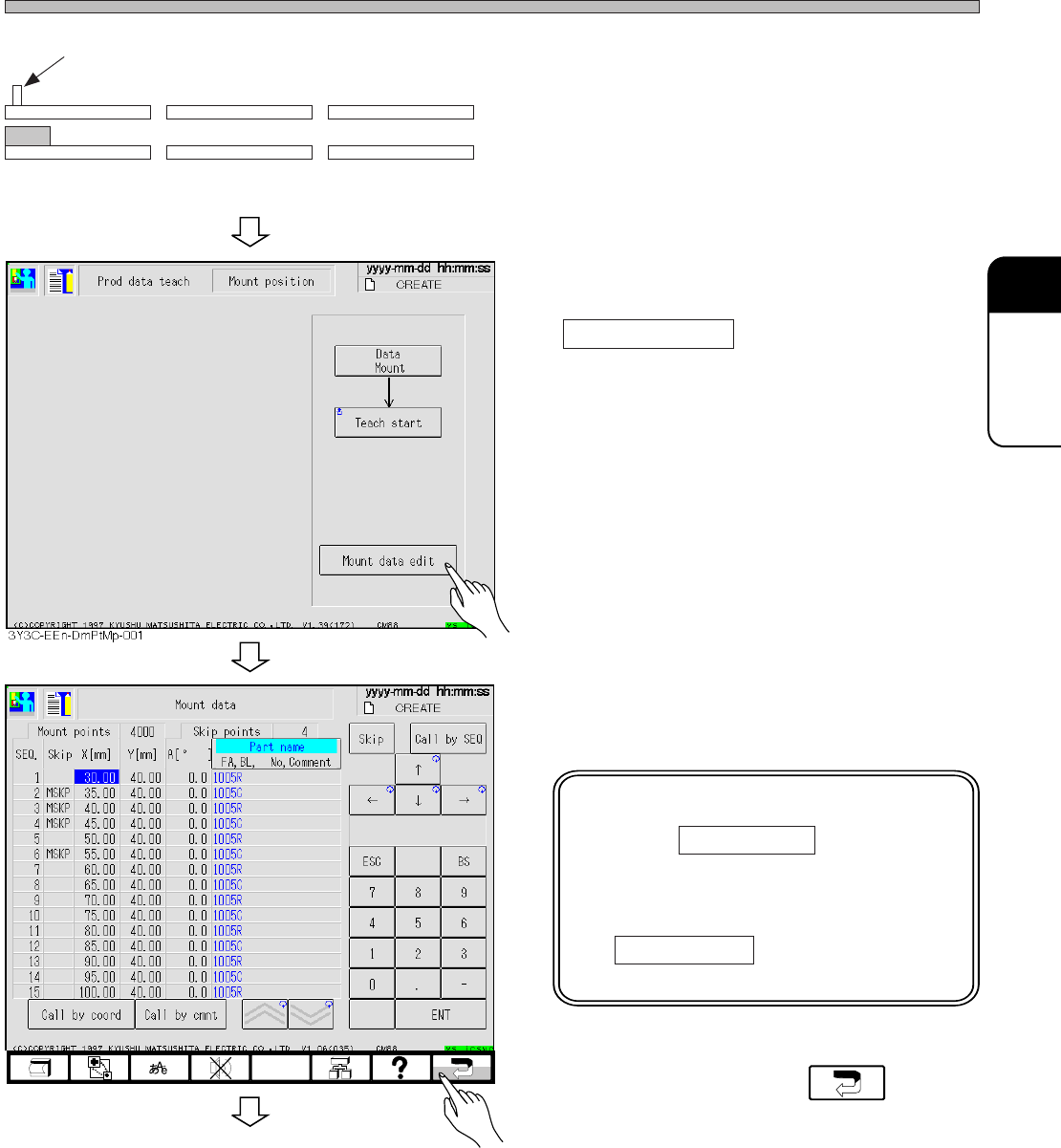
5. Set the mounted board to the board
carrying in detection PH of front
conveyor.
(It is unnecessary when board is on X-Y table)
∗ D : The sensor is at the fixed side (front side)
of conveyor.
6. When SEQ. No. with a mount position
deviation is recognized, press
Mount data edit .
∗ When SEQ. No. is not known, proceed to
procedure 8.
7. Check the coordinates of SEQ. No.
with mount position deviation.
NOTICE
Pressing Call by SEQ changes
numerical keys and makes it
possible to enter numerals.
Pressing numerals without press-
ing Call by SEQ changes the
numerals of coordinates.
8. After checking, press .
Board carrying in detection PH (sensor ON)
Front conveyor X-Y table Rear conveyor
3Y3C-E-EMD05-A01-01
To the next page
3Y3C-EEn-DmMd-002
Page 5-28
Teaching the Mount Position
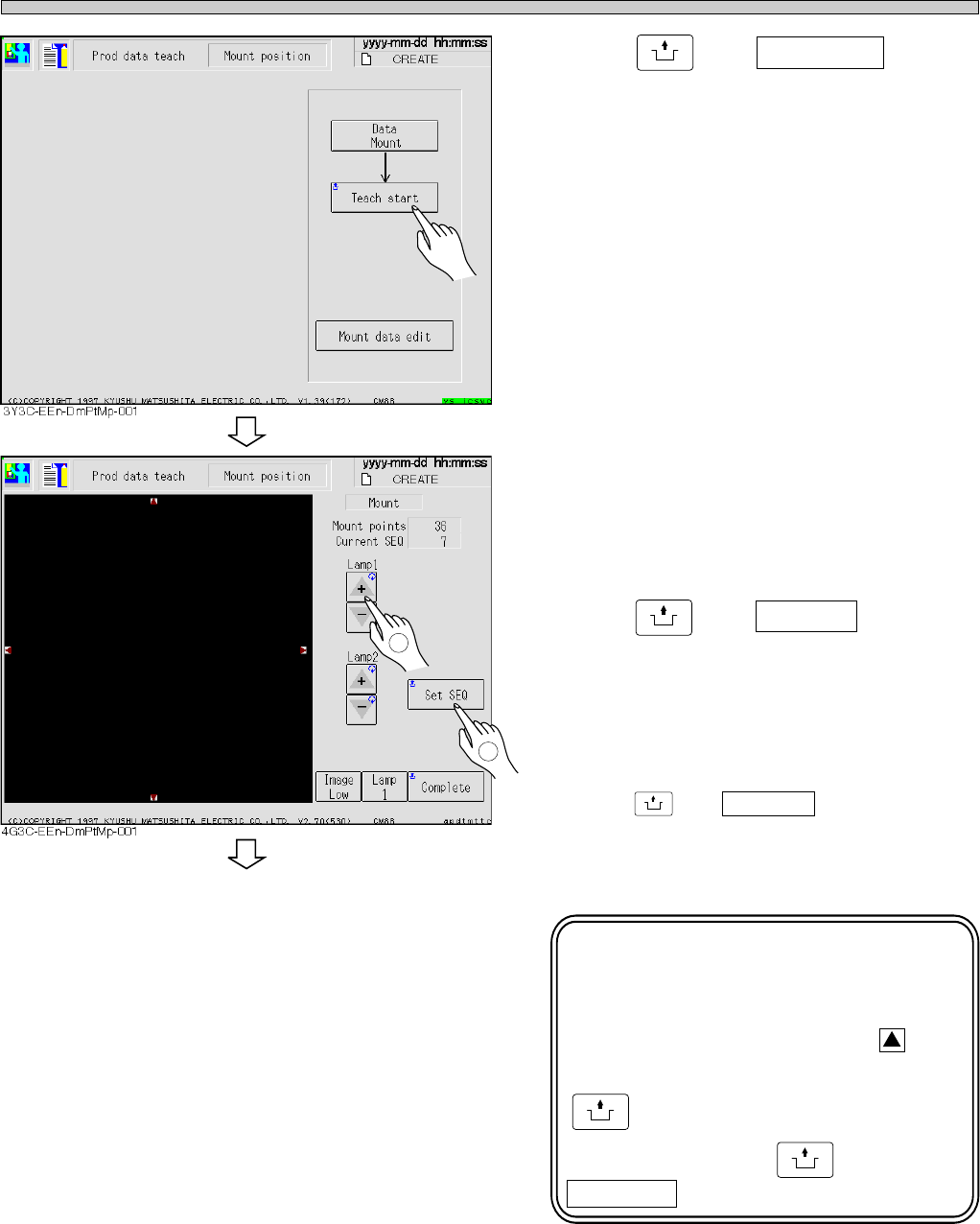
9. Press
UNLOCK
and Teach start .
• The board is carried in to X-Y table, and moves
to the position to be previously mounted.
10. Adjust the lamp value to that easy to
see the screen.
11. When SEQ No. is known,
press
UNLOCK
and Set SEQ to enter
that numerals ( No. ).
• Move the board to the mounting position of
selected SEQ No.
∗ When SEQ No. is not known,
press
UNLOCK
and Complete to move the board
to the next coordinates having mount position
deviation.
NOTICE
Do not touch the recognition
camera here.
Pressing small red triangle, on
the recognition screen, holding
UNLOCK
moves the coordinates,
and then pressing
UNLOCK
and
Complete renews the mount data.
3Y3C-E-EMD05-A01-01
1
2
To the next page