OPERATING MANAUAL(FOR ENGINEERS).pdf - 第150页
Page 7-6 7-5 Input Check All input address used by machine is sampled every second, and that state is displayed in bit. Display of List Display of each address • The input address used by the machine is displayed with a …
Page 7-5
MACHINE
ADJUSTMENT
7
3Y3C-E-EMD07-A01-01
In selecting head
In selecting nozzle
Move unit
Tremor
Move unit
Standard
3Y3C-052E
Head
90.00[˚ ]
7-4 Inching
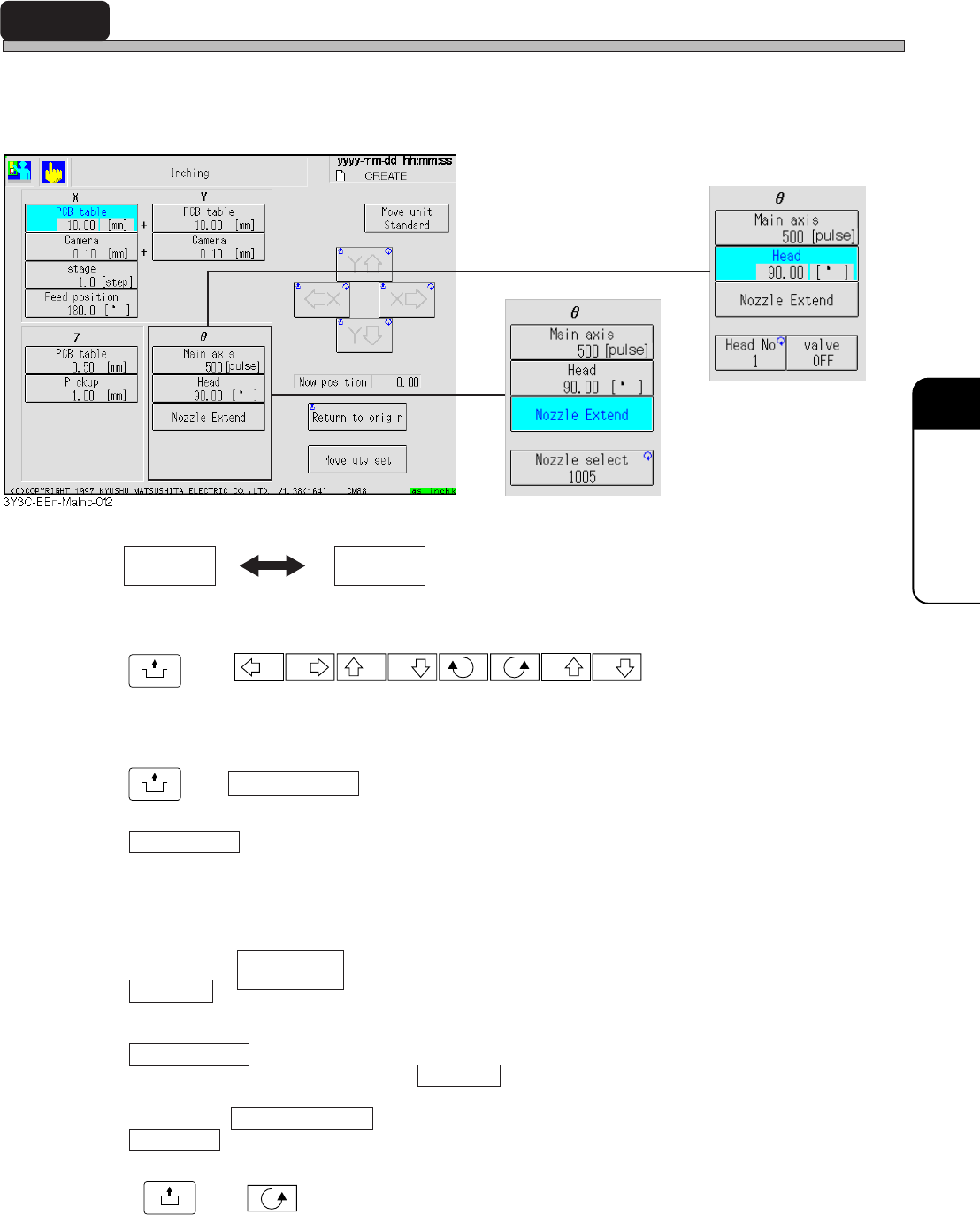
Only selected axis can be moved alone, and the movement can be checked and adjusted.
Each axis can be moved to the set direction by set distance. Every selection of axis displays the
arrow button corresponding to the moving direction of selected axis.
Moving unit of axis has Standard and Tremor. Every press of this button exchanges the displays
in turn. Moving rate of each axis is displayed at the lower part of button for each axis.
UNLOCK
and
X X Y Y Z Z
Selected axis is moved to the arrow mark direction by displayed moving rate.
Current position
Current position of selected axis is displayed.
UNLOCK
and Return to origin
Selected axis is returned to origin.
Move qty set
Pressing this button displays numerical keys.
When moving the selected axis by moving rate other than “Standard” or “Tremor,” moving rate
can be set optionally by using this key.
In selecting
Head No.
Pressing this button repeatedly enables to set the head No. to work. At first, the head No. of chip
pickup position station is set.
Vacuum valve
Vacuum valve of head selected by Head No. is turned on and off.
In selecting Nozzle extension
Nozzle sel
Pressing this button repeatedly enables to specify the kind of nozzle. After selecting, pressing
UNLOCK
and makes the main axis (main axis) move by step, and “Nozzle extension” is
carried out for all the nozzle selected by all heads.
Page 7-6
7-5 Input Check
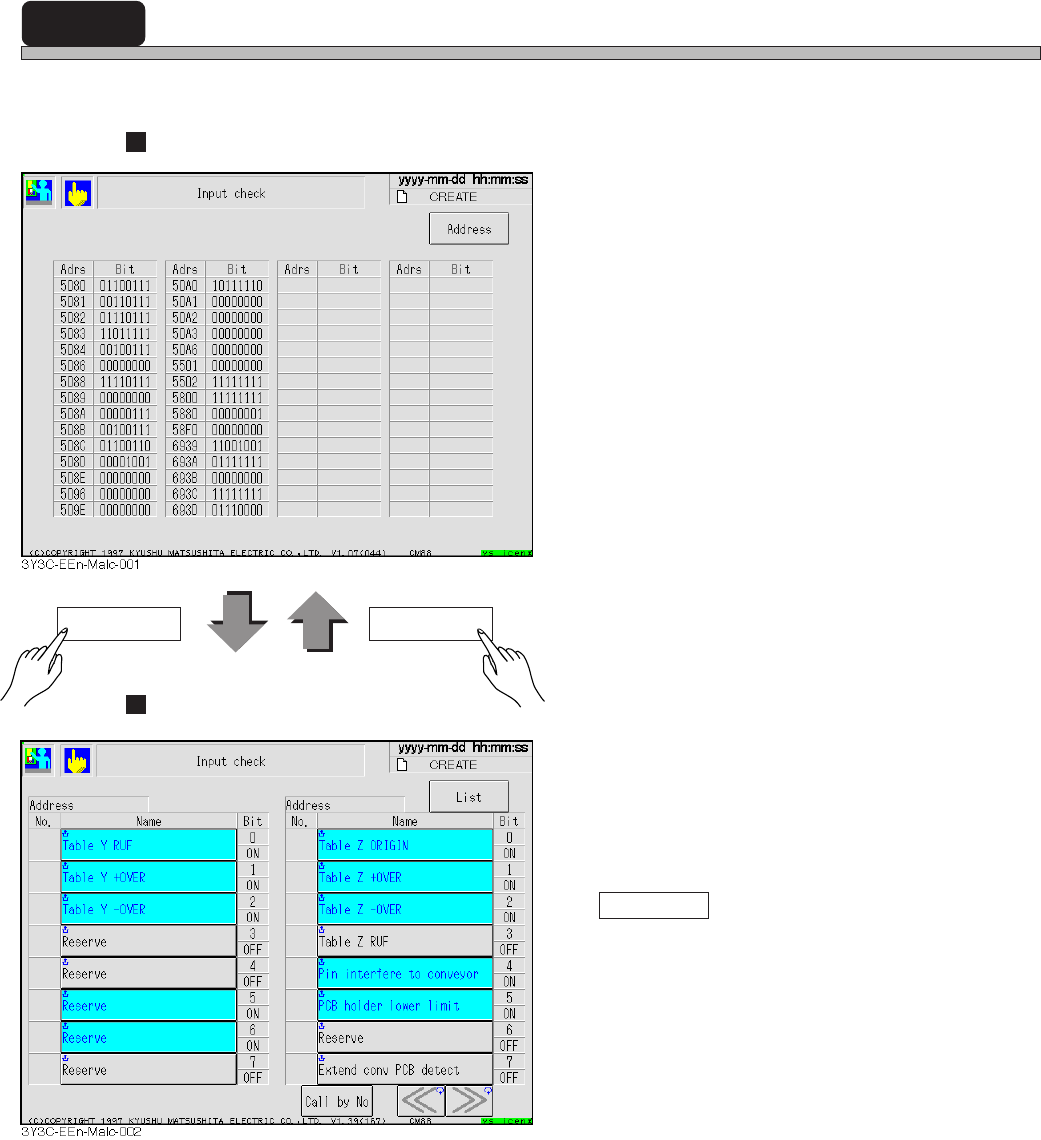
All input address used by machine is sampled every second, and that state is displayed in bit.
Display of List
Display of each address
• The input address used by the machine is
displayed with a name for each bit.
Highlighted button indicates the corresponding
bit is turned on (1).
Pressing “Name” enables to check that bit
again and displays it again.
Call by No.
Address with the specified No. is displayed on
the left of screen.
Address List
3Y3C-E-EMD07-A01-00
Page 7-7
MACHINE
ADJUSTMENT
7
7-6 Output Check
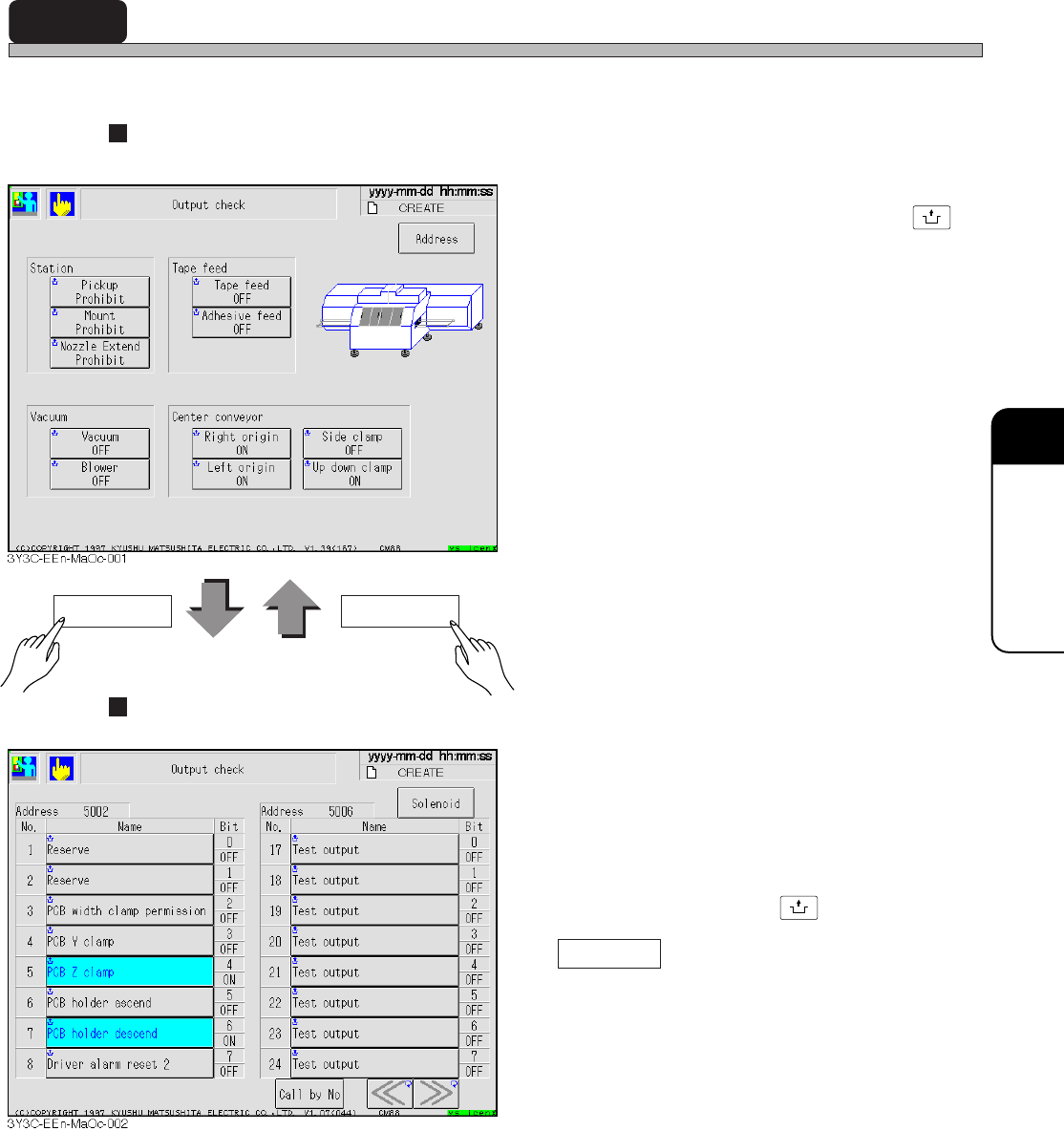
The valves frequently used in adjustment is checked, and each one can be operated separately.
Display of solenoid
<Description of Items>
∗ Press the button for each item holding
UNLOCK
.
Station
Prohibit and permission valve for pickup,
mount, and nozzle extend are moved.
Tape feed
Usually rods of tape feeding and adhesive tape
feeding are moved.
Vacuum
Vacuum and blower are moved.
Center conveyor
Origin stopper, side clamp of board holder, and
up and down clamp are moved.
Display of each address
• The state of output address used by the
machine is displayed with a name.
Highlighted button indicates that bit is turned
on.
The opposite signal to the current state is
output and displayed again, by pressing the
“Name” button holding
UNLOCK
.
Call by No.
The address with specified No. is displayed on
the left of screen.
Address Solenoid
3Y3C-E-EMD07-A01-00