OPERATING MANAUAL(FOR ENGINEERS).pdf - 第99页
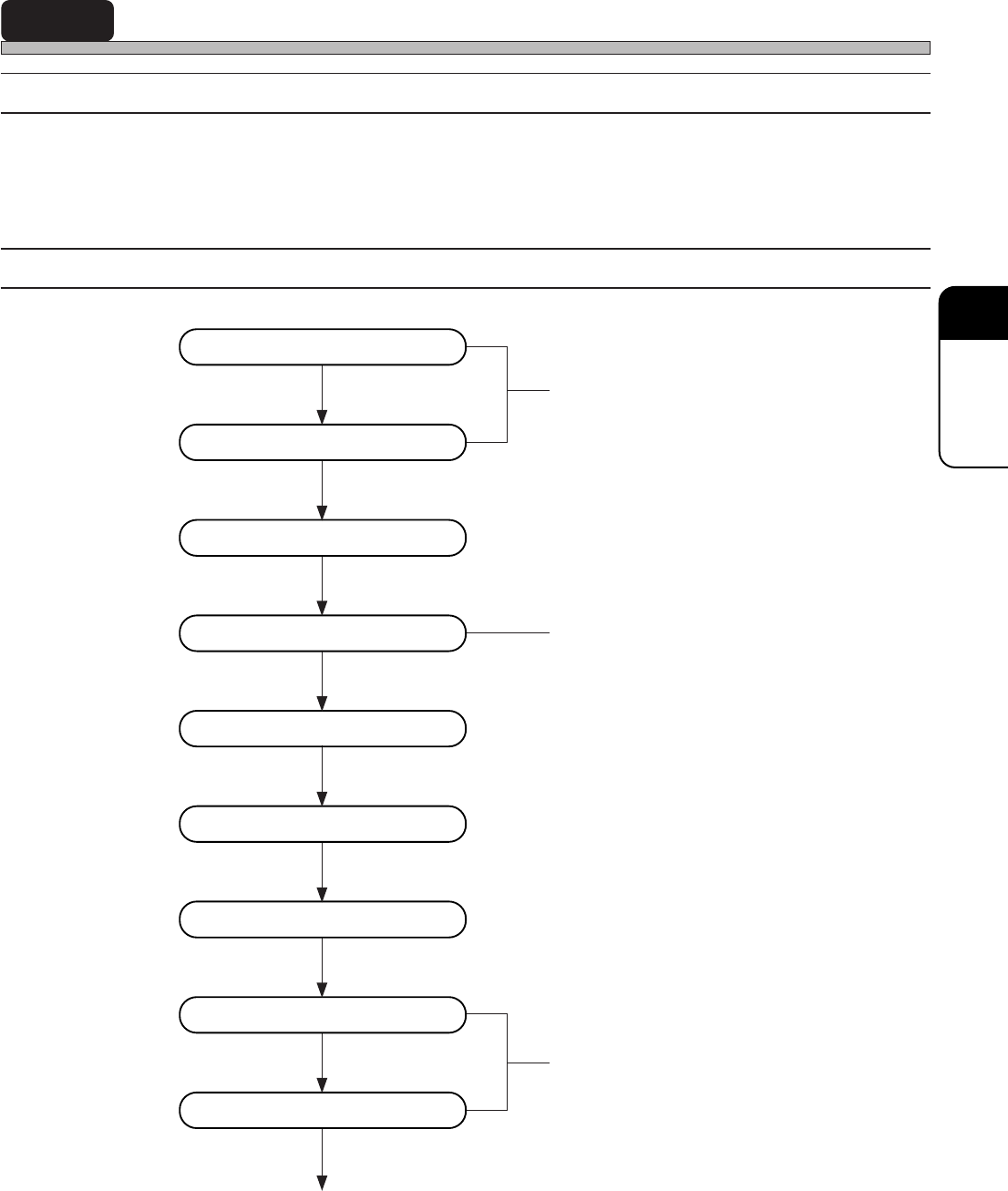
Page 5-3 TEACHING 5 Enter board data Enter board recognition data Start teaching Set lamp value Recognition Save data Recognition test Print teaching coordinates Correct board recognition data When using CAD data, this o…
Page 5-2
3Y3C-E-EMD05-A01-00
5-1 Before Teaching
5-1-1 Recognition Method
This equipment has the function to recognize a pattern by the number registered in the recognition
device. The shape and block matching recognition are available according to the object to be
recognized.
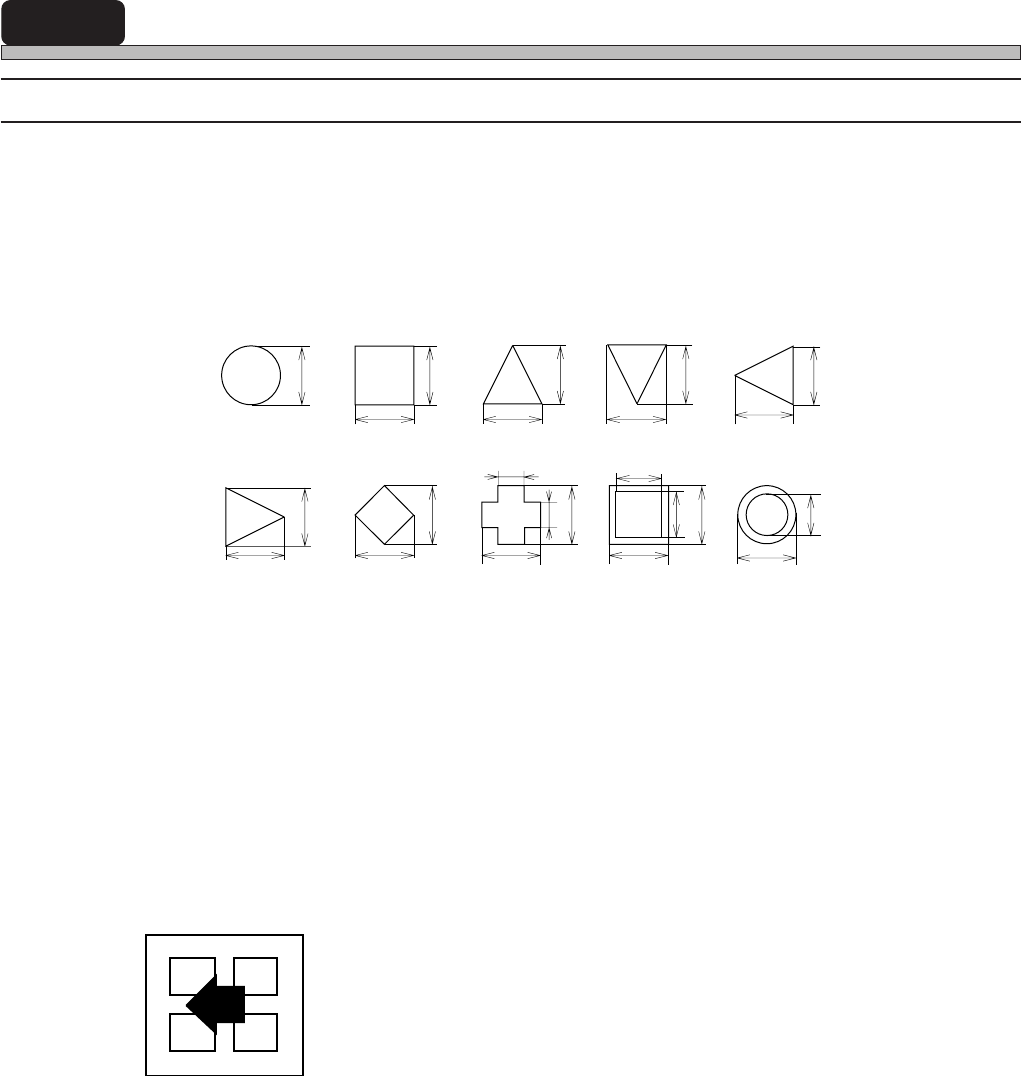
1. Shape recognition (Board recognition)
When the object to be recognized has any shape below and each size is recognized, use this.
• Reference No. 125 : Automatic setting of lamp value
• Reference No. 126 : Manual setting of lamp value
∗ When a contrast between the colors of mark and background of it is not clear like paper
phenol board, use this. (When the lamp is not automatically set, because of unclear
contrast, use this.)
2. Block matching recognition (Chip recognition)
When the object to be recognized has too complex shape to be recognized the contour, or is too
large to be within the recognition screen, use this.
• 4-point block Reference No. 1 to 46 (chip recognition)
<Recognition screen>
4-point block
a
b
c
d
b
b
a
b
a
b
aa
c
a
bd
b
a
a
b
a
b a
Page 5-3
TEACHING
5
Enter board data
Enter board recognition data
Start teaching
Set lamp value
Recognition
Save data
Recognition test
Print teaching coordinates
Correct board recognition data
When using CAD data, this operation is
unnecessary.
End of teaching
5-2 Teaching the Board Recognition
5-2-1 Board Recognition
This equipment has the function to correct the deviation between board and print pattern before
mounting, and mount. This function learns the position by recognizing the mark set on the print
pattern and it is accomplished by comparing the position with the original position.
5-2-2 Flow Chart of Teaching the Board Recognition
3Y3C-E-EMD05-A01-00
Created by PT100
When automatic lamp setting is selected, it
is unnecessary.
Page 5-4
Board Recognition Teaching
5-2-3 Creating Procedure
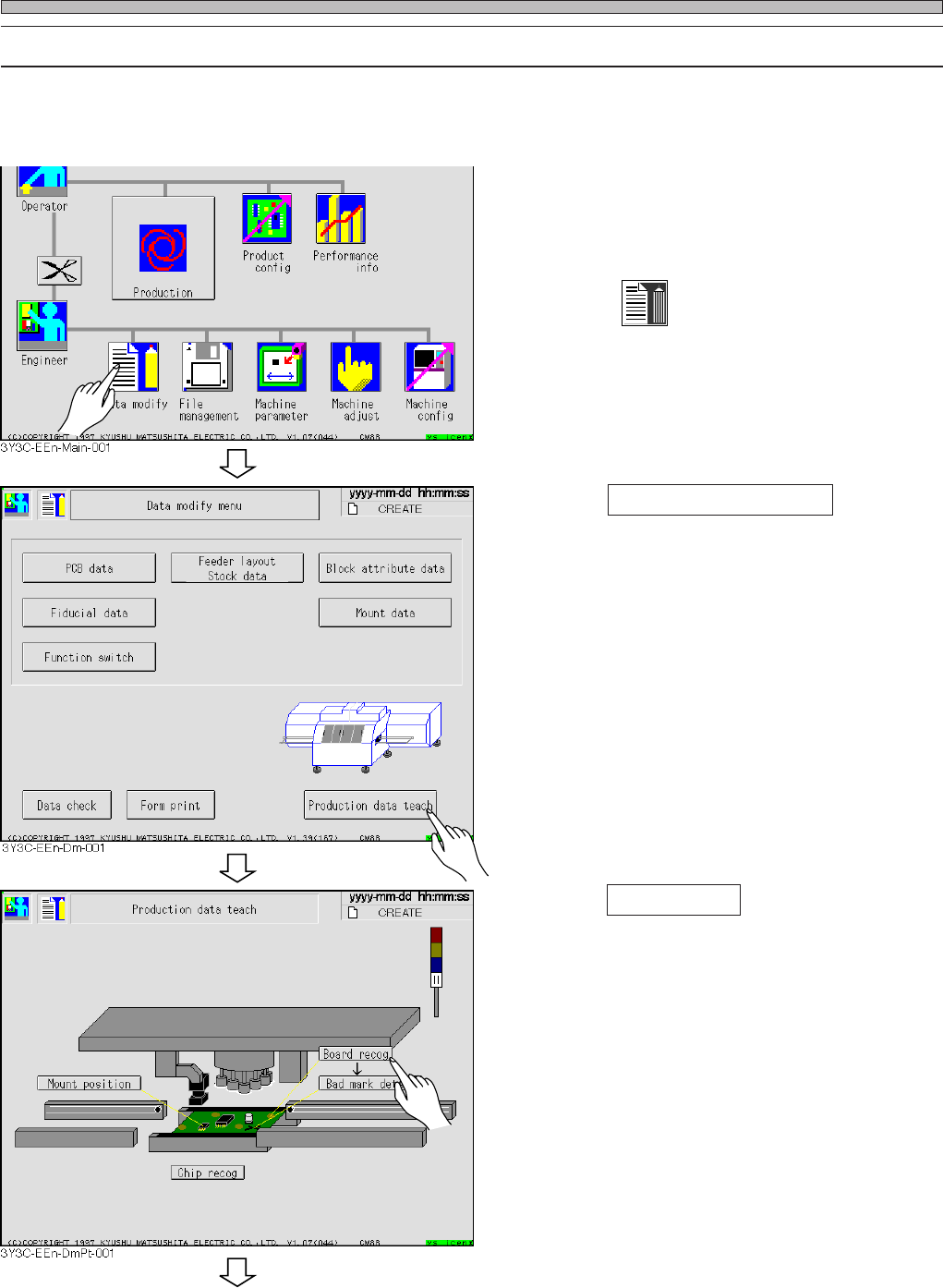
Check that “Board recognition” for the data created by PT100 is turned on before board recogni-
tion.
1. Display the main menu screen and
send the board data for changing
production board , by PT 100.
2. Press
Data modify
.
• Data modification menu screen appears.
3. Press Production data teach .
• Production data teaching screen appears.
4. Press Board recog .
• Board recognition screen appears.
3Y3C-E-EMD05-A01-00
To the next page