OPERATING MANAUAL(FOR ENGINEERS).pdf - 第151页
Page 7-7 MACHINE ADJUSTMENT 7 7-6 Output Check The valves frequently used in adjustment is checked, and each one can be operated separately . Display of solenoid <Description of Items> ∗ Press the button for each i…
Page 7-6
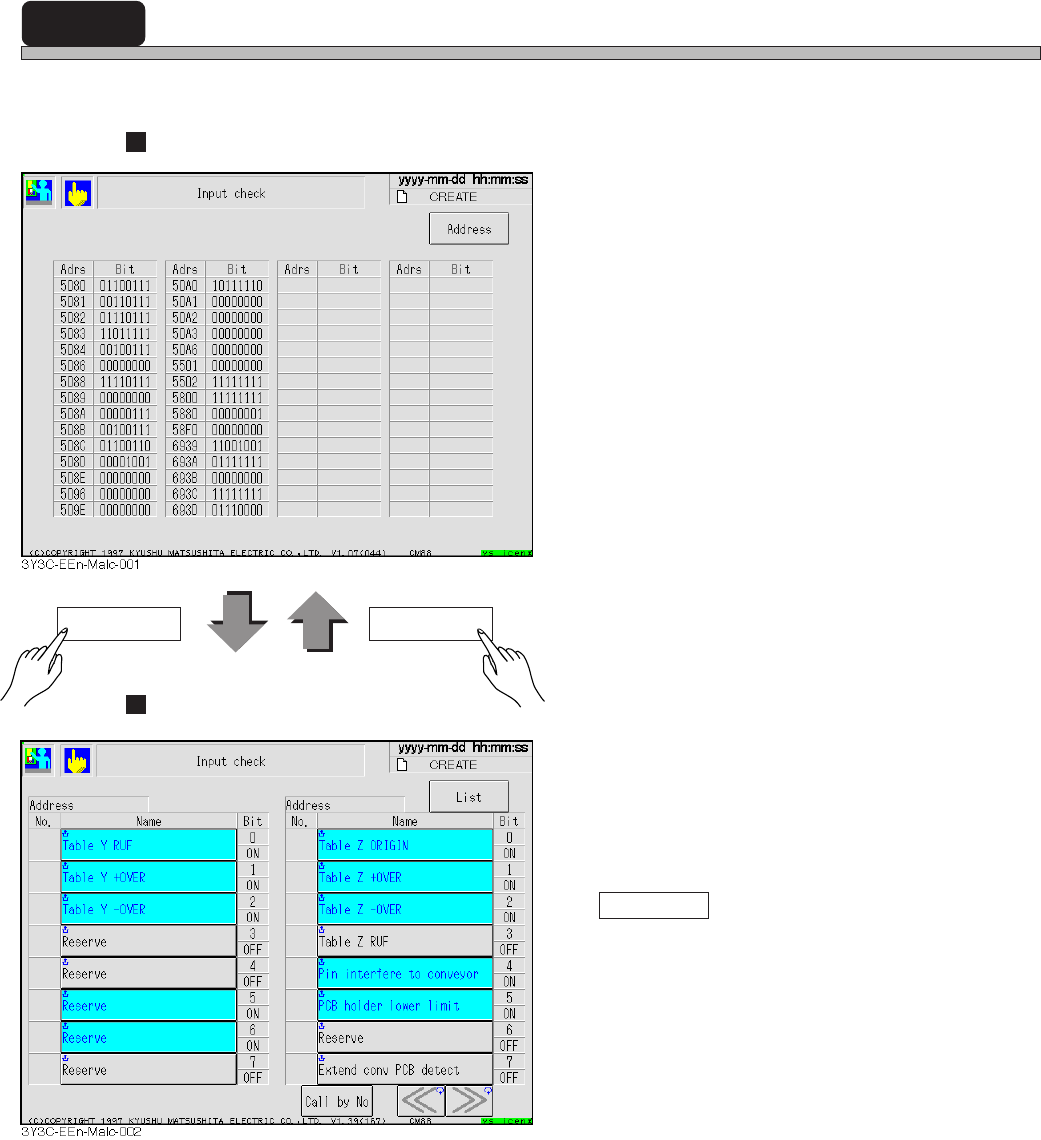
7-5 Input Check
All input address used by machine is sampled every second, and that state is displayed in bit.
Display of List
Display of each address
• The input address used by the machine is
displayed with a name for each bit.
Highlighted button indicates the corresponding
bit is turned on (1).
Pressing “Name” enables to check that bit
again and displays it again.
Call by No.
Address with the specified No. is displayed on
the left of screen.
Address List
3Y3C-E-EMD07-A01-00
Page 7-7
MACHINE
ADJUSTMENT
7
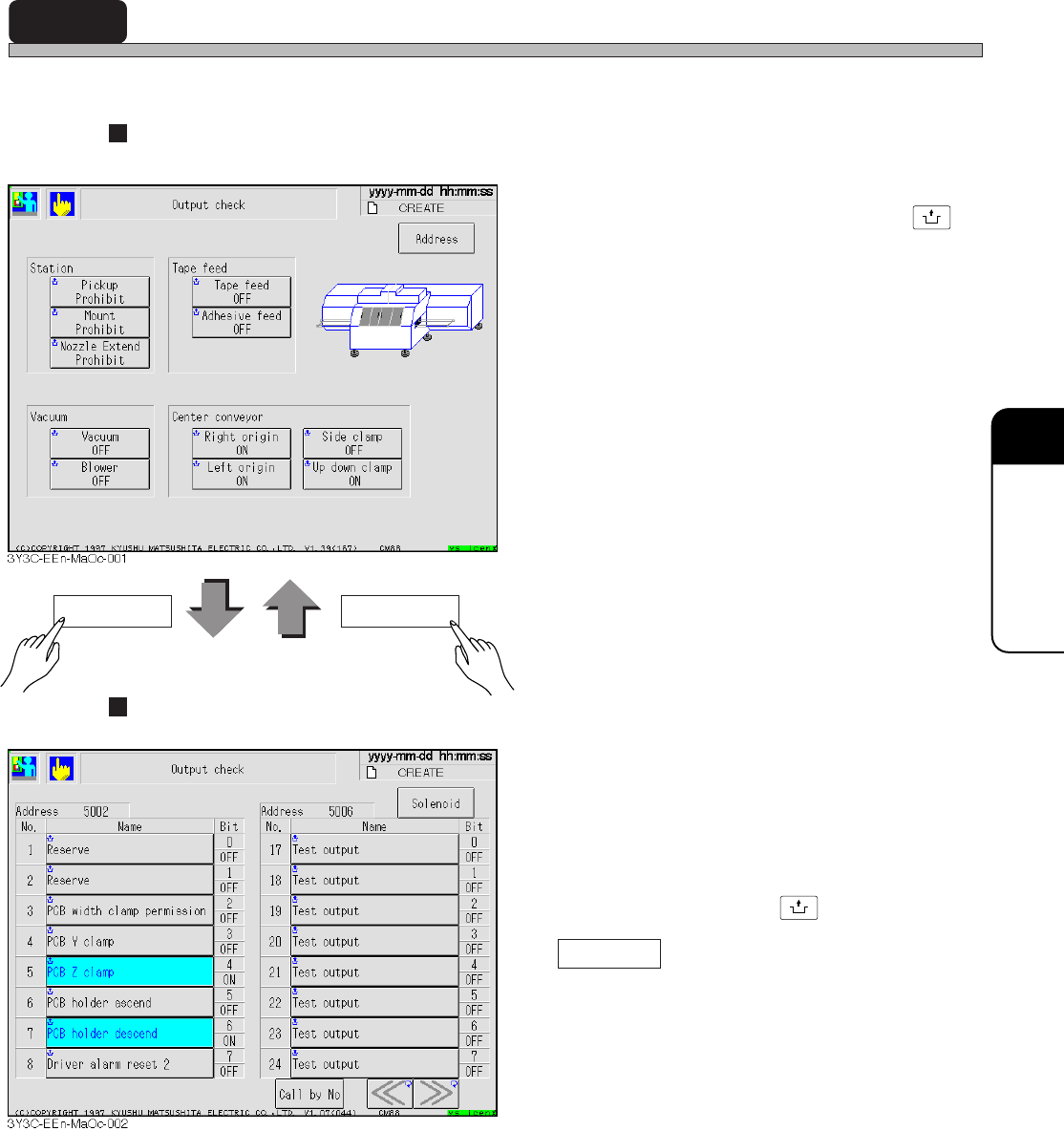
7-6 Output Check
The valves frequently used in adjustment is checked, and each one can be operated separately.
Display of solenoid
<Description of Items>
∗ Press the button for each item holding
UNLOCK
.
Station
Prohibit and permission valve for pickup,
mount, and nozzle extend are moved.
Tape feed
Usually rods of tape feeding and adhesive tape
feeding are moved.
Vacuum
Vacuum and blower are moved.
Center conveyor
Origin stopper, side clamp of board holder, and
up and down clamp are moved.
Display of each address
• The state of output address used by the
machine is displayed with a name.
Highlighted button indicates that bit is turned
on.
The opposite signal to the current state is
output and displayed again, by pressing the
“Name” button holding
UNLOCK
.
Call by No.
The address with specified No. is displayed on
the left of screen.
Address Solenoid
3Y3C-E-EMD07-A01-00
Page 7-8
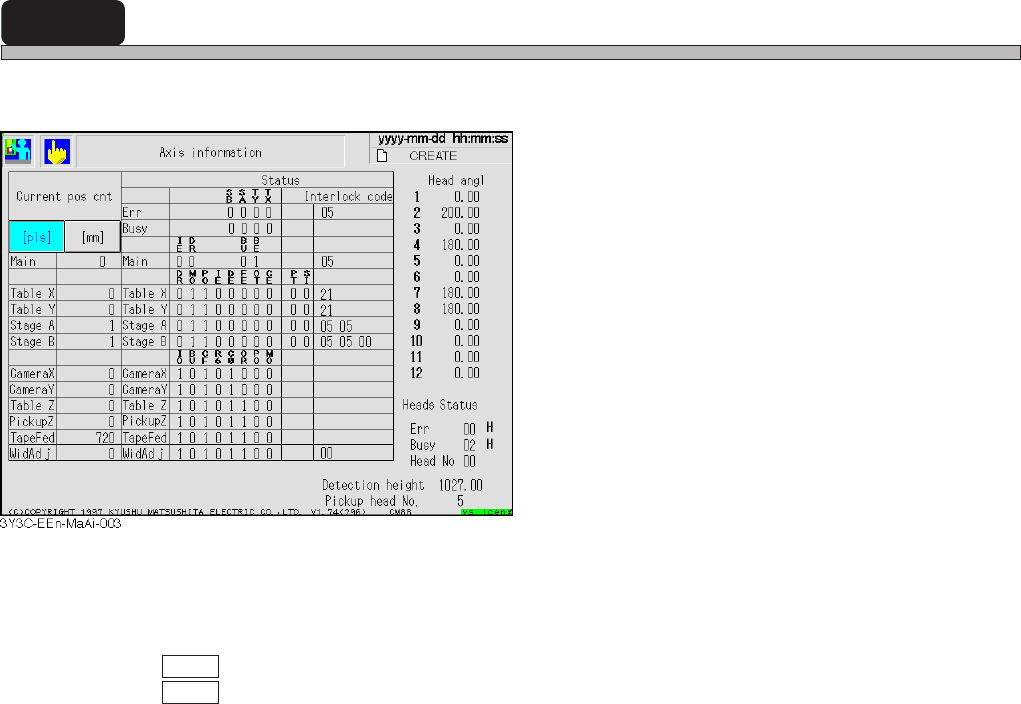
7-7 Axis Information
The current position or status of all axes controlled by the machine can be checked.
<Description of Items>
Current pos cot
Current position of each axis is displayed in mm or pulse of status address.
pls : Current position is displayed in pulse
mm : Current position is displayed in mm.
Status
Status address of each axis, error, and busy are displayed in bit or hexadecimally.
Head angle
Current angle of each head is displayed.
Head status
Status address of head is displayed in hexadecimal. (Only the head No. is described in decimal.)
Detection height
Current non-shield height of height detecting sensor is indicated.
Pickup head No.
Head No. on current pickup position station is indicated.
<Description of Abbreviations>
SB : Stage B OT : Returning to origin time over
SA : Stage A CE : Counter error
TY : Table Y IO : Outputting INT
TX : Table X BU : Busy
DR : Driver error CF : Frequency stable
MO: Minus overrun R6 : Selecting R6
PO : Plus overrun C0 : Counter =0
IE : Interlock error OR: Current origin position
DE : Data error PT : Positioning time over
FE : Feedback error SI : X-Y joint soft interlock error
BE : Buffer empty
3Y3C-E-EMD07-A01-01