OPERATING MANAUAL(FOR ENGINEERS).pdf - 第87页
Page 4-9 DA T A MODIFICA TION 4 Feeder Layout / Stock Data 4-4-3 Angle Definition Angle definition in picking up and mounting the main chip is described. 1 . Press Angle definition of the feeder layout and stock data scr…
Page 4-8
Feeder Layout / Stock Data
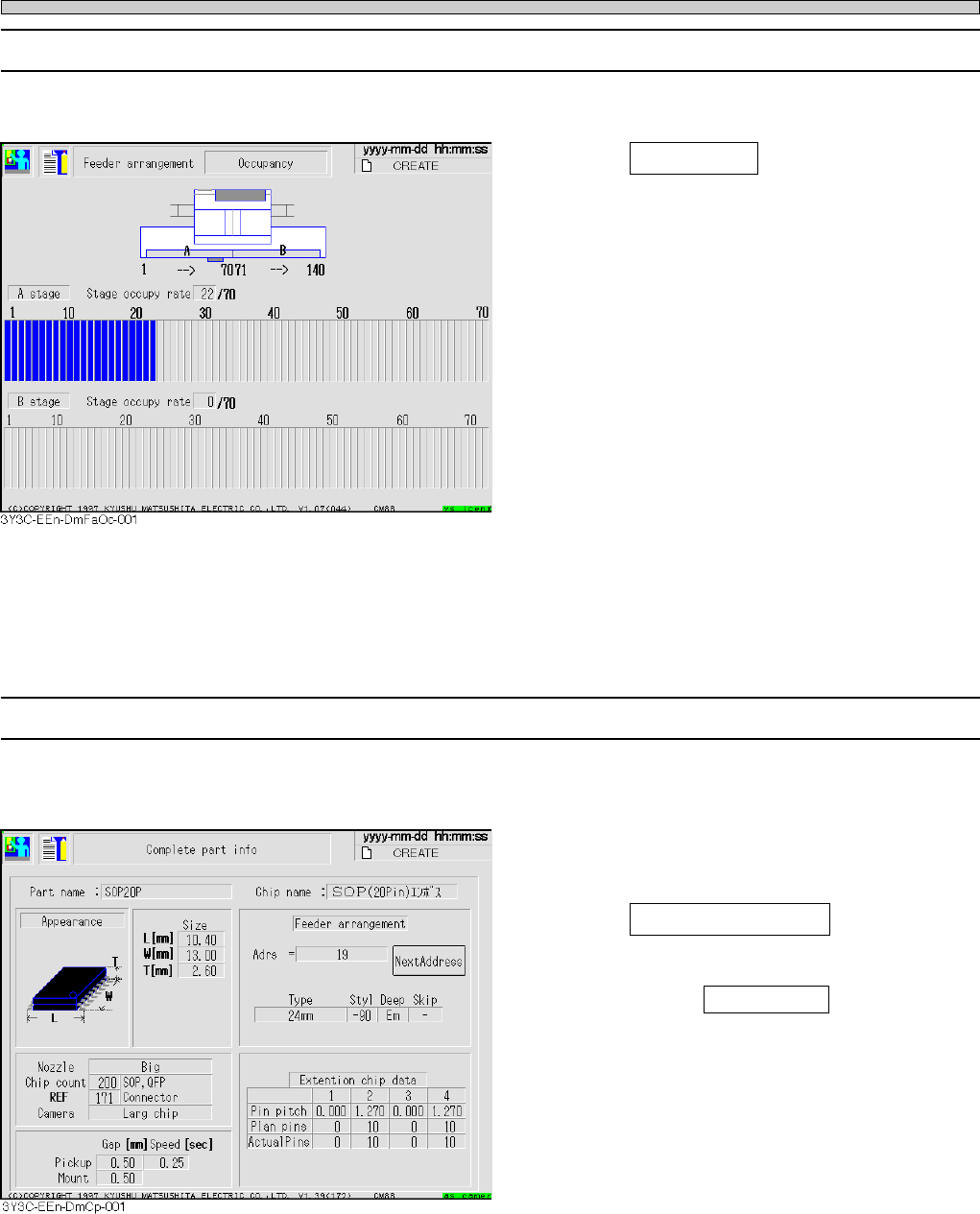
4-4-1 Occupancy
Physical occupancy on the stage can be checked.
1. Press Occupancy on the feeder lay-
out and stock data screen.
• Rate of occupied stage is displayed in image
from the rear (stage) of machine.
• Occupied stage including one occupying some
pitch in a feeder is displayed in blue. If data is
set not to set feeder, indication becomes
yellow.
∗ CM88S-M1
• 1 to 35 for A stage
• 36 to 70 for B stage
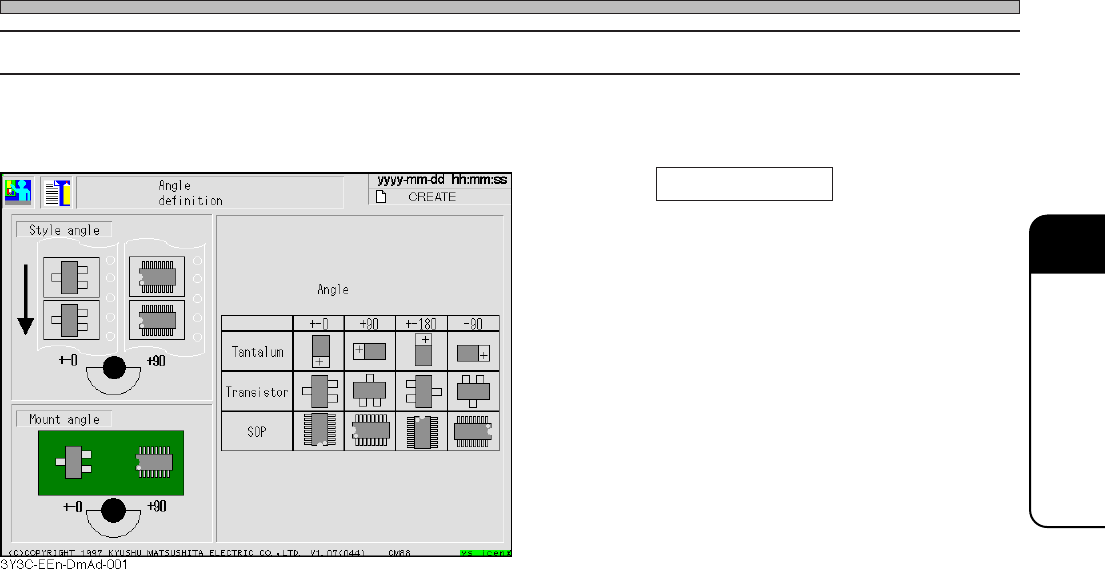
4-4-2 Complete Part Information
General parts information including chip data and extended chip data (only applicable chip) is
indicated.
1. After selecting the chip name of the
feeder layout and stock data screen,
press Complete part info .
• When the same parts more than 4 to the stock
data, pressing Next Address displays the next
Address by each 3.
3Y3C-E-EMD04-A01-03
∗ This is described with the screen of CM88S-M.
Page 4-9
DATA MODIFICATION
4
Feeder Layout / Stock Data
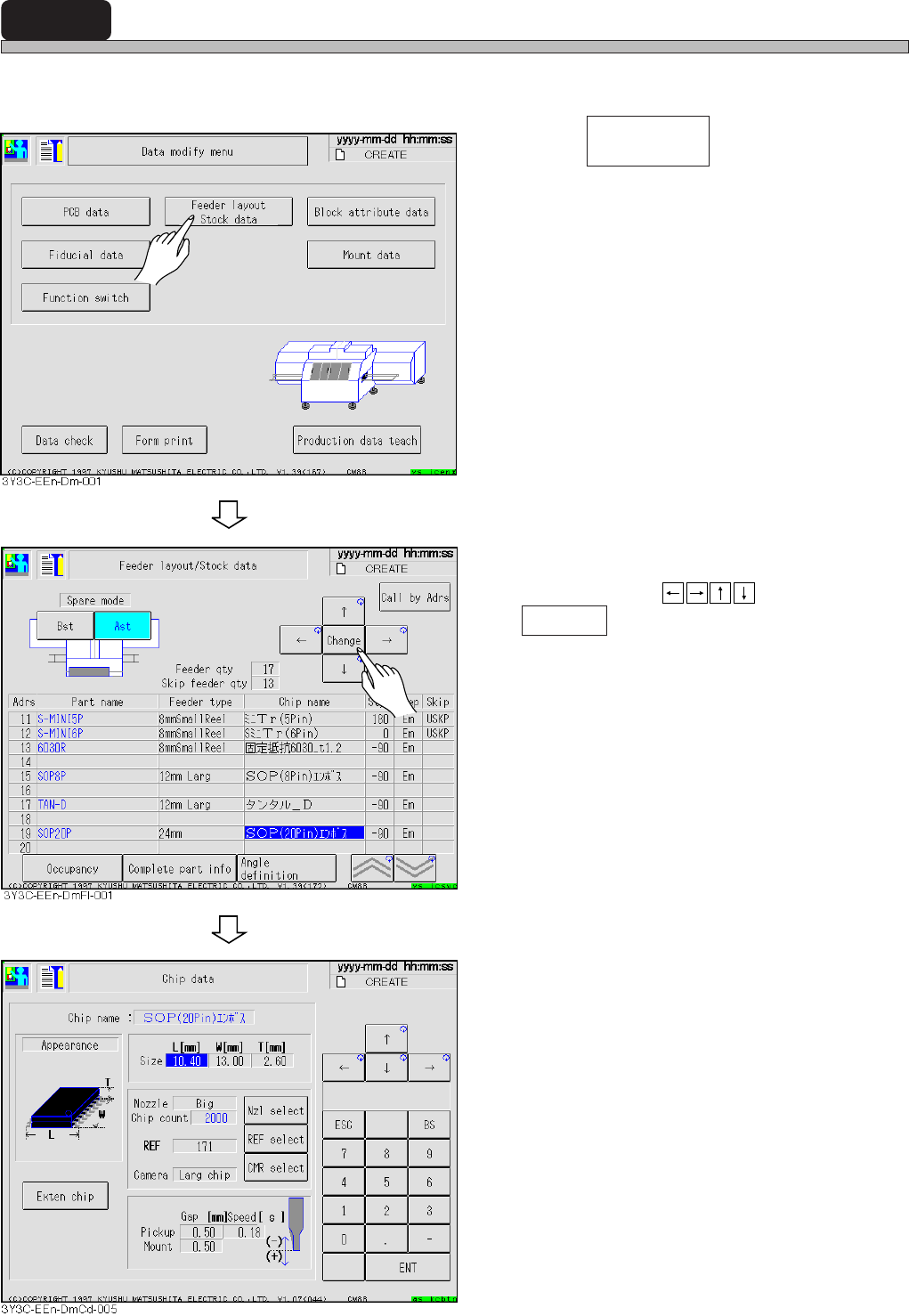
4-4-3 Angle Definition
Angle definition in picking up and mounting the main chip is described.
1. Press Angle definition of the feeder
layout and stock data screen.
• Style angle and mount angle have a common
angle definition.
3Y3C-E-EMD04-A01-00
Page 4-10
4-5 Chip Data
Chip data is checked and corrected.
1. Press .
2. Move cursor to the chip name of data
to change by
, and press
Change .
• Chip data screen appears.
• Nozzle : Nozzle name
• Chip count : Chips per a reel
• REF : Chip recognition reference
number
• Camera : Chip recognition camera num-
ber
• Speed : Speed from pickup to mounting
Feeder layout
Stock data
3Y3C-E-EMD04-A01-01