OPERATING MANAUAL(FOR ENGINEERS).pdf - 第82页
Page 4-4 4-3 Fiducial Data Board recognition data is checked. (When the board recognition is turned OFF by function switch on PT100, it is not accessible.) 1 . Press Fiducial data . • Board recognition data screen appear…
Page 4-3
DATA MODIFICATION
4
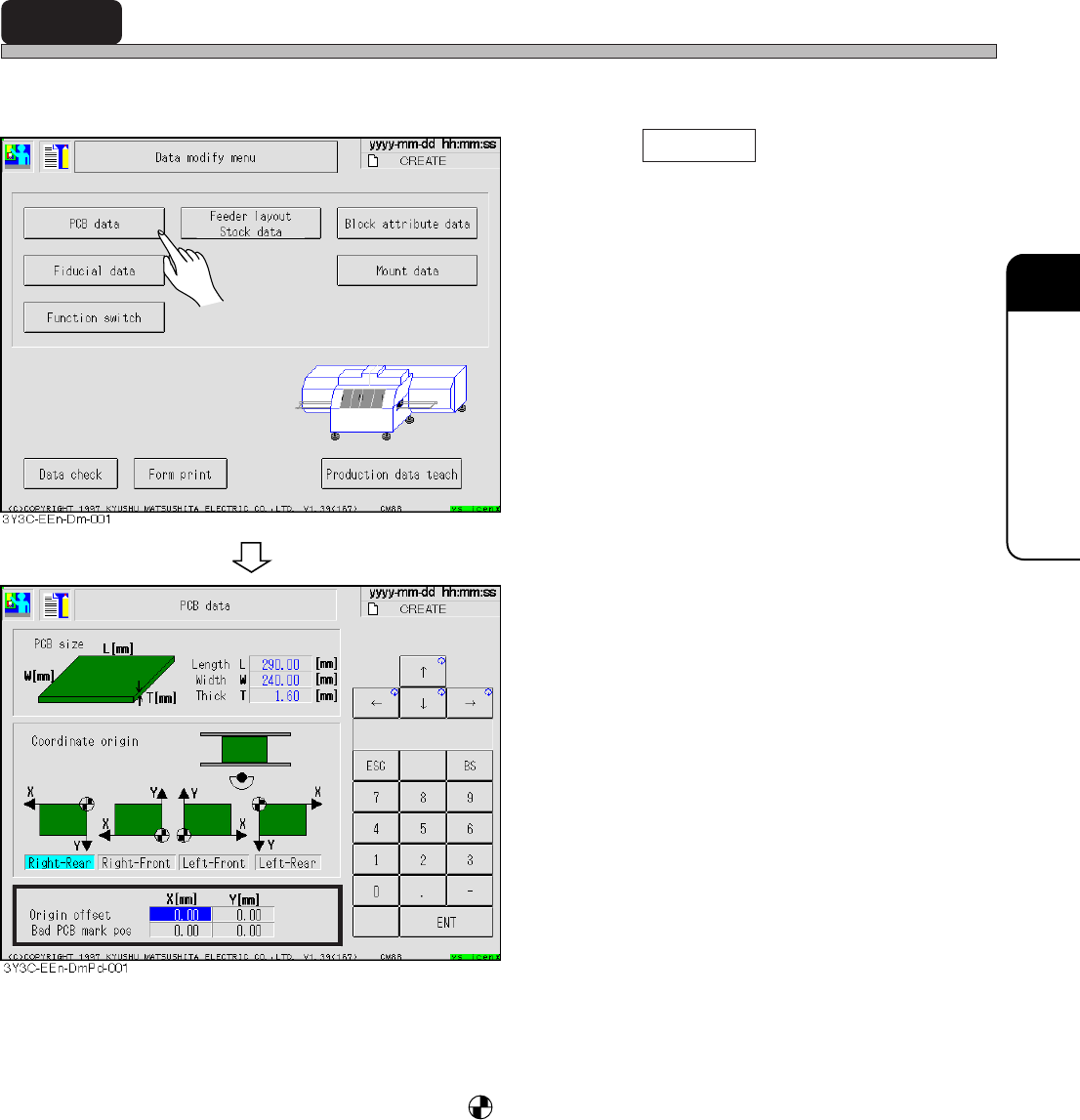
4-2 Board Data
Board data is checked.
1. Press PCB data .
• Board data screen appears.
2. Correct data if necessary.
• Only data for origin offset and bad board mark
position can be corrected.
• PCB size ..................... L corresponds to X direction and W to Y direction of mount data.
• Coordinate origin....... Origin mark becomes coordinate origin (0, 0), viewed from the front of
machine.
• Origin offset ............... Offset for whole board; mount, board recognition and bad mark coordi-
nates.
• Bad PCB mark pos .... Board with this coordinate mark is judged as bad board and not mounted.
3Y3C-E-EMD04-A01-00
Page 4-4
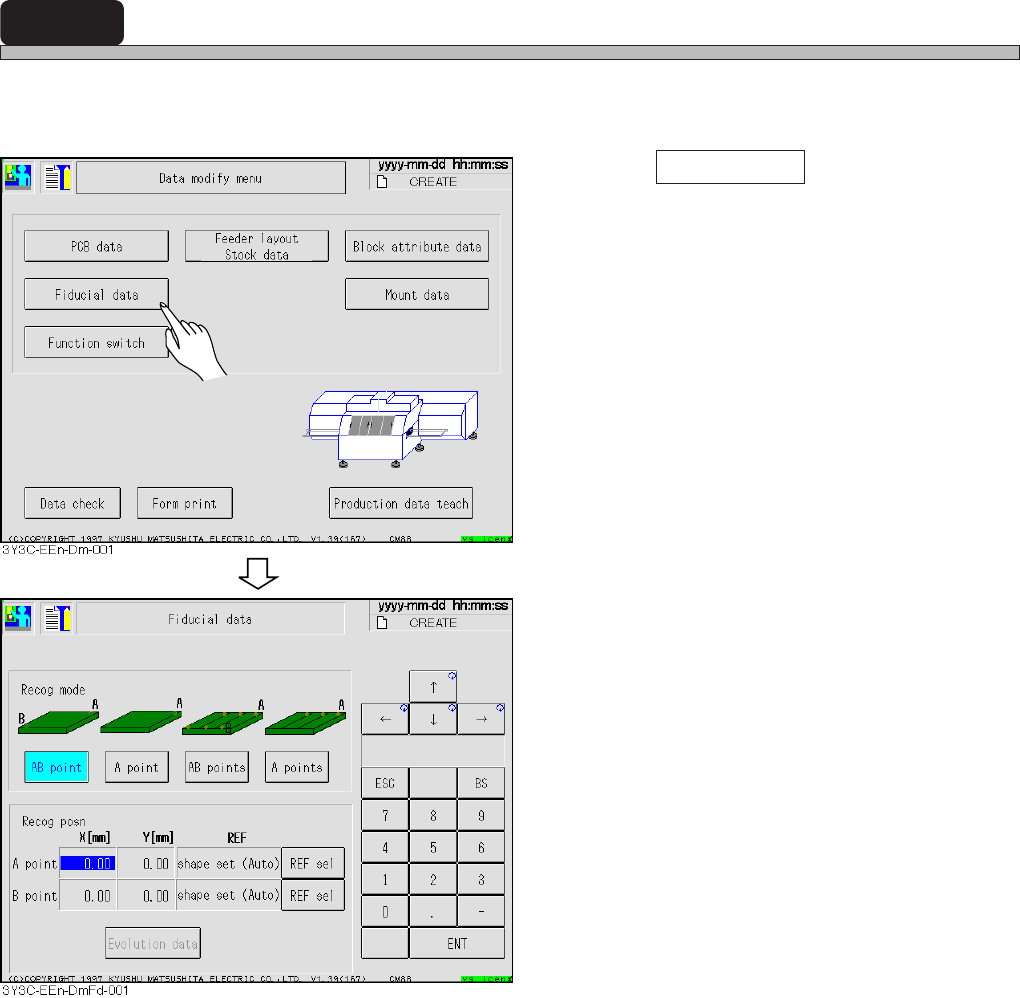
4-3 Fiducial Data
Board recognition data is checked.
(When the board recognition is turned OFF by function switch on PT100, it is not accessible.)
1. Press Fiducial data .
• Board recognition data screen appears.
2. Correct data if necessary.
• All data can be corrected.
• Recog mode ............. Recognition points differ according to mode.
The more points are, the more accurate data is corrected.
• Recog posn .............. Recognition position and REF are set.
3Y3C-E-EMD04-A01-00
Page 4-5
DATA MODIFICATION
4
Fiducial Data
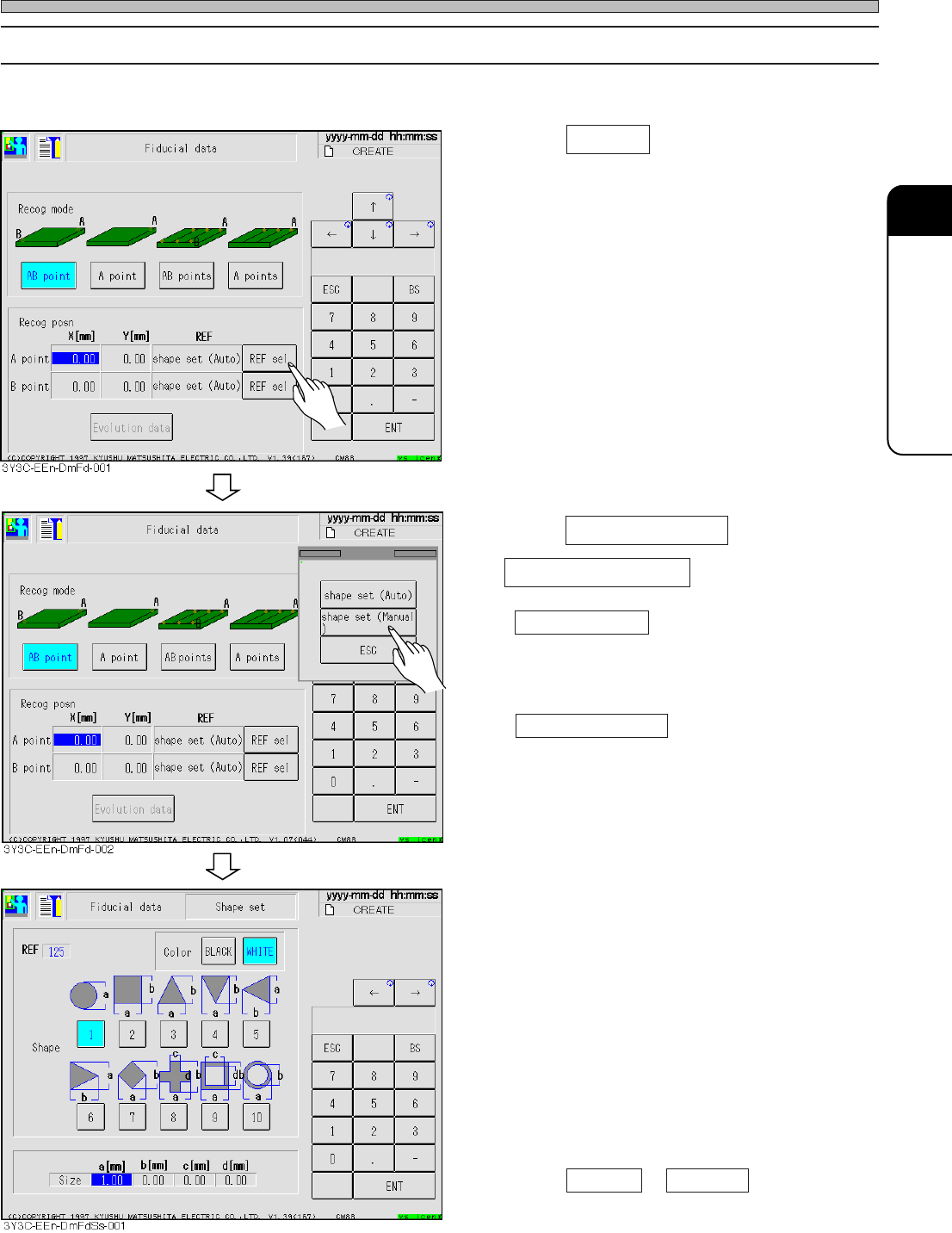
4-3-1 Selecting REF
Basically board recognition is carried out by shape, so only shape set is selected.
1. Press REF sel .
2. Press shape set (Auto) or
shape set (Manual) .
• shape set (Auto)
Basically this mode is selected in board
recognition.
The lamp value of camera is automatically set.
• shape set (Manual)
This mode is selected for shape set (auto)
when recognition cannot be done.
The operator sets the lamp value of camera by
hand.
3. Enter data of board recognition mark.
• Color
Set the color, black or white, to be judged in
recognizing.
• Shape
Select corresponding shape.
• Size
Enter the size of selected shape, referring to
figure.
∗ When AB point or AB points are selected,
set B point in the same procedures.
3Y3C-E-EMD04-A01-00