00193325-01.pdf - 第115页
SIPLACE S oftware Guide SR.503.xx 9 Software installation Issue 12/01 E N 9.2 Installing the 503.xx station software 115 9.2.10 Service port ID’ s This in put value mu st be the same as the inp ut valu e specifi ed under…
9 Software installation SIPLACE Software Guide SR.503.xx
9.2 Installing the 503.xx station software Issue 12/01 EN
114
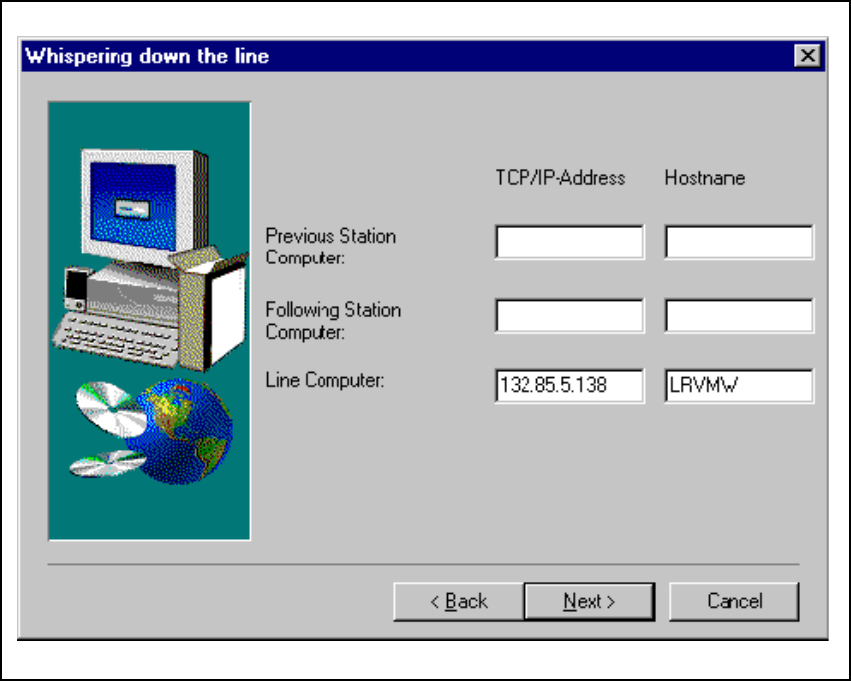
9.2.9 Whispering down the line:
In this menu, you must enter the data of the LRU. 9
If you intend to use the „Whispering down the line“ option, you must enter the TCP/IP address and
the host names of the upstream and downstream stations. 9
Fig. 9.2 - 9 TCP/IP addresses for „Whispering down the line“
When assigning names for hosts, you must take the following rules into account: 9
at the beginning of the host name there should be 9
– „vg“ for the upstream station
– „nf“ for the downstream station
– and „lr“ for the line computer.
SIPLACE Software Guide SR.503.xx 9 Software installation
Issue 12/01 EN 9.2 Installing the 503.xx station software
115
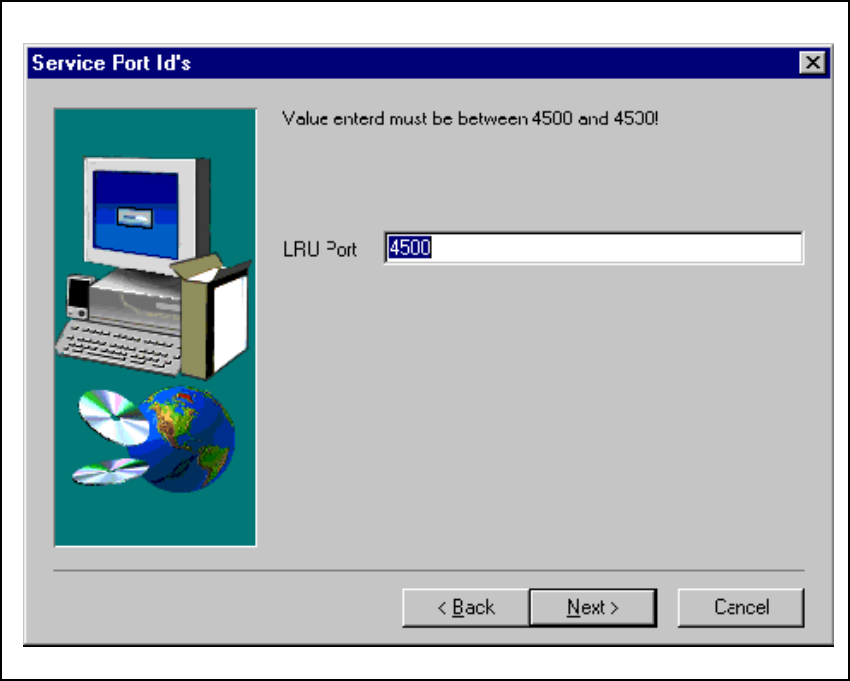
9.2.10 Service port ID’s
This input value must be the same as the input value specified under „Services“ for the line com-
puter for this machine. 9
Fig. 9.2 - 10 Service port ID’s
9 Software installation SIPLACE Software Guide SR.503.xx
9.2 Installing the 503.xx station software Issue 12/01 EN
116
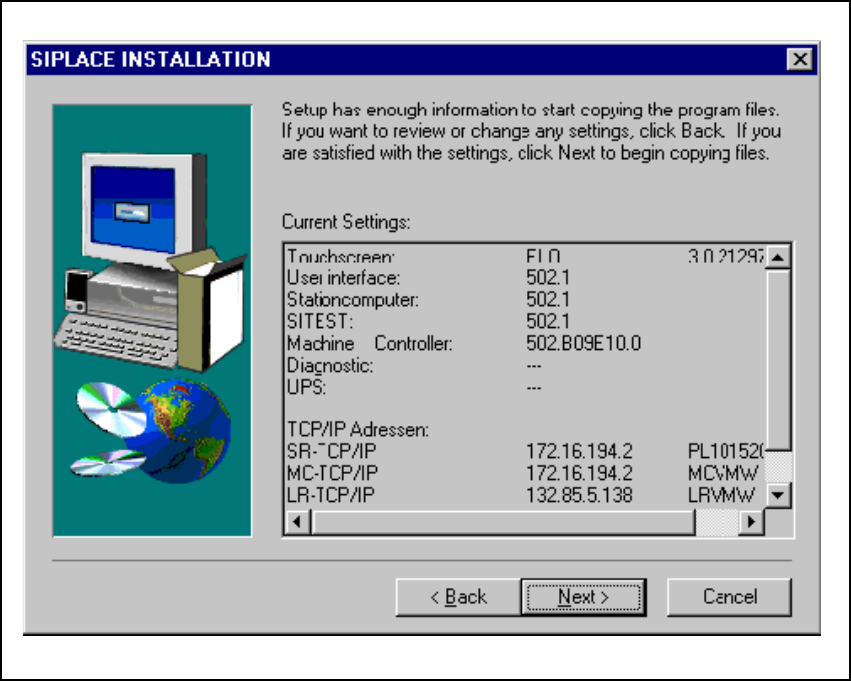
9.2.11 Checking inputs
You will then be shown a list of all the entries you have made, so that these may be checked.
Check the entries to make sure that they are correct. Select Next and the installation program will
copy all the required files from the CD to your computer. 9
Fig. 9.2 - 11 Checking inputs
9.2.12 Service pack
During installation, a check is carried out to see whether Service Pack 6a for NT 4.0 is already on
your computer. If not, you will be asked to put the Service Pack 6a CD in to the CD drive. It is very
important that you specify the appropriate language-specific data path (for example, Drive:\en-
glish\i386). Then Service Pack 6a is copied to the station computer and then installed. 9