00193325-01.pdf - 第119页
SIPLACE S oftware Guide SR.502.xx Index Issue 12/00 E N 119 Index Numerics 0201 Com ponents . . . . . . . . . . . . . . . . . . . . . . . 103 6/12-s egment Collect&Pl ace head . . . . . . . . . . . 17 A abbrev iatio …
9 Software installation SIPLACE Software Guide SR.503.xx
9.3 Installing the software for the "Remote Service" option Issue 12/01 EN
118
9
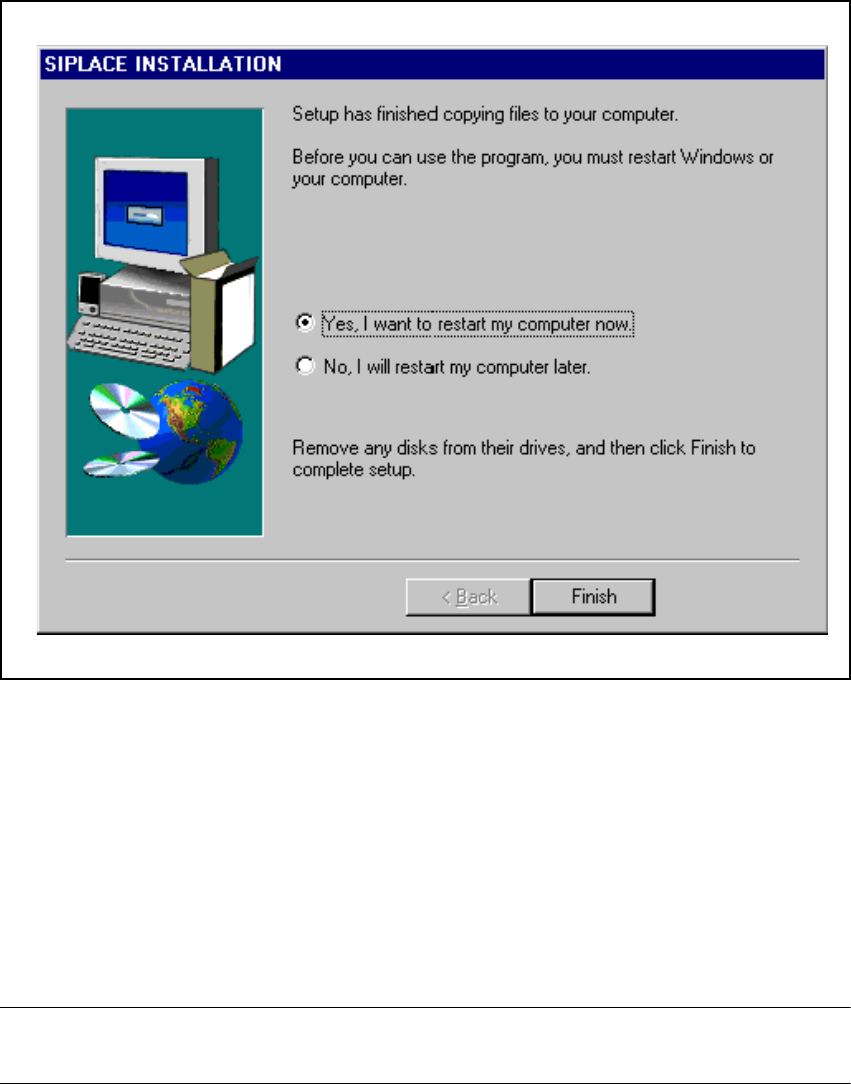
Fig. 9.2 - 13 Final screen of the CD installation routine
9.3 Installing the software for the "Remote Service"
option
The procedure used to install the „ReachOut“ software that is used to implement the „Remote Ser-
vice“ option is described in the software version description for the appropriate version. 9
NOTE
The software version description is included in the software package for the "ReachOut" software.9

SIPLACE Software Guide SR.502.xx Index
Issue 12/00 EN
119
Index
Numerics
0201 Components
. . . . . . . . . . . . . . . . . . . . . . .103
6/12-segment Collect&Place head
. . . . . . . . . . .17
A
abbreviations
. . . . . . . . . . . . . . . . . . . . . . . . . . . .15
abort processing
. . . . . . . . . . . . . . . . . . . . . . . . .34
aborting PCB processing (HS-50)
. . . . . . . . . . . .27
aborting PCB processing (S25-HM)
. . . . . . . . . .25
access level
. . . . . . . . . . . . . . . . . . . . . . . . . . . .43
additional help
. . . . . . . . . . . . . . . . . . . . . . . . . . .78
additional languages
. . . . . . . . . . . . . . . . . . . . . .55
B
barcode-supported refilling
. . . . . . . . . . . . . . . . .31
C
calling error information
. . . . . . . . . . . . . . . . . . . 67
chat mode
. . . . . . . . . . . . . . . . . . . . . . . . . . . . . 89
clearing errors
. . . . . . . . . . . . . . . . . . . . . . . . . . 74
close feeder covers
. . . . . . . . . . . . . . . . . . . . . . 61
close protective covers
. . . . . . . . . . . . . . . . . . . 61
cluster name
. . . . . . . . . . . . . . . . . . . . . . . . 47, 48
colors in the error info display
. . . . . . . . . . . . . . 72
component level indicator option
. . . . . . . . . . . . 92
components missing at location
. . . . . . . . . . . . 30
components of the user interface
. . . . . . . . . . . 21
compressed air switch
. . . . . . . . . . . . . . . . . . . . 31
Configure Traceability
. . . . . . . . . . . . . . . . . . . 101
configuring the GUI
. . . . . . . . . . . . . . . . . . . . . . 53
configuring the SIPLACE Pro connection
. . . . . 34
connection to ISDN router
. . . . . . . . . . . . . . 90, 91
connection to line computer
. . . . . . . . . . . . . . . 31
content
. . . . . . . . . . . . . . . . . . . . . . . . . . . . . . . 56
contents of help system
. . . . . . . . . . . . . . . . . . 76
Contents tab
. . . . . . . . . . . . . . . . . . . . . . . . . . . 80
context-sensitive help system
. . . . . . . . . . . . . . 31
continuing processing
. . . . . . . . . . . . . . . . . 25, 34
control modes
. . . . . . . . . . . . . . . . . . . . . . . . . . 45
controls
. . . . . . . . . . . . . . . . . . . . . . . . . . . . . . . 23
Conveyor 1 F8
. . . . . . . . . . . . . . . . . . . . . . . . . . 37
Conveyor 2 F7
. . . . . . . . . . . . . . . . . . . . . . . . . . 37
Conveyor set to "Transport through"
. . . . . . . . . 30
cycle mode
. . . . . . . . . . . . . . . . . . . . . . . . . . . . 49
D
data security, remote support
. . . . . . . . . . . . . . 87
deleting a comment
. . . . . . . . . . . . . . . . . . . . . . 73
displaying help on the current view
. . . . . . . . . . 78
dual conveyor option
. . . . . . . . . . . . . . . . . . . . . 17
Dual Transport
Synchronous
. . . . . . . . . . . . . . . . . . . . . . . 104
E
end position, z-axis
. . . . . . . . . . . . . . . . . . . . . . 66
equipment, ISDN connection
. . . . . . . . . . . . . . 88
error
. . . . . . . . . . . . . . . . . . . . . . . . . . . . . . . . . . 74
error F3
. . . . . . . . . . . . . . . . . . . . . . . . . . . . . . . 36
error information
. . . . . . . . . . . . . . . . . . . . . . . . 67
error information and diagnostics
. . . . . . . . . . . 11

Index SIPLACE Software Guide SR.502.xx
Issue 12/00 EN
120
F
features, ISDN connection
. . . . . . . . . . . . . . . . 88
Feeder becomes empty
. . . . . . . . . . . . . . . . . . 95
feeder location full
. . . . . . . . . . . . . . . . . . . . . . . 30
feeders F4
. . . . . . . . . . . . . . . . . . . . . . . . . . . . . 36
Find tab
. . . . . . . . . . . . . . . . . . . . . . . . . . . . . . . 80
fine calibration mode
. . . . . . . . . . . . . . . . . . . . . 50
flow chart for user interface
. . . . . . . . . . . . . . . . 57
flow chart, switching on SIPLACE line
. . . . . . . 63
functions of the Help menu
. . . . . . . . . . . . . . . . 75
G
Gantry 1 F5
. . . . . . . . . . . . . . . . . . . . . . . . . . . . 37
Gantry 1 with PCB vision module
. . . . . . . . . . . 17
Gantry 2 F6
. . . . . . . . . . . . . . . . . . . . . . . . . . . . 37
Gantry 2 with PCB vision module
. . . . . . . . . . . 17
Gantry 3 Shift 5
. . . . . . . . . . . . . . . . . . . . . . . . . 37
Gantry 4 Shift 6
. . . . . . . . . . . . . . . . . . . . . . . . . 37
GEM default settings
. . . . . . . . . . . . . . . . . . . . . 50
GEM F12
. . . . . . . . . . . . . . . . . . . . . . . . . . . . . . 38
GEM Host, mode
. . . . . . . . . . . . . . . . . . . . . . . . 45
general information, operating instructions
. . . . . 9
general station computer info, displaying
. . . . . 81
graphical user interface
. . . . . . . . . . . . . . . . 11, 20
H
Help
. . . . . . . . . . . . . . . . . . . . . . . . . . . . . . . . . . 56
Help menu
. . . . . . . . . . . . . . . . . . . . . . . . . . . . . 56
help on a topic area
. . . . . . . . . . . . . . . . . . . . . . 77
help on an object
. . . . . . . . . . . . . . . . . . . . . . . . 82
help on the current view
. . . . . . . . . . . . . . . . . . 78
help on using Windows Help
. . . . . . . . . . . . . . . 80
help system
. . . . . . . . . . . . . . . . . . . . . . . . . 31, 75
Help topics
. . . . . . . . . . . . . . . . . . . . . . . . . . . . 83
HS-50
. . . . . . . . . . . . . . . . . . . . . . . . . . . . . . . . 16
I
icons in the working or display area
. . . . . . . . . 24
Index tab
. . . . . . . . . . . . . . . . . . . . . . . . . . . . . . 80
Info
. . . . . . . . . . . . . . . . . . . . . . . . . . . . . . . . . . 56
Info bar
. . . . . . . . . . . . . . . . . . . . . . . . . . . . . . . 23
information about a selected error
. . . . . . . . . . . 70
information on the current error
. . . . . . . . . . . . . 69
initial installation
. . . . . . . . . . . . . . . . . . . . . . . 105
initial password allocation
. . . . . . . . . . . . . . . . . 44
inserting comments on errors
. . . . . . . . . . . . . . 73
installation of the station software
. . . . . . 105, 106
installation, additional components
. . . . . . . . . 112
installation, applications for the placement machine
. . . . . . . . . . . . . . . . . . . . . . . . . . . . . . . . . . 111
installation, confirmation of registration
. . . . . . 109
installation, registration
. . . . . . . . . . . . . . . . . . 108
installation, service pack
. . . . . . . . . . . . . . . . . 116
installation, Service Port ID’s
. . . . . . . . . . . . . . 115
installation, TCP/IP addresses
. . . . . . . . . . . . 113
installation, touch screen selection
. . . . . . . . . 110
installation, welcome
. . . . . . . . . . . . . . . . . . . . 107
installation, Whispering down the line:
. . . . . . 114
installing the "Reach Out" software
. . . . . . . . . 118
Introduction and basic terms
. . . . . . . . . . . . . . . 11
introduction and basic terms
. . . . . . . . . . . . . . . 15
ISDN call number forwarding
. . . . . . . . . . . . . . 88
ISDN routers on local SIPLACE LAN
. . . . . . . . 90
ISDN routers on the local SIPLACE LAN
. . . . . 89
ISDN routers on the site LAN
. . . . . . . . . . . 89, 91
issues, overview
. . . . . . . . . . . . . . . . . . . . . . . . 13
K
keyboard
. . . . . . . . . . . . . . . . . . . . . . . . . . . . . . 20
L
language CD
. . . . . . . . . . . . . . . . . . . . . . . . . . . 55
Language menu
. . . . . . . . . . . . . . . . . . . . . . . . 53
language selection
. . . . . . . . . . . . . . . . . . 55, 106
line computer, mode
. . . . . . . . . . . . . . . . . . . . . 46
line engineer
. . . . . . . . . . . . . . . . . . . . . . . . . . . 12
line engineers
. . . . . . . . . . . . . . . . . . . . . . . . . . 12
Location 1
. . . . . . . . . . . . . . . . . . . . . . . . . . . . . 17
Location 3
. . . . . . . . . . . . . . . . . . . . . . . . . . . . . 17
Long Printed Circuit Board
. . . . . . . . . . . . . . . 102