00193325-01.pdf - 第80页
6 Online help system SIPLACE Software Guide SR.503.xx 6.1 General Issue 12/01 EN 80 6.1.1.4 Cal ling help on how to use t he Window help system In the He lp menu, cl ick the Help About Help item. The Windo ws help wind…
SIPLACE Software Guide SR.503.xx 6 Online help system
Issue 12/01 EN 6.1 General
79
6
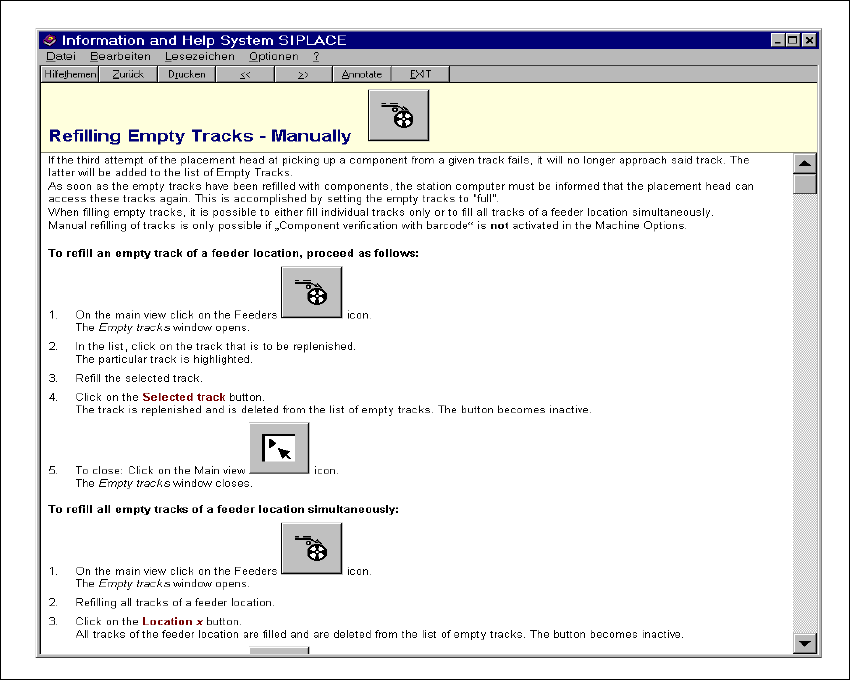
Fig. 6.1 - 5 Example: Help on the topic "Refilling Empty Tracks - Manually"
6

6 Online help system SIPLACE Software Guide SR.503.xx
6.1 General Issue 12/01 EN
80
6.1.1.4 Calling help on how to use the Window help system
In the Help menu, click the Help About Help item.
The Windows help window is now displayed with the three tabs "Contents", "Index" and "Find".
– Contents tab The help topics are displayed sorted by category.
– Index tab A list of the index entries for the help topics is displayed.
– Find tab You can search for words or expressions which are present
in the help topics.
6
Search for words, for example, click the Index tab.
The topics relating to the use of the help system are displayed.
Select the required topic from the list (e.g. „Defining Bookmarks“) or enter the first few charac-
ters of the required topic name in the edit field (e.g. „defini“). The topic is now selected in the
list.
Click the Display button.
Help on the selected topic is displayed in a separate window.
6
NOTE
For a detailed description of the functions of the Windows help system and how to use them, please
refer to the corresponding Windows manual or Windows online help. 6
SIPLACE Software Guide SR.503.xx 6 Online help system
Issue 12/01 EN 6.1 General
81
6.1.1.5 Calling general station computer information
In the Help menu, click the About... item.
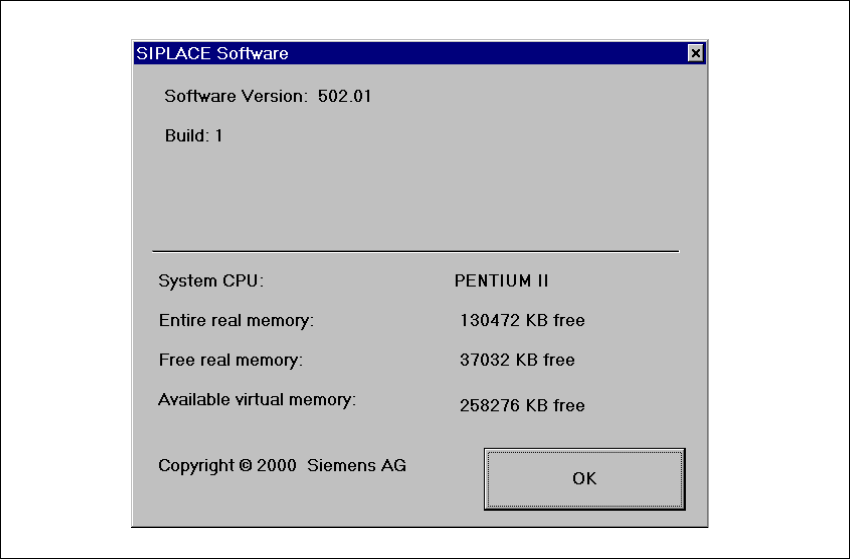
The following window is opened.
This displays the version designations of the SC, MC and GEM software currently installed on
the station computer together with general station computer data.
Fig. 6.1 - 6 Information about the station computer (Example)