00193325-01.pdf - 第17页
SIPLACE Software Gu ide SR.503.xx 2 Introduction and basic terms Issue 12/01 E N 2.2 Overview 17 2 Fig. 2.2 - 2 Diagram showing an over view of a com ponent placement m achine (e.g. the S25-HM) Key to Fig. 2.2 - 2 (1) 6/…
2 Introduction and basic terms SIPLACE Software Guide SR.503.xx
2.2 Overview Issue 12/01 EN
16
2.2 Overview
2.2.1 Overview of the placement machine
2
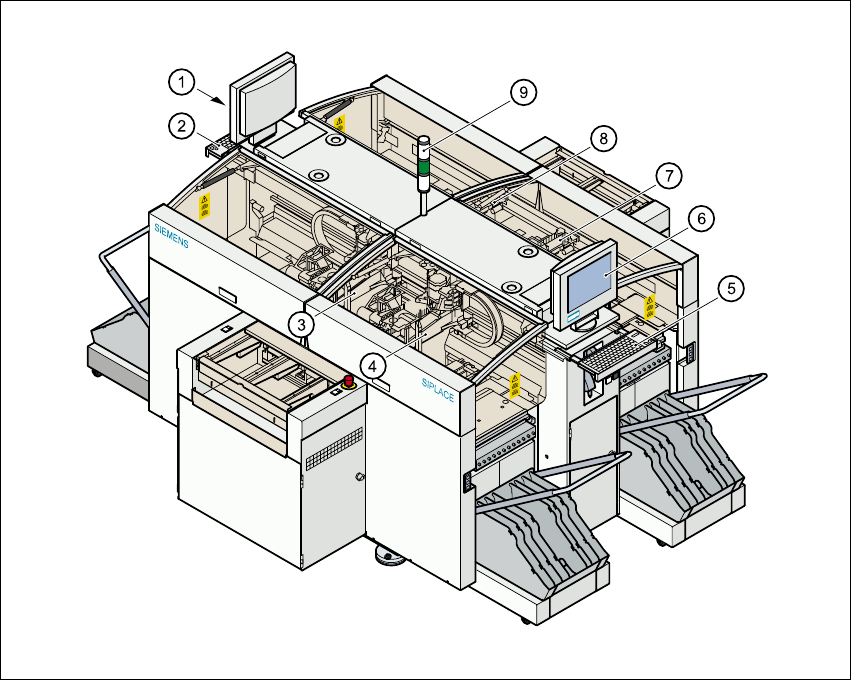
Fig. 2.2 - 1 Diagram showing an overview of a component placement machine (e.g. the HS-50)
Key to Fig. 2.2 - 1
(1) Monitor (left side)
(2) Keyboard (left side)
(3) Gantry 4
(4) Gantry 1
(5) Keyboard (right side)
(6) Monitor (right side)
(7) Gantry 2
(8) Gantry 3
SIPLACE Software Guide SR.503.xx 2 Introduction and basic terms
Issue 12/01 EN 2.2 Overview
17
2
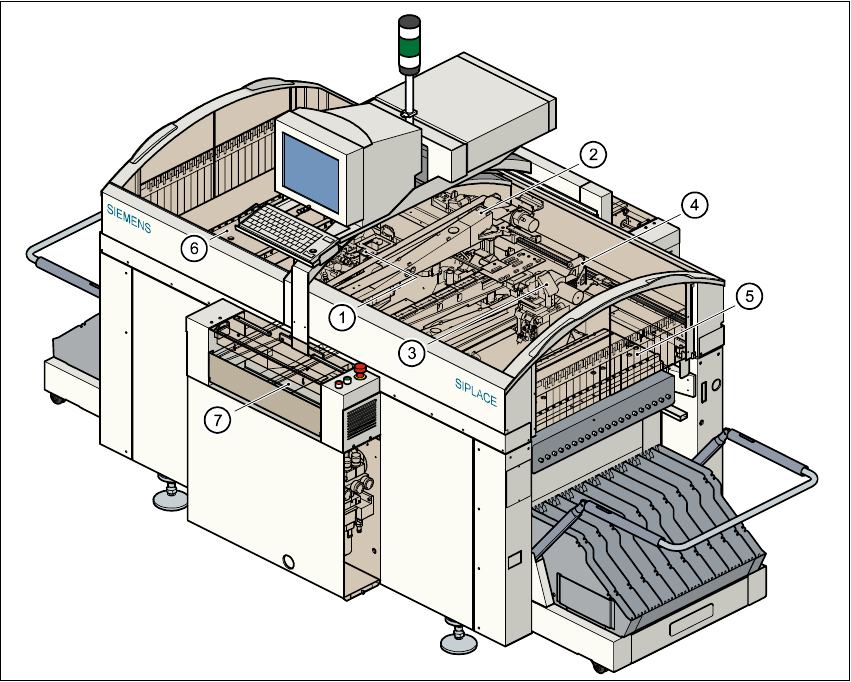
Fig. 2.2 - 2 Diagram showing an overview of a component placement machine (e.g. the S25-HM)
Key to Fig. 2.2 - 2
(1) 6/12-segment, Collect&Place head with component vision module (Gantry 1)
(2) Gantry 1 with PCB vision module
(3) 6/12-segment, Collect&Place head with component vision module (Gantry 2)
(4) Gantry 2 with PCB vision module
(5) Stationary component supply (Location 1)
(6) Stationary component supply (Location 3)
(7) PCB conveyor (dual conveyor option)
2

2 Introduction and basic terms SIPLACE Software Guide SR.503.xx
2.2 Overview Issue 12/01 EN
18
A station may exist as part of a line or may be the only machine in a line. 2
Each station has a „station computer“ which is located on the side of the input area behind a ma-
chine base door. This area also accommodates the uninterruptible power supply (UPS). The UPS
is available as an option.
2
A monitor with touch screen and retractable keyboard with an integrated trackball is mounted on
either side (HS-50 only) of the station (see Figures 2.2 - 1 and 2.2 - 2). 2
NOTE
You can operate the station computer software either via the keyboard and trackball or via the
touch screen. 2