00192471-03.pdf - 第10页
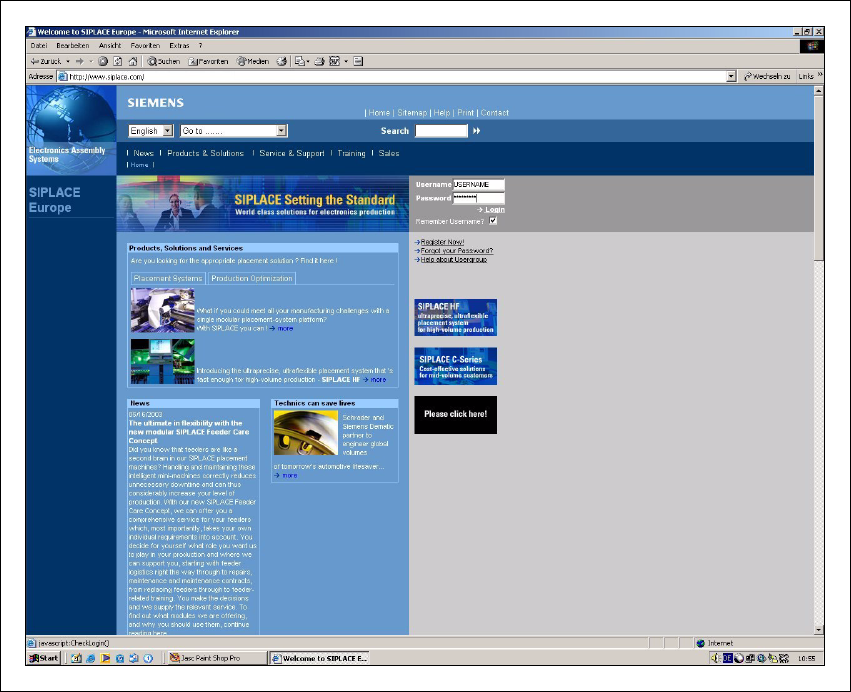
1 Introduction User Manual SIPLACE HS-50 1.1 General Software Version SR.50x.xx 01/ 2006 US Edition 10 1 Fig. 1.1 - 1 The SIPLACE hom e page The vario us headings contain info rmation on 1 – our products – servi ces – co…

User Manual SIPLACE HS-50 1 Introduction
Software Version SR.50x.xx 01/2006 US Edition 1.1 General
9
1 Introduction
These operating instructions provide a manual or reference work for 1
– operating and
– setting up
the HS-50 placement system. 1
The header of each chapter indicates the 1
– release and
– software version
from which these instructions apply. 1
1.1 General
1.1.1 For further information
If you have any questions concerning these instructions or would like further information on a par-
ticular topic, please contact your local Siemens dealer or write to us directly at: 1
SIEMENS AG, Automation and Drives
Electronics Assembly Systems
Rupert-Mayer-Str. 44
D-81359 Munich 1
1.1.2 SIPLACE on the World Wide Web (WWW)
We also have our own site on the Internet. Why not log onto our SIPLACE home page at http://
www.siplace.com? 1
All the menus and other information are available in two languages: German and English. 1
1
1
1 Introduction User Manual SIPLACE HS-50
1.1 General Software Version SR.50x.xx 01/2006 US Edition
10
1
Fig. 1.1 - 1 The SIPLACE home page
The various headings contain information on 1
– our products
– services
– contacts, etc.
Registered customers can also access the SIPLACE User Group, where you can call up special
information on our placement systems, such as 1
– technical documentation
– Technical Infos
– spare parts lists, etc.
Registering for access to the User Group is sheer child’s play: 1
Æ Click on ’Register now’.
Æ Complete the registration form and just send it off.
You will then quickly receive access authorization with USER ID and a password. 1
User Manual SIPLACE HS-50 1 Introduction
Software Version SR.50x.xx 01/2006 US Edition 1.2 Important notes on the user manual
11
1.2 Important notes on the user manual
1.2.1 Contents and filing of the user manual
This user manual contains basic information that must be observed when setting up, operating
and maintaining the machine. The service engineers, qualified staff, operators and users must
therefore read it before commencing installation and commissioning. The instructions must be
kept permanently accessible where the machine is used. 1
1.2.2 Qualification and training of personnel
Personnel used for operation, preventive maintenance, inspection and installation must hold the
relevant qualifications for the job. The user must keep tight control over their responsibilities, as-
signment and supervision. Any employee who does not have the relevant training must be trained
and given appropriate instruction. If necessary the user of the machine can have training provided
by the manufacturer/supplier. 1
In addition, the user must ensure that the employees have fully understood the contents of the
user manual. 1
1.2.3 User classification
The operating software is structured so that certain functions or menus can only by used or called
by appropriately trained personnel. There are three different classes of user: 1
–operator,
– line engineer and
– service engineer.
Access to each class may be password-protected. Chapters containing information for user
classes higher than "operator" contain a reference to the user class concerned in the footer. 1
Operators 1
The operator class consists of any person who has been trained in operation of the machine.
These people are authorized to use any functions associated with operating the machine and may
call up any menus needed to use the machine. 1
Line engineers 1
Line engineers have undergone special training and are authorized to carry out line engineer ac-
tivities, such as creating set-up configurations, determining vision parameters, etc. 1