00197467-01_SM_DLM3-4_Kunde_en.pdf - 第48页
Service Work Replacing the Complete Z Axis [0300195 9Sxx] 3.9.3 Mechanical Adj ustment (From Version 03) 48 Service Manual SIPLACE Placement Heads DLM3/DLM4 ⇨ If t he Z axis is pushed right in, the cable should run freel…
Service Work
3.9.3 Mechanical Adjustment (From Version 03) Replacing the "Z Axis Down" Sensor [00321524-xx]
Service Manual SIPLACE Placement Heads DLM3/DLM4 47
► Further installation is performed by following the above instructions in the reverse order.
3.13
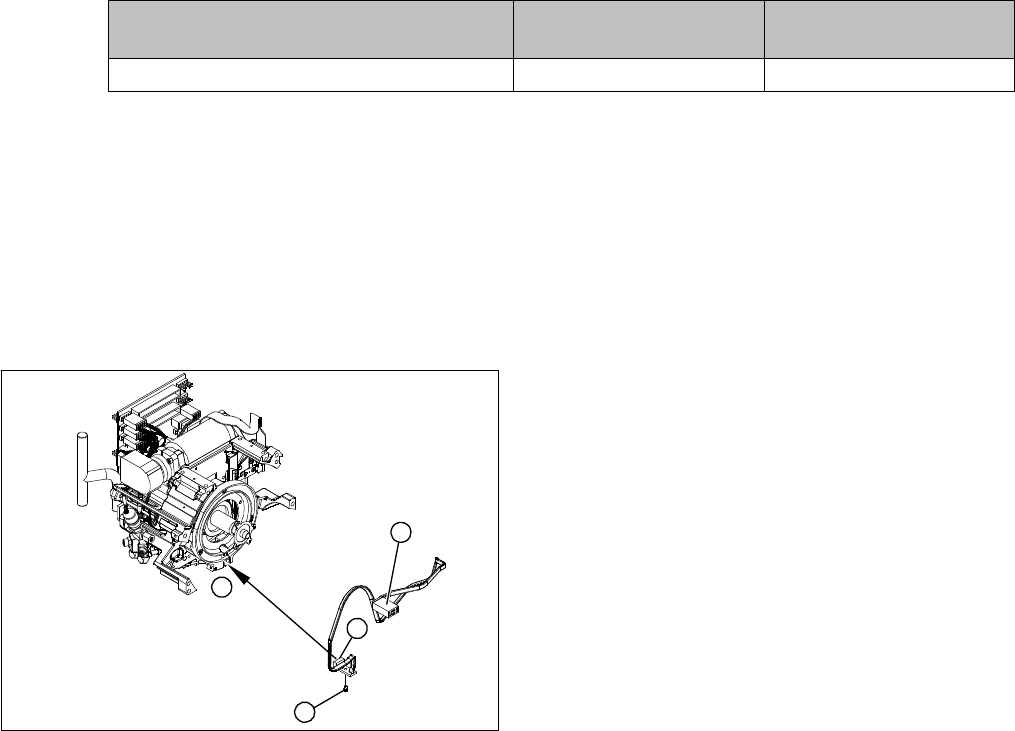
3.13 Replacing the "Z Axis Down" Sensor [00321524-xx]
Replacing the "Z Axis Down" Sensor [00321524-xx]
Parts, equipment and tools
▪ Z axis down sensor [00321524-xx]
Overview
Preparation
► Remove the head from the machine. For details about removing and fitting the placement head, refer
to the service manual for your machine.
Removal
► Dismantle the front part of the head. (see "3.2 Removal/Installation of Head Front Part" [ ➙ 19]).
► Dismantle the star (see"3.17 Replacing the Star" [ ➙ 52]).
► Unplug the connection to the intermediate distributor.
► Push the Z axis down.
► Loosen the screws holding the sensor.
► Remove the cable clamps on the driver arm and star motor.
► Carefully pull the sensor and cable out of the front section of the head and then unplug the connec
-
tion to the intermediate distributor.
Installation
► Thread the sensor cable from the Z axis into the front part of the head.
► Fix the sensor in position with the screw provided and initially screw loosely into the jaw of the Z axis.
► Fix the cable into place with the cable clamps.
► Check how the cable is run inside the front part of the head, as follows:
⇨ If the Z axis has been pushed right out, the cable should lie loosely around the housing for the
star drive shaft. The cable must NOT be pulled tight.
Frequency in Hz Before continuous opera
-
tion run
After continuous operation
run
Toothed belt T2 / DLM3 on the Z axis 280 +/- 10 280 +/- 10
1. "Z axis down" sensor
2. Fastening screw for sensor
3. Plug for intermediate distributor
1
1
3
2
Service Work
Replacing the Complete Z Axis [03001959Sxx] 3.9.3 Mechanical Adjustment (From Version 03)
48 Service Manual SIPLACE Placement Heads DLM3/DLM4
⇨ If the Z axis is pushed right in, the cable should run freely inside the front part of the head, without
touching the rotary encoder for the DP axis.
► Once the cable is run in line with the required conditions, fix it in place with the cable holders.
► Connect the cable plug to the slot on the intermediate distributor.
Adjusting the "Z axis down" sensor
► Set the distance between the white sleeve ring and the light barrier to 0.95 -1.15 mm.
⇨ Use a test probe or drill (diameter 1.0 mm) for this.
⇨ Check the distance with a test probe or drill (diameter 1.2 mm). – This drill should not fit!
► Fix the light barrier in place with the two screws provided.
► Fit and adjust the star.
► Fit the front part of the head.
► Further installation is performed by following the above instructions in the reverse order. Also ob
-
serve the following instructions:
3.14
3.14 Replacing the Complete Z Axis [03001959Sxx]
Replacing the Complete Z Axis [03001959Sxx]
Parts, equipment and tools
▪ DLM2, DLM3, DLM4: Z axis assembly DLM2 [03001959Sxx]
Preparation
► Remove the head from the machine. For details about removing and fitting the placement head, refer
to the service manual for your machine.
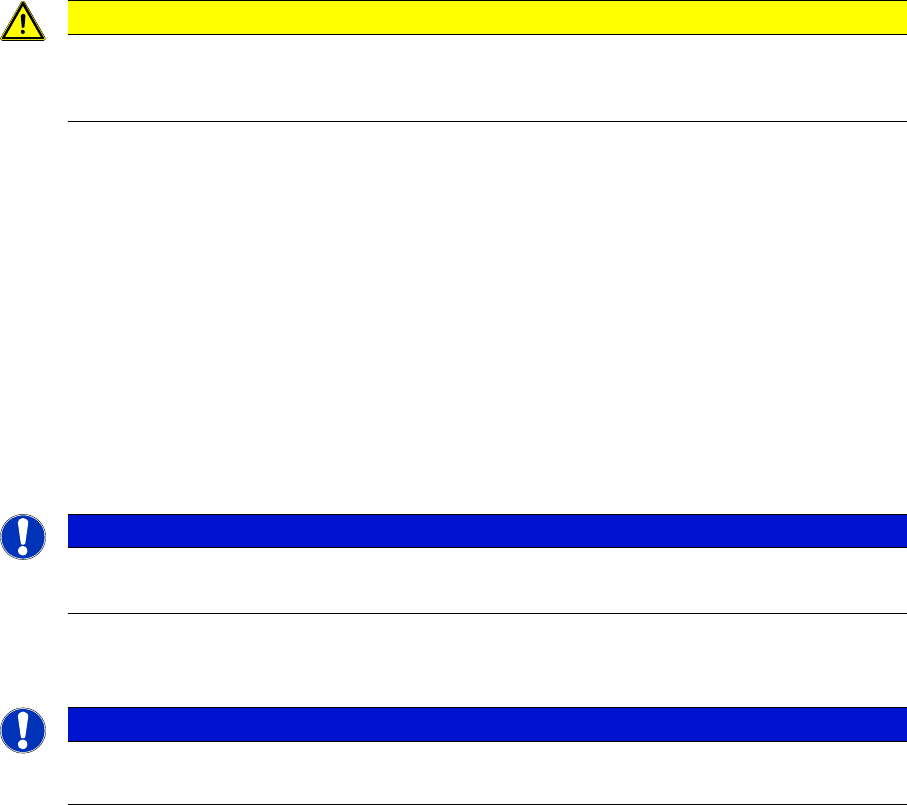
CAUTION
Check how the cables are run!
If the radius of the curvature is too small, the Z axis could jam or the light barrier cable could
break.
NOTICE
Installation instructions
► Check the sensor function.
NOTICE
Replacing the Z axis on the DLM3/DLM4
We recommend replacing the complete Z axis after approx. 100 million placements.
Service Work
3.9.3 Mechanical Adjustment (From Version 03) Replacing the Complete Z Axis [03001959Sxx]
Service Manual SIPLACE Placement Heads DLM3/DLM4 49
Removal
Installation
► Further installation is performed by following the above instructions in the reverse order.
► Remove the front section of the head (see "3.2 Re
-
moval/Installation of Head Front Part" [ ➙ 19]).
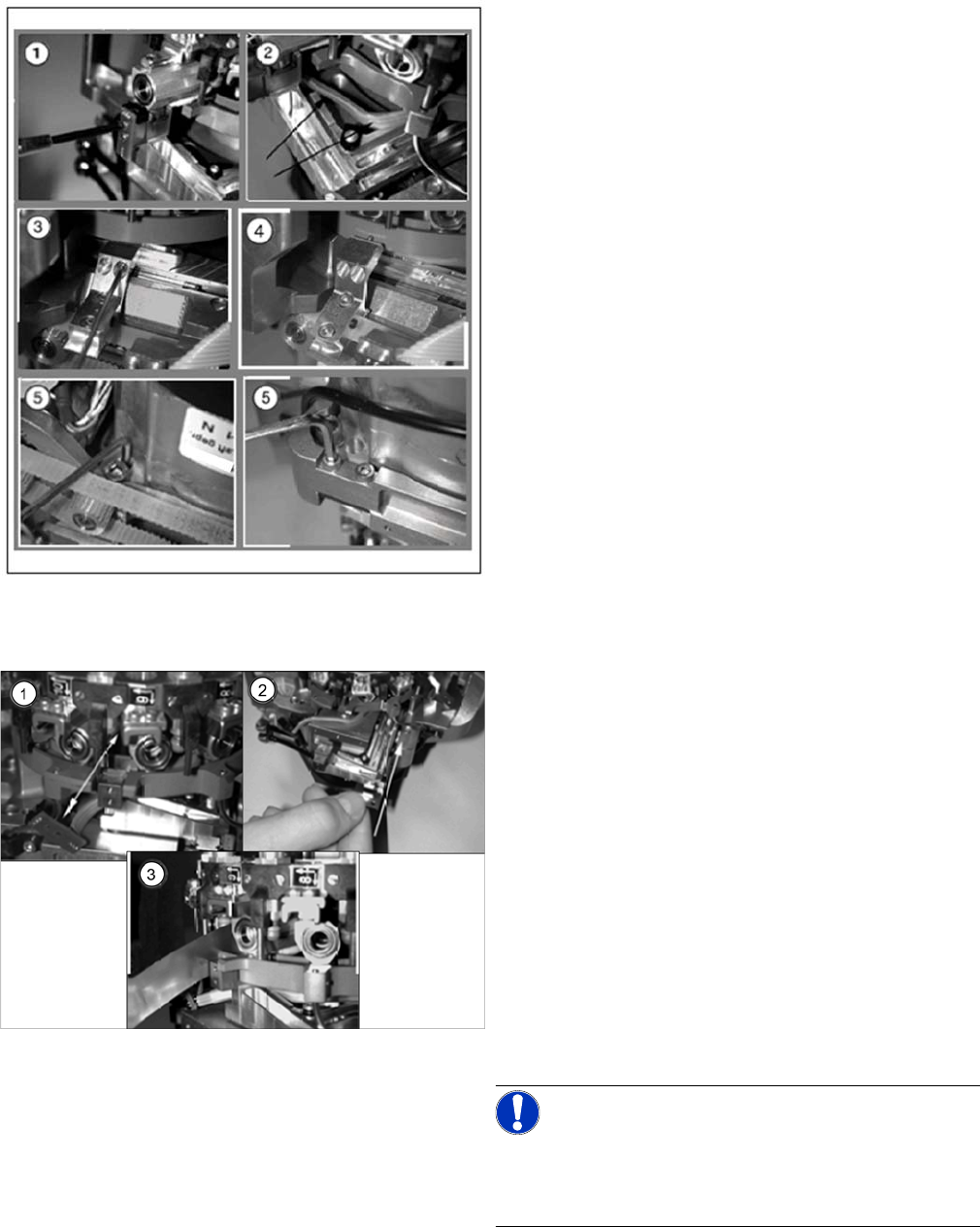
► (1) Dismantle the light barrier under the Z axis, by
loosening the two M1.6x3 DIN 84 screws.
► (2) Carefully pull the cable out of the cable duct until
it lies loosely.
► (3) Loosen the connection between the driver arm
and driver bracket by removing the two M2x14 DIN
912 screws.
► (4) Pull the driver arm, together with the centering pin,
out of the driver bracket and move the driver arm into
the stop position in the raceway.
► (5) Remove the three screws holding the Z axis in
place (2x M3x14, 1x M3x4).
► (1) Rotate the star into the position shown and then
remove the Z axis from its guidance by taking hold of
the mounting plate.
Clean the contact surface with SIPLACE cleansing
tips and ethanol.
► (2) Push the new Z axis guide into the groove provid
-
ed.
Press the reference edge (inner side) of the Z axis
into the groove and fix the Z axis with the screws pro
-
vided.
► (3) Use the feeler gauge to check the gap between
the jaws and the side edges of the circular arc guide.
The gap may be between 0.02 and 0.03 mm.
Adjust the jaws if necessary.
Reassemble the head by following the instructions in
reverse order.
NOTICE!
The board must be fitted centered to the jaws.
Make sure that the board does not rub against the frame
(check with gauge if necessary).