NXTII spec.pdf - 第32页
Machine Control System Edition 2.0E - 32 - NXT II S pecifications 5.3. Cautions When Connecting to Network Before connecting the cables for multiple PCs and network equipment, cr eate a network diagr am that shows the …
Machine Control System
Edition 2.0E - 31 - NXT II Specifications
5.2. Operating Environment
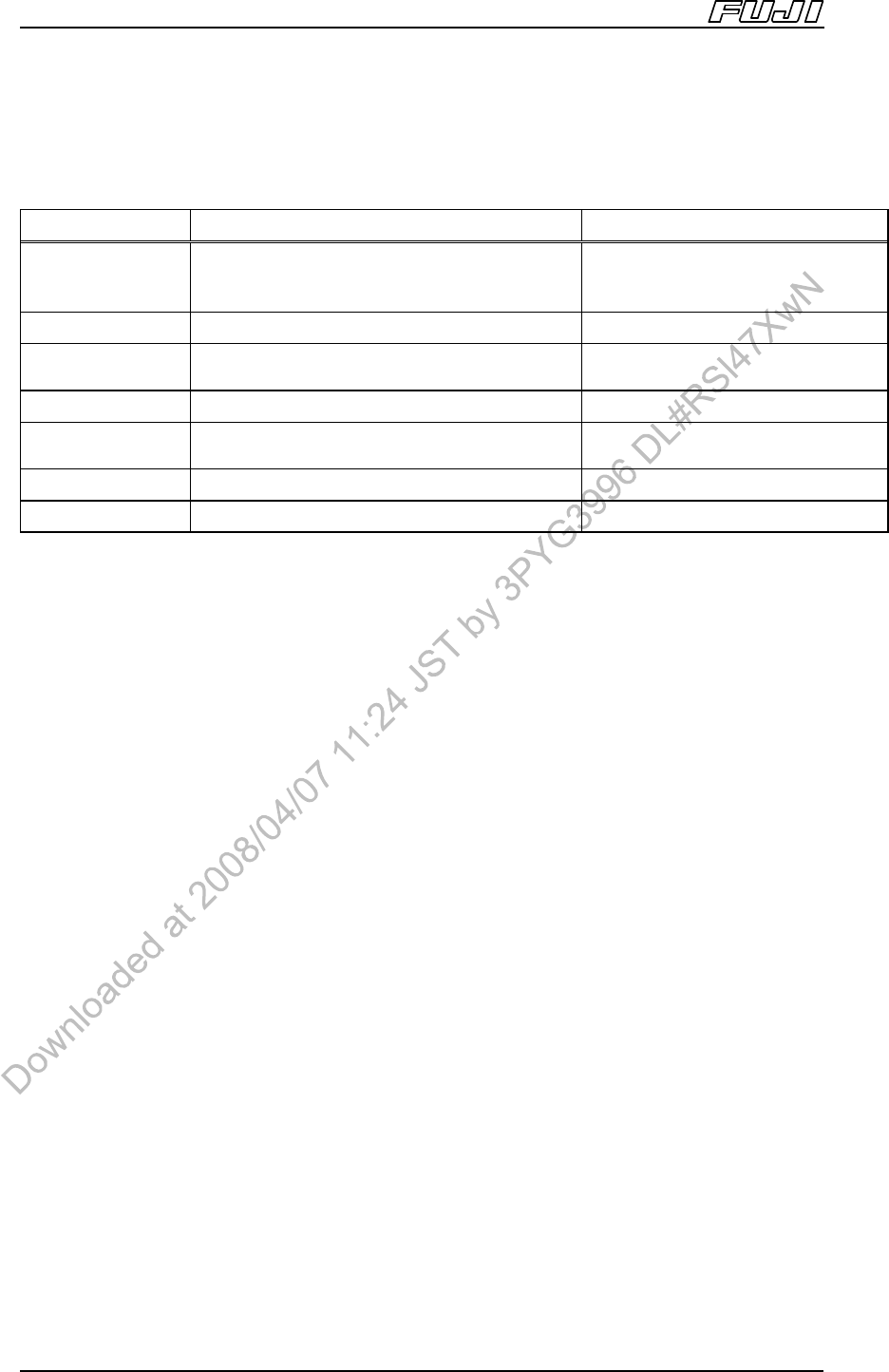
Fuji Flexa Accessory Software
Operating System
Microsoft Windows 2000, SP2 or later
Microsoft Windows XP Professional, SP1 or
later
←
Browser Microsoft Internet Explorer 6.0, SP1 or later ←
CPU
Equivalent of 1GHz or more
(2 GHz or more recommended)
Equivalent of 1GHz or more
Memory 512MB 256MB
Disk
Configuration
Floppy Disk Drive, CD-ROM Drive ←
Display Resolution: 1024 × 768 or higher Resolution: 800 × 600 or higher
Others PC/AT Compatible, Mouse, Ethernet card ←
Note:
1. Microsoft Windows XP Professional is supported from Fuji Flexa V1.5.1 and later. Microsoft Windows XP
Professional is supported from the Accessory Software version for the NXT machine control software V2.71
and later.
Trademarks
Microsoft, Microsoft Windows XP, Microsoft Windows 2000, Windows, and Internet Explorer are the
registered trademarks or trademarks of Microsoft Corporation U.S.A.
Machine Control System
Edition 2.0E - 32 - NXT II Specifications
5.3. Cautions When Connecting to Network
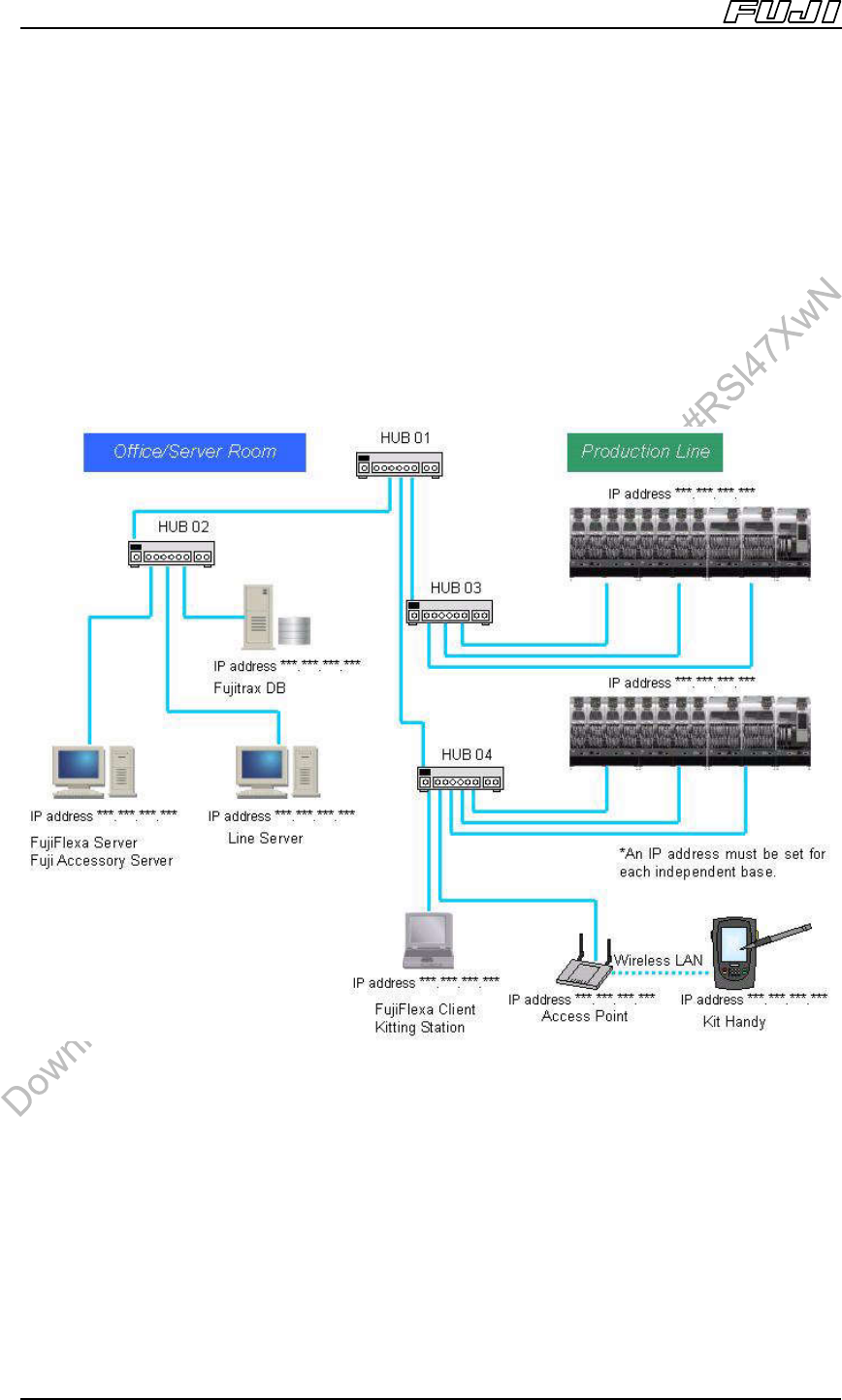
Before connecting the cables for multiple PCs and network equipment, create a
network diagram that shows the equipment layout, host names and IP
addresses.
By creating this diagram the user can determine the required quantities of
switching hubs and LAN cables.
*Example Network Diagram:
Note
1. Exchanging of data between the NXTII and Fuji Flexa / Fujitrax can place a large load on a network.
Therefore, users should build an independent network to which the NXTII and Fuji Flexa / Fujitrax can be
connected so as to avoid overloading other networks.
2. Use a 100Base-TX compatible switching hub for the network. If connecting multiple network hubs, it may be
necessary to use cross cables and restrict port usage. For the connection procedure, refer to the manual for
your network hub.
3. Use a 100Base-TX compatible (Category 5 or higher) network cable. The network cable length should be
100 m or less. To make it easier to perform modifications or troubleshooting in future, affix a label to each
switching hub and LAN cable that identifies the name of the connection point, and include connection
relationships in the network diagram.
Standard Functionality
Edition 2.0E - 33 - NXT II Specifications
6. Standard Functionality
6.1. Pick-up Position Detection
Pick-up accuracy is guaranteed by performing part pick-up position detection
immediately after feeder replacement, pallet exchange, and head exchange.
6.2. Paired Production Mode (M3II Module)
Production is shared between two modules when the placement area exceeds
250 mm when producing a single panel on M3II modules.
The machine heads can place parts in the production area of the adjacent
module, therefore eliminating any dead space.
6.3. ZO Sensor
This sensor is used to measure the standard placing height.
6.4. Auto Calibration
This function enables automatic placing accuracy compensation after such
things as heads, nozzle stations, feeders, and tray units have been replaced.
Dedicated jig nozzles are required to use this function.
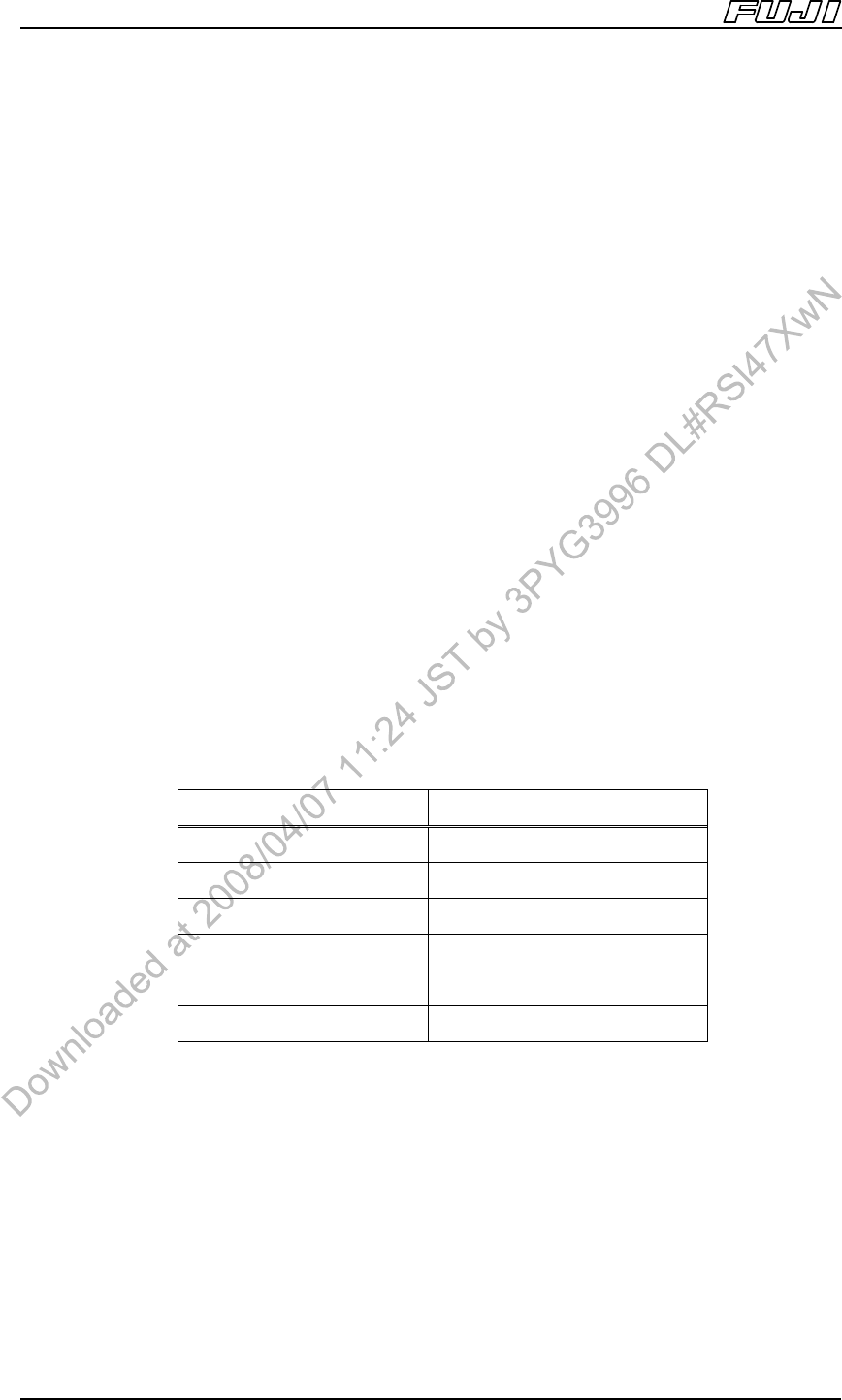
Head No. of Required Nozzle Jigs
H12HS[H12S], H08 8
H04 4
G04 4
H02 2
H01 1
OF 1