00197496-01_UM_SiClusterMultiline_DE_EN.pdf - 第116页
Getting Started and Overview of SiCluster Multiline Tab - Run & Results 3.4.2 Tab - Cluster Job Details 116 SIPLACE SiCluster Multiline SIPLACE SiCluster Multiline 3.4.2 3 . 4 . 2 T a b - C lu s t e r J o b D e t a i…
Getting Started and Overview of SiCluster Multiline
3.4.1 Tab - Line KPIs Tab - Run & Results
SIPLACE SiCluster Multiline SIPLACE SiCluster Multiline 115
3.4
3.4 Tab - Run & Results
Tab - Run & Results
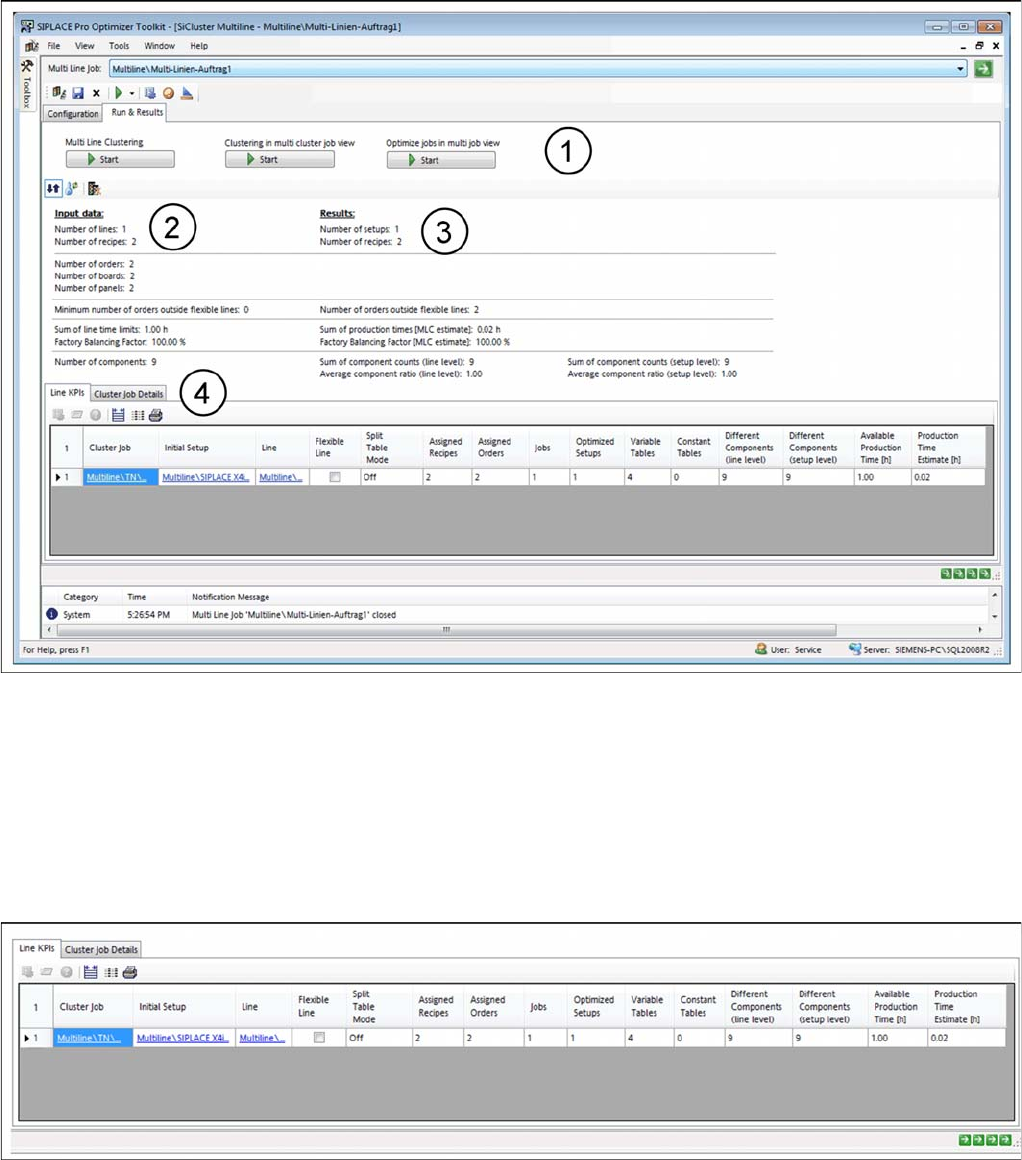
The Run & Results tab allows you to start multi line clustering and optimization of the calculated jobs (1).
You will see an overview of the input data (2) and the results data (3).
SiCluster Multiline - tab: run & results
The Run & Results tab contains the following two tabs (4), in which you can view the key performance
indicators (KPIs) and the cluster job parameters.
▪Tab: Line KPIs
▪Tab: Cluster Job Details
3.4.1
3.4.1 Tab - Line KPIs
Tab - Line KPIs
Shows the general key performance indicators (KPIs) for the lines.
Run & results - tab: line KPIs
Getting Started and Overview of SiCluster Multiline
Tab - Run & Results 3.4.2 Tab - Cluster Job Details
116 SIPLACE SiCluster Multiline SIPLACE SiCluster Multiline
3.4.2
3.4.2 Tab - Cluster Job Details
Tab - Cluster Job Details
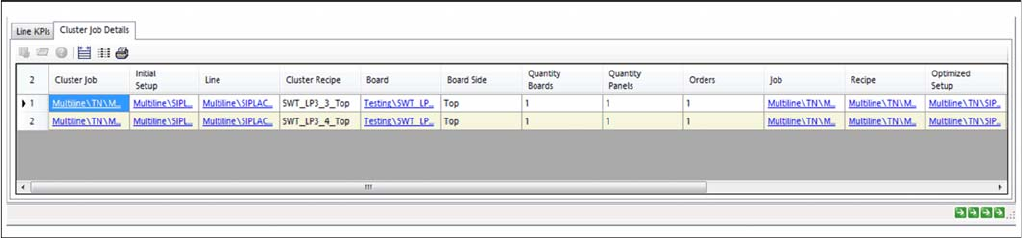
The Cluster Job Details tab shows which recipes are allocated to the lines and the corresponding pa-
rameters for the cluster job. If clustering has already been performed within the lines, you will see the
setups (cluster) in which the recipes are present.
Run & results - tab: cluster job details
How to Configure a Multi Line Job
SIPLACE SiCluster Multiline SIPLACE SiCluster Multiline 117
4
4 How to Configure a Multi Line Job
How to Configure a Multi Line Job
The Configuration tab contains the following four tabs in which you need to collect the input data for the
multi line job and define the required settings.
► Perform the following steps, which are described in this chapter using an example, to configure a
multi line job.
▪ In the Configuration tab
– Organizing a Multi Line Job
– Defining the Output Folder
▪ In the Configuration => Multi Line Recipes tab
– Adding Recipes or Boards
– Forming Inclusive Groups (Optional)
– Editing Process Requirements for Boards (Optional)
▪ In the Configuration => Initial Setups tab
– Adding Initial Setups
– Editing Process Capabilities for Lines (Optional)
▪ In the Configuration => Cycle Times tab
– Creating Ideal Cycle Times for Recipes on Lines
– Defining Recipe-Specific Cycle Times on Lines (Optional)
▪ In the Configuration => Line Settings tab
– Individual Line Settings (e.g. Minimum Cycle Time on Line)
– Entering/Allow Prompted Line Production Times