presto_en.pdf - 第26页
Page 26 3 DRIVERS This chapter deals with d river inst allation and up dates. 3.1 Driver Installation 3.1.1 Windows Operating Systems The user m ust have administrator right s to inst all and ru n the UP prog ram for t h…

Page 26
3
DRIVERS
This chapter deals with driver installation and updates.
3.1
Driver Installation
3.1.1 Windows Operating
Systems
The user must have administrator rights to install and run
the UP program for the first time. Standard user rights are
sufficient for further use.
PRESTO drivers are installed automatically as part of the
UP program installation.
Windows 7 and later
Start with installing the UP program. Its installer installs
the USB driver for PRESTO, too. You can download the
installer from
www.asix.tech/prg_up_en.html.
Once the installation is complete, connect the PRESTO
programmer to your computer. The green ON-LINE LED
should turn on after a few moments and the Windows
Device Manager should present the programmer as
correctly installed.
Older supported Windows
versions
The driver contained in the UP installer is intended for
Windows 7 and later. For older Windows operating system
versions the driver has to be downloaded from
www.asix.net, from download section of the programmer
and unpacked somewhere. After the programmer has
been connected, the operating system asks for the driver.
In "Found New Hardware" dialog the path to the
unpacked driver has to be set.
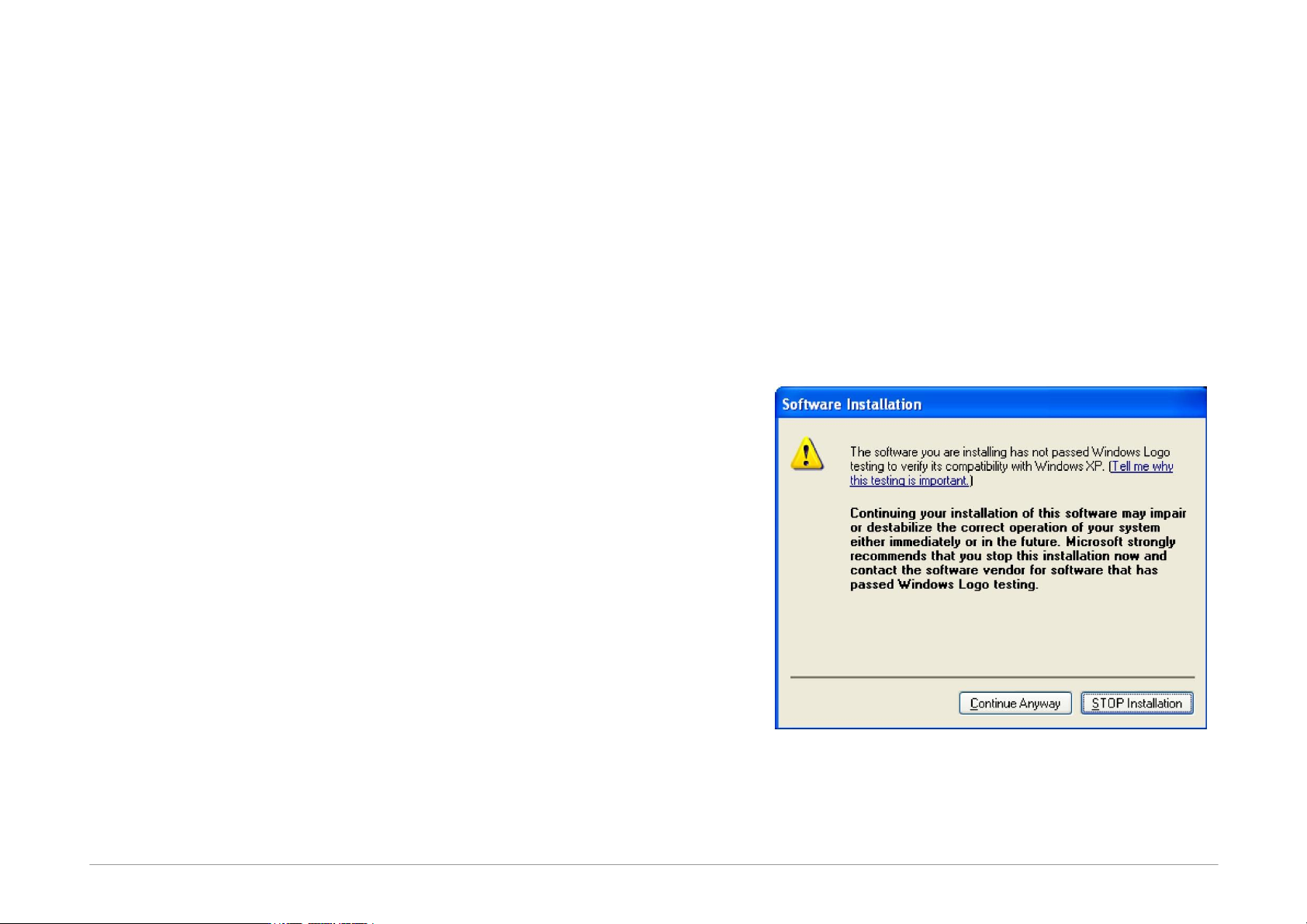
During the installation, the operating system will ask
whether it should install the software, which has not
passed the Microsoft compatibility test for Windows. Click
Continue Anyway.
Fig.17: Compatibility test dialog window
The green ON-LINE LED should turn on after a few
moments and the Windows Device Manager should
present the programmer as correctly installed.

Page 27
3.2
Driver Updating
PRESTO communicates with the PC through a USB circuit
produced by FTDI
www.ftdichip.com, which also develops
drivers for these circuits.
The latest drivers are always included in the UP
installation pack.
Drivers for the Windows operating system have been
stable for a long time and therefore no further updates
are usually needed, unless additional applications using
the FTDI circuits on the given PC so require.
However, should you need to update your driver, the
simplest way of doing so is to update the UP program.
Download the latest UP installer from the web and install
the new version without risk of losing your personalized
program setup data or data of your projects. The new
version will replace the original one.