EUS0153210_YFact_Standard_E.pdf - 第159页
3-39 3 Board Editor 2.11.2 Renumber Function Renumberfunctioncanbeconductedofflinewiththemachine. However,only[MountData]canberenumberedwhenoffline. n Star t of the dialog The dialog is started from the f…
3-38
3
Board Editor
2.11 Data sorting
2.11.1 How to operate
The information in the main view can be sorted by a selected item.
1
Select the desired information from the tree view to display it in the main view.
2
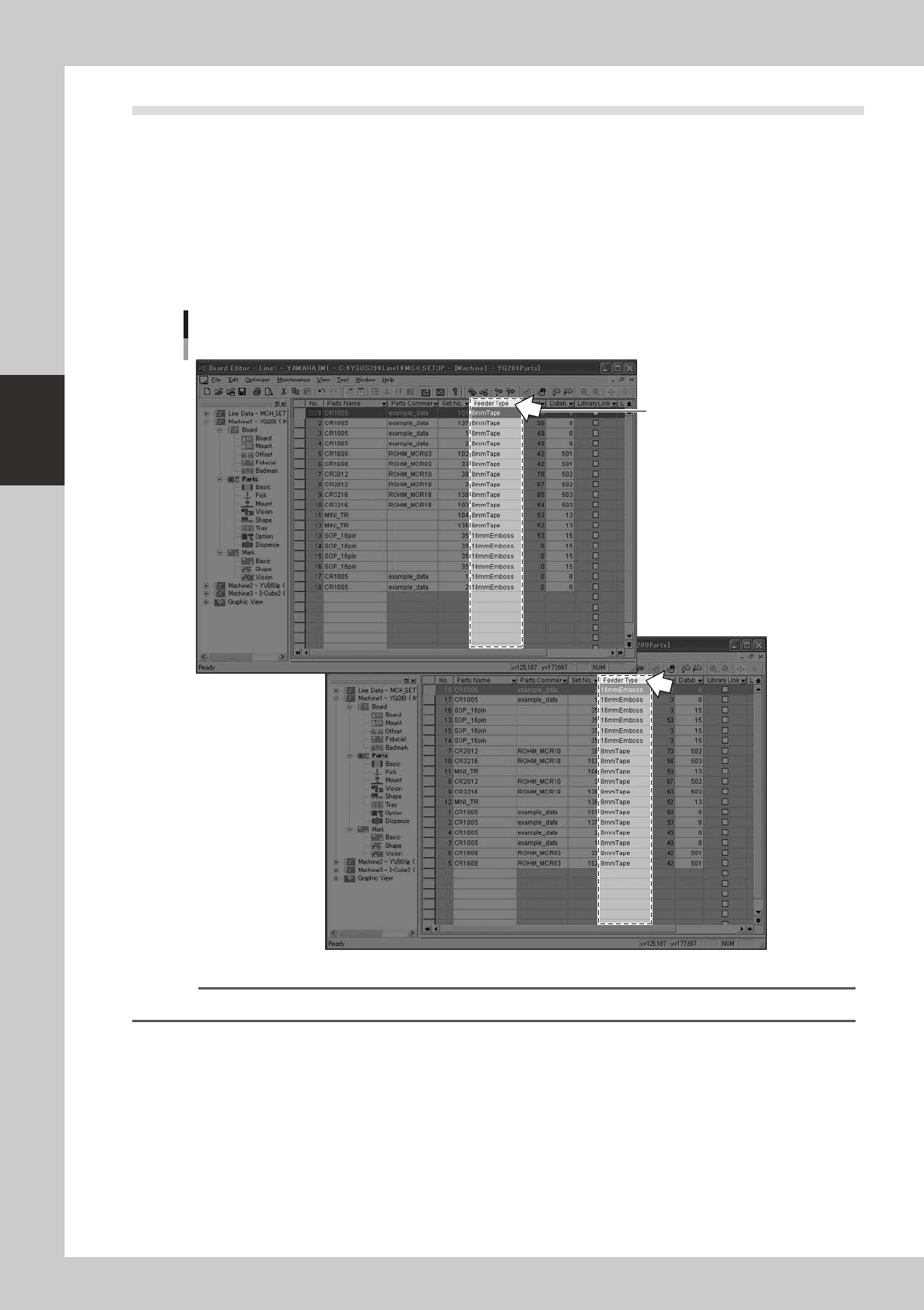
Click on the header of the column you want to sort.
The information in the main view will be sorted by the selected column in ascending order.
Clicking on the header of the same column again will sort the information in descending order.
Sort
Click on the
column header to sort.
64347-S0-00
Reference
Data rows can be copied, inserted, deleted and pasted, or moved between machines, with the data still sorted.
3-39
3
Board Editor
2.11.2 Renumber Function
Renumberfunctioncanbeconductedofflinewiththemachine.
However,only[MountData]canberenumberedwhenoffline.
n
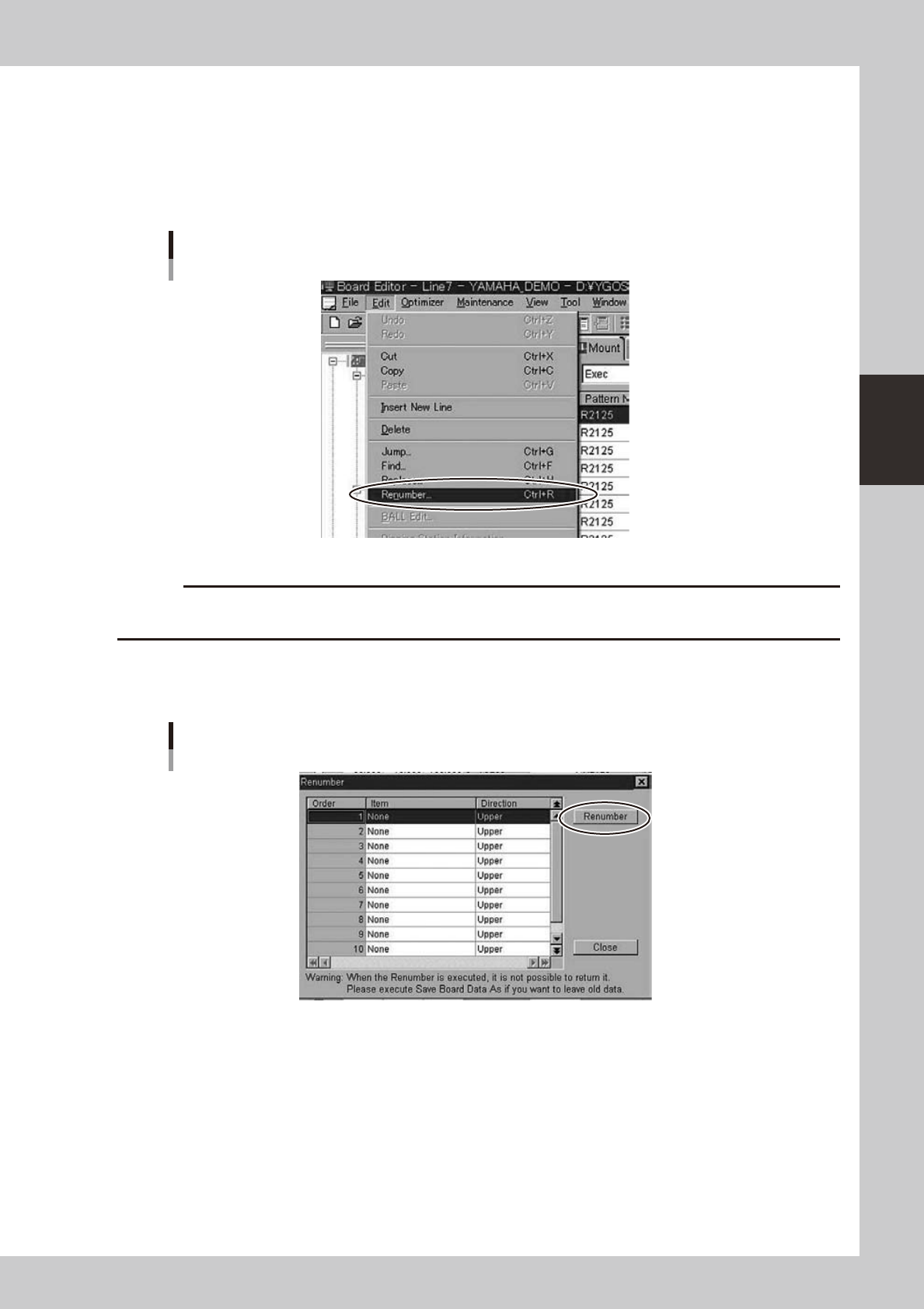
Start of the dialog
The dialog is started from the following menus.
Start of the dialog
64367-S0-00
c
CAUTION
Once the Renumber function is conducted, it is impossible to return to the original state. Please take the backup or
save it by new name.
n
Execution
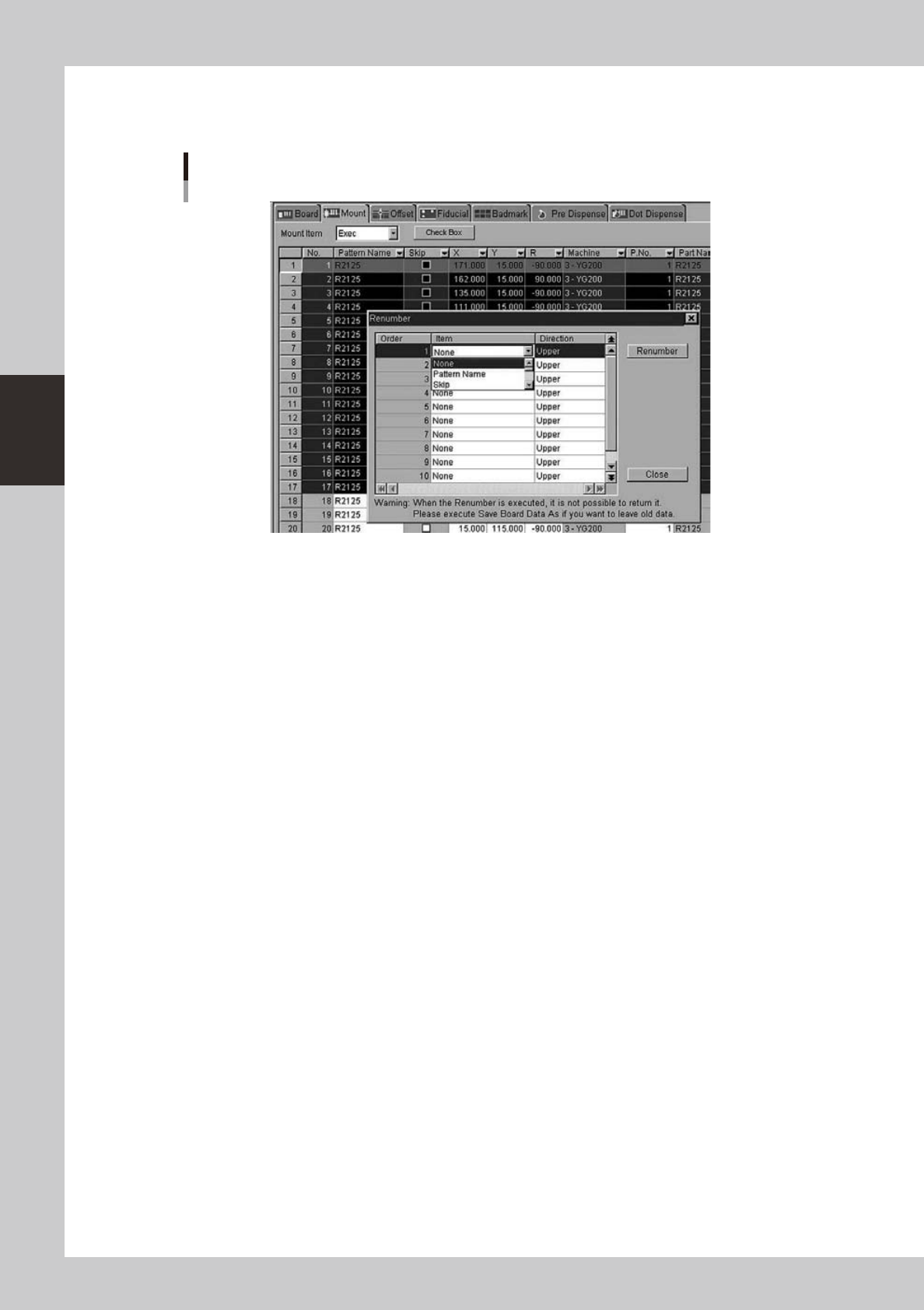
The following dialogs are displayed.
Renumber dialog
64368-S0-00
•
Item
InformationthatbecomesakeyforRenumberisselected.
Ex.) Pattern Name, X, Y, Z
It is possible to set it up to ten kinds, and it is executed from the high rank by priority.
•
Direction
TheRenumberdirectioncanbeselected.
•
Renumber
Renumberisexecuted.
3-40
3
Board Editor
n
Renumber of selection line
WhenyouexecuteRenumberasfollowsfortheselectionline,Renumberisexecutedintheselectionline.
Renumber of selection line
64369-S0-00
n
Restriction matter
•
This function has been limited to the Mount Data.
•
Itdoesn'tcorrespondtoREDOandUNDO.