EUS0153210_YFact_Standard_E.pdf - 第26页
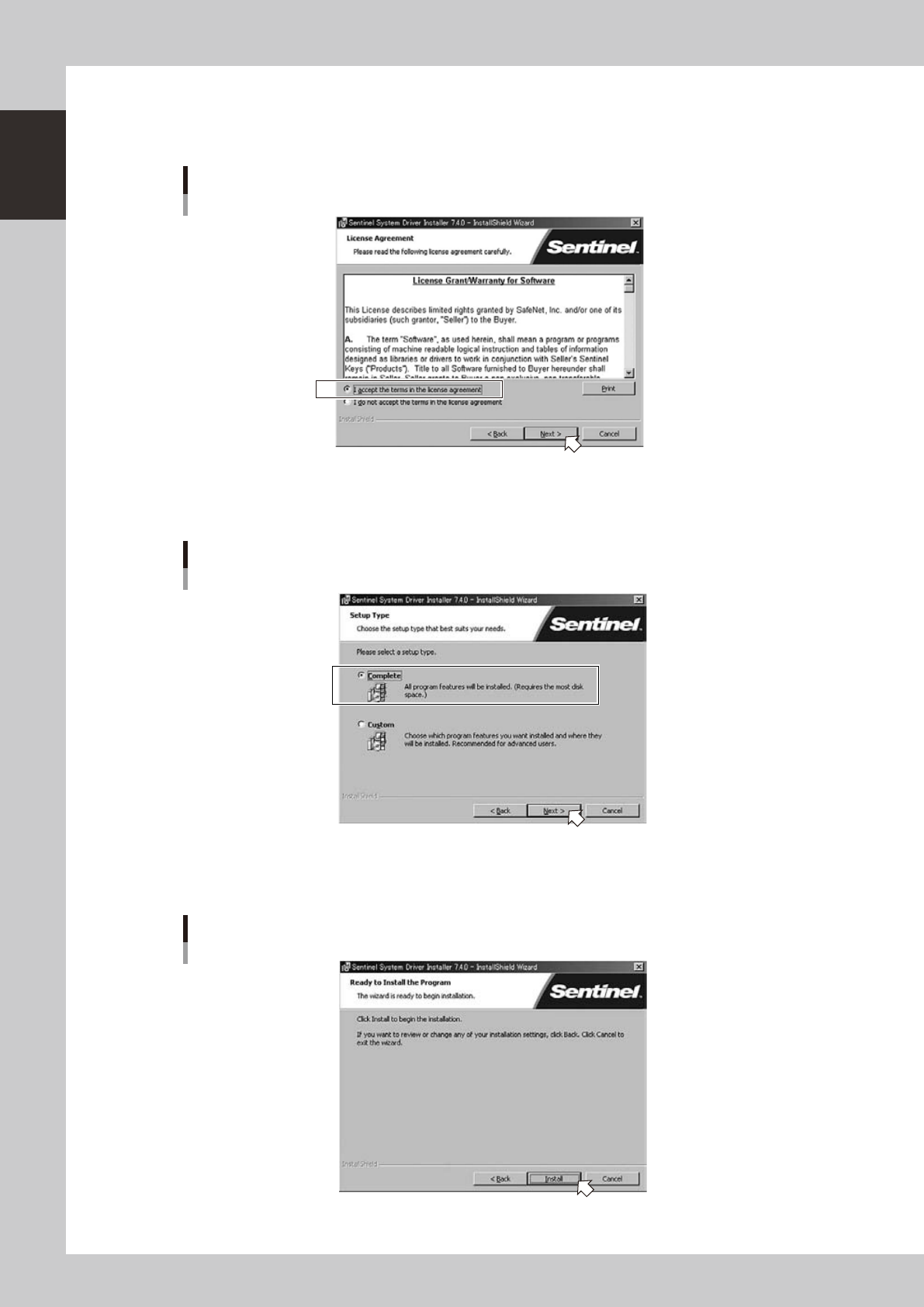
1-12 1 Installation of Factory T ools 2. When the "License Agreement" dialog box ap pears, carefully read the license agreemen t. Tick the radio button for the "I accept the terms in the license agreement&…
1-11
1
Installation of Factory Tools
2. Installation of hardware key
It is necessary to install the hardware key driver before installing the hardware key to your PC. The following
explains the method for new installation of the hardware key, upgrade and uninstallation.
c
CAUTION
Be sure to install the hardware key driver before installing the hardware key.
Install the hardware key after checking that the hardware key driver is installed properly.
2.1 New installation of hardware key
The following explains the method for installing the driver for the hardware key to your PC for the first time.
1
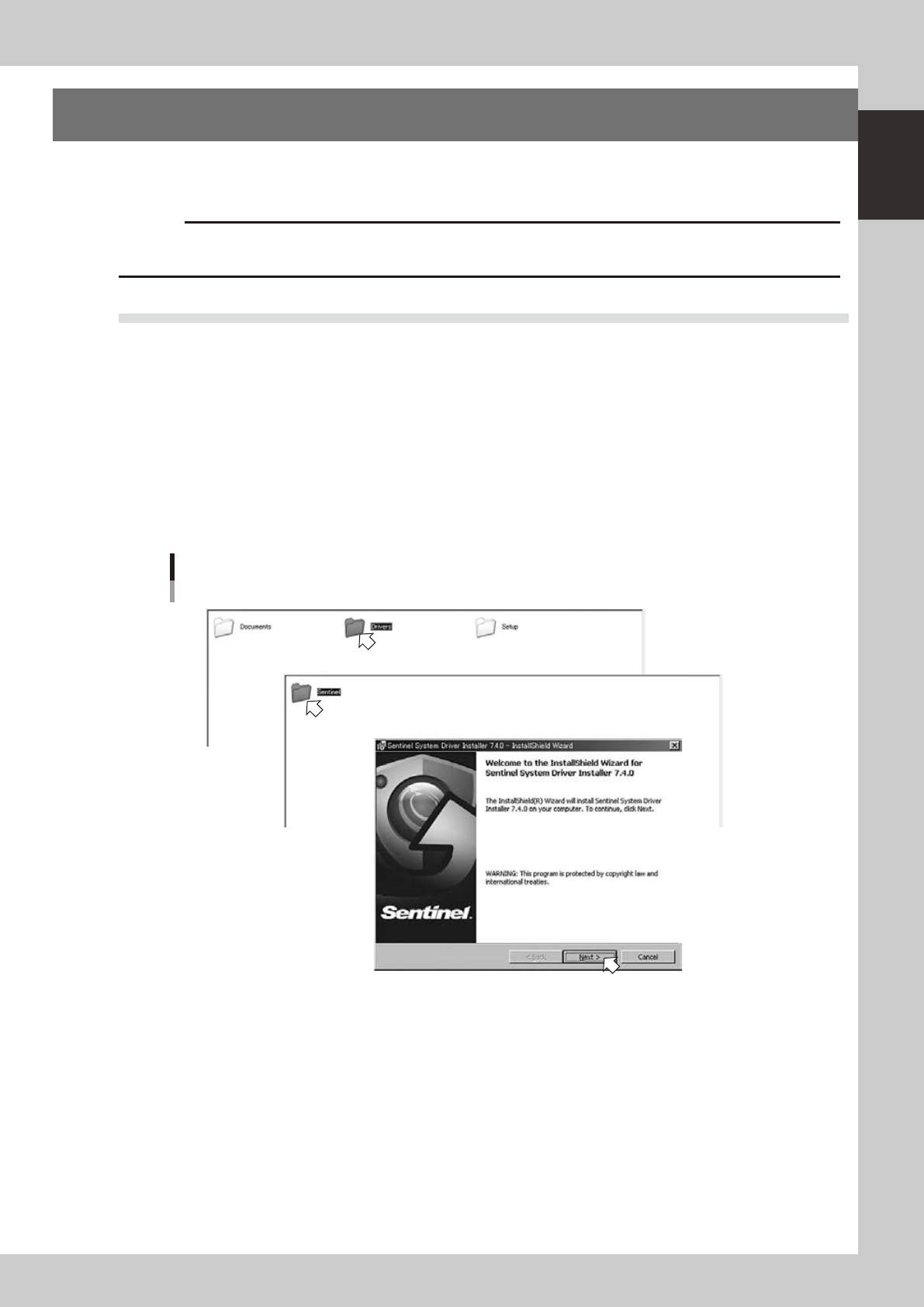
Start the installer.
1. Set the CD-ROM to the PC.
2. Double-click the "My Computer" icon of the PC and select the CD-ROM drive.
3. Open the "Driver" folder and double-click the "Sentinel Systm Driver Installer XXX.exe".
The "InstallShield Wizard" will start.
2
Install the hardware key driver.
1. Click the [Next] button of the "InstallShield Wizard".
Setup application
Step1
Step1
64112-S0-00
1-12
1
Installation of Factory Tools
2. When the "License Agreement" dialog box appears, carefully read the license agreement.
Tick the radio button for the "I accept the terms in the license agreement" and click the [Next]
button.
“License Agreement” dialog box
64113-S0-00
3. When the "Setup Type" selection dialog box appears, tick the [Complete] radio button and click the
[Next] button.
“Setup Type” selection dialog box
64114-S0-00
4. When the "Ready to Install the Program" dialog box appears, click the [Install] button. Installation will
start.
“Ready to Install the Program” dialog box
64115-S0-00
1-13
1
Installation of Factory Tools
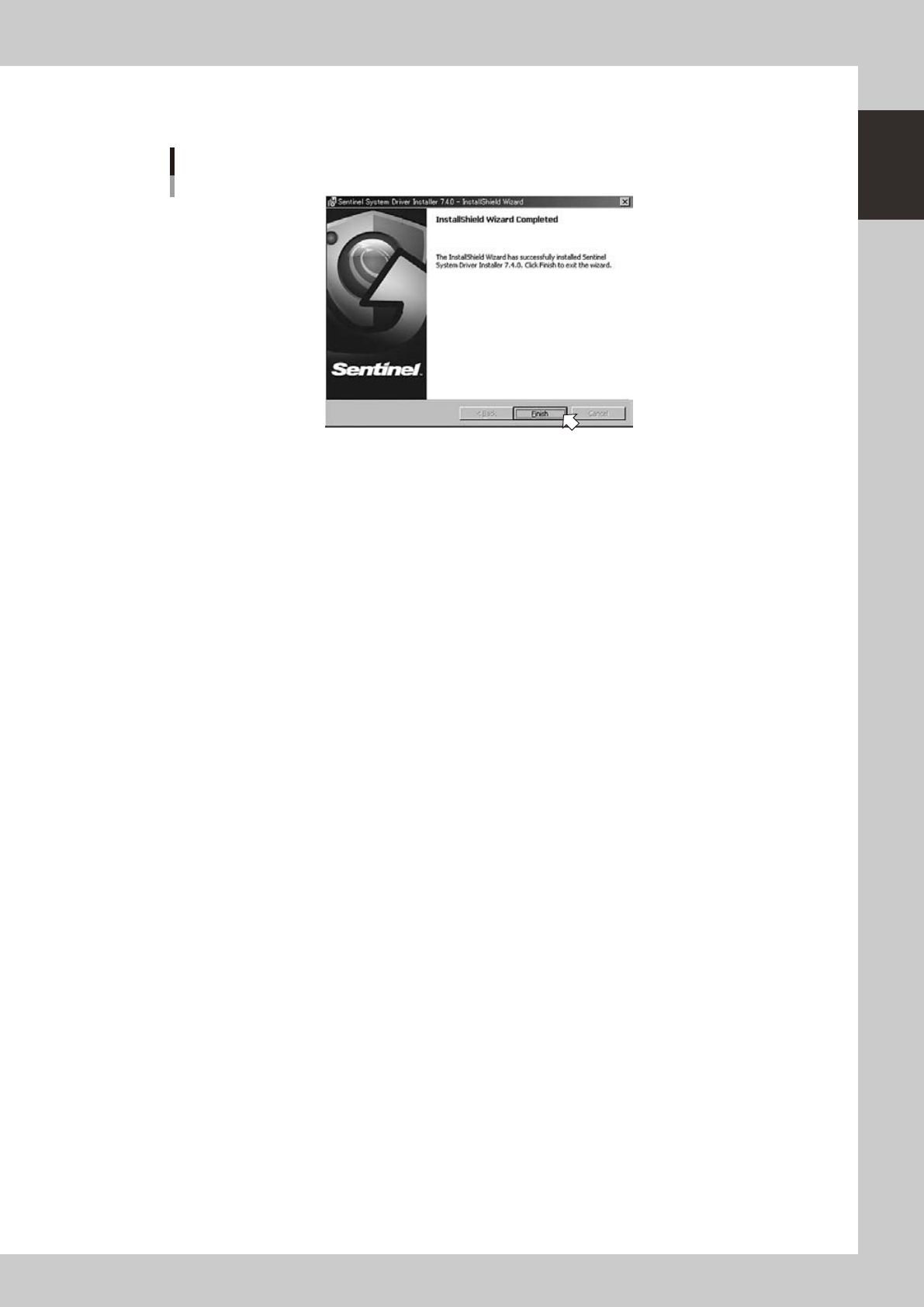
5. "InstallShield Wizard Completed" dialog box will appear when the installation is completed.
Click the [Finish] button to quit the "InstallShield Wizard".
“InstallShield Wizard Completed” dialog box
64116-S0-00
New installation of the hardware key driver is now completed.