EUS0153210_YFact_Standard_E.pdf - 第220页
4-45 4 Feeder Viewer 4.3 For 0 mount point par ts The mount point displays parts of 0 by the feeder viewer by this function. Th e layout is displayed distinguishing to judge that the mount point from parts of one or more…
4-44
4
Feeder Viewer
4.2.3 Error Message
n
Error Message in Optimizer
●
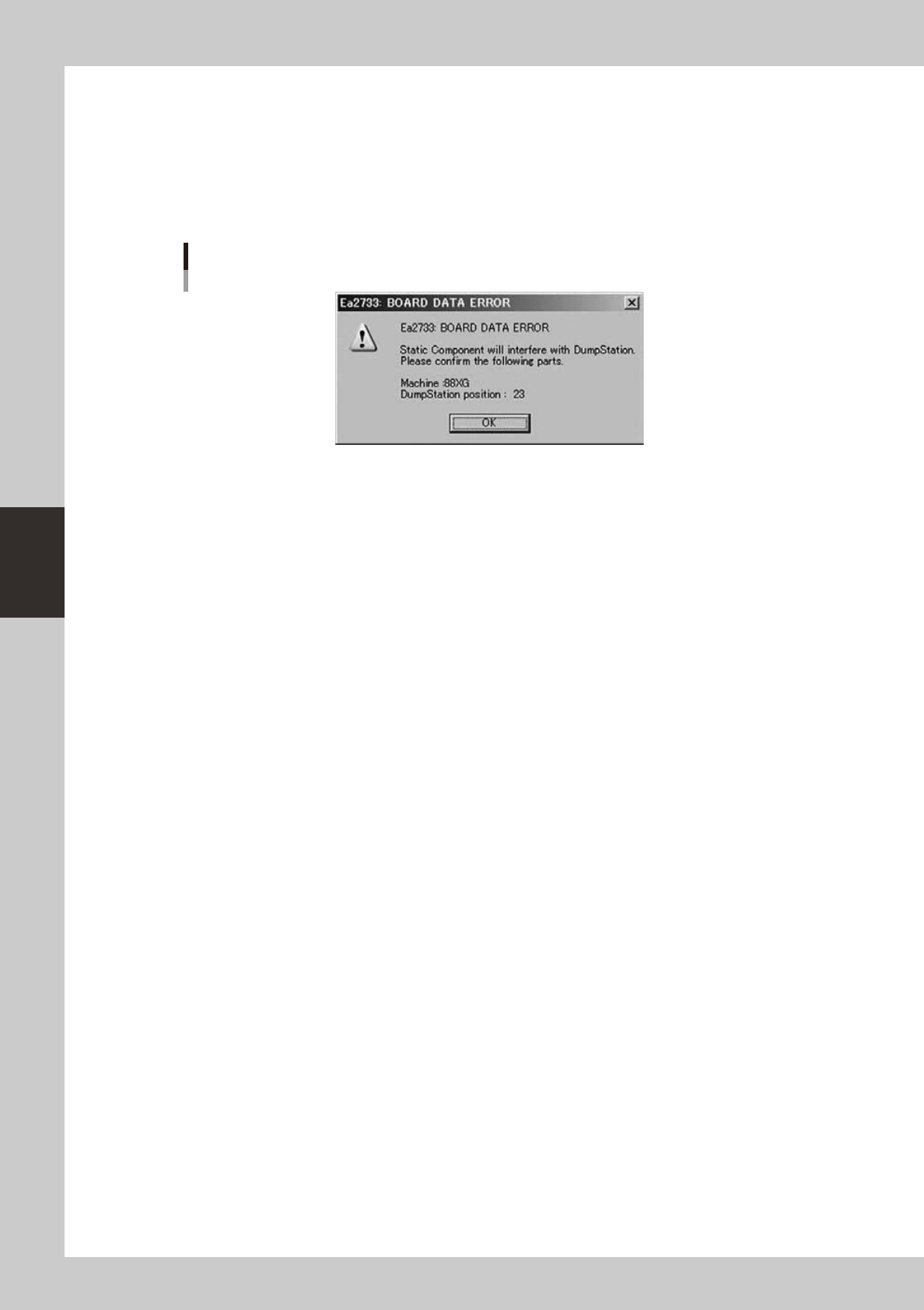
Interference with Fixed Feeder and Dump Station
WhentheinterferencewithDumpStationandFixedFeedersthatexistinfixedboards,thefollowingerrormessageis
displayed. In that case, move the Fixed Feeders in fixed boards manually.
Error Message
64467-S0-00
4.2.4 Limitations
n
About Optimizer in Machines
This function doesn’t exist in machines now.
Note that it is possible that Optimizer in Machines arranges feeders to the space where interference with
Feeders and Dump Station occurs.
• Solution
· Whenexecutingoptimizeatmachines,makesuretheFeederSetConditionis“AllPartsFixed”.
· Use Optimizer of Y.FacT when changing feeder set position.
n
About Limitation for “Auto” setting Dump Station
• Optimizer
1. Dump Station is not arranged when parts which use Dump Station exists only on fixed board or static components.
2.Ea2733(referto"4.2.3Errormessages")occurswhenfixedfeeder(Partswhichsettingof"UseFeederOptimize"is"No"
or Feeder Set Condition is“ All Parts Fixed”) and Dump station which state is "Auto" interfere. The Dump Station is not
removed automatically in this case.
• Feeder Viewer
In Feeder Interfere check, it is judged “interfere” when feeders and Dump station which state
is “Auto” interfere.
n
About setup direction for Dump station
Setup direction is not done to Dump Stations.
Setup Dump Station manually according to the setting of each Dump Station and optimizer result.
4-45
4
Feeder Viewer
4.3 For 0 mount point parts
The mount point displays parts of 0 by the feeder viewer by this function. The layout is displayed distinguishing
to judge that the mount point from parts of one or more. The mount point is possible and the movement, Move
parts, and Combine parts etc. of set No. are possible as well as parts of one or more.
4.3.1 Setting
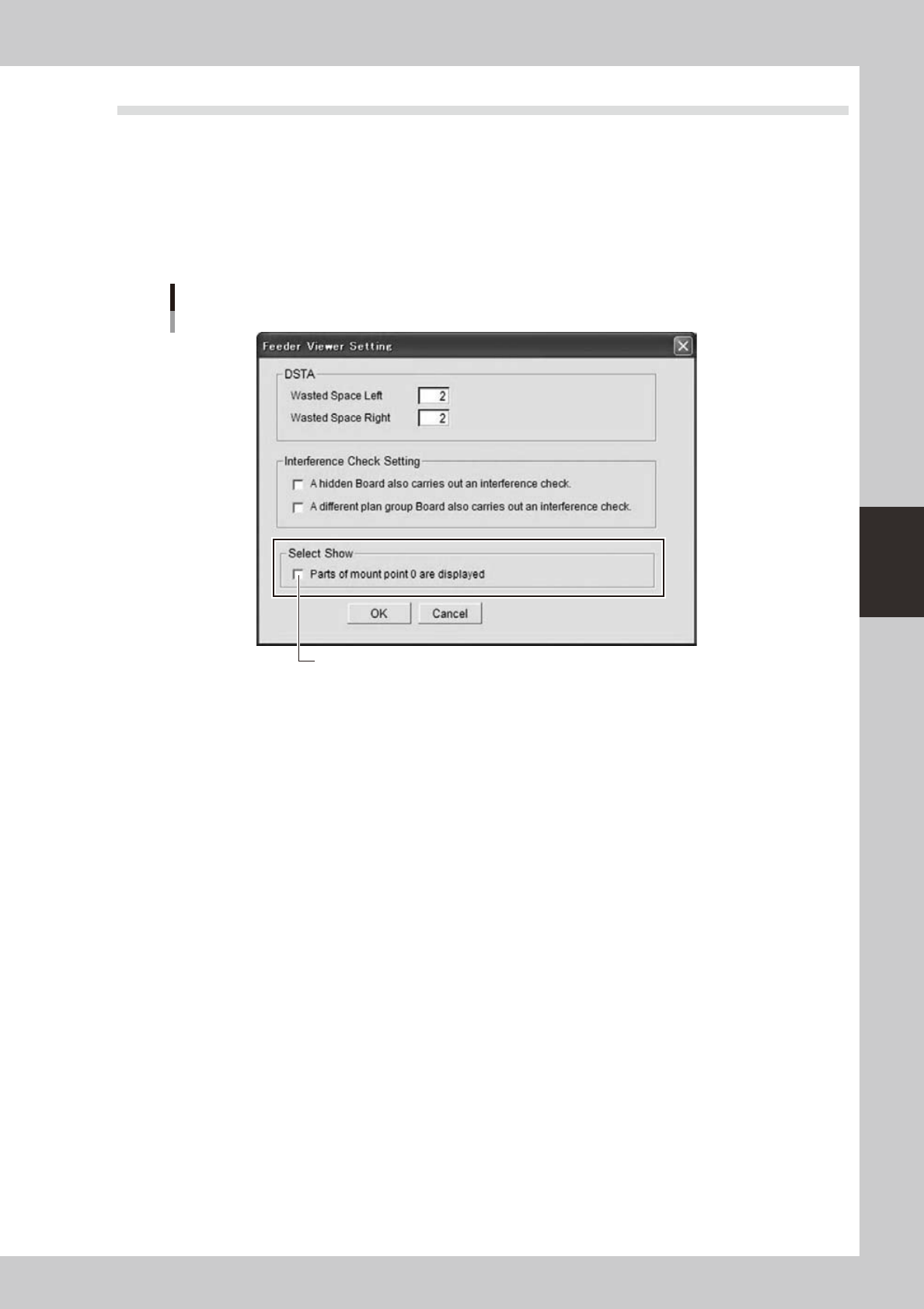
Setting is conducted with the “Feeder viewer setting” dialog box started from the “Feeder viewer setting” in the
“Maintenance” menu of the feeder viewer.
Feeder Viewer Setting dialog
It is effective to put the check.
64468-S0-00
Ticking the “Show part with 0 mount point” enables the function and shows parts with 0 mount point.
Unticking the check box disables the function and parts with 0 mount point will not be shown.
4-46
4
Feeder Viewer
4.3.2 Display
n
Feeder layout display
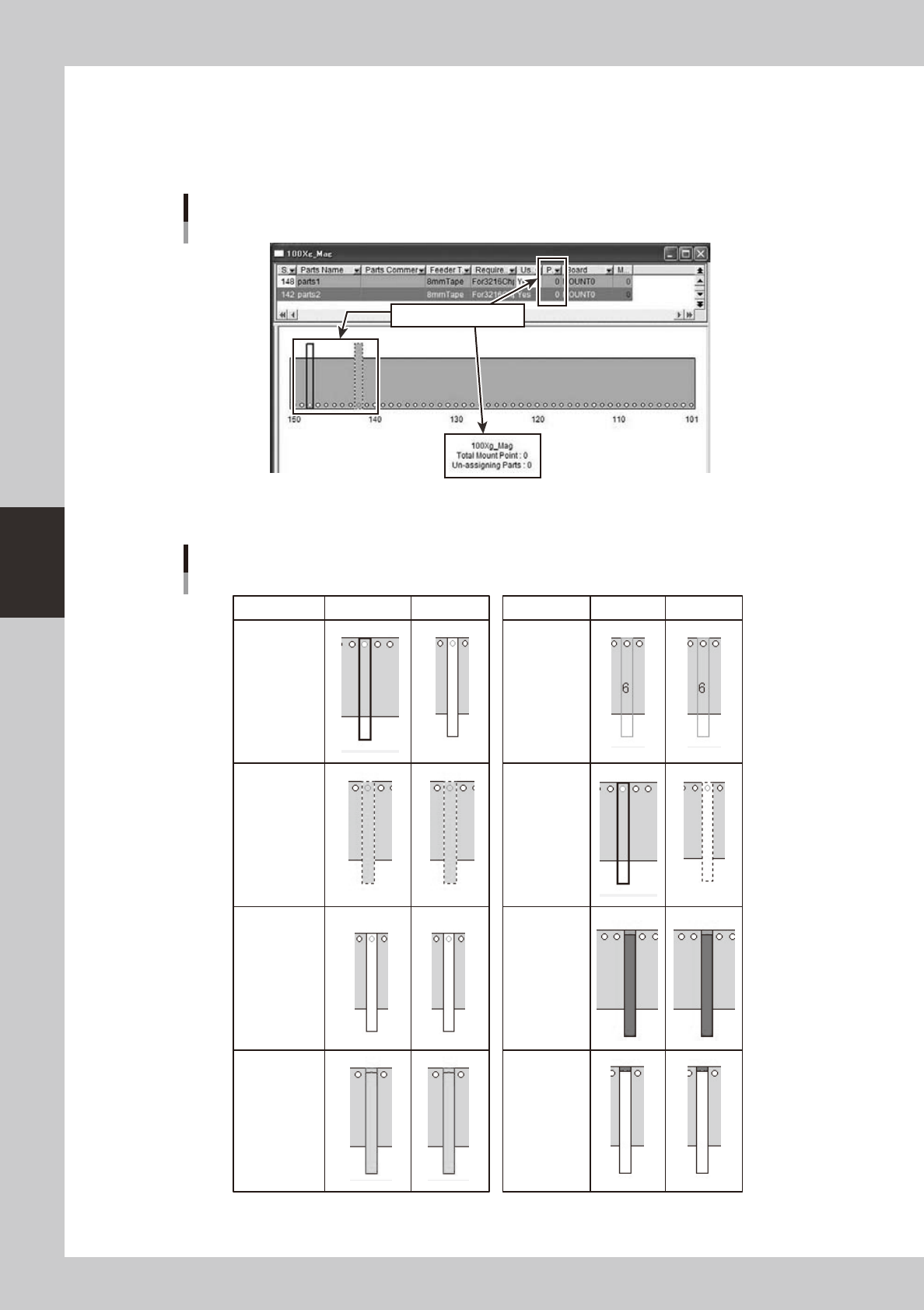
Parts of mount point 0 are registered in plan information, and plan layout comes to be displayed.
Plan layout
Display by mount point 0
64469-S0-00
The display changes into the plan layout according to the state as follows.
Plan layout
Effective Invalidity Effective Invalidity
Common
parts
including
mount point 0
(no change)
Board
(no change)
At interference
(no change)
Parts
amount
(no change)
Usually
At the drug
(no change)
At selection
(no change)
At
non-active
when
selecting
63400-S0-00