EUS0153210_YFact_Standard_E.pdf - 第226页
4-51 4 Feeder Viewer 5.3 “Production Plan”-“Plan Board Order Change” dialog is extended It is extended for board count of each lane and sorting by board count. [Plan Board Or der Chang e] dialog 64483-S0-00 5.4 “Optimize…
4-50
4
Feeder Viewer
5. Multi Lane Support
Additional features supporting the dual lane machine are listed below.
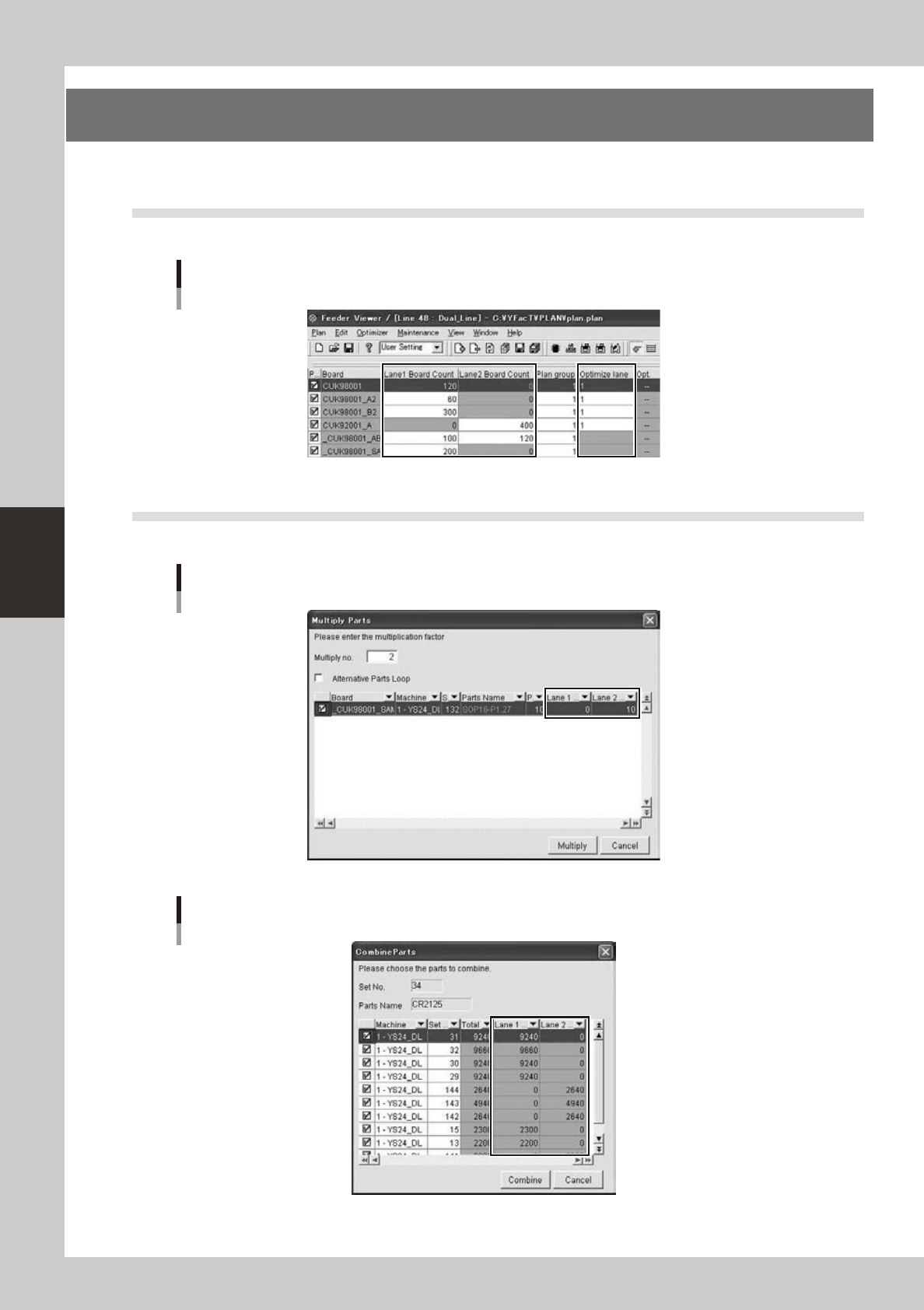
5.1 Production board list is extended
It is extended for board count of each lane. “Optimize lane” is active only for single board data.
Production board list
64480-S0-00
5.2 [Multiply Parts] and [Combine Parts] dialog are extended
It is extended for parts count of each lane.
[Multiply Parts] dialog
64481-S0-00
[Combine Parts] dialog
64482-S0-00
4-51
4
Feeder Viewer
5.3
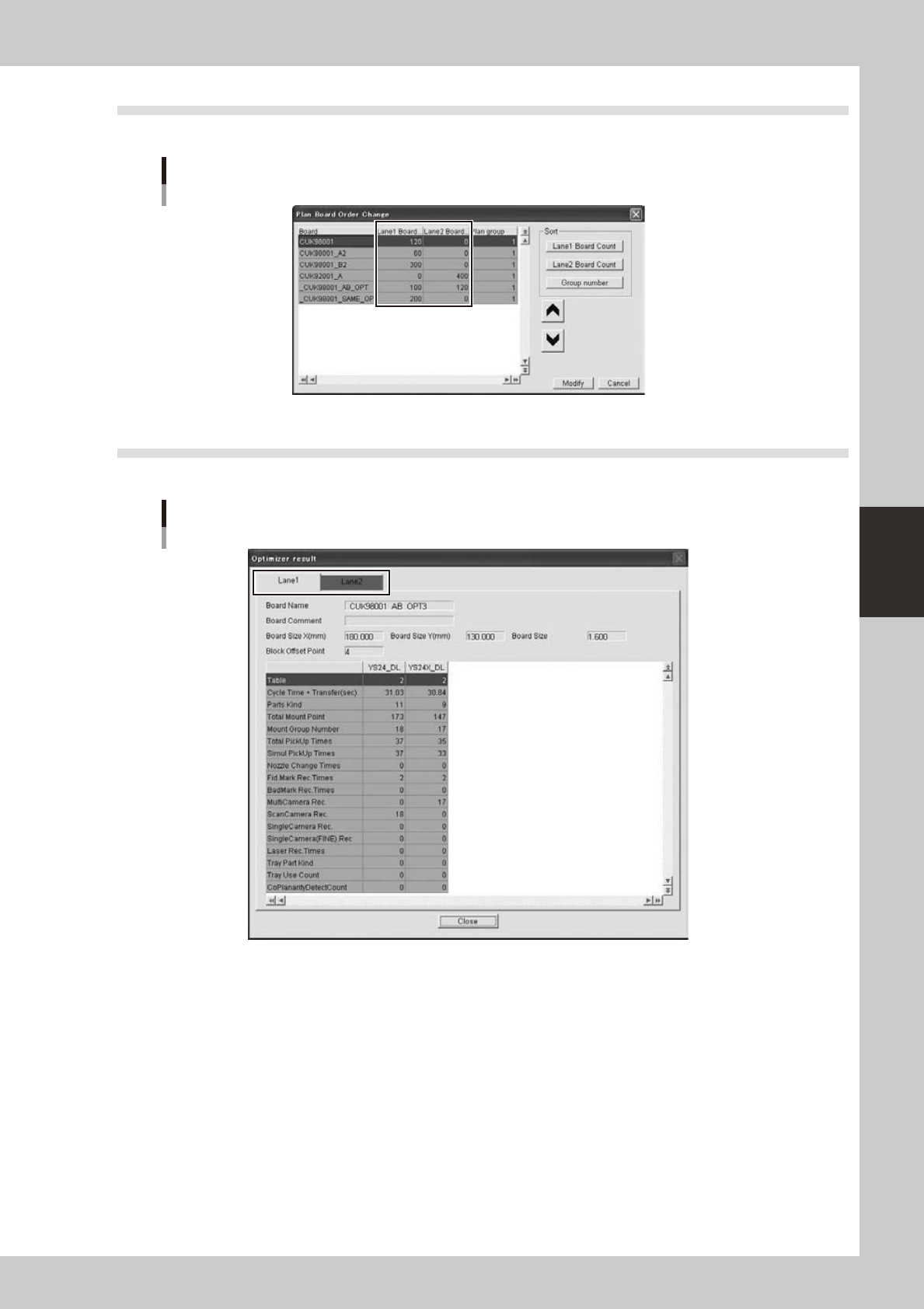
“Production Plan”-“Plan Board Order Change” dialog is extended
It is extended for board count of each lane and sorting by board count.
[Plan Board Order Change] dialog
64483-S0-00
5.4 “Optimizer”-“Optimizer Result” is extended
It is extended for each lane. It is same with Optimizer application.
[Optimizer Result] dialog
64484-S0-00