EUS0153210_YFact_Standard_E.pdf - 第188页
4-13 4 Feeder Viewer 6. [Plan layout] button Displays the layout of feeder setups, tray changer setups or wafer tray changer setups. Reference The [Plan layout] button has the same function as the "Plan layout"…
4-12
4
Feeder Viewer
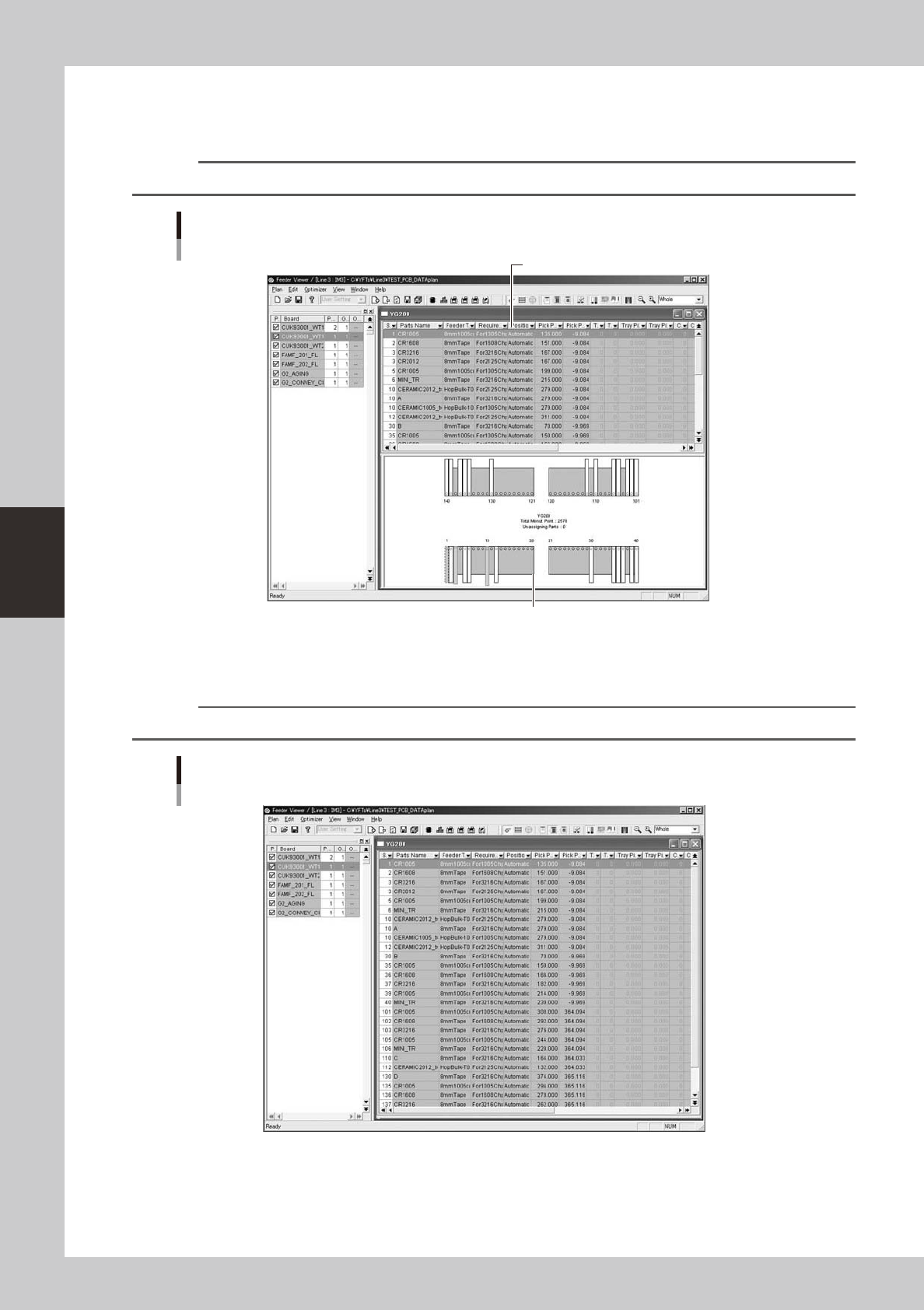
4. [Plan Info] button
Displays the setup information on feeders, tray changer or wafer tray changer used with each machine, by retrieving it
from the board data in the production board list.
Reference
The [Plan info] button has the same function as the "Plan info" command in the View menu.
Plan information screen
Feeders
Parts setup information
Feeder setup layout
64417-S0-00
5. [Plan list] button
Displays the list of feeder setups, tray changer setups or wafer tray changer setups.
Reference
The [Plan list] button has the same function as the "Plan list" command in the View menu.
Parts setup information screen
64418-S0-00
4-13
4
Feeder Viewer
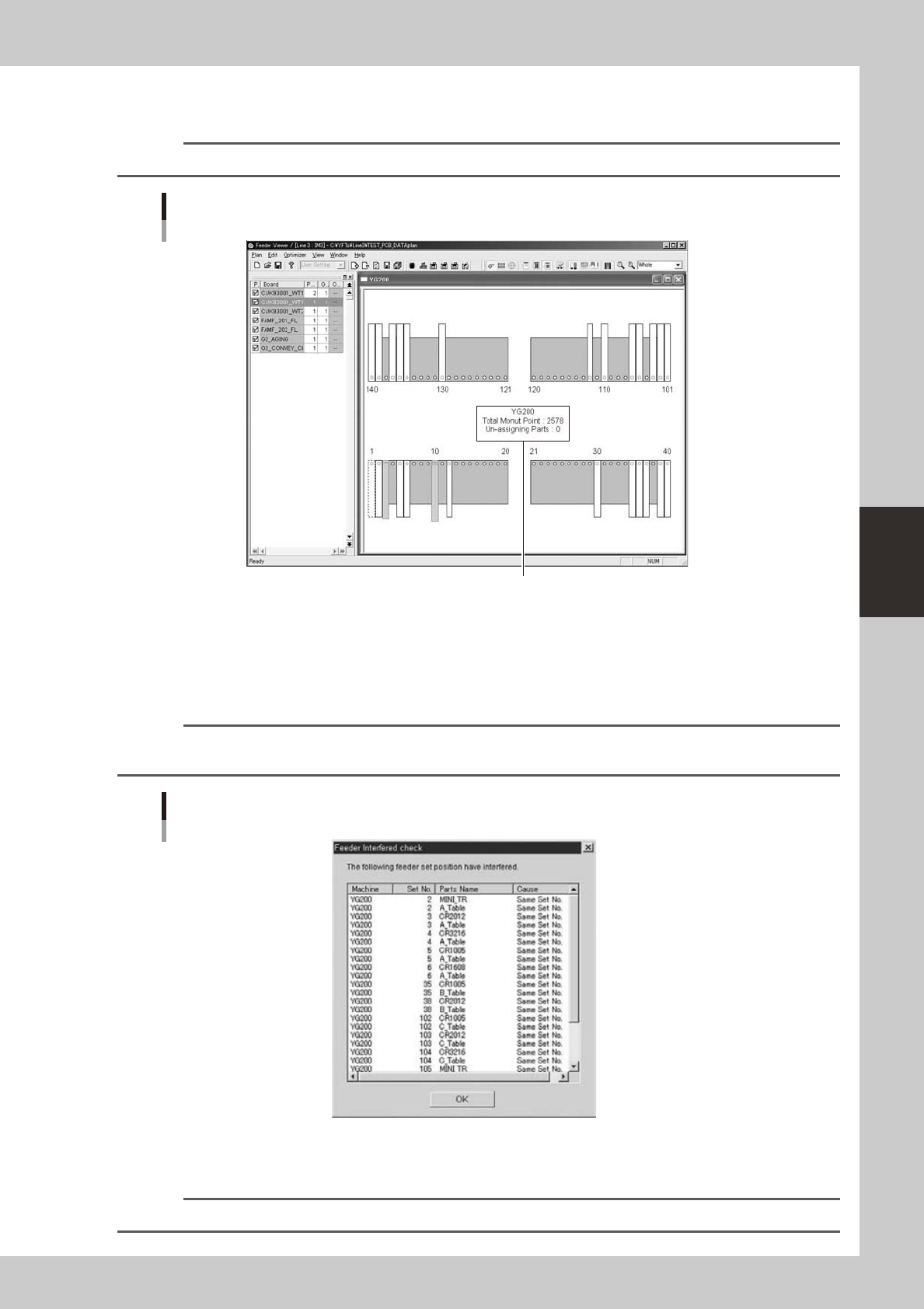
6. [Plan layout] button
Displays the layout of feeder setups, tray changer setups or wafer tray changer setups.
Reference
The [Plan layout] button has the same function as the "Plan layout" command in the View menu.
Setup layout screen
Feeders
Machine name, number of parts whose feeder set position is unspecified,
and total number of mounting points are shown in the center of the layout.
64419-S0-00
7. [Interference check] button
Checks whether the feeder positions interfere with a moving part in each machine.
If feeders that might cause interference are found, a dialog box appears to show a list of those feeder set positions.
(Feeder positions on all machines are checked.)
Reference
The [Interference check] button has the same function as the "Execute interference check of feeder" command in
the View menu.
Dialog box showing results of feeder interference check
64420-S0-00
Whenyouclickthe[OK]buttonintheabovedialogbox,thefeederpositionsthatmaycauseinterferenceareshownin
red on the feeder setup layout.
n
NOTE
This interference check also confirms the feeders where no head can reach.
4-14
4
Feeder Viewer
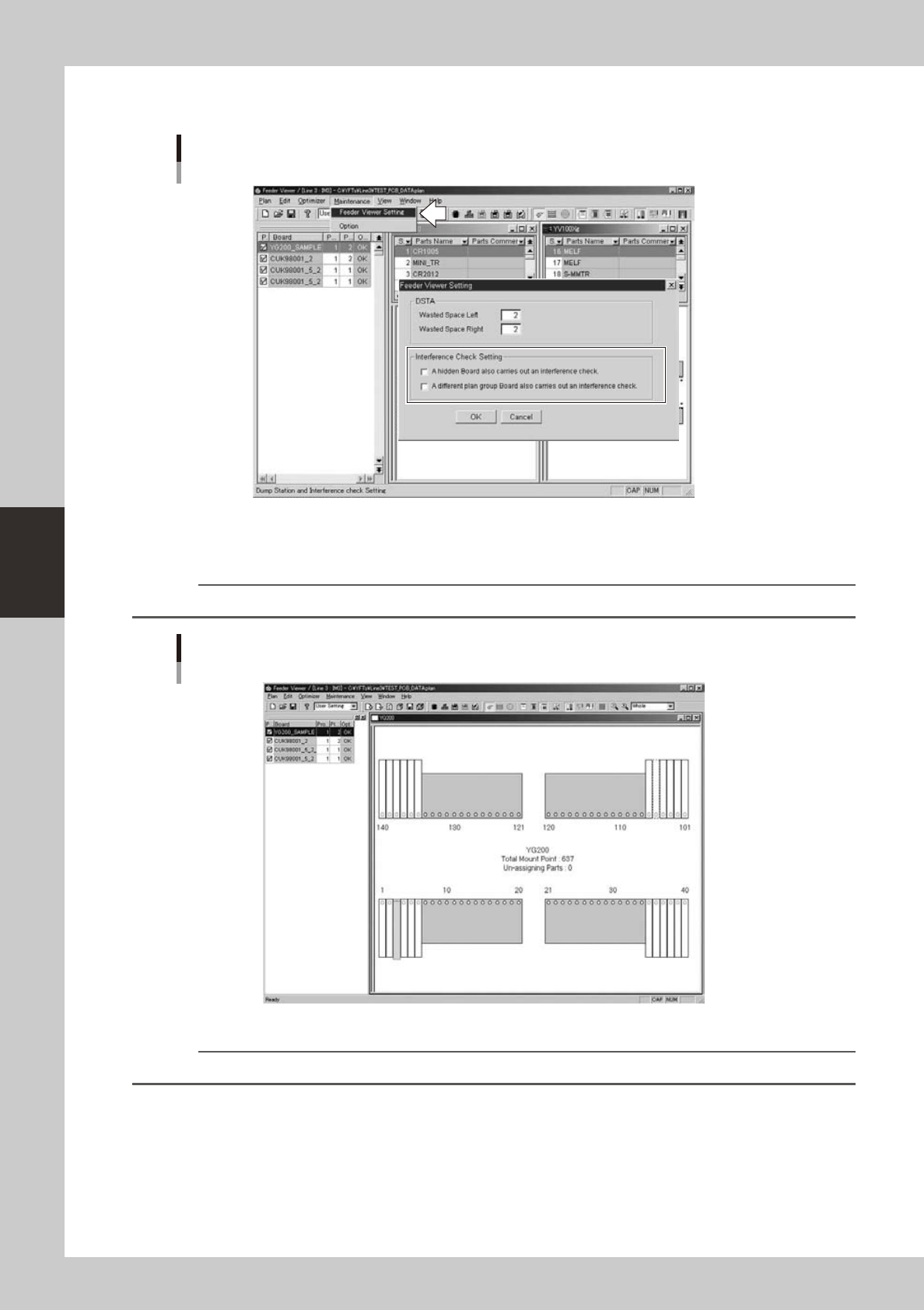
You can set conditions to perform a feeder interference check, by selecting “Feeder Viewer Setting” from the
Maintenancemenu.Markthecheckboxesasneededinthedialogboxthatappearsandclickthe[OK]button.
Setting for feeder interference check
64421--S0-00
8. [Show feeder interference] button
Displays (or hides) the feeders in red that might cause interference.
Reference
This button has the same function as the "Interfere Status" command in the View menu.
Feeder interference check screen
Feeder setup layout
64422-S0-00
n
NOTE
The feeders where no head can reach are also shown in red.