EUS0153210_YFact_Standard_E.pdf - 第172页
3-52 3 Board Editor 4.3 "Lane" column is added on "Mount" information It shows which lane each mount data.on YGX(Combined) board data, when mount information for each lane is opened,[Mount]columnis…
3-51
3
Board Editor
4. Multi Lane Support
Additional features supporting the dual lane machine are listed below.
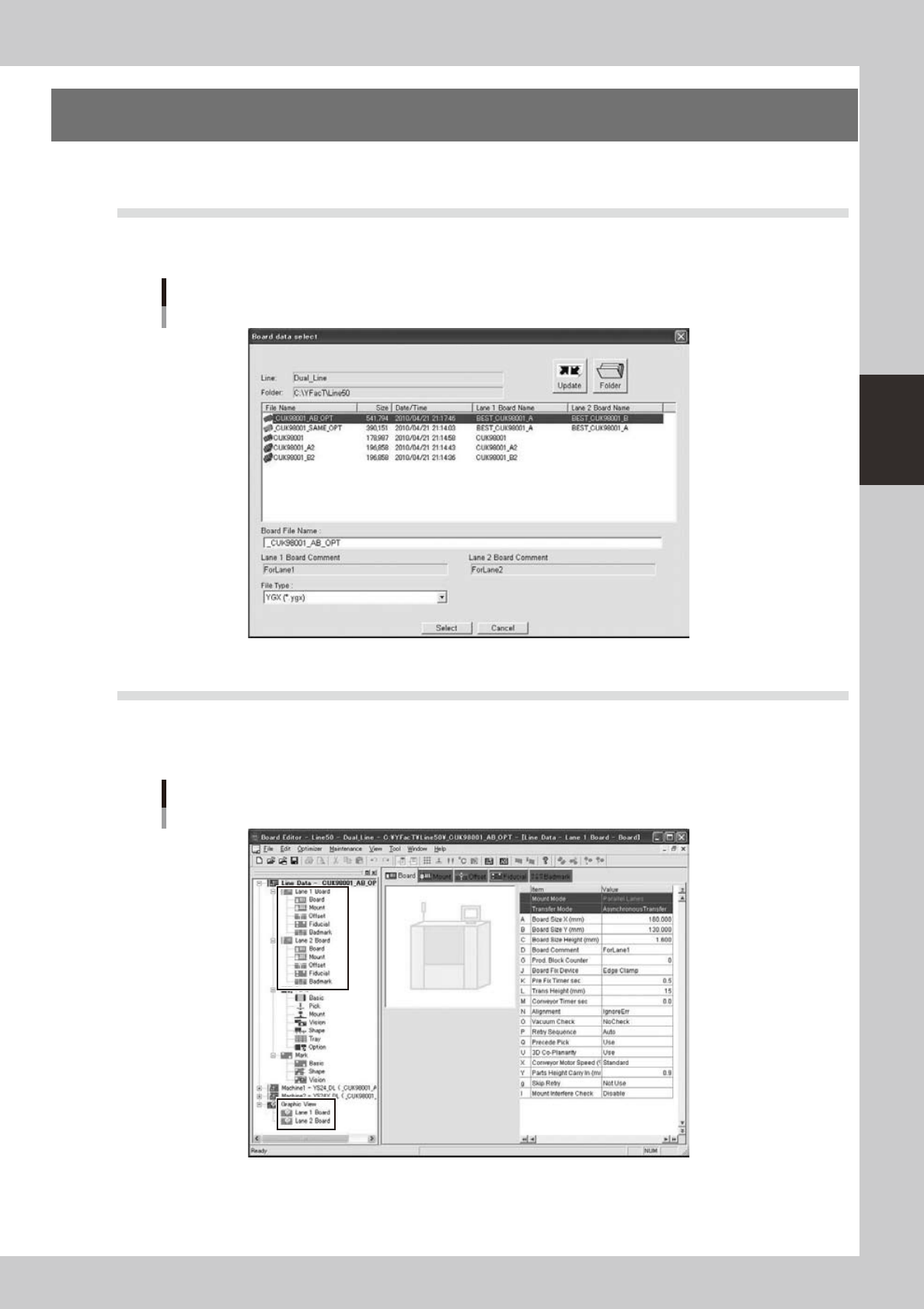
4.1 Board data select dialog is extended
"Lane 1 Board Name", "Lane 1 Board Comment", "Lane 2 Board Name", "Lane 2 Board Comment" are added.
On the line without dual lane machine, the former dialog is displayed.
Board data select dialog
64380-S0-00
4.2 The tree view is extended
Laneinformationisdisplayedinthetreeview.WhenreadingYGX(Combined)boarddata,[Lane1Board],
[Lane2Board]aredisplayedbelowtheboarddataandgraphicviewicon,andwhenselected,theinformation
for each lane is displayed in the main view.
Tree view
64381-S0-00
3-52
3
Board Editor
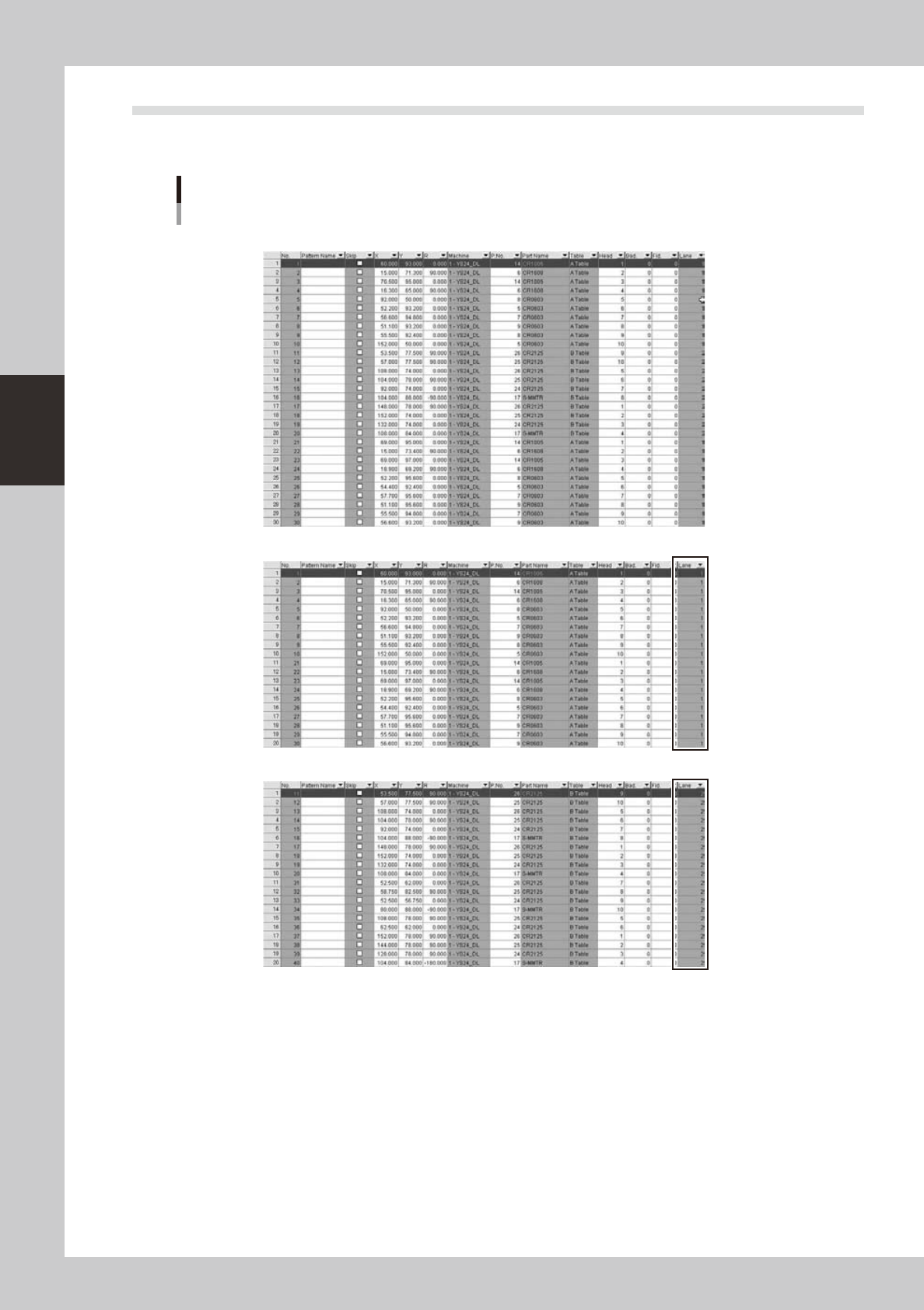
4.3 "Lane" column is added on "Mount" information
It shows which lane each mount data.on YGX(Combined) board data, when mount information for each lane is
opened,[Mount]columnisfilteredbyselectedlane.
“Lane” column is added
“Original Data”
Mount information of “Lane 1 Board” is selected
Mount information of “Lane 2 Board” is selected
64382-S0-00
3-53
3
Board Editor
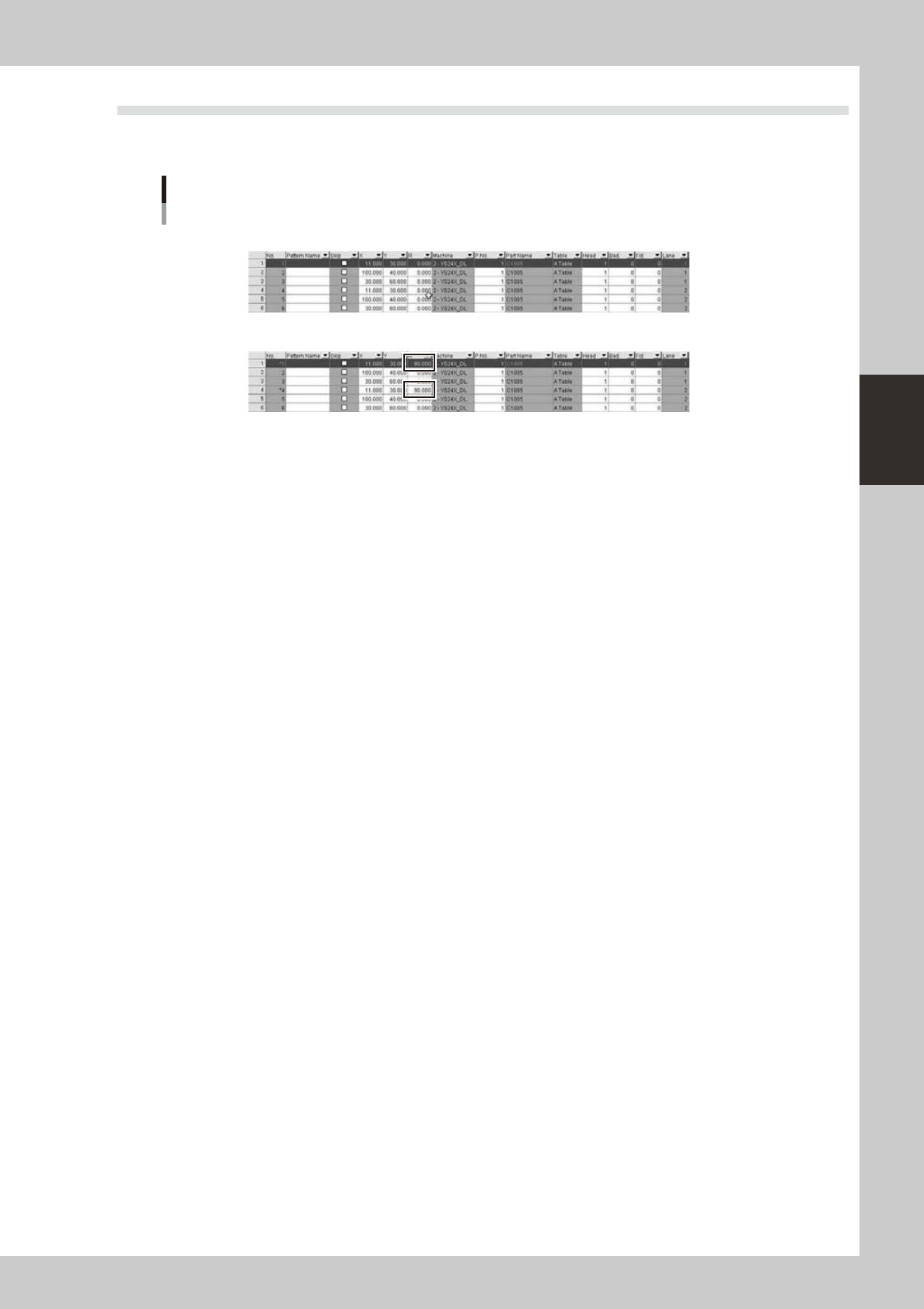
4.4 Edit single combined program
On single combined program, mount information of each lane is same because each lane mounts on same
board. So mount information of all lane are changed if its of one lane is changed.
Edit single combined program
“Befor”
“After” If Mount information of lane 1 is changed, its of lane 2 is also changed.
64383-S0-00