EUS0153210_YFact_Standard_E.pdf - 第207页
4-32 4 Feeder Viewer 3.6.2 Moving a feeder between machines You can also move a feeder between machines registered in the same line. Whenafeederismovedtoanothermachine,thepartssetupinformationofthatfeederi…
4-31
4
Feeder Viewer
2
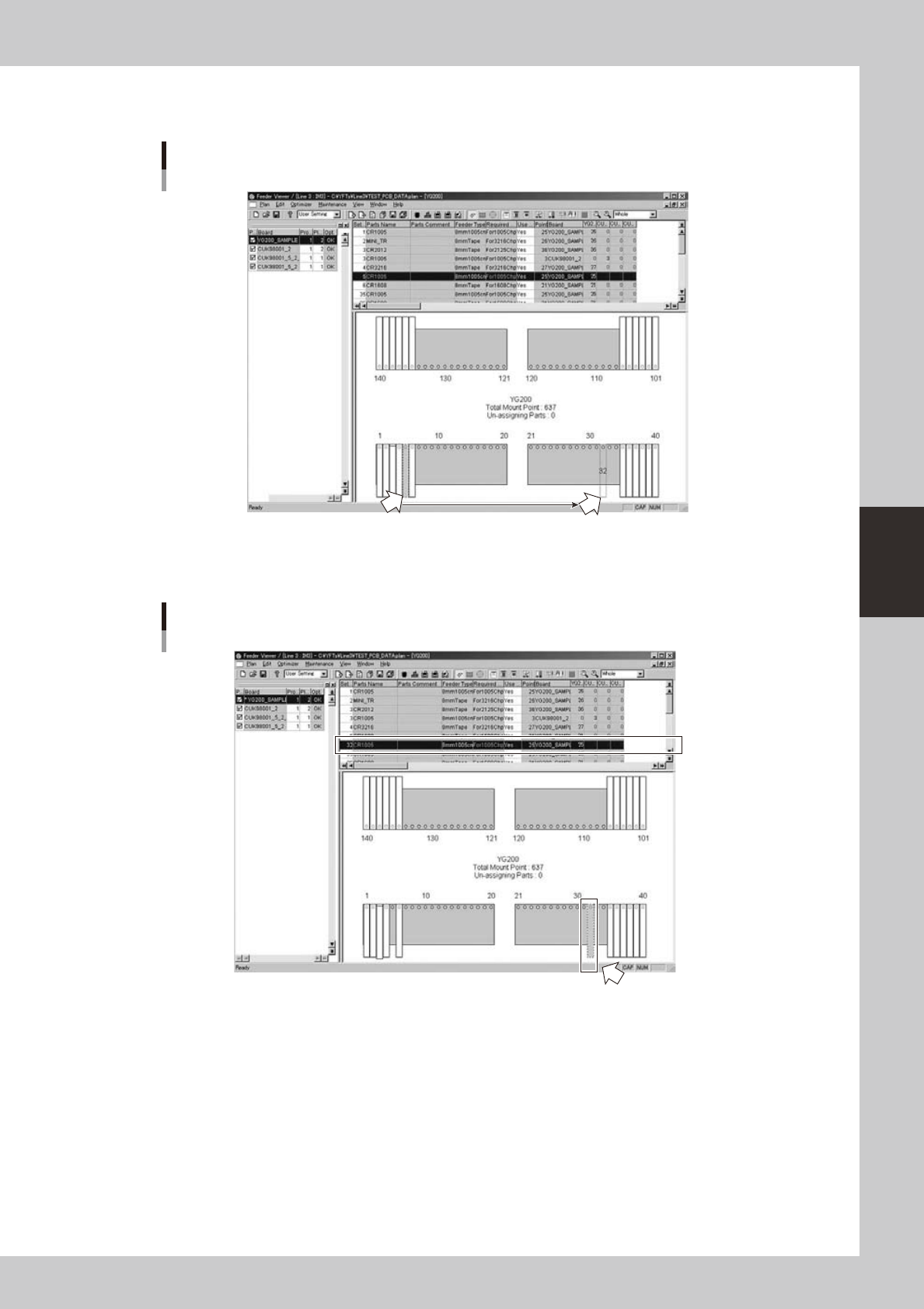
Move the feeder.
Drag and drop the feeder to the desired position on the feeder plate.
Moving the feeder by drag and drop
Drag and drop with mouse.
64448-S0-00
When you have moved the feeder, the Set No. (leftmost column) changes to the number at the new
position
Display after moving the feeder
The Set No.
changes to the
new number.
New position to which the feeder was moved.
64449-S0-00
3
Save the data.
Save the edited board data as described in the preceding section "3.5 Saving the board data."
4-32
4
Feeder Viewer
3.6.2 Moving a feeder between machines
You can also move a feeder between machines registered in the same line.
Whenafeederismovedtoanothermachine,thepartssetupinformationofthatfeederisalsomoved.
1
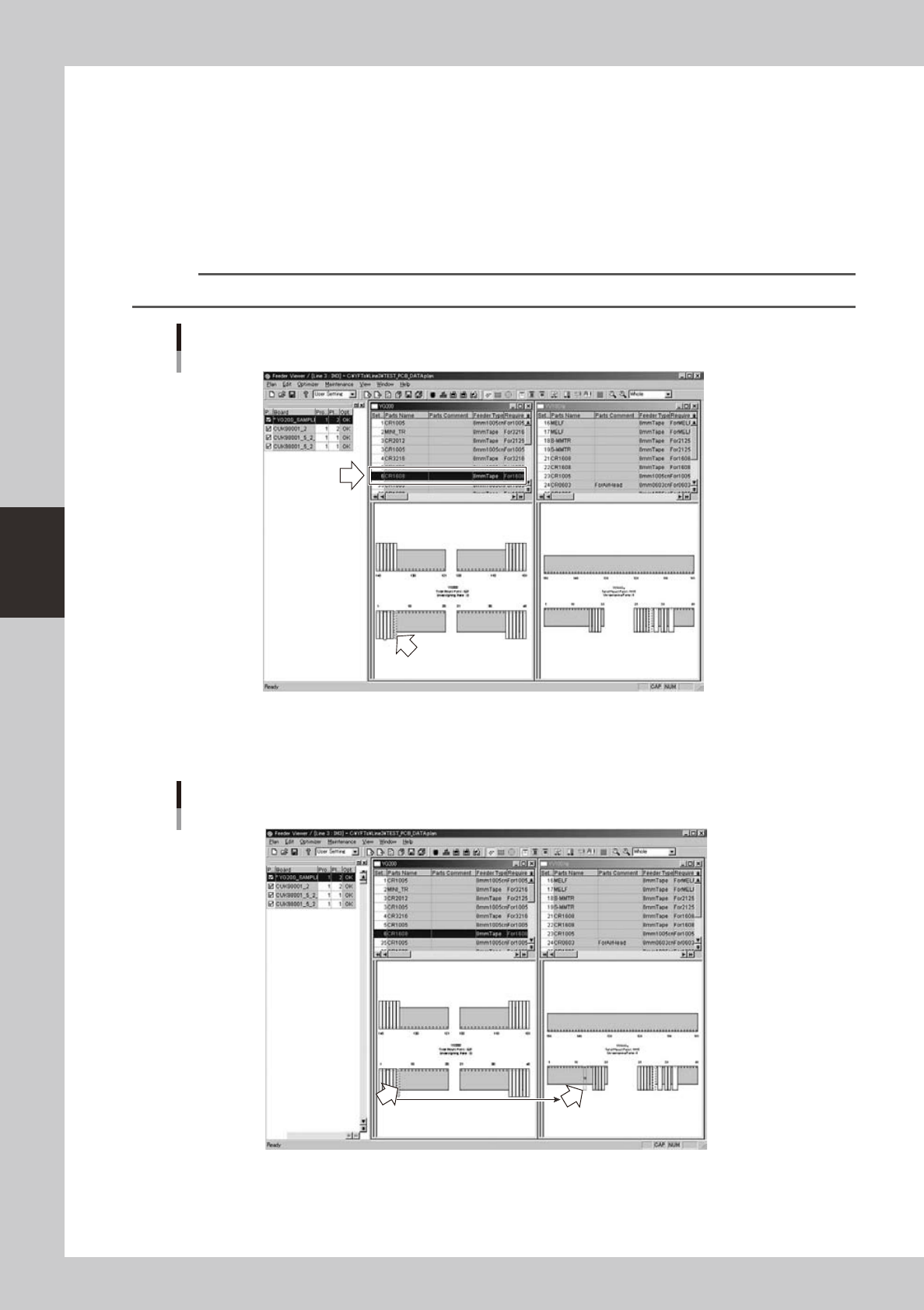
Select the feeder you want to move.
On the feeder plate layout, click the feeder you want to move.
The selected feeder is then enclosed by a broken line.
When the parts setup information list is displayed in the upper grid, the selected feeder row is
highlighted.
Reference
When the parts setup information list is displayed in the upper grid, you can also select a feeder by clicking on its row.
Selecting the feeder you want to
64450-S0-00
2
Move the feeder.
Drag and drop the feeder to the desired position on the feeder plate of another machine.
Moving the feeder by drag and drop
Drag and drop with mouse.
64451-S0-00
4-33
4
Feeder Viewer
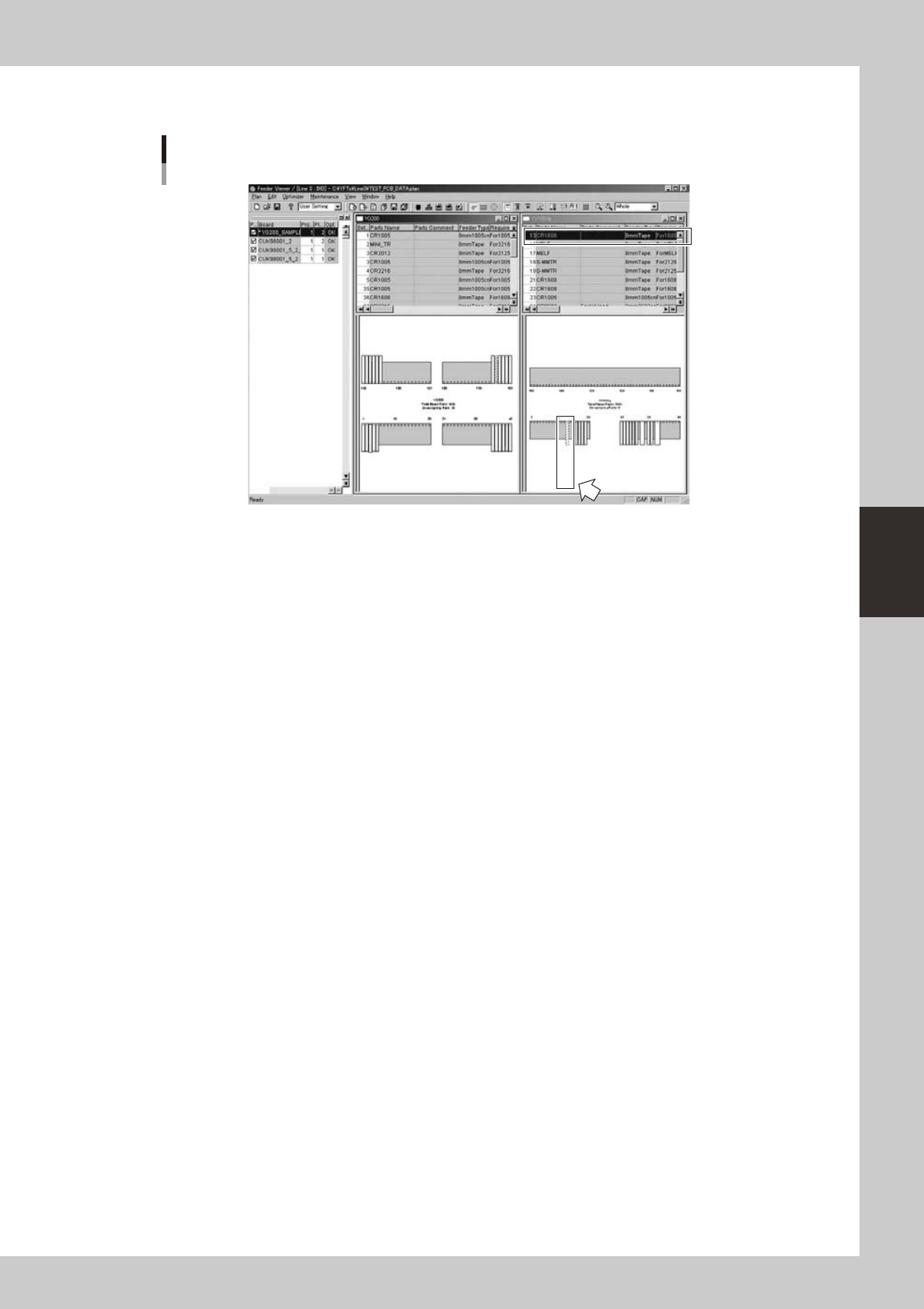
When you have moved the feeder, the parts setup information of that feeder is added to the parts
setup information list of the machine where the feeder was moved.
Display after moving the feeder
The Set No.
changes to the
new number.
New position to which the feeder was moved.
64452-S0-00
3
Save the data.
Save the edited board data as described in the preceding section "3.5 Saving the board data."