00193922-01.pdf - 第213页
User Manual SIPLAC E HF Series 5 Tasks on the m achine Software Vers ion SR.505.xx 05/2004 US Edition 5.3 Carrying out a walk-through inspe ction 213 5.3 Car rying out a walk-thr ough inspection 5.3.1 Check ing the feede…

5 Tasks on the machine User Manual SIPLACE HF Series
5.2 Changing shift Software Version SR.505.xx 05/2004 US Edition
212
5.2 Changing shift
Æ Splice the tapes early. The feeders do not have to be refilled as soon as the new shift starts.
This avoids extended down times.
Æ At the shift change, pass important information on to the next operator. This includes, for in-
stance, changes to the placement program. Also read through the list of the descriptions of the
steps to take in section 5.5
.
Æ Carry out a set-up check.
Make sure that the feeders are equipped with the correct components and that they are at the
correct locations in the component trolley.
NOTE
Hand over the line in the same state that you would want to find it in when starting your shift.
This means that: 5
– The rejection containers are empty.
– The waste containers are empty.
– The conveyor areas have been cleaned with a vacuum cleaner.
User Manual SIPLACE HF Series 5 Tasks on the machine
Software Version SR.505.xx 05/2004 US Edition 5.3 Carrying out a walk-through inspection
213
5.3 Carrying out a walk-through inspection
5.3.1 Checking the feeders
Æ Make sure that the tape is correctly placed in the springs of the S feeder.
5
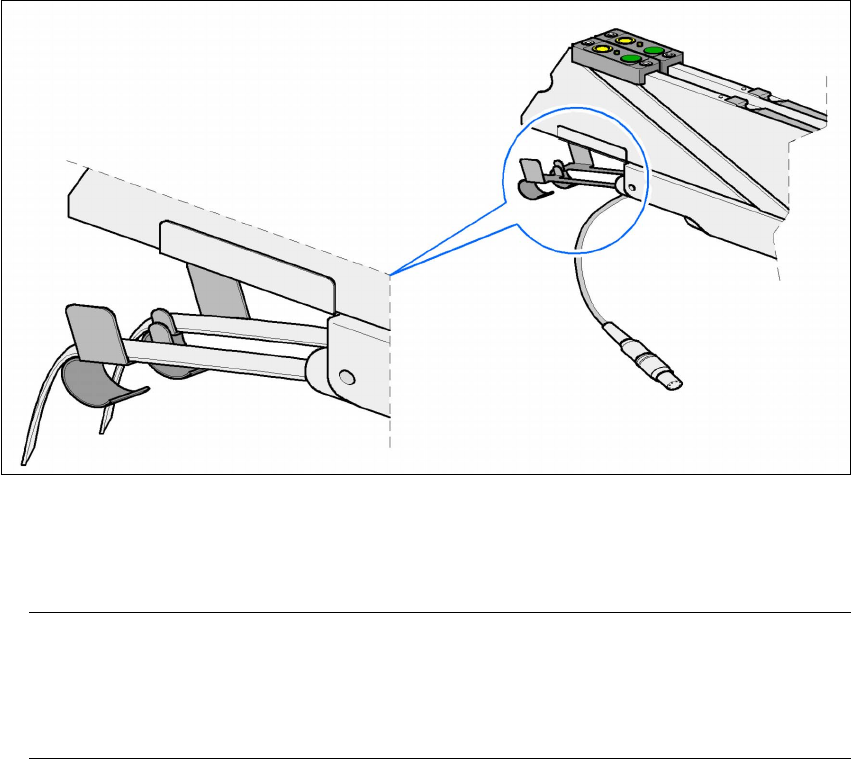
Fig. 5.3 - 1 Placing the tape in the springs of the S feeder
Æ Check to see whether the tape foil removal container for the S feeder is full.
If it is full, then pull out the foil and cut it off with scissors.
NOTE
Tearing the foil instead of cutting it can lead problems with the tape removal mechanism.
For this reason the 3 x 8 mm feeders are fitted with an integral cutter. This is in the tape foil
removal container at the end of the feeder under the flaps. 5
Æ Check to ensure that the pick-up window on the feeder is the right size for the component.
Æ Check to see whether tape guides are inserted on combination feeders (24 mm / 32 mm).
Æ Check to see whether the additional plastic guide is inserted on combination feeders.
5.3.2 Checking the PCB supports
Æ Check the magnetic PCB supports on the lifting table. They must be arranged so that they do
not collide with components on the bottom of the PCBs.

5 Tasks on the machine User Manual SIPLACE HF Series
5.3 Carrying out a walk-through inspection Software Version SR.505.xx 05/2004 US Edition
214
5.3.3 Splicing the tape in good time
PLEASE NOTE:
Splice the tapes early enough so that the feeders do not become empty. Otherwise you will
experience prolonged down times.
However, do not splice the tapes too early because if you wind the end of the old tape onto
the new reel after splicing, the reel holding the new tape may become overfilled and the tape
will slip off the reel and become tangled up. This will again result in pick-up errors and pro-
longed down times. 5
5.3.4 Inserting dividing plates in the tape container
Æ
Insert the dividing plates as shown in Fig. 5.3 - 2 and remember that the smallest division of the
tape container is a 2x division. This will help avoid placement errors.
Æ Check that the dividing plates engage in the same positions on the three guide rails. Otherwise
the dividing plate will be offset or bent.