PPS Pro version 8.2.pdf - 第16页
User Manual 4022 591 98247 12 PPS-Pro v8.2 05.07 General Introduction SCREEN 4 Control-item s 1.7 Window icons SCREEN 5 Windows™ i cons ■ Style in text: Win dow I con names (see SCREEN 5 on pa ge 12) are prin te d in bol…
4022 591 98247 User Manual
05.07 PPS-Pro v8.2 11
General Introduction
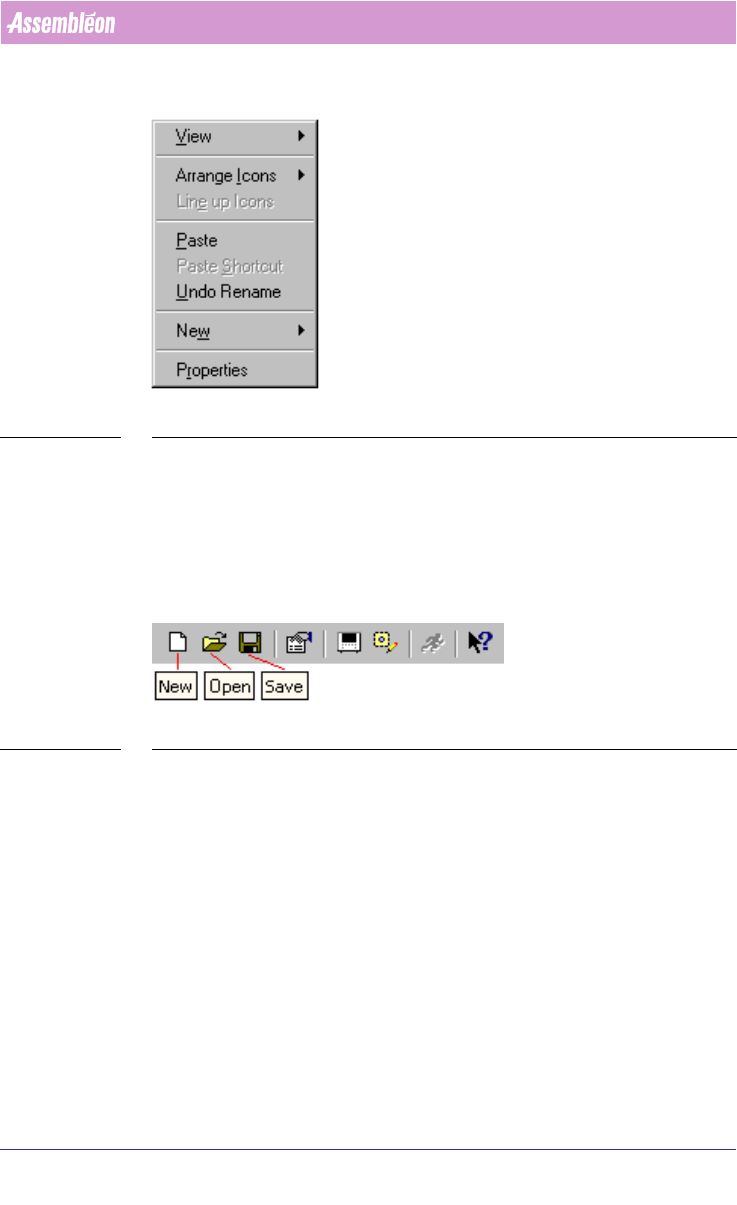
SCREEN 2 Pop-up menu-items
1.5 Toolbar
■ Style in text: Toolbar icons are printed in bold. First the function of the
icon followed by “icon”.
■ Example: New icon, Open icon, Save icon (see SCREEN 3 on page 11).
SCREEN 3 Toolbar with icons
1.6 Control-items
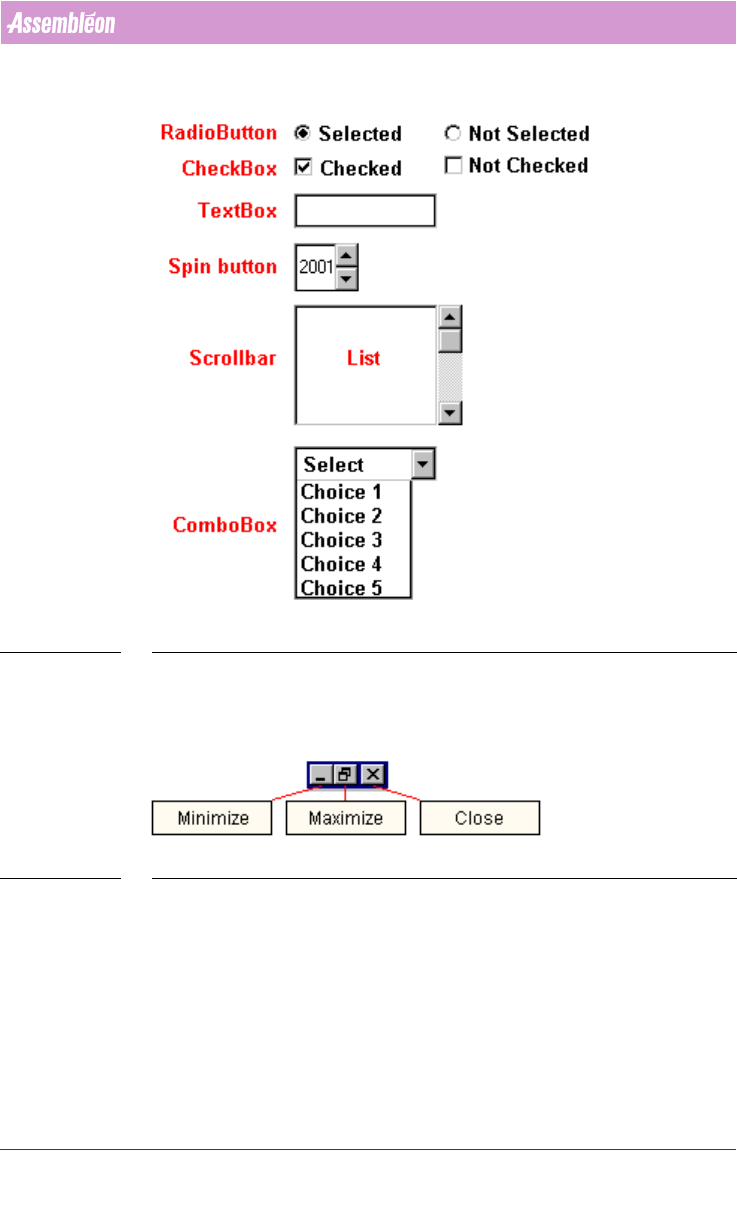
■ Style in text: Control item names (see SCREEN 4 on page 12) are printed in
italic. First the name of the item followed by the type of the controlitem.
■ Example: Surface-mount checkbox (see SCREEN 7 on page 13).
User Manual 4022 591 98247
12 PPS-Pro v8.2 05.07
General Introduction
SCREEN 4 Control-items
1.7 Window icons
SCREEN 5 Windows™ icons
■ Style in text: Window Icon names (see SCREEN 5 on page 12) are printed
in bold. First the function of the icon followed by “icon”.
■ Example: Minimize icon, Maximize icon and Close icon.
4022 591 98247 User Manual
05.07 PPS-Pro v8.2 13
General Introduction
1.8 Window, Dialog
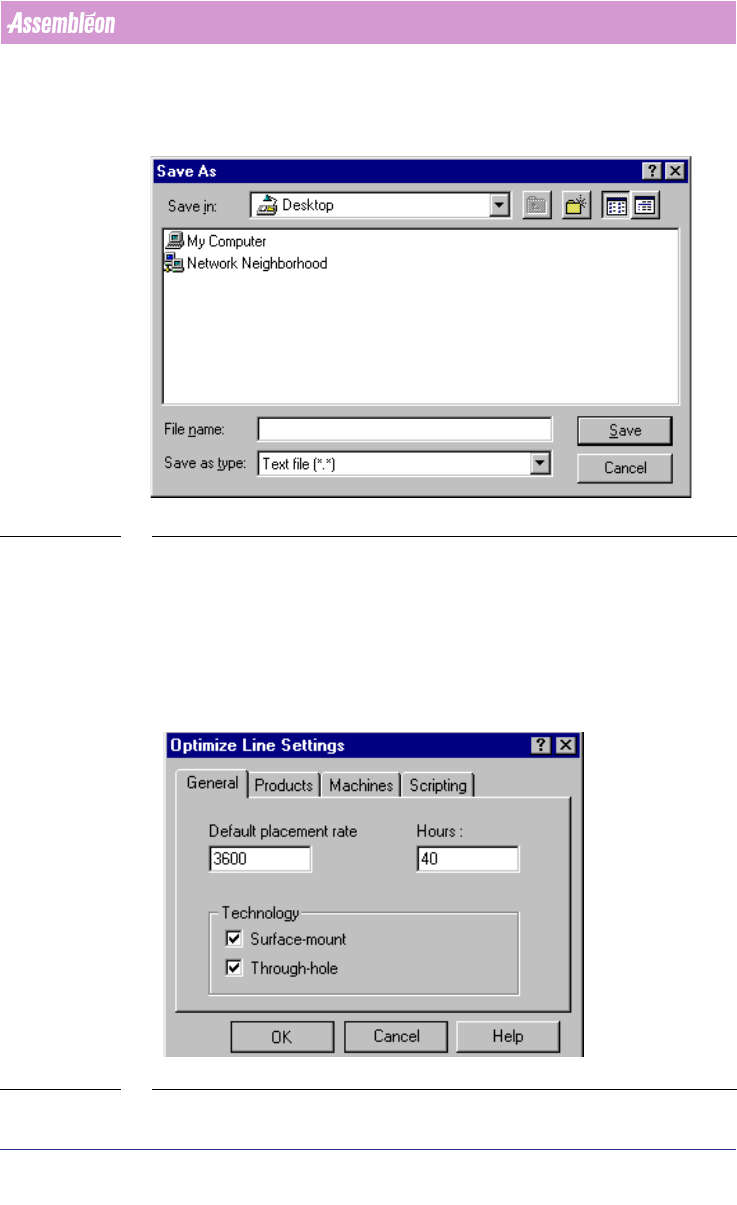
SCREEN 6 Save dialog
■ Style in text: Window and Dialog names (see SCREEN 6 on page 13) are
printed in italic. First the name of the window/dialog followed by
“window” or “dialog”.
■ Example: Save As dialog.
1.9 Tab, Field, Frame, Button
SCREEN 7 Tab - Field - Frame - Button