PPS Pro version 8.2.pdf - 第55页
4022 591 98 247 User Manual 05.07 PPS-Pro v8.2 51 PPS-Pro GUI Consid er the foll owing pan el (see FIGURE 6 on pag e 51) . FIGURE 6 P anel Startin g P o int This pan el satisfie s the r equirem ents f or addi ng fidu cia…
User Manual 4022 591 98247
50 PPS-Pro v8.2 05.07
PPS-Pro GUI
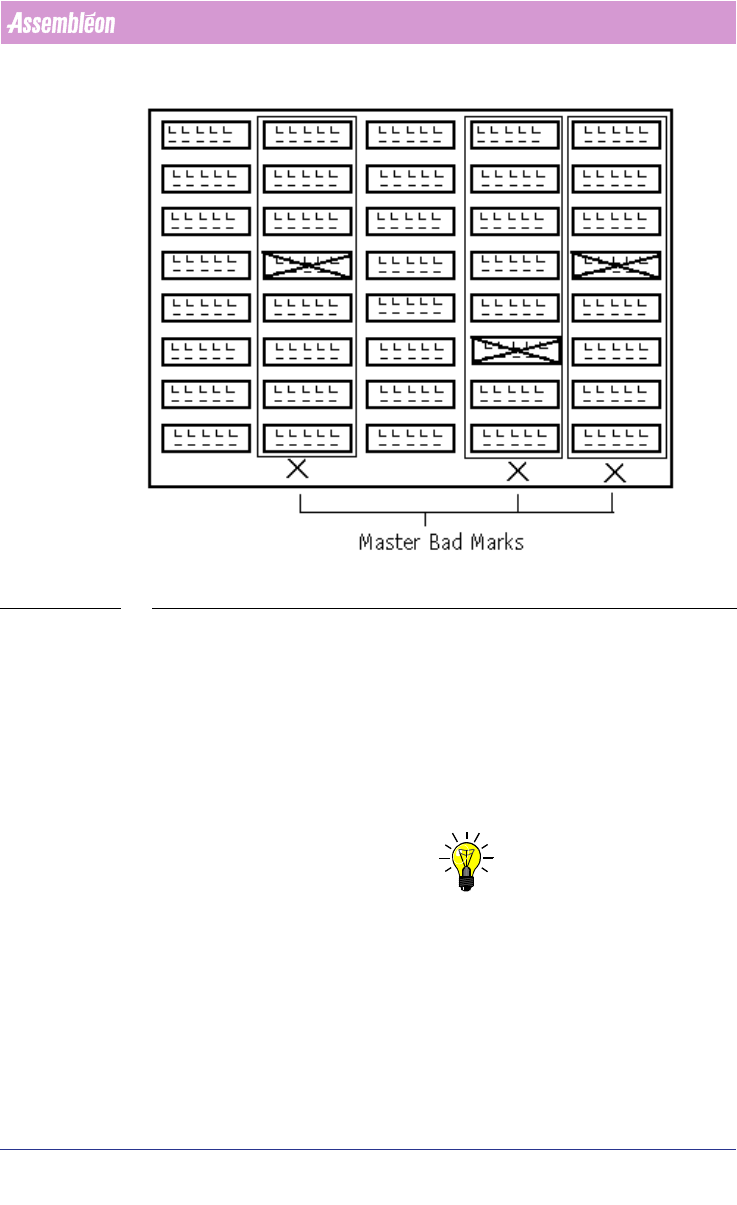
FIGURE 5 Panel Badmarks
The processing of these badmarks takes place as follows: the camera starts
measuring the master badmarks on the PCB. Whenever a master badmark is
measured as being ‘bad’, the circuit badmarks of the circuits in the badmark
group will be measured. When a master badmark is not set, then no corre
-
sponding circuit within the badmark group is marked “bad”. Badmark meas-
urement of these circuits can therefore be skipped and time will be saved.
2.17 Fiducal and badmark group editing in the MDF
NOTE: When there are no Badmarks in the MDF-file they have to be added manually
with the MDF editor. Adding is done by Add/Board Reject..., here Board and/
or Panel Badmarks can be created
Fiducial arrangements and badmark groups are not actually tangible entities
that you can see on a board but they are board specific data. This information
is stored within the MDF file. The ‘Group mode’ is provided in which fiducial
arrangements and badmark groups may be created, viewed, deleted, edited
and scrutinized.
4022 591 98247 User Manual
05.07 PPS-Pro v8.2 51
PPS-Pro GUI
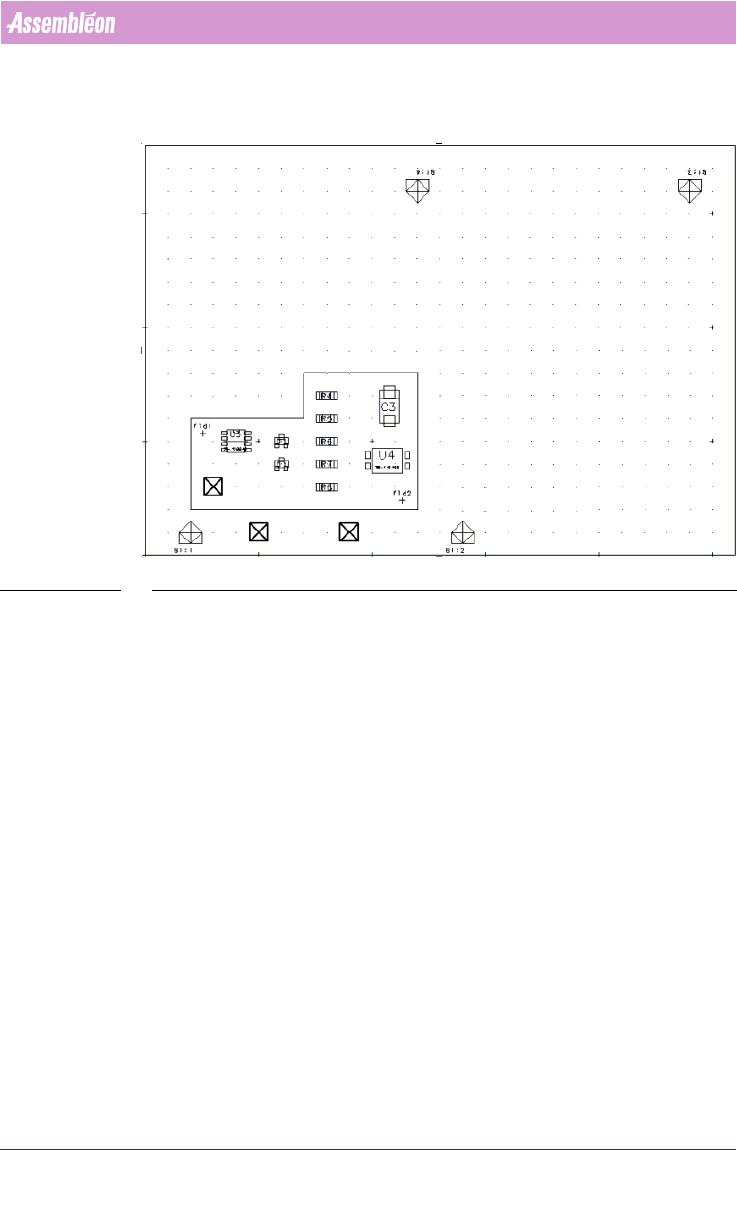
Consider the following panel (see FIGURE 6 on page 51).
FIGURE 6 Panel Starting Point
This panel satisfies the requirements for adding fiducial arrangements and
badmark groups. The board is not flattened and the appropriate step-and-
repeat symbols are present. Fiducials, badmarks, and panel badmarks are also
present.
Only the “base” image is shown but fiducials from any of the four board
instances may be required for selection and inclusion in fiducial
arrangements. It is possible to present the panel in a manner showing all of
the necessary fiducials and badmarks. This actually puts the graphical editor
into a mode that allows only the manipulation of fiducials and badmark
groups. The command File > Group Mode enters that mode
(see FIGURE 7 on
page 52).
User Manual 4022 591 98247
52 PPS-Pro v8.2 05.07
PPS-Pro GUI
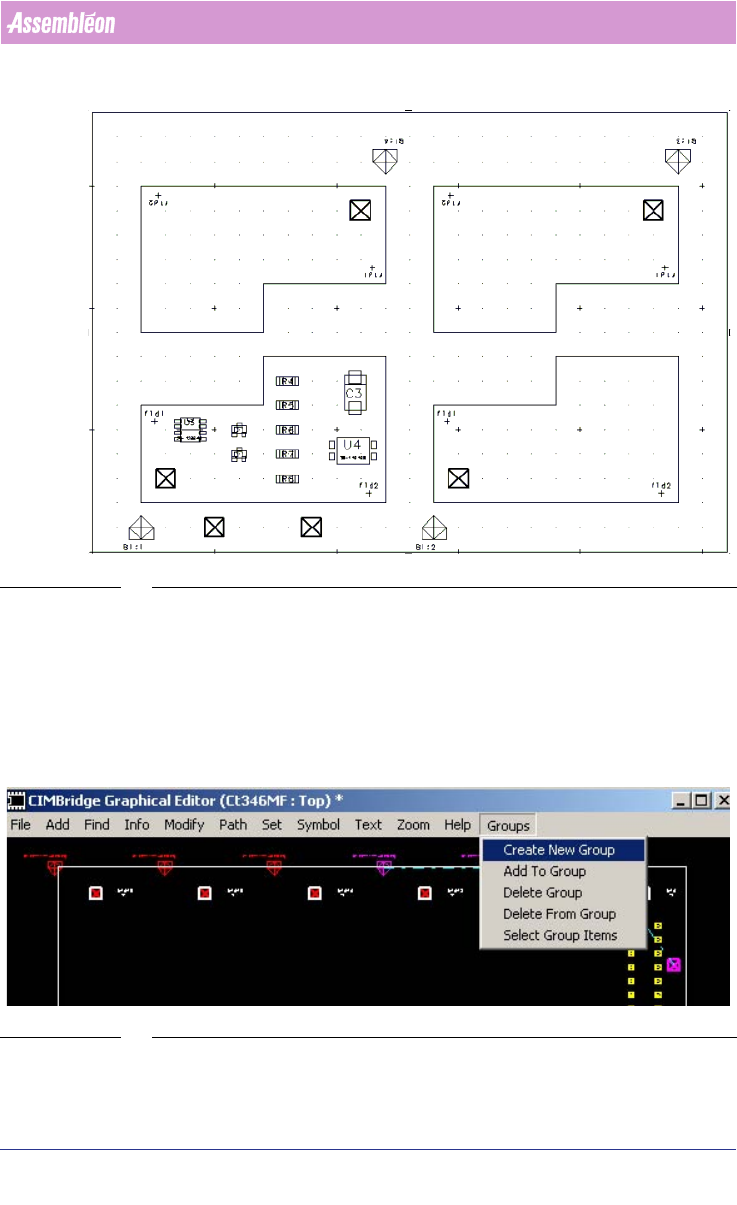
FIGURE 7 Panel Group Mode
Board outlines are shown for reference only. Board fiducials and board
badmarks are depicted according to the pattern that they appear on the
panel. The File > Group Mode command has a check mark next to it indi
-
cating the activation of Group Mode. Selecting this command again will exit
group mode and remove the check box. No editing operations other than
Group functions will be allowed while in Group Mode. The usual querying and
viewing operations are available.
SCREEN 32 Group mode
When in Group Mode a Groups menu appears on the graphical editor menu bar
containing the following commands.