PPS Pro version 8.2.pdf - 第58页
User Manual 4022 591 98247 54 PPS-Pro v8.2 05.07 PPS-Pr o GUI FIGURE 8 Pan el Final 2.18 Set Fiducial Arr angement The f ollo wing para graph describes ho w fidu cial arran gem ent s are set u sing th e MDF edit or . Th …

4022 591 98247 User Manual
05.07 PPS-Pro v8.2 53
PPS-Pro GUI
■ Create New Group (Fiducial/Reject): Forms a fiducial or badmark
(Reject) group from the selected items, depending on which type of items
are currently selected. Illegal combinations are rejected. For example, only
a single panel-level badmark may be included in a badmark group.
Including a board-level mark or two panel-level marks would be rejected.
■ Delete Group: Deletes the currently selected Group(s).
■ Select Group Items: Selects all items on the currently selected Group(s).
■ Add To Group: Adds selected items to currently selected Group. Only
additions resulting in a legal group are permitted.
■ Delete From Group: Deletes selected items from currently selected group.
If the result would contain no board instances, no fiducials (in a fiducial
group), or no badmarks (in a badmark group) then the selected group
itself is deleted in its entirety.
Additionally, the InfoParts command will (in group mode) indicate the
number of groups of each kind that a board instance in included. That is, for
step-and-repeat marks, the InfoParts command will show how many fiducial
and badmarks a step-and-repeat mark is included in.
Step-and-repeat marks will be displayed by colour depending upon their
inclusion in fiducial or reject groups.
■ Red will indicate inclusion in neither kind of group.
■ Green will indicate inclusion in both kinds of groups.
■ Yellow will indicate inclusion in only one kind of group.
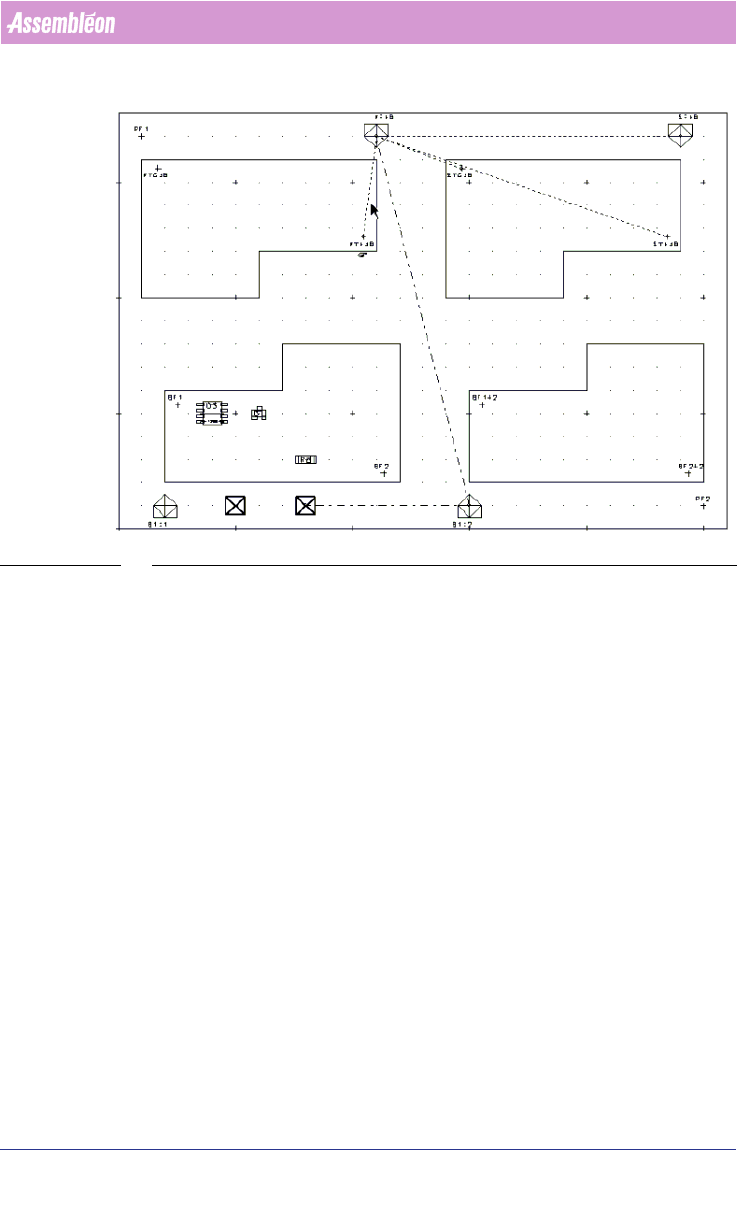
Fiducial and badmark groups will be shown by a dotted line connecting all of
the grouped items
(see FIGURE 8 on page 54). The finely dotted lines will be
coloured white and represent a fiducial arrangement. The coarsely dashed
lines will be coloured blue and represent a badmark group.
User Manual 4022 591 98247
54 PPS-Pro v8.2 05.07
PPS-Pro GUI
FIGURE 8 Panel Final
2.18 Set Fiducial Arrangement
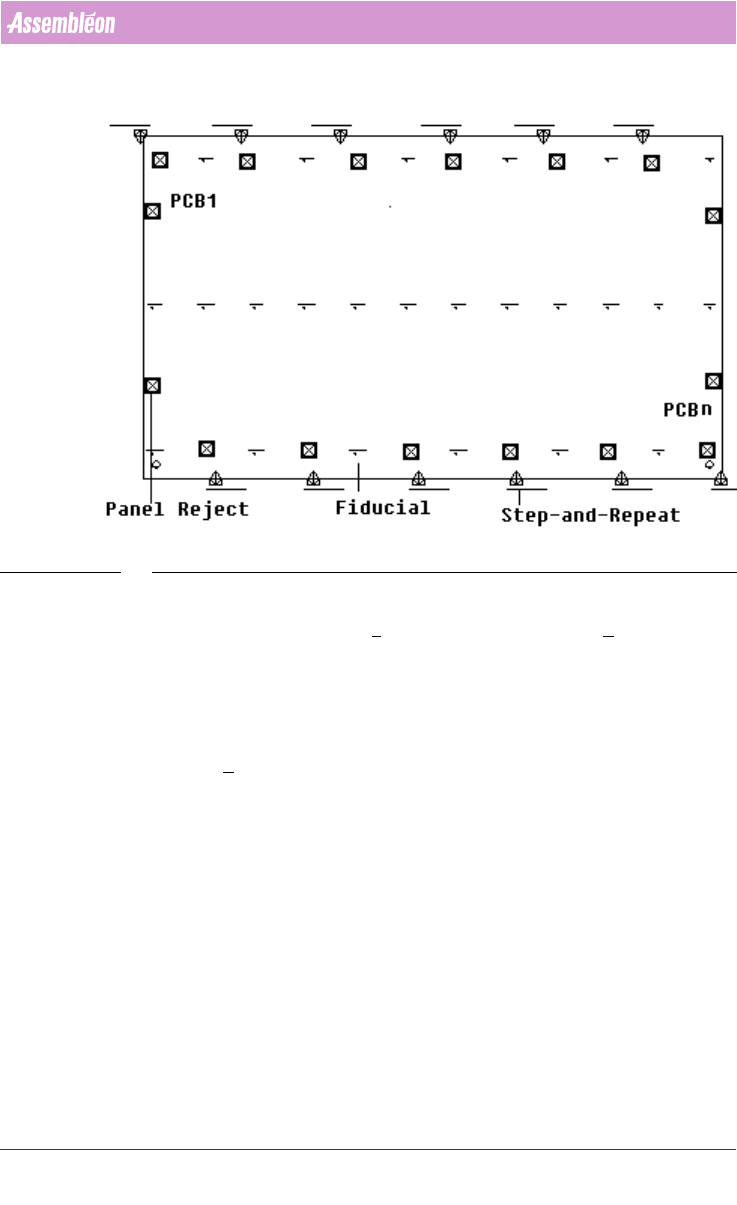
The following paragraph describes how fiducial arrangements are set using the
MDF editor. The Fiducial arrangement uses the same fiducials for the
alignment of several circuits. For example
see SCREEN 33 on page 55, PCB has
‘n’ step and repeat circuits with fiducials.
4022 591 98247 User Manual
05.07 PPS-Pro v8.2 55
PPS-Pro GUI
SCREEN 33 Fiducial without Arrangement
To set a fiducial arrangement, follow these steps:
1. In the MDF editor, click File > Group Mode. Now the Groups menu bar
can be viewed.
2. For example, select four step-and-repeat symbols and two fiducials by
clicking on the corresponding symbol in MDF. Notice color of the selected
symbols turns to purple. Take care that the fiducials must belong to the
circuits that relate to the step-and-repeat symbols.
3. Click Groups > Create New Group. Now a fiducial arrangement is created
by grouping the four step-and-repeat with only two fiducials. This fiducial
arrangement is shown with a white dotted line connecting step-and-
repeats and fiducials symbols
(see SCREEN 34 on page 56).