PPS Pro version 8.2.pdf - 第28页
User Manual 4022 591 98247 24 PPS-Pro v8.2 05.07 PPS-Pr o GUI 2.7.2 Step 2: The pr oject setting s (see 2.6 on page 21) can be specified in this dialog. Pr ess the N ext > button to en ter step 3. SCREEN 17 Step 2 N e…
4022 591 98247 User Manual
05.07 PPS-Pro v8.2 23
PPS-Pro GUI
2.7 Create new project
This paragraph describes the steps which must be taken to create a new
project. Select
File > New Project... from the main menu, or just press
<Ctrl>+N to startup the New Project Wizard screen. This wizard consists of
three steps which are discussed in the next few paragraphs.
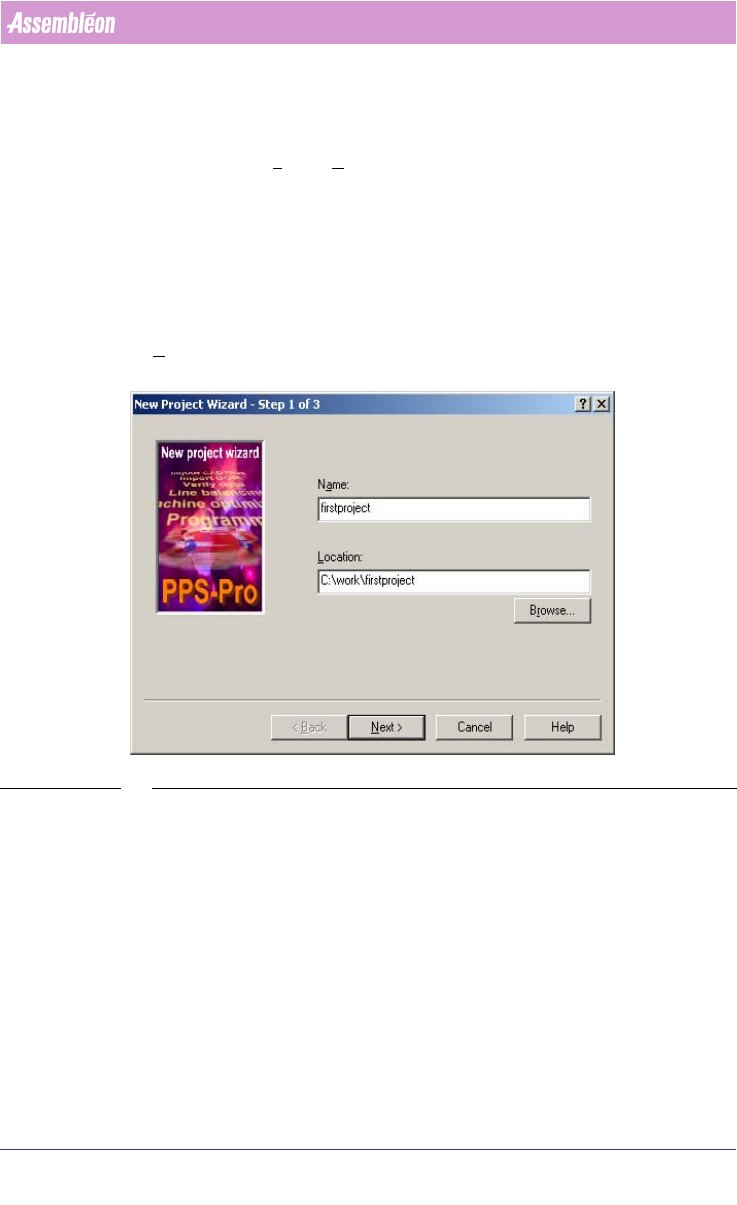
2.7.1 Step 1:
The name of the new project can be specified in this dialog. Be sure that the
name and the path of the project do not contain any space. More about
forbidden and/or special characters can be read in the release notes. Press the
Next > button to enter step 2.
SCREEN 16 Step 1 New Project Wizard
User Manual 4022 591 98247
24 PPS-Pro v8.2 05.07
PPS-Pro GUI
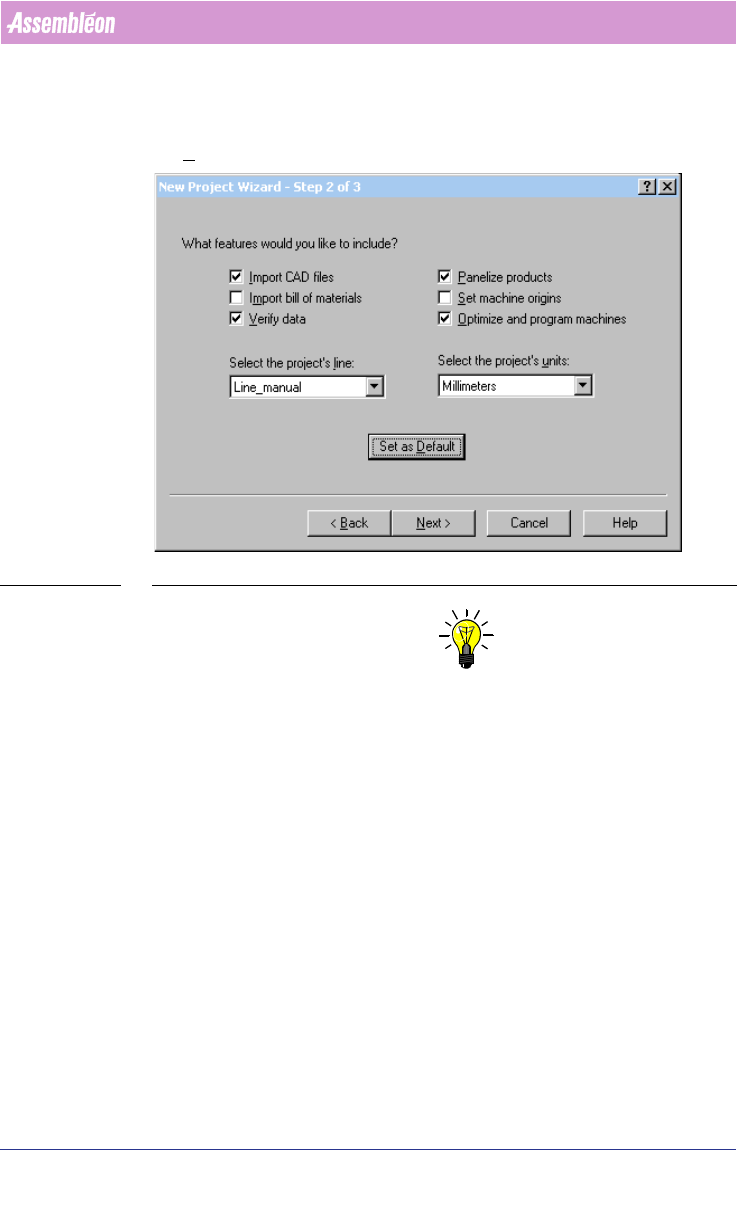
2.7.2 Step 2:
The project settings (see 2.6 on page 21) can be specified in this dialog. Press
the Next > button to enter step 3.
SCREEN 17 Step 2 New Project Wizard
NOTE: “Set machine origins” is not needed for Assembléon Machines so can be un-
ticked.
If the "Set as Default"-button is pressed, the current settings are saved such
that any new projects automatically start up with the same settings. This is
especially helpful when new projects are generally associated with the same
line.
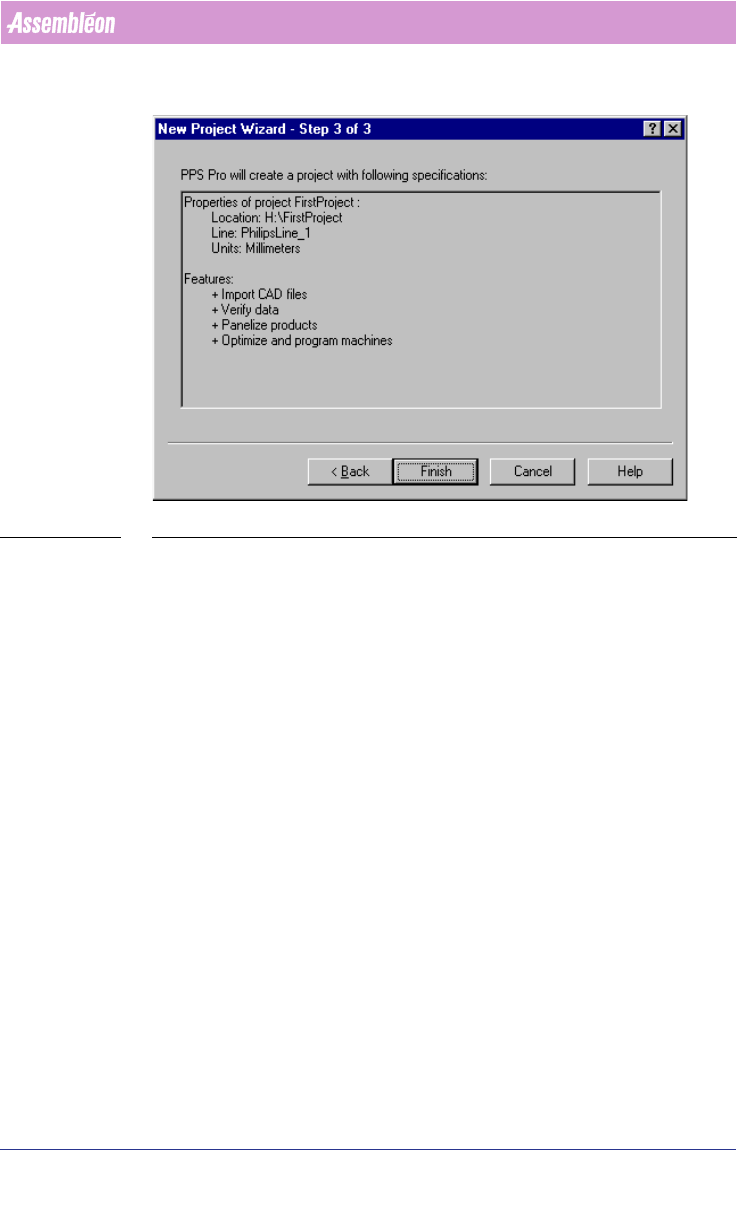
2.7.3 Step 3:
This is an overview of all settings of the created project. Press the Finish
button to create the new project.
4022 591 98247 User Manual
05.07 PPS-Pro v8.2 25
PPS-Pro GUI
SCREEN 18 Step 3 New Project Wizard
2.8 Import a CAD file with a BOM file
PPS-Pro provides two ways to import a BOM-file:
1. Import via the “Import Data”-tab (see 2.8.1 on page 26).
This method will import a BOM-file to create or replace an MDF-file.
2. Import via the “Import BOM”-tab (see 2.11.1 on page 30).
This method will import a BOM-file to update component information in the
MDF-file.