PPS Pro version 8.2.pdf - 第177页
4022 591 98 247 U ser Manual 05.07 P PS-Pro v8.2 173 Guidelines for using PPS-Pro ■ Make n otes o f all steps which w e re taken bef or e the pr oblem occurred. 2. Describe what has alre a dy been investigated. The ch ec…
User Manual 4022 591 98247
172 PPS-Pro v8.2 05.07
Guidelines for using PPS-Pro
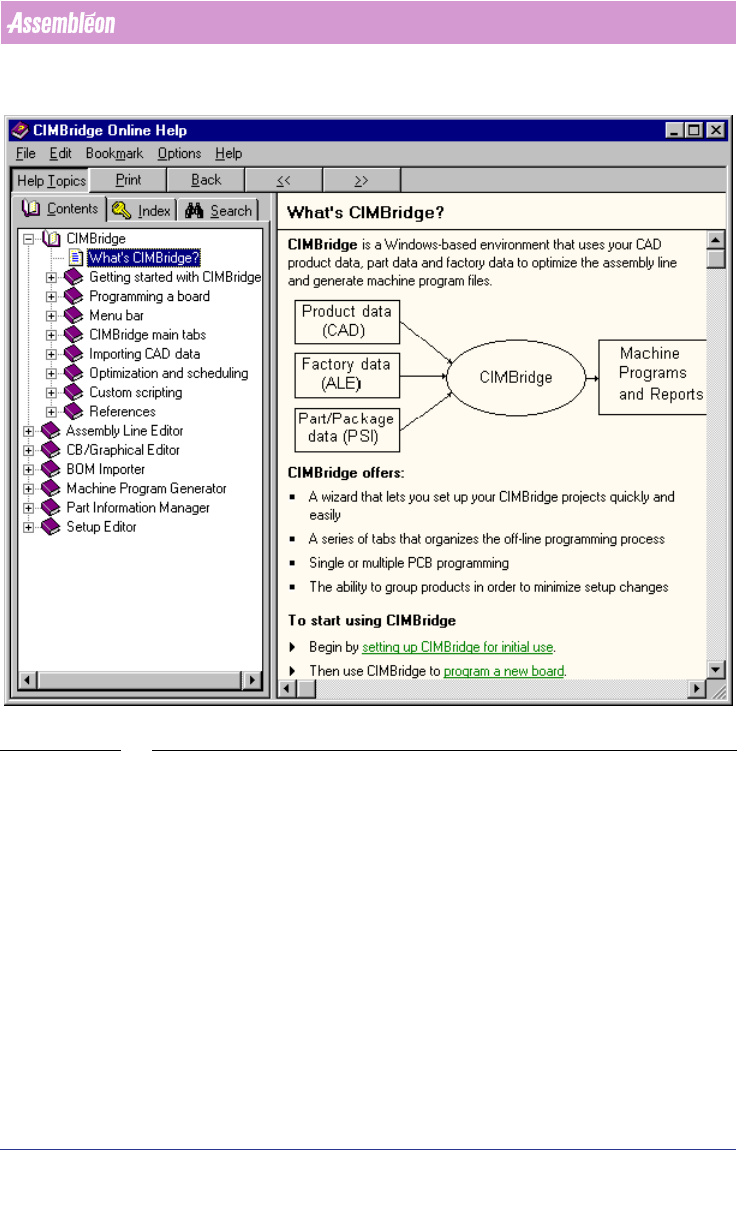
SCREEN 86 PPS-Pro Help
C.3 Gather stage
If the actions described in the ‘pre-gather-stage’ do not lead to a solution, all
information must be gathered and send to the local CS provider
(see C.4 on
page 178). The calculation can only be reproduced when they have the same
circumstances and information available. This is very important, it is for the
benefit of all parties that correct and useful and understandable information
is provided. If language is a barrier then ask the local CS provider to translate
the information.
1. Describe the project.
■ Make a screendump of the error or warning which is shown. The
screendump can be made by pressing the Alt+Print Screen keys when the
error or warning is the active window. Further, copy this screendump into
a new file of an image-editor and save it.
4022 591 98247 User Manual
05.07 PPS-Pro v8.2 173
Guidelines for using PPS-Pro
■ Make notes of all steps which were taken before the problem occurred.
2. Describe what has already been investigated.
The checks of the ‘pre-gather-stage’ (see C.2 on page 171) can be used as a
reference for this description.
3. Used Version
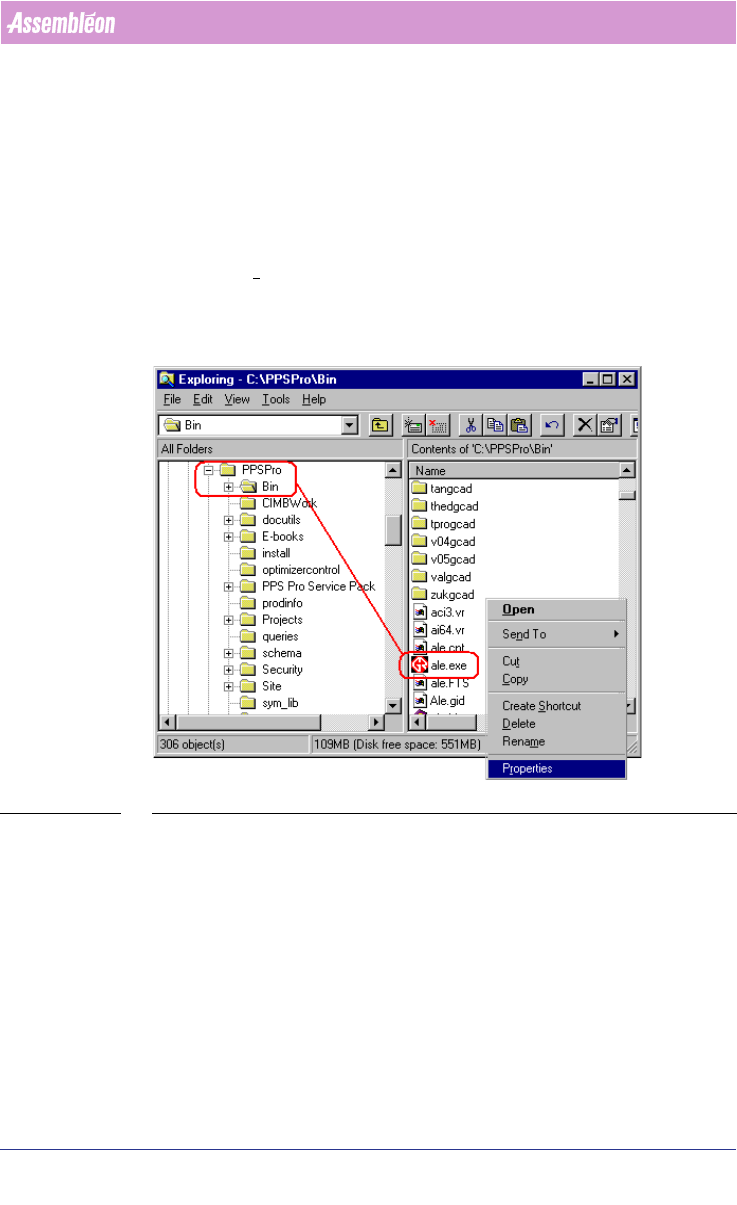
For the FCM/ACM optimizer the version of the installed build can be found by
right-click an ‘.exe’ file (for example ‘ale.exe’) of the PPSPro/Bin-directory and
choose the P
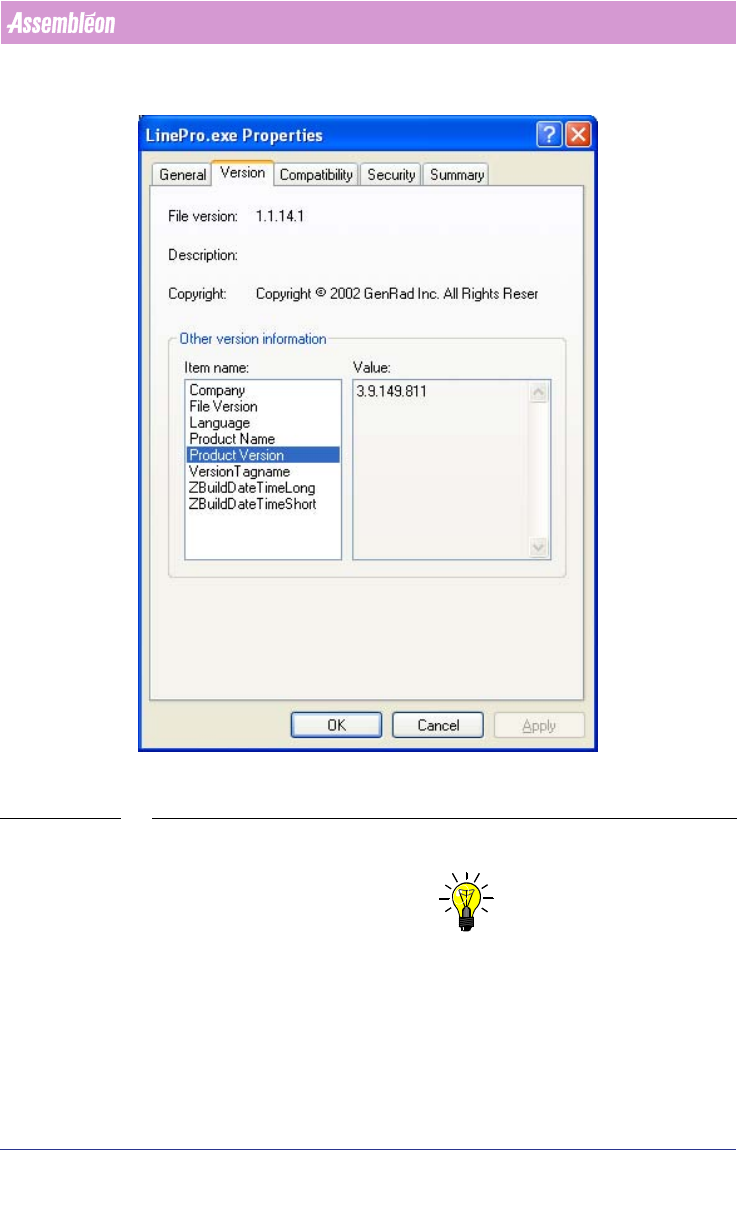
roperties menu item (see SCREEN 87 on page 173). Select the
Version tab and select Build version from the Item Name list. The version can
be read from the Value list
(see SCREEN 88 on page 174).
Action: Write down the Build version.
SCREEN 87 PPS Software Version
Some tips w.r.t. this subject:
With the FCM/ACM optimizer add the optimizer version information, in a
default installation these can be found in the properties of the following file:
C:\Assembleon\PPSPro\Bin\Philips\opt_calc.exe
To find the version of the A-Series optimizer, check the first line of any PP
made by the same optimizer.
Always mention this information when communicating with Assembléon
about a your project.
User Manual 4022 591 98247
174 PPS-Pro v8.2 05.07
Guidelines for using PPS-Pro
SCREEN 88 PPS Version (Note that the version of the delivered product can differ from the
displayed version)
4. Make a copy of the total Project.
NOTE: Maintain directory structure in the zip-file.
To reproduce the project, it is very important that at least a copy of the whole
project is made. Go to the directory of the project and make a zip-file of the
whole project.
Action: Make a copy of this directory.
5. PSI-file.