PPS Pro version 8.2.pdf - 第25页
4022 591 98 247 User Manual 05.07 PPS-Pro v8.2 21 PPS-Pro GUI 2.5.4 Scripting Th is fu nct io n i s no t s up po rt ed . 2.5.5 Optimizer Based on which pr oducts ar e registered on e or more o f the optimizers can be sel…
User Manual 4022 591 98247
20 PPS-Pro v8.2 05.07
PPS-Pro GUI
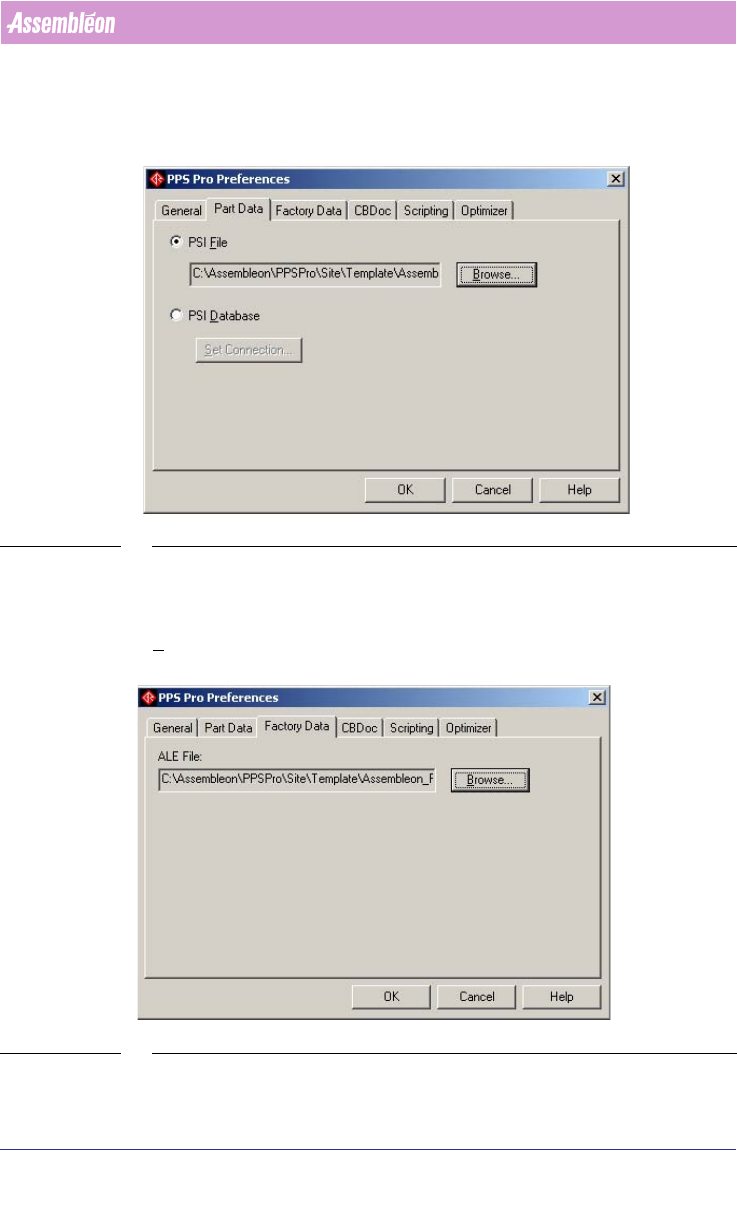
2.5.2 Part Data
In this tab the psi file or psi database, both consist of a series of fields that
define each part or package, can be selected
(see SCREEN 12 on page 20).
SCREEN 12 Preferences - Part Data
2.5.3 Factory Data
In this tab the ALE file, which describes the factory, can be selected. Use the
Browse... button to select the right file (see SCREEN 13 on page 20).
SCREEN 13 Preferences - Factory Data
4022 591 98247 User Manual
05.07 PPS-Pro v8.2 21
PPS-Pro GUI
2.5.4 Scripting
This function is not supported.
2.5.5 Optimizer
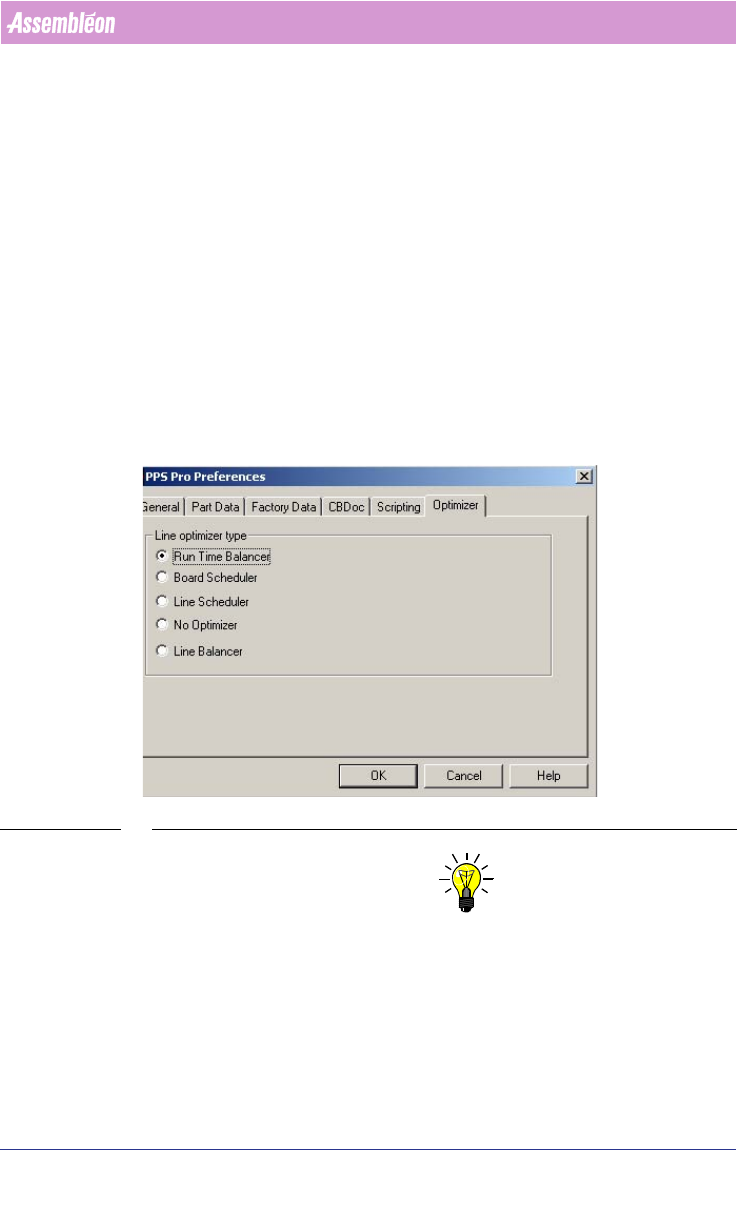
Based on which products are registered one or more of the optimizers can be
selected in this tab
(see SCREEN 14 on page 21). If all possible products are
registered and installed then there are five balancing options:
■ Run Time Balancer: Single product, one line.
■ Board Scheduler: Single product, one machine.
■ Line Scheduler: This is an older product which will be replaced by the Line
Balancer. Multiple products, one line. Optional available via Tecnomatix.
■ No Optimizer: Multiple products, one line (always optimize from MDF).
■ Line Balancer: Multiple products, one line. Optional available via
Tecnomatix.
SCREEN 14 Preferences - Optimizer
NOTE: If only one cell is used containing Assembléon Machines it is not necessary
to use one of the line optimizer and the Line optimizer type “No Optimizer”
can be used.
2.6 Set Project Settings
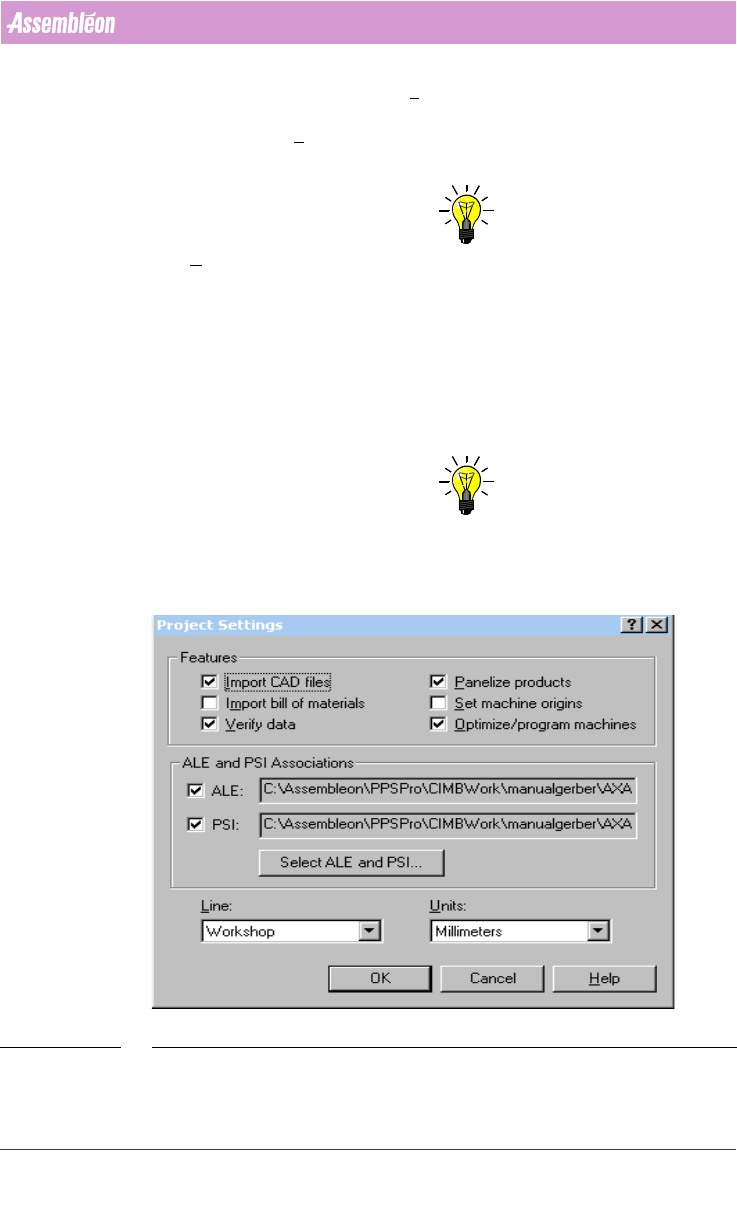
These settings are, as the name indicates, project related. In the Features
frame, several checkboxes can be selected. Every checkbox represents a single
User Manual 4022 591 98247
22 PPS-Pro v8.2 05.07
PPS-Pro GUI
tab in the main program. In the Line combobox, a line can be selected. All
lines which are defined in the selected ALE-file are represented in this
combobox. In the
Units combobox, a choice can be made which unit will be
used during the project.
NOTE: This Units setting does not influence the units in Action Specs/Placement
Program.
It is possible to associate PSI and ALE files with particular projects. This is
found in the Project Settings dialog, and could be especially useful for
contract manufacturers who maintain customer-specific ALE and PSI files.
If specific ALE and/or PSI files are selected in this dialog, they will always be
used for this particular project, regardless of what settings are defined using
the standard PPS-Pro Preferences.
NOTE: Note that this capability is only available when running from within a PPS-
Pro project. Applications that are run "standalone" will use the cbprefs
settings.
SCREEN 15 Project Settings