00191297-02.pdf - 第385页
User Manual S-23 HM 11 S tation extensions / options Software Version S R.405.xx 05/99 Issue 11.4 F eeder position recognition 383 1 1.4 Feeder position recogni tion If the fe eder modu les a re equip ped with posi tioni…

11 Station extensions / options User Manual S-23 HM
11.3 Dual conveyor Software Version SR.405.xx 05/99 Issue
382
11.3.9 Technical data for the dual conveyor
11
11.3.10 Maintenance
The individual conveyor belts and the additional lifting table require the same maintenance as the
standard conveyor. Each conveyor belt must be maintained as described in the maintenance in-
structions. 11
PCB format
50 mm x 50 mm to 460 mm x 216 mm
2" x 2" to 18" x 8.5 "
Optionally:
50 mm x 50 mm to 508 mm x 216 mm
2" x 2" to 20" x 8.5 "
PCB thickness 0.3 mm to 4.5 mm
Maximum PCB warpage
Up: 4.5 mm - PCB thickness
Down: 0.3 mm + PCB thickness
Clearance on bottom of PCB 40 mm
PCB conveyor height 830 ± 15 mm (standard)
Type of interface Siemens
Free component guide edge 3 mm
PCB changeover time 2.5 s
Fixed transport side Right (standard), left (option)
Components to be placed per conveyor
Synchronous: same or different
Asynchronous: same
PCB width per conveyor
Synchronous: different
Asynchronous: same
Ink spot recognition
Synchronous: not possible
Asynchronous: possible
Automatic width adjustment
Synchronous: not possible
Asynchronous: possible
User Manual S-23 HM 11 Station extensions / options
Software Version SR.405.xx 05/99 Issue 11.4 Feeder position recognition
383
11.4 Feeder position recognition
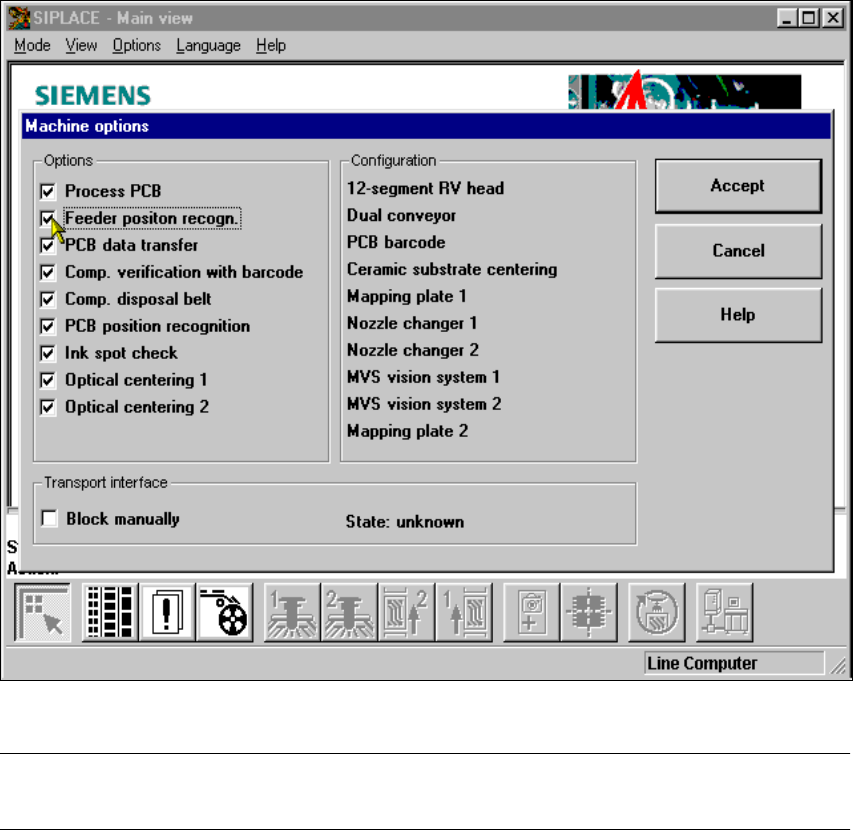
If the feeder modules are equipped with positioning fiducials, the fiducials can be measured.
If the "Conveyor position detection" function has been selected on the line computer, the function
will also appear in the Machine options. It can then be activated or deactivated at each station.
11
Fig. 11.4 - 1 Feeder position recognition
PLEASE NOTE 11
The "Feeder position recognition" function is always deactivated when the station is switched on. 11
If a track has been entered in the cluster data, the PCB camera on the feeder module will approach
the position of the centering fiducial. Any centering fiducial offset determined during the measure-
ment will then be assigned to this track and added to the pick-up position during the pick-up op-
eration. 11
11 Station extensions / options User Manual S-23 HM
11.5 PCB data transfer Software Version SR.405.xx 05/99 Issue
384
11.5 PCB data transfer
11.5.1 Functional description
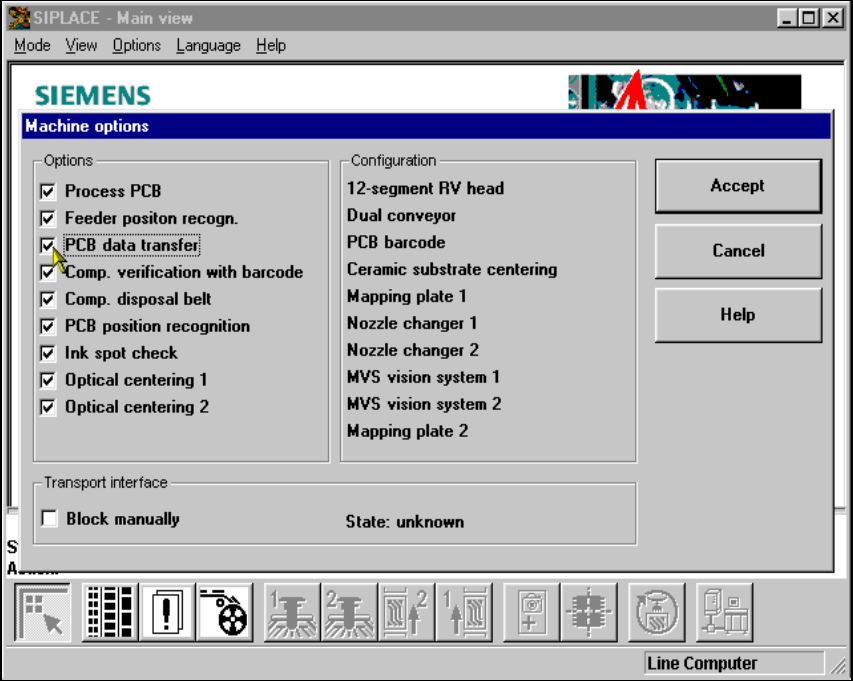
The ’Machine options’ menu contains a ’PCB data transfer’ option. The aim of this function is to
increase the placement system’s performance on the line. To do this, an entire PCB is measured
at the
first
placement station and the associated fiducial, single circuit, ink spot, etc. data is deter-
mined, saved and sent to the next station. At subsequent stations, the data is then determined for
two fiducial positions only. These two fiducial positions are then used to correct the position for the
PCB to be processed at each station. It is thus not necessary to measure the entire PCB again,
together with its single circuits, ink spots etc. 11
11.5.2 Activating the ’PCB data transfer’ option
11
Fig. 11.5 - 1 Machine option: PCB data transfer