00191297-02.pdf - 第61页
User Manual S-23 HM 2 Operational Safety Software Vers ion SR.405.xx 05/99 Iss ue 2.1 Safety instructions 61 2 Fig. 2.1 - 6 T wo-handed operation Key to Fig. 2.1 - 6 (1) T wo -handed o peration 2
2 Operational Safety User Manual S-23 HM
2.1 Safety instructions Software Version SR.405.xx 05/99 Issue
60
Key to Fig. 2.1 - 5
(1) Recessed grips for opening and closing the protective
(2) Protective cover
(3) Monitor traverse
(4) Narrow gap (between 4 and 10 mm) between
the monitor traverse and protective cover
(5) Do NOT place your hand on this surface!
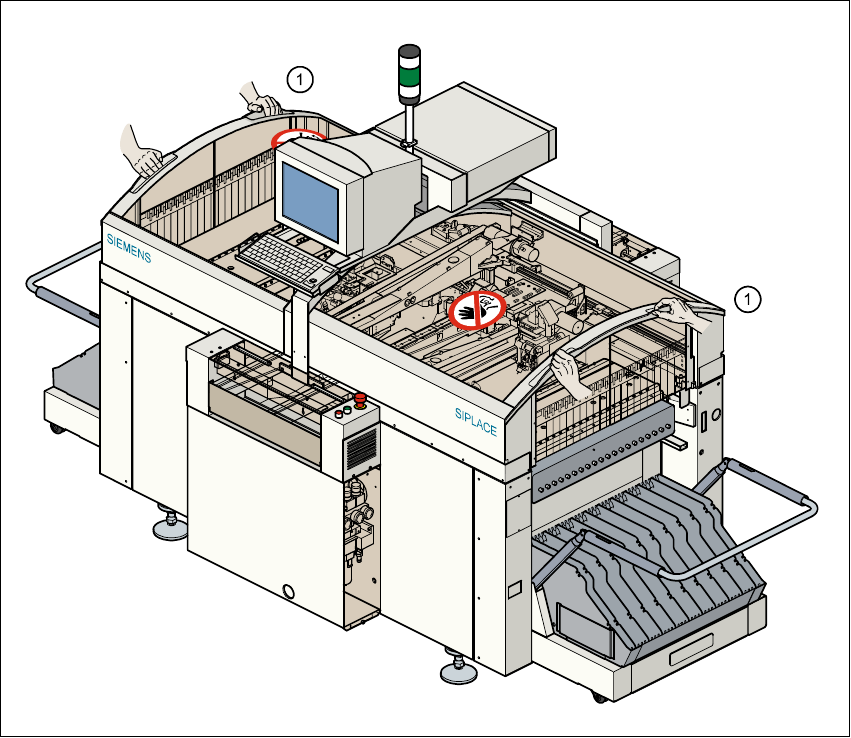
Every protective cover on the automatic placement machine has two recessed grips (1). 2
PLEASE NOTE
Always place both hands in these recessed grips (see item (1) in Fig. 2.1 - 6) in order to open or
close the protective covers. This “two-handed operation” will prevent any risk of injuring your
hands.
You will also avoid tilting the protective covers during opening or closing, which would place an
excessive load on the guides. 2
User Manual S-23 HM 2 Operational Safety
Software Version SR.405.xx 05/99 Issue 2.1 Safety instructions
61
2
Fig. 2.1 - 6 Two-handed operation
Key to Fig. 2.1 - 6
(1) Two-handed operation
2
2 Operational Safety User Manual S-23 HM
2.1 Safety instructions Software Version SR.405.xx 05/99 Issue
62
2.1.8 Safety instructions for the PCB barcode reader (option)
2
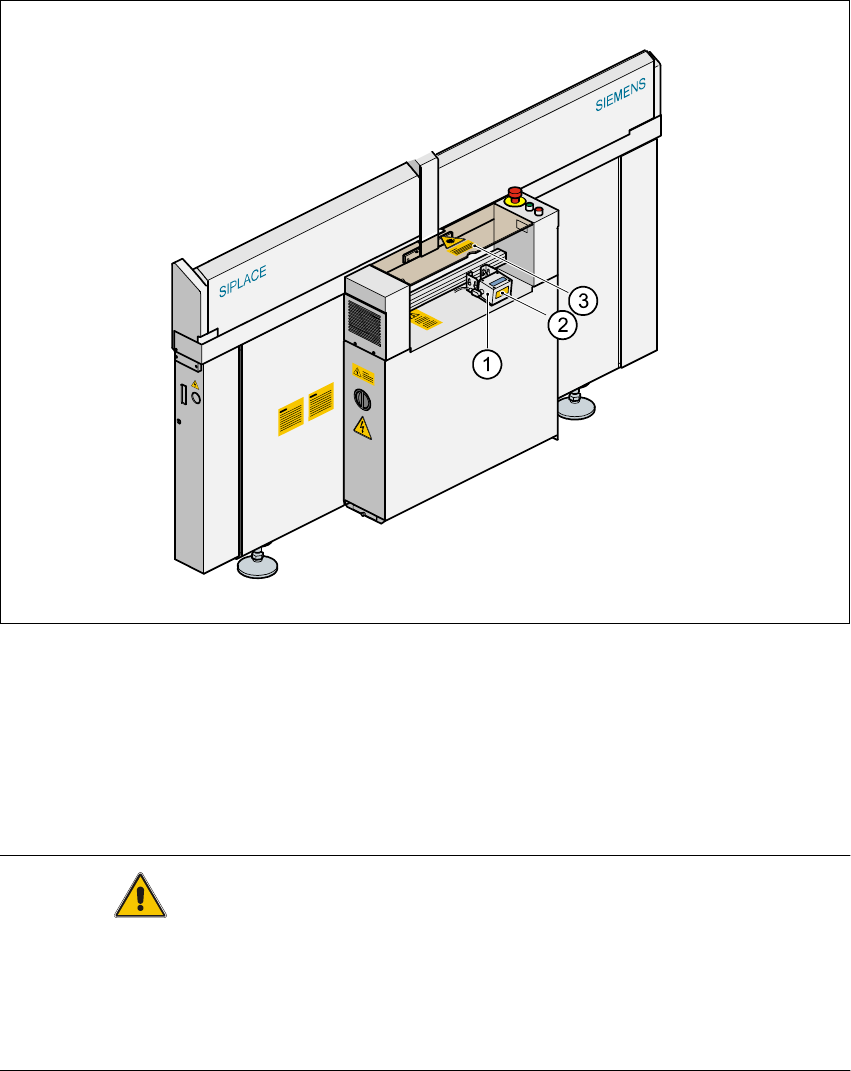
Fig. 2.1 - 7 PCB barcode reader (bottom)
Key to Fig. 2.1 - 7
(1) PCB barcode reader (bottom)
(2) Label: ’laser radiation (see Fig. 2.1 - 8)
(3) Label: ’Caution ...’ (see Fig. 2.1 - 9)
CAUTION 2
The radiant power of the barcode reader‘s scanning beam is less than 1mW. This means that the
barcode reader conforms to laser class 2 and, according to DIN EN 60825-1, requires no special
safety equipment or protective measures. NEVER look into the laser beam. There is also a
safety circuit that switches off the laser diode if the polygon wheel stops or turns too slowly.