1_NXT Conveyor(1.0)E.pdf - 第20页
2.2 Setting up the communication port 1. Click [Control Panel] – [System] to open the System Properties window and select the [Hardware] tab. 2. Click [Device Manager] to open the Device Manager window. Click the [+] sig…
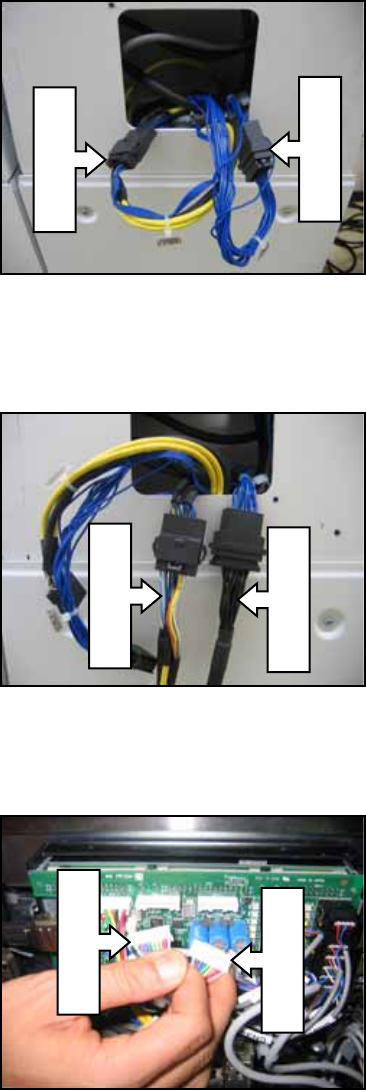
4. Turn the NXT power OFF, and then remove the cover at the back of the module. Pull
out the EXCNC/V1 RH07021 and EXCNC/V2 RH07031 cables.
5. Disconnect the EXCNC/V1 and EXCNC/V2 cables and connect them to the CN1 and
CN2 cables from the CID as shown below.
6. Disconnect the CN4-1 and CN4-2 connectors from the conveyor controller board as
shown below.
EXCNC/V2
EXCNC/V1
RH09920
RH09910
CN4-1
CN4-2
NXT Repair Training Textbook
Conveyor Unit
FK-9F98-43-0E
Edition 1.0 18 / 46 FUJI Machine Mfg. Co., Ltd.
2.2 Setting up the communication port
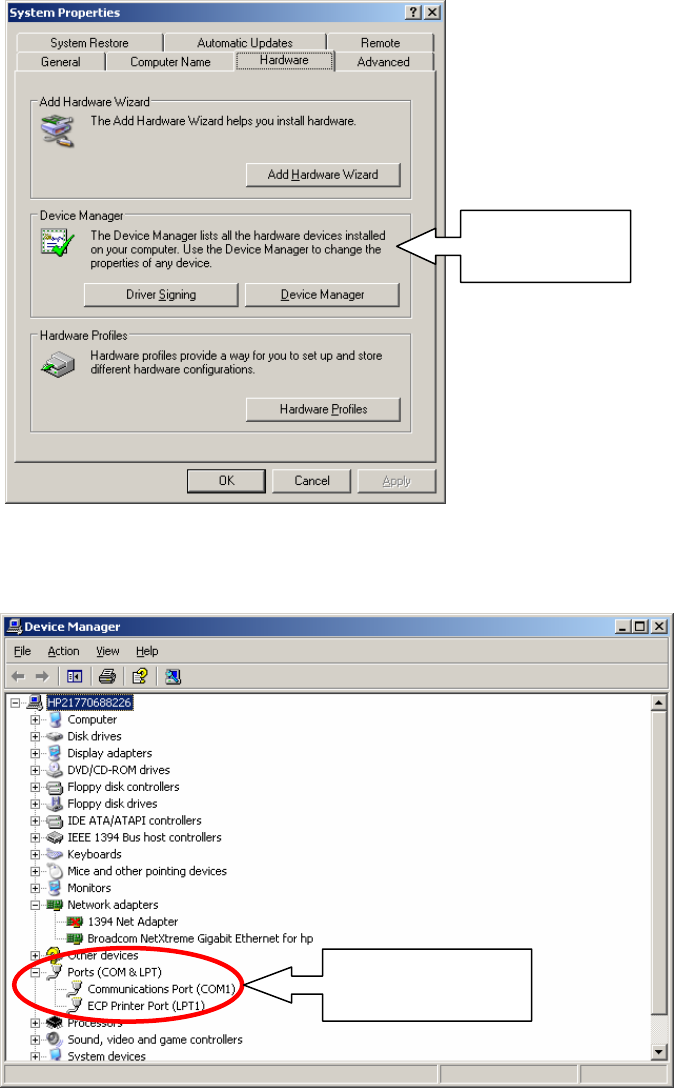
1. Click [Control Panel] – [System] to open the System Properties window and select the
[Hardware] tab.
2. Click [Device Manager] to open the Device Manager window. Click the [+] sign next to
[Ports (COM & LPT] and confirm that COM1 is available. If COM1 is not available
check the hardware.
Select the
[Hardware] tab
Confirm that
COM1 is available
NXT Repair Training Textbook
Conveyor Unit
FK-9F98-43-0E
Edition 1.0 19 / 46 FUJI Machine Mfg. Co., Ltd.
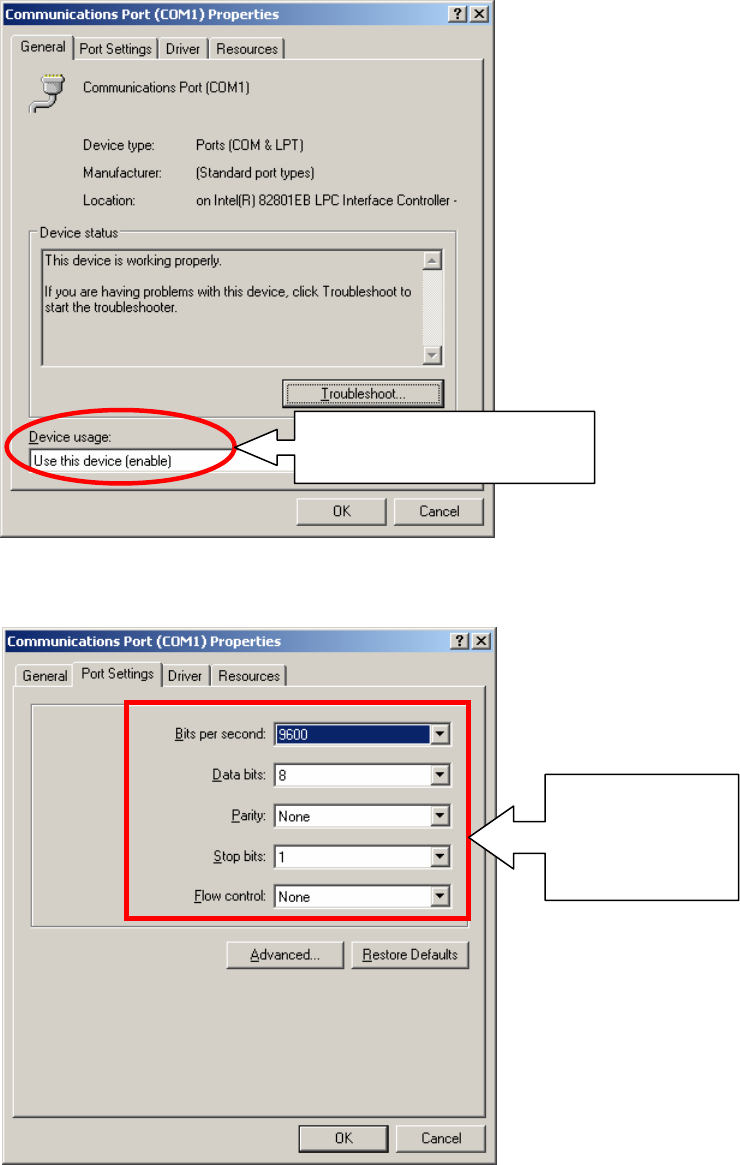
3. Right click on [Communications Port (COM1)] and select [Properties]. Check that [Use
this device (enable)] is selected.
4. Click the [Port Settings] tab and check that the settings match those shown in the
following screen shot.
Check that [Use this device
(enable)] is selected
Check that the
settings are the
same as those
shown here
NXT Repair Training Textbook
Conveyor Unit
FK-9F98-43-0E
Edition 1.0 20 / 46 FUJI Machine Mfg. Co., Ltd.