1_NXT Conveyor(1.0)E.pdf - 第42页
27. Put the maxi mum panel (L250 x W510 x t6mm) in the center of lane1. 28. Place a scale on the conveyor rail and line it up with the edge of the panel. 29. Click [Continuous] and use the scale to check that the panel a…
11. Confirm that the response data reads M25, and then click [Cancel] to stop the
conveyor operation.
12. Click [Load] – [LoadingTime_RvsStd_Ln2_chk] and repeat the procedure for lane2.
13. Set the width of both lanes to 280mm.
14. Select the [I/O Check] tab and turn CY004 and CY009 ON and then OFF to carry out
the sensitivity adjustment for the conveyor panel pass check sensors.
15. Select the [Transport] tab and click [Load] – [LoadingTime_M3PanelSizeChng].
16. Click [Send 3] to teach the conveyor that the board length is 250mm.
17. Click [Load] – [LoadingTime_RvsStd_Ln1_DoubleConv_chk].
18. Ensure that the lane1 conveyor is unclamped and that the backup plate or the block
jigs (PM24380) are in place.
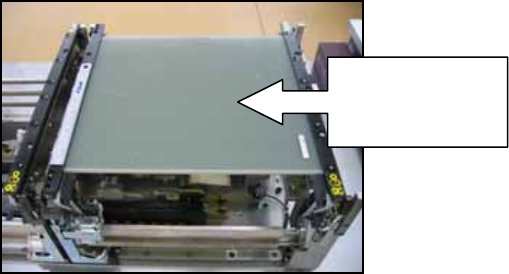
19. Put the medium panel (L250 x W280 x t6mm) in the center of lane1.
20. Place a scale on the conveyor rail and line it up with the edge of the panel.
21. Click [Continuous] and use the scale to check that the panel always returns to the
same position in the center of the conveyor.
22. Confirm that the response data reads M25, and then click [Cancel] to stop the
conveyor operation.
23. Click [Load] – [LoadingTime_RvsStd_Ln2_chk] and repeat the procedure for lane2.
24. Set the width of lane1 to 510mm.
25. Select the [I/O Check] tab and turn CY004 ON and then OFF to carry out the sensitivity
adjustment for the conveyor panel pass check sensors.
26. Click [Load] – [LoadingTime_RvsStd_Ln1_DoubleConv_chk].
Put the medium
panel in the
center of lane1
NXT Repair Training Textbook
Conveyor Unit
FK-9F98-43-0E
Edition 1.0 40 / 46 FUJI Machine Mfg. Co., Ltd.
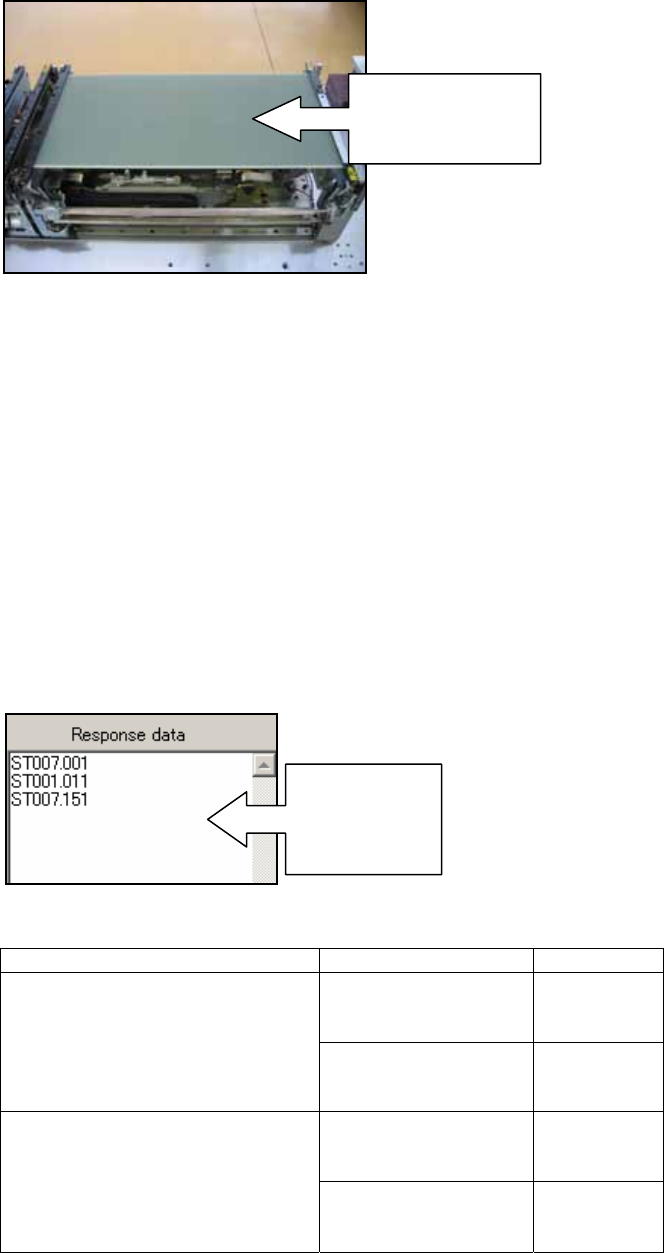
27. Put the maximum panel (L250 x W510 x t6mm) in the center of lane1.
28. Place a scale on the conveyor rail and line it up with the edge of the panel.
29. Click [Continuous] and use the scale to check that the panel always returns to the
same position in the center of the conveyor.
30. Confirm that the response data reads M25, and then click [Cancel] to stop the
conveyor operation.
2.10 RS485 response check (checking communication between conveyors)
1. Startup the ConveyorTestTool and select the [Transport] tab.
2. Click [Load] and select [RS485comm_SingleConv_chk] or
[RS485comm_DoubleConv_chk] depending on the conveyor type.
3. Click [Send1] and check the response in the “Response data” field.
4. Check that the response matches the response shown in the table below:
Send Command Device Type Response
M3 Single Conveyor ST007.001
ST001.011
ST007.151
RS485comm_SingleConv_chk
M6 Single Conveyor ST007.001
ST002.011
ST007.151
M3 Double Conveyor ST007.001
ST001.011
ST007.151
RS485comm_DoubleConv_chk
M6 Double Conveyor ST007.001
ST002.011
ST007.151
Put the maximum
panel in the
center of lane1
Check the
response
data in this
field
NXT Repair Training Textbook
Conveyor Unit
FK-9F98-43-0E
Edition 1.0 41 / 46 FUJI Machine Mfg. Co., Ltd.
2.11 Transmitting K-parameter and bank program files (standard version)
1. Close the ConveyorTestTool.
2. Select [Programs] – [Accessories] – [Communications] – [HyperTerminal] – [Conveyor]
to open the HyperTerminal window.
3. From the [Transfer] menu select [Send Text File…] and select the text file from the
following path: Conveyor/Data/Double Conveyor or Single Conveyor depending on the
conveyor type.
4. Refer to the following table and choose the appropriate text file to transmit:
5. Click [Open] to transmit the text file to the conveyor.
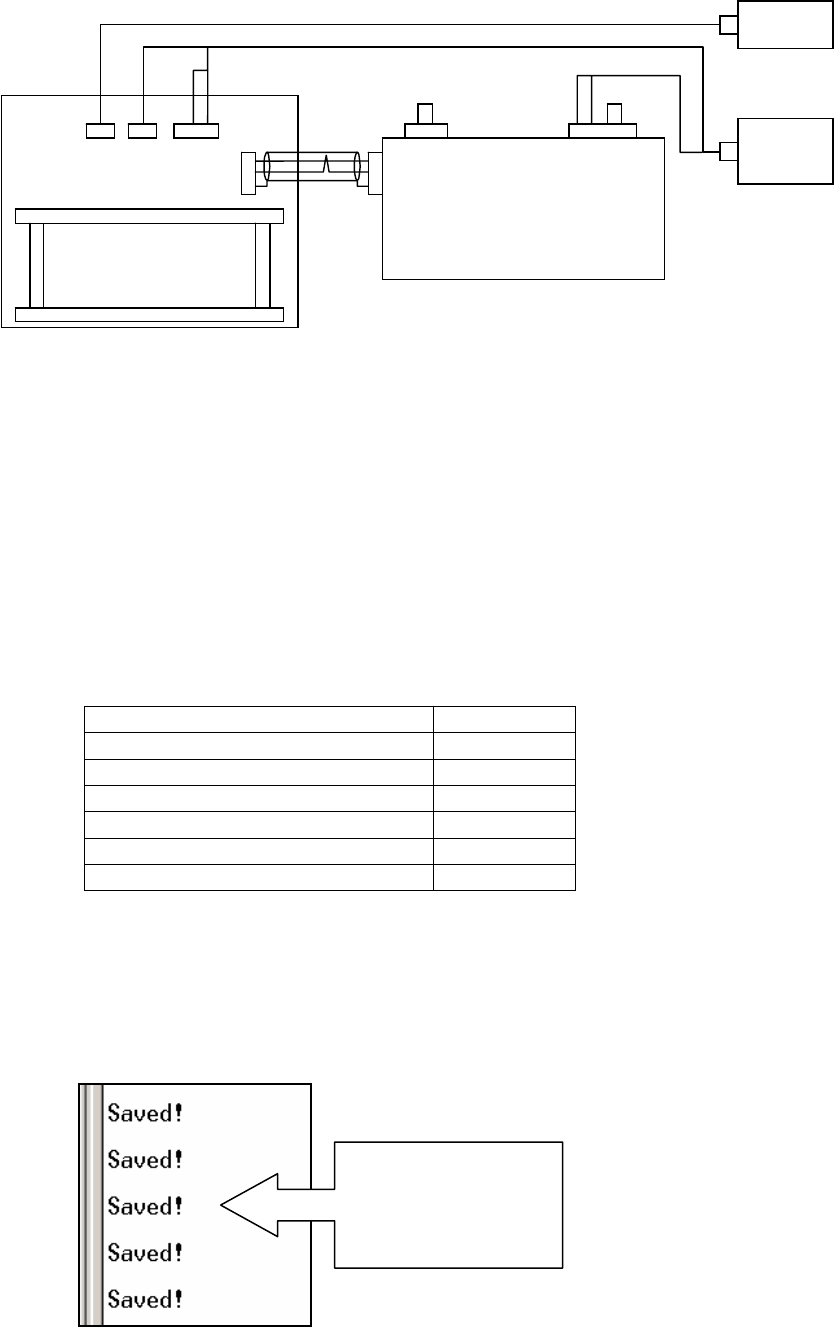
6. Once the text file has been saved the following message will appear in the
HyperTerminal window. The number of “Saved!” messages may vary from a minimum
of 2 to a maximum of 5.
Conveyor Type Text file
M3 Single Conveyor M3S-34
M6 Single Conveyor M63-34
M3 Double Conveyor (old type) M3-34
M3 Double Conveyor (new type) M3-34
M6 Double Conveyor (old type) M6-34
M6 Double Conveyor (new type) M6-34
SMEMA??
SB20
1
2
3
1
2
3
1 2 4 51 3
CN2
CN3
CN1
+24V
GND
RS232C
6 7
CN3-2
+24V
GND
Controller
SMEMA PCB
SB20
PC
DC
Power
This message
indicates that the file
has been saved to
the conveyor
NXT Repair Training Textbook
Conveyor Unit
FK-9F98-43-0E
Edition 1.0 42 / 46 FUJI Machine Mfg. Co., Ltd.