1_NXT Conveyor(1.0)E.pdf - 第28页
14. Check the data that displays in the [Response data] field. In the following example the bank version is 84.0. 2.6 Checking the conveyor I/Os 1. Select the [I/O Check] tab in the ConveyorTestTool and click [Check Star…
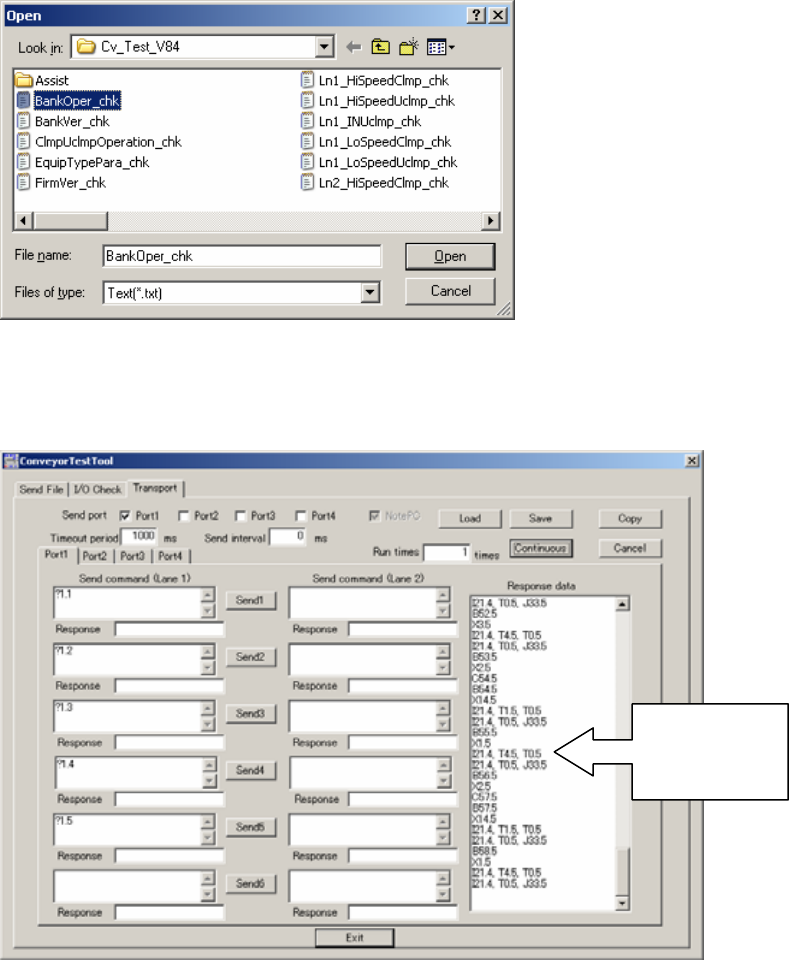
9. Select the file to load from the following path: Conveyor/CHK_Command_Cvtool/
CV_Test_V83 (for old type conveyors) or CV_Test_V84 (for new type conveyors)
/BankOper_chk.
10. Click [Open] to load the file into the ConveyorTestTool.
11. Click [Continuous] to send the file to the conveyor and confirm that data displays in the
[Response data] field.
12. Click [Load] and select BankVer_chk.txt – [Open] to load the file into the
ConveyorTestTool.
13. Click [Continuous] to send the file to the conveyor.
Check that
data displays
in this field
NXT Repair Training Textbook
Conveyor Unit
FK-9F98-43-0E
Edition 1.0 26 / 46 FUJI Machine Mfg. Co., Ltd.
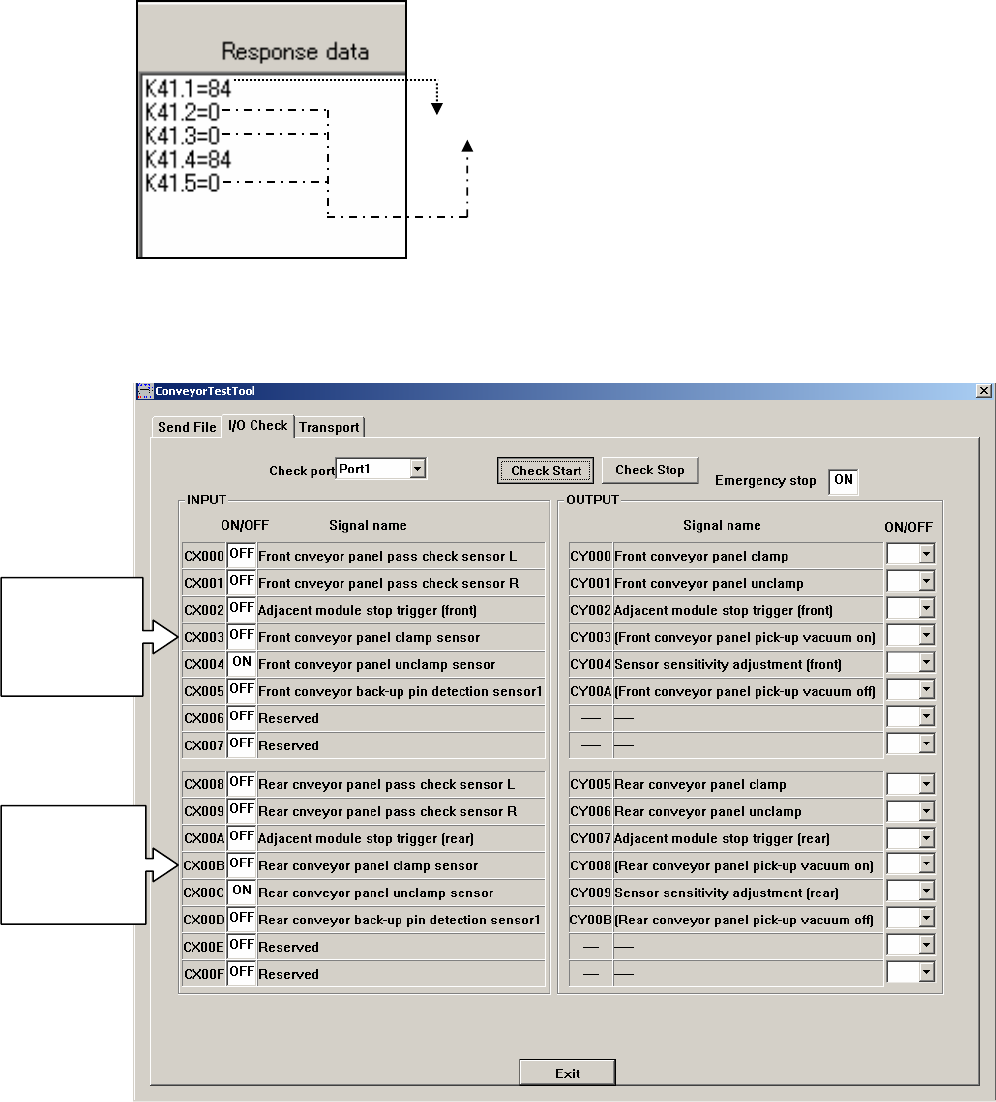
14. Check the data that displays in the [Response data] field. In the following example the
bank version is 84.0.
2.6 Checking the conveyor I/Os
1. Select the [I/O Check] tab in the ConveyorTestTool and click [Check Start].
84.0
Old type (not
currently used)
CX004 monitors
both clamp and
unclamp
Old type (not
currently used)
CX00C monitors
both clamp and
unclamp
NXT Repair Training Textbook
Conveyor Unit
FK-9F98-43-0E
Edition 1.0 27 / 46 FUJI Machine Mfg. Co., Ltd.
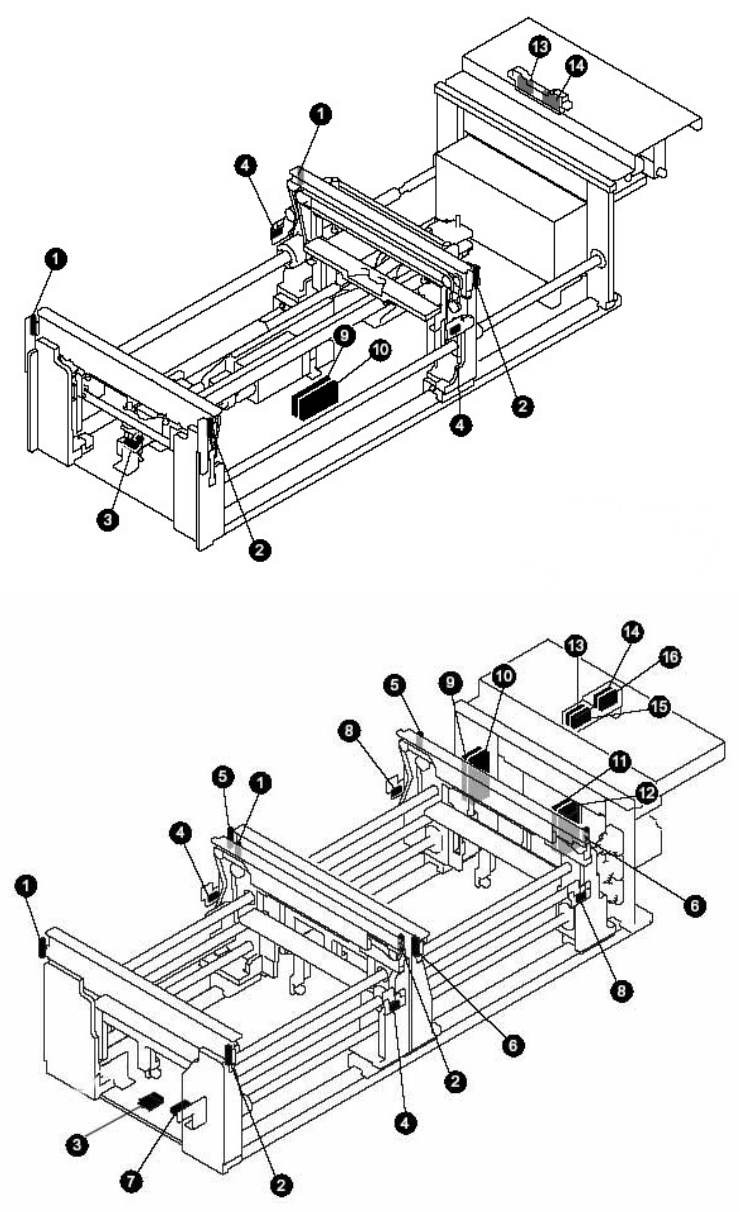
2. Check the operation of all the sensors listed on the input side. Refer to the following
diagrams to find the location of sensors on the conveyor.
M3 Single Conveyor
M3 Double Conveyor
NXT Repair Training Textbook
Conveyor Unit
FK-9F98-43-0E
Edition 1.0 28 / 46 FUJI Machine Mfg. Co., Ltd.