ACT - Accuracy Check Tool.pdf - 第149页
ACT with SSW 7xx / User Manual 07/2017 Edition 41 Available S - tables: Available X - tables: Availab le tables (se tups) for WP C/MTC:
ACT with SSW 7xx / User Manual 07/2017 Edition
40
4.1.3 Creating a Setup (Assigning Tables)
► Copy an existing setup of your line.
► Replace the tables by using the prepared tables for ACT that you have already imported.(see
section 3.2.6).
Tables are available for any machine.
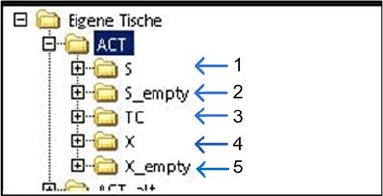
Key:
(1) S-tables with setup (4) X-tables with setup
(2) Empty S-tables (5) Empty X-tables
(3) TC = Tray Changer (WPC/MTC)
ACT with SSW 7xx / User Manual 07/2017 Edition
41
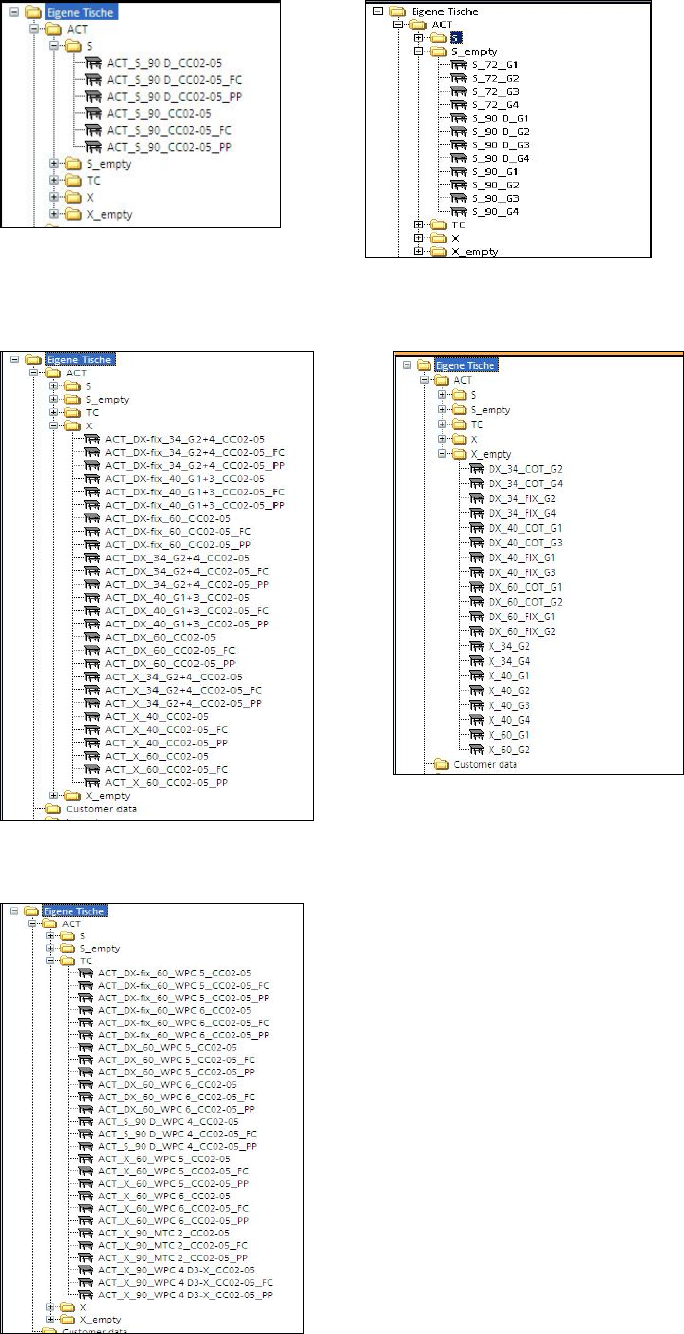
Available S-tables:
Available X-tables:
Available tables (setups) for WPC/MTC:
ACT with SSW 7xx / User Manual 07/2017 Edition
42
► Drag the selected table to the required location.
► Use the empty tables to create a setup for ceramic pads, for instance.
NOTICE
If you create a setup with more than one table with ceramic pads, make sure that the
same component is not set-up at more than one location at the same time.
Predefined tables already exist for setting up the tray with the glass components.
NOTICE
● The X- and Y-offsets for the waffle pack trays on the tables have already been
entered! They may need to be corrected!
● The predefined Arbitrary Carrier tray holder should be left on track 21 and the ACT
X-table (Tray)holder should also be physically placed there; otherwise pickup is not
possible on all machines and with all segments (TH).
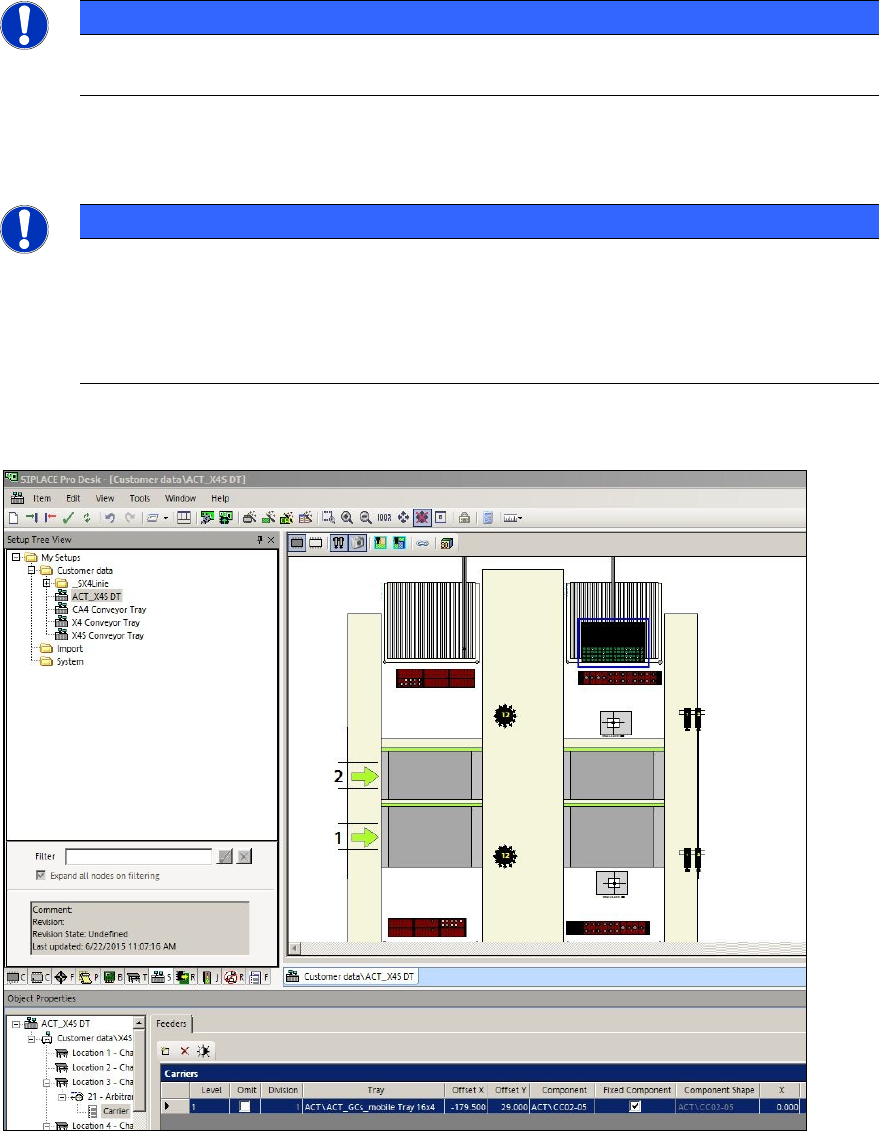
Figure 4-11 displays an example of a setup:
Figure 4-11: Setup on an X4 S with Twin Head at gantry 3. Waffle pack tray with 16x4 glass components (CC02-05) on an
X-table